Seedance 2.5 आ गया है · Nano Banana 2 और GPT Image 2.5 असीमित 15 नवंबर तकअपग्रेड
  • Picasso IA लोगोLogo Picasso IA
  • होम
  • इमेज
  • वीडियो
  • संगीत
  • आवाज़
  • चैट
  • 3D
  • AI इन्फ्लुएंसरNEW
  • AI ToolkitNEW
  • SupercomputerNEW
  • APINEW
  • MCPNEW
  • पीढ़ियाँ
  • बिलिंग
  • सहायता
  • खाता
सामग्री पर जाएं
  • एक्सप्लोर
  • इमेज
  • वीडियो
  • चैट
  • असीमित
  • वीडियो एडिट
  • लिपसिंक
  • एन्हांस
  • संगीत
  • आवाज़
  • ट्रांसक्राइब
  • 3D
  • अपस्केल
  • बैकग्राउंड हटाएं
मुफ़्त शुरूअभी मुफ़्त शुरू करेंनयाबनाएंबनाना शुरू करेंमूल्यमूल्य80% OFF
Crea GratisStart Freeابدأ مجانًاCrie GrátisEssai Gratuitमुफ़्त शुरूEmpieza Gratis YaStart Free Nowابدأ مجانًا الآنComece Grátis JáCommencer Gratuitementअभी मुफ़्त शुरू करेंNuevoNewجديدNovoNouveauनयाCrearCreateإنشاءCriarCréerबनाएंEmpieza a CrearStart Creatingابدأ الإنشاءComece a CriarCommencer à Créerबनाना शुरू करेंPreciosPricingالأسعارPreçosTarifsमूल्यPreciosPricingالأسعارPreçosTarifsमूल्य80% OFF
  • ExplorarExploreاستكشافExplorarExplorerएक्सप्लोर
  • Inicio RápidoQuickstartالبدء السريعInício RápidoDémarrage Rapideत्वरित शुरुआत
  • DocumentaciónDocsالوثائقDocumentaçãoDocumentationडॉक्स
  • PreciosPricingالأسعارPreçosTarifsकीमत
  • Claves de APIAPI Keysمفاتيح APIChaves de APIClés APIAPI कुंजियाँ
  • MCPMCPخادم MCPMCPMCPMCP
  1. ExplorarExploreاستكشافExplorarExplorerएक्सप्लोर
  2. VídeoVideoالفيديوVídeoVidéoवीडियो
  3. Seedance 2.5 LiteSeedance 2.5 LiteSeedance 2.5 LiteSeedance 2.5 LiteSeedance 2.5 LiteSeedance 2.5 Lite
  4. Referencia de la APIAPI Referenceمرجع APIReferência da APIRéférence de l'APIAPI संदर्भ
IlimitadoUnlimitedغير محدودIlimitadoIllimitéअसीमितVídeoVideoالفيديوVídeoVidéoवीडियो
$0$0$0$0$0$0
/ ejecución/ run/ تشغيل/ execução/ requête/ रन
desde ~$0.2205/s en otras APIsfrom ~$0.2205/s elsewhereابتداءً من ⁦~$0.2205⁩/ثانية لدى الآخرينa partir de ~$0.2205/s em outros provedoresà partir de ~$0.2205/s ailleursदूसरी जगह ~$0.2205/⁠सेकंड से शुरू
Referencia de la API de Seedance 2.5 LiteSeedance 2.5 Lite API Referenceمرجع واجهة Seedance 2.5 Lite APIReferência da API do Seedance 2.5 LiteRéférence de l'API Seedance 2.5 LiteSeedance 2.5 Lite API संदर्भ
Texto a VídeoText to Videoتحويل النص إلى فيديوTexto para VídeoTexte vers Vidéoटेक्स्ट से वीडियो
Texto e imagen a vídeo con audio, clips de 5, 10 o 15 segundos y salida en 480p o 720p.Text and image to video with audio, clips of 5, 10 or 15 seconds and 480p or 720p output.تحويل النص والصورة إلى فيديو مع الصوت ومقاطع مدتها 5 أو 10 أو 15 ثانية ودقة 480p أو 720p.Texto e imagem para vídeo com áudio, clipes de 5, 10 ou 15 segundos e saída em 480p ou 720p.Texte et image vers vidéo avec audio, des clips de 5, 10 ou 15 secondes et une sortie en 480p ou 720p.टेक्स्ट और इमेज से वीडियो: ऑडियो, 5, 10 या 15 सेकंड की क्लिप और 480p या 720p आउटपुट।
Copiar Prompt para AgenteCopy Agent Promptنسخ موجّه الوكيلCopiar Prompt para AgenteCopier le Prompt pour l'Agentएजेंट प्रॉम्प्ट कॉपी करें
Ver DocumentaciónView Docsعرض الوثائقVer DocumentaçãoVoir la Documentationडॉक्स देखें
cURLcURLcURLcURLcURLcURL
Copiar para AgenteCopy for Agentنسخ للوكيلCopiar para AgenteCopier pour l'Agentएजेंट के लिए कॉपी करें
PlaygroundPlaygroundمساحة التجربةPlaygroundPlaygroundप्लेग्राउंड
APIAPIواجهة APIAPIAPIAPI
En Esta PáginaOn This Pageفي هذه الصفحةNesta PáginaSur cette Pageइस पेज पर
Cómo Llamar a la APICalling the APIاستدعاء APIComo Chamar a APIAppeler l'APIAPI को कॉल करना
En Esta PáginaOn This Pageفي هذه الصفحةNesta PáginaSur cette Pageइस पेज पर
cURLcURLcURLcURLcURLcURL
  • Cómo Llamar a la APICalling the APIاستدعاء APIComo Chamar a APIAppeler l'APIAPI को कॉल करना
  • ConfiguraciónSetupالإعدادConfiguraçãoConfigurationसेटअप
  • Parámetros de la PeticiónRequest Parametersمعاملات الطلبParâmetros da RequisiçãoParamètres de la Requêteरिक्वेस्ट पैरामीटर
  • ModosModesالأوضاعModosModesमोड
  • Petición de EjemploExample Requestمثال على الطلبRequisição de ExemploExemple de Requêteउदाहरण रिक्वेस्ट
  • AutenticaciónAuthenticationالمصادقةAutenticaçãoAuthentificationप्रमाणीकरण
  • Cola y SondeoQueue and Pollingقائمة الانتظار والاستعلام الدوريFila e Consulta PeriódicaFile d'Attente et Interrogationकतार और पोलिंग
  • EnvíoSubmitالإرسالEnviarEnvoiभेजना
  • SondeoPollالاستعلامConsultarInterrogationपोल करना
  • ResultadoResultالنتيجةResultadoRésultatनतीजा
  • CancelaciónCancelالإلغاءCancelarAnnulationरद्द करना
  • SalidaOutputالمخرجاتSaídaSortieआउटपुट
  • Errores y LímitesErrors and Limitsالأخطاء والحدودErros e LimitesErreurs et Limitesत्रुटियाँ और सीमाएँ
  • PreciosPricingالأسعارPreçosTarifsकीमत
  • JSON SchemaJSON Schemaمخطط JSON SchemaJSON SchemaJSON SchemaJSON Schema

Seedance 2.5 Lite usa el ID de modelo picassoia/seedance-2.5-lite. Texto e imagen a vídeo con audio, clips de 5, 10 o 15 segundos y salida en 480p o 720p.

Cómo Llamar a la API

Envía las peticiones a https://api.picassoia.com/v1/models/picassoia/seedance-2.5-lite/predictions con un cuerpo JSON cuyo input coincida con los parámetros de abajo.

Configuración

Guarda tu API key en tu servidor, en una variable de entorno, y envíala en la cabecera Authorization de cada petición.

Shell
1export PICASSOIA_API_KEY="pia_sk_…"

Seedance 2.5 Lite uses the model ID picassoia/seedance-2.5-lite. Text and image to video with audio, clips of 5, 10 or 15 seconds and 480p or 720p output.

Calling the API

Send requests to https://api.picassoia.com/v1/models/picassoia/seedance-2.5-lite/predictions with a JSON body whose input matches the parameters below.

Setup

Keep your API key on your server, in an environment variable, and send it in the Authorization header of every request.

Shell
1export PICASSOIA_API_KEY="pia_sk_…"

يستخدم Seedance 2.5 Lite معرّف النموذج picassoia/seedance-2.5-lite. تحويل النص والصورة إلى فيديو مع الصوت ومقاطع مدتها 5 أو 10 أو 15 ثانية ودقة 480p أو 720p.

استدعاء API

أرسل الطلبات إلى https://api.picassoia.com/v1/models/picassoia/seedance-2.5-lite/predictions بجسم JSON يتوافق فيه الكائن input مع المعاملات أدناه.

الإعداد

احتفظ بمفتاح API على خادمك، في متغير بيئة، وأرسله في ترويسة Authorization مع كل طلب.

Shell
1export PICASSOIA_API_KEY="pia_sk_…"

O Seedance 2.5 Lite usa o ID de modelo picassoia/seedance-2.5-lite. Texto e imagem para vídeo com áudio, clipes de 5, 10 ou 15 segundos e saída em 480p ou 720p.

Como Chamar a API

Envie requisições para https://api.picassoia.com/v1/models/picassoia/seedance-2.5-lite/predictions com um corpo JSON cujo input siga os parâmetros abaixo.

Configuração

Guarde sua API key no seu servidor, em uma variável de ambiente, e envie-a no cabeçalho Authorization de cada requisição.

Shell
1export PICASSOIA_API_KEY="pia_sk_…"

Seedance 2.5 Lite utilise l'identifiant de modèle picassoia/seedance-2.5-lite. Texte et image vers vidéo avec audio, des clips de 5, 10 ou 15 secondes et une sortie en 480p ou 720p.

Appeler l'API

Envoyez vos requêtes à https://api.picassoia.com/v1/models/picassoia/seedance-2.5-lite/predictions avec un corps JSON dont l'objet input correspond aux paramètres ci-dessous.

Configuration

Gardez votre API key sur votre serveur, dans une variable d'environnement, et envoyez-la dans l'en-tête Authorization de chaque requête.

Shell
1export PICASSOIA_API_KEY="pia_sk_…"

Seedance 2.5 Lite का मॉडल ID picassoia/seedance-2.5-lite है। टेक्स्ट और इमेज से वीडियो: ऑडियो, 5, 10 या 15 सेकंड की क्लिप और 480p या 720p आउटपुट।

API को कॉल करना

https://api.picassoia.com/v1/models/picassoia/seedance-2.5-lite/predictions पर ऐसी JSON बॉडी के साथ रिक्वेस्ट भेजें जिसका input नीचे दिए गए पैरामीटर से मेल खाता हो।

सेटअप

अपनी API key अपने सर्वर पर किसी एनवायरनमेंट वेरिएबल में रखें, और उसे हर रिक्वेस्ट के Authorization हेडर में भेजें।

Shell
1export PICASSOIA_API_KEY="pia_sk_…"
  • होम
  • टूलकिट
  • लाइब्रेरी
  • खाता
मुफ़्त शुरूअभी मुफ़्त शुरू करेंनयाबनाएंबनाना शुरू करेंमूल्यमूल्य80% OFF
  • एक्सप्लोर
  • त्वरित शुरुआत
  • डॉक्स
  • कीमत
  • API कुंजियाँ
  • MCP
  1. एक्सप्लोर
  2. इमेज
  3. PicassoIA Image
  4. API संदर्भ
असीमितइमेजInfinite प्लान के साथ $0 प्रति रिक्वेस्ट; 1 अक्टूबर 2026 तक की कीमतों के अनुसार अन्य प्रोवाइडर किसी मिलते-जुलते मॉडल के लिए $0.02/⁠मेगापिक्सेल चार्ज करते हैं$0/ रनदूसरी जगह $0.02/⁠मेगापिक्सेल

PicassoIA Image API संदर्भ

टेक्स्ट से इमेज

टेक्स्ट से इमेज: हर रिक्वेस्ट पर 1 या 2 इमेज और 7 आस्पेक्ट रेशियो।

डॉक्स देखें
1
2
3
4curl -s -X POST https://api.picassoia.com/v1/models/picassoia/picassoia-image/predictions \
  -H "Authorization: Bearer $PICASSOIA_API_KEY" \
  -H "Content-Type: application/json" \
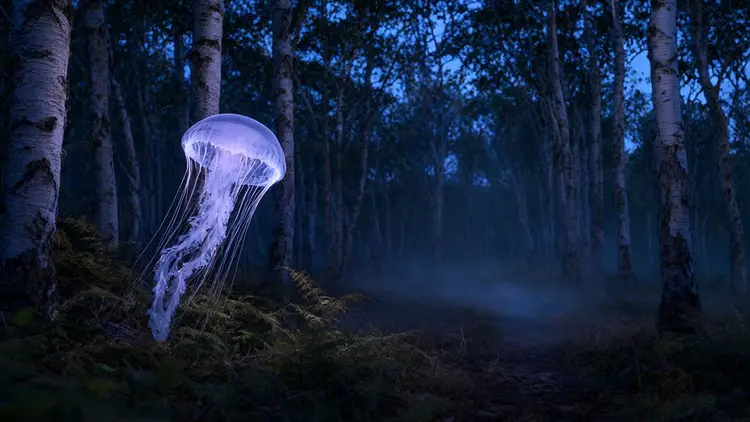
  -d '{"input":{"prompt":"A giant translucent jellyfish drifts between the white trunks of a birch forest at dusk, its glowing bell as wide as a car and its long ribbon tentacles trailing just above the ferns. Blue twilight mixes with the jellyfish'\''s soft violet glow, which lights the bark and the low mist on the ground. Wide shot on a 35mm lens with the jellyfish in the left half of the frame and an open path between the trees to the right, quiet and dreamlike, photorealistic.","aspect_ratio":"16:9"}}'
प्लेग्राउंडAPI

इस पेज पर

  • 1.API को कॉल करना
  • सेटअप
  • रिक्वेस्ट पैरामीटर
  • मोड
  • उदाहरण रिक्वेस्ट
  • 2.प्रमाणीकरण
  • 3.कतार और पोलिंग
  • भेजना
  • पोल करना
  • नतीजा
  • रद्द करना
  • 4.आउटपुट
  • 5.त्रुटियाँ और सीमाएँ
  • 6.कीमत
  • 7.JSON Schema

PicassoIA Image का मॉडल ID picassoia/picassoia-image है। टेक्स्ट से इमेज: हर रिक्वेस्ट पर 1 या 2 इमेज और 7 आस्पेक्ट रेशियो।

API को कॉल करना

https://api.picassoia.com/v1/models/picassoia/picassoia-image/predictions पर ऐसी JSON बॉडी के साथ रिक्वेस्ट भेजें जिसका input नीचे दिए गए पैरामीटर से मेल खाता हो।

सेटअप

अपनी API key अपने सर्वर पर किसी एनवायरनमेंट वेरिएबल में रखें, और उसे हर रिक्वेस्ट के Authorization हेडर में भेजें।

Shell
1export PICASSOIA_API_KEY="pia_sk_…"

रिक्वेस्ट पैरामीटर

promptstringज़रूरी
डिफ़ॉल्टकोई नहीं
आउटपुट में क्या दिखना चाहिए। 4000 कैरेक्टर तक।
aspect_ratiostring
डिफ़ॉल्ट"1:1"
आउटपुट का आकार। जहाँ match_input_image का विकल्प हो, वहाँ यह इनपुट इमेज का अनुपात बनाए रखता है, या कई इमेज होने पर पहली इमेज का। विकल्प: 1:1, 16:9, 9:16, 4:3, 3:4, 3:2 और 2:3।
num_outputsinteger
डिफ़ॉल्ट1
कितने नतीजे बनाने हैं। 1 से 2 तक।
output_formatstring
डिफ़ॉल्ट"jpg"
नतीजे का फ़ाइल फ़ॉर्मेट। विकल्प: webp, jpg और png।
output_qualityinteger
डिफ़ॉल्ट80
कम्प्रेशन क्वालिटी, JPG और WebP के लिए। 0 से 100 तक।
seedinteger
डिफ़ॉल्टकोई नहीं
किसी नतीजे को दोबारा पाने के लिए इसे सेट करें; रैंडम नतीजे के लिए इसे छोड़ दें।
पैरामीटरटाइपज़रूरीडिफ़ॉल्टविवरण
promptstringहाँज़रूरीकोई नहींआउटपुट में क्या दिखना चाहिए। 4000 कैरेक्टर तक।
aspect_ratiostringनहीं"1:1"आउटपुट का आकार। जहाँ match_input_image का विकल्प हो, वहाँ यह इनपुट इमेज का अनुपात बनाए रखता है, या कई इमेज होने पर पहली इमेज का। विकल्प: 1:1, 16:9, 9:16, 4:3, 3:4, 3:2 और 2:3।
num_outputsintegerनहीं1कितने नतीजे बनाने हैं। 1 से 2 तक।
output_formatstringनहीं"jpg"नतीजे का फ़ाइल फ़ॉर्मेट। विकल्प: webp, jpg और png।
output_qualityintegerनहीं80कम्प्रेशन क्वालिटी, JPG और WebP के लिए। 0 से 100 तक।
seedintegerनहींकोई नहींकिसी नतीजे को दोबारा पाने के लिए इसे सेट करें; रैंडम नतीजे के लिए इसे छोड़ दें।

मोड

मोड इस पर निर्भर करता है कि आप प्रॉम्प्ट के साथ कोई फ़ाइल भेजते हैं या नहीं, और कौन-सी। हर मोड एक ही एंडपॉइंट इस्तेमाल करता है।

मोडफ़ाइलें
टेक्स्ट से इमेजसिर्फ़ प्रॉम्प्ट

उदाहरण रिक्वेस्ट

टेक्स्ट से इमेज

cURL
1
2
3
4curl -s -X POST https://api.picassoia.com/v1/models/picassoia/picassoia-image/predictions \
  -H "Authorization: Bearer $PICASSOIA_API_KEY" \
  -H "Content-Type: application/json" \
  -d '{"input":{"prompt":"a lighthouse at sunset, oil painting"}}'
Node.js
1
2
3
4
5
6
7
8
9
10
11
12
13
14
15
16
17
18
19
20
21
22
23
24
25const API = 'https://api.picassoia.com/v1'
const headers = {
  Authorization: `Bearer ${process.env.PICASSOIA_API_KEY}`,
  'Content-Type': 'application/json',
}
const sleep = (s) => new Promise((resolve) => setTimeout(resolve, s * 1000))

const input = {
  prompt: "a lighthouse at sunset, oil painting"
}

const created = await fetch(`${API}/models/picassoia/picassoia-image/predictions`, {
  method: 'POST',
  headers,
  body: JSON.stringify({ input }),
})
let prediction = await created.json()
if (!created.ok) throw new Error(`${prediction.code}: ${prediction.detail}`)

while (!['succeeded', 'failed', 'canceled'].includes(prediction.status)) {
  await sleep(prediction.eta?.next_poll_in_seconds ?? 2)
  prediction = await (await fetch(prediction.urls.get, { headers })).json()
}
if (prediction.status !== 'succeeded') throw new Error(prediction.error ?? prediction.status)
console.log(prediction.output)
Python
1
2
3
4
5
6
7
8
9
10
11
12
13
14
15
16
17
18
19import os, time, requests

API = "https://api.picassoia.com/v1"
HEADERS = {"Authorization": f"Bearer {os.environ['PICASSOIA_API_KEY']}"}

payload = {"input": {
    "prompt": "a lighthouse at sunset, oil painting",
}}

response = requests.post(f"{API}/models/picassoia/picassoia-image/predictions", json=payload, headers=HEADERS)
prediction = response.json()
if not response.ok:
    raise RuntimeError(f"{prediction['code']}: {prediction['detail']}")
while prediction["status"] not in ("succeeded", "failed", "canceled"):
    time.sleep((prediction.get("eta") or {}).get("next_poll_in_seconds", 2))
    prediction = requests.get(prediction["urls"]["get"], headers=HEADERS).json()
if prediction["status"] != "succeeded":
    raise RuntimeError(prediction["error"] or prediction["status"])
print(prediction["output"])

प्रमाणीकरण

हर रिक्वेस्ट के Authorization हेडर में Bearer टोकन के रूप में एक API key होनी चाहिए। अपने अकाउंट में keys बनाएँ; पूरी key सिर्फ़ एक बार दिखाई जाती है।

HTTP
1Authorization: Bearer $PICASSOIA_API_KEY

API कुंजियाँ मैनेज करें

कतार और पोलिंग

हर प्रेडिक्शन में तीन स्टेप होते हैं: उसे बनाएँ, पूरा होने तक पोल करें, फिर नतीजा पढ़ें।

भेजना

API आमतौर पर कुछ ही सेकंड में 201 के साथ जवाब देता है, जिसमें प्रेडिक्शन starting स्टेट में होता है, eta में एक अनुमान होता है और urls.get में पोल करने का URL होता है। अगर प्रेडिक्शन तुरंत फ़ेल हो जाता है, जैसे जब सेफ़्टी फ़िल्टर इनपुट को अस्वीकार कर देता है, तब भी जवाब 201 ही होता है, जिसमें प्रेडिक्शन failed स्टेट में और अपने error के साथ होता है।

cURL
1
2
3
4curl -s -X POST https://api.picassoia.com/v1/models/picassoia/picassoia-image/predictions \
  -H "Authorization: Bearer $PICASSOIA_API_KEY" \
  -H "Content-Type: application/json" \
  -d '{"input":{"prompt":"a lighthouse at sunset, oil painting"}}'
Node.js
1
2
3
4
5
6
7
8
9
10
11
12
13
14
15
16
17const API = 'https://api.picassoia.com/v1'
const headers = {
  Authorization: `Bearer ${process.env.PICASSOIA_API_KEY}`,
  'Content-Type': 'application/json',
}

const input = {
  prompt: "a lighthouse at sunset, oil painting"
}
const created = await fetch(`${API}/models/picassoia/picassoia-image/predictions`, {
  method: 'POST',
  headers,
  body: JSON.stringify({ input }),
})
let prediction = await created.json()
if (!created.ok) throw new Error(`${prediction.code}: ${prediction.detail}`)
console.log(prediction.id, prediction.status) // api_…, starting
Python
1
2
3
4
5
6
7
8
9
10
11
12
13import os, requests

API = "https://api.picassoia.com/v1"
HEADERS = {"Authorization": f"Bearer {os.environ['PICASSOIA_API_KEY']}"}

payload = {"input": {
    "prompt": "a lighthouse at sunset, oil painting",
}}
response = requests.post(f"{API}/models/picassoia/picassoia-image/predictions", json=payload, headers=HEADERS)
prediction = response.json()
if not response.ok:
    raise RuntimeError(f"{prediction['code']}: {prediction['detail']}")
print(prediction["id"], prediction["status"])  # api_…, starting
जवाब · 201 Created
1
2
3
4
5
6
7
8
9
10
11
12
13
14
15
16
17
18
19
20
21
22
23
24
25
26
27
28{
  "id": "api_3f9c2b7e8d1a4c6f9e0b1a2c3d4e5f60",
  "model": "picassoia/picassoia-image",
  "input": {
    "prompt": "a lighthouse at sunset, oil painting",
    "aspect_ratio": "1:1",
    "num_outputs": 1,
    "output_format": "jpg",
    "output_quality": 80
  },
  "output": null,
  "error": null,
  "status": "starting",
  "created_at": "2026-10-01T09:30:00.000Z",
  "started_at": null,
  "completed_at": null,
  "metrics": {
    "predict_time": null
  },
  "urls": {
    "get": "https://api.picassoia.com/v1/predictions/api_3f9c2b7e8d1a4c6f9e0b1a2c3d4e5f60",
    "cancel": "https://api.picassoia.com/v1/predictions/api_3f9c2b7e8d1a4c6f9e0b1a2c3d4e5f60/cancel"
  },
  "eta": {
    "seconds": 12,
    "next_poll_in_seconds": 6
  }
}

पोल करना

eta.next_poll_in_seconds के बाद urls.get को फिर से पोल करें: अनुमानित समय के आधे पर, अनुमानित समय पूरा होने पर, फिर हर 2 सेकंड में।

cURL
1
2
3
4# Repeat after eta.next_poll_in_seconds until status is
# succeeded, failed or canceled.
curl -s https://api.picassoia.com/v1/predictions/api_3f9c2b7e8d1a4c6f9e0b1a2c3d4e5f60 \
  -H "Authorization: Bearer $PICASSOIA_API_KEY"
Node.js
1
2
3
4
5
6const sleep = (s) => new Promise((resolve) => setTimeout(resolve, s * 1000))

while (!['succeeded', 'failed', 'canceled'].includes(prediction.status)) {
  await sleep(prediction.eta?.next_poll_in_seconds ?? 2)
  prediction = await (await fetch(prediction.urls.get, { headers })).json()
}
Python
1
2
3
4
5import time

while prediction["status"] not in ("succeeded", "failed", "canceled"):
    time.sleep((prediction.get("eta") or {}).get("next_poll_in_seconds", 2))
    prediction = requests.get(prediction["urls"]["get"], headers=HEADERS).json()
जवाब · 200 OK · प्रगति में
1
2
3
4
5
6
7
8
9{
  "id": "api_3f9c2b7e8d1a4c6f9e0b1a2c3d4e5f60",
  "status": "processing",
  "output": null,
  "eta": {
    "seconds": 6,
    "next_poll_in_seconds": 6
  }
}

नतीजा

जब status succeeded होता है, तो output में नतीजा होता है। अगर प्रेडिक्शन failed है, तो error में उसका कारण होता है, और canceled प्रेडिक्शन पूरा होने से पहले रोक दिया गया था। ये तीनों स्टेटस अंतिम हैं।

cURL
1
2
3
4# The last poll holds the result: "output" when "status" is succeeded,
# "error" when it is failed. With jq, just those three fields:
curl -s https://api.picassoia.com/v1/predictions/api_3f9c2b7e8d1a4c6f9e0b1a2c3d4e5f60 \
  -H "Authorization: Bearer $PICASSOIA_API_KEY" | jq '.status, .output, .error'
Node.js
1
2if (prediction.status !== 'succeeded') throw new Error(prediction.error ?? prediction.status)
console.log(prediction.output)
Python
1
2
3if prediction["status"] != "succeeded":
    raise RuntimeError(prediction["error"] or prediction["status"])
print(prediction["output"])
जवाब · 200 OK · पूरा हुआ
1
2
3
4
5
6
7
8
9
10
11
12
13{
  "id": "api_3f9c2b7e8d1a4c6f9e0b1a2c3d4e5f60",
  "status": "succeeded",
  "output": [
    "https://…/output-1.jpg"
  ],
  "error": null,
  "completed_at": "2026-10-01T09:30:08.000Z",
  "metrics": {
    "predict_time": 6.4
  },
  "eta": null
}

रद्द करना

POST urls.cancel ऐसे प्रेडिक्शन को रोक देता है जो अभी कतार में है (कोई भी मॉडल) या ऐसी इमेज को जो अभी जनरेट हो रही है; जो वीडियो पहले से जनरेट हो रहा है, उसके लिए जवाब 409 not_cancelable होता है।

इन जवाबों में दिए गए ID, समय और URL उदाहरण हैं: आपके जवाबों में आपके अपने होंगे।

आउटपुट

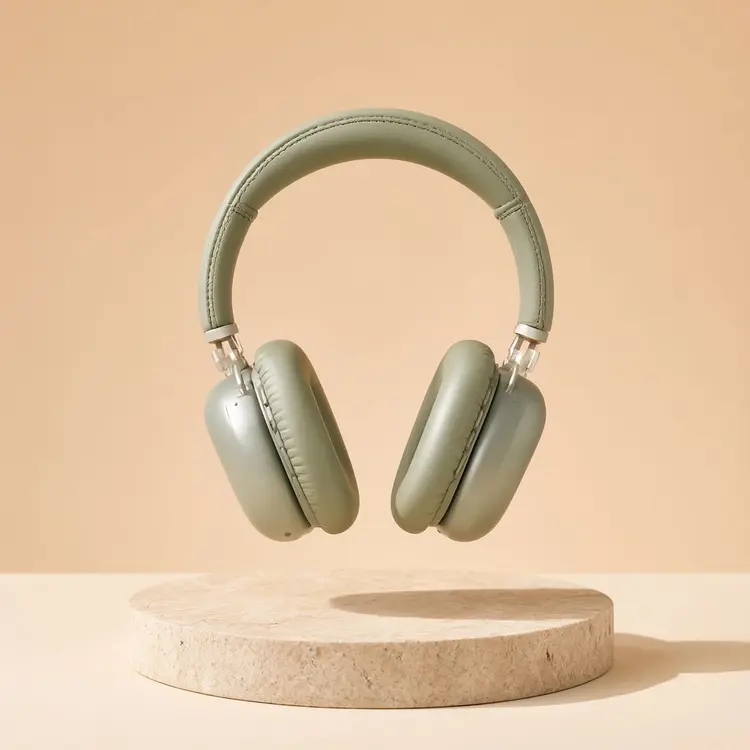
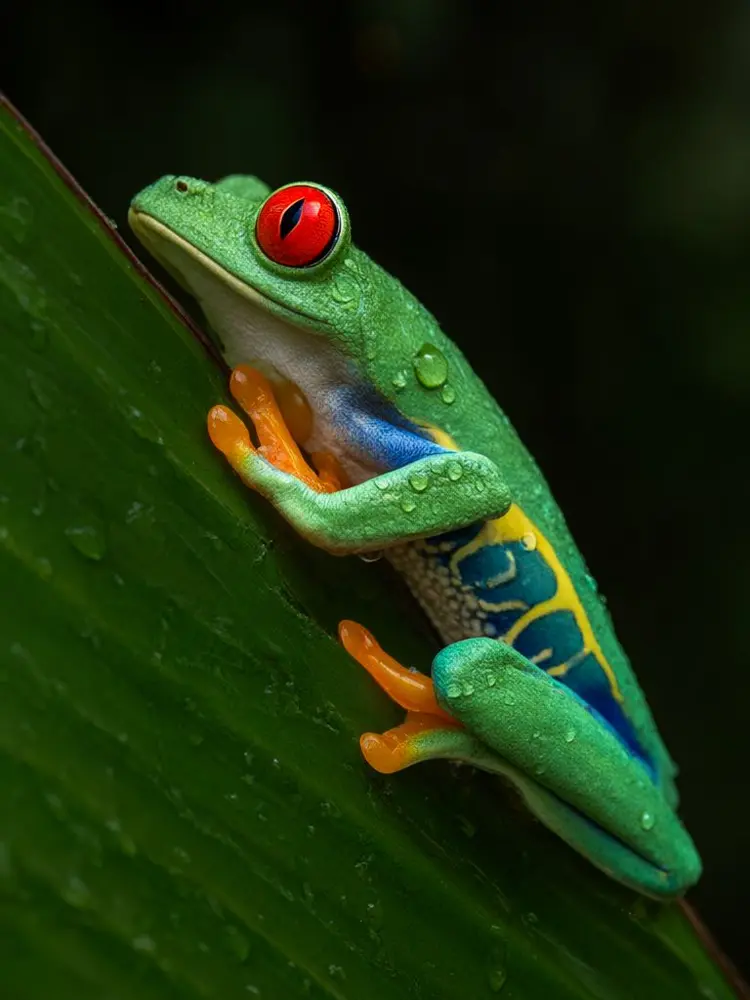
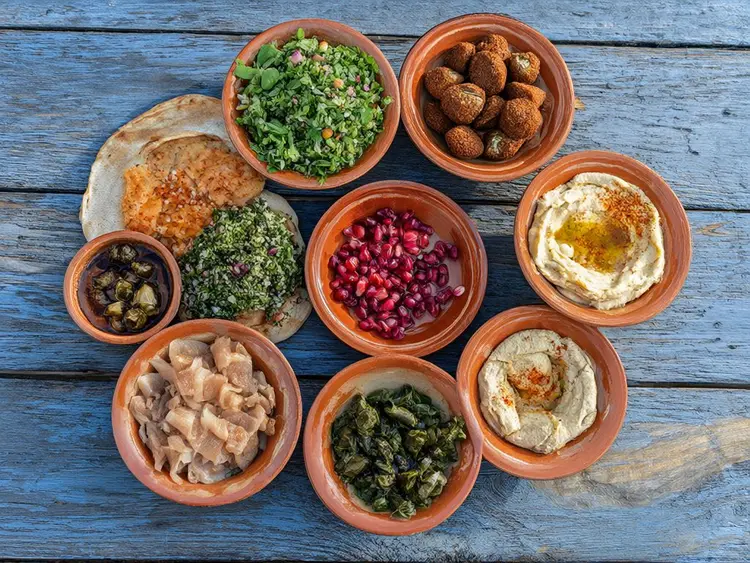
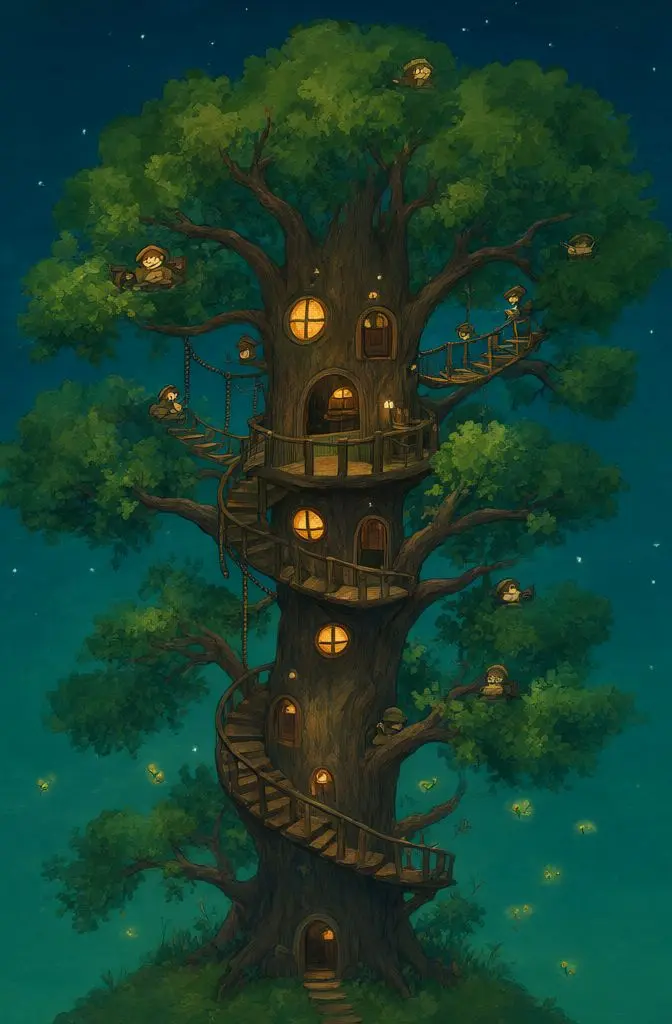
प्रेडिक्शन सफल होने पर output 1 या 2 इमेज URL की सूची होता है।

असली आउटपुट
  • PicassoIA Image
  • PicassoIA Image
  • PicassoIA Image
  • PicassoIA Image
  • PicassoIA Image
  • PicassoIA Image

त्रुटियाँ और सीमाएँ

त्रुटियाँ स्थिर code वाले JSON problem details के रूप में आती हैं, और 422 जवाब में हर गलत फ़ील्ड का नाम होता है।

सीमाएँ

  • हर अकाउंट पर एक साथ 5 प्रेडिक्शन, कतार में या चलते हुए
  • रिक्वेस्ट बॉडी 10 MB तक; data URL के रूप में इमेज, हर एक 5 MB तक
  • प्रॉम्प्ट 4000 कैरेक्टर तक
  • अज्ञात फ़ील्ड 422 invalid_input के साथ अस्वीकार किए जाते हैं
सभी त्रुटि कोड

कीमत

सक्रिय Infinite प्लान के साथ $0 प्रति रिक्वेस्ट: सेटिंग्स चाहे जो हों, API प्रेडिक्शन में कोई क्रेडिट खर्च नहीं होता।

अन्य प्रोवाइडर किसी मिलते-जुलते मॉडल के लिए $0.02/⁠मेगापिक्सेल चार्ज करते हैं (1 अक्टूबर 2026 तक की कीमत)।

API की कीमत

JSON Schema

वही स्कीमा जो API GET /v1/models/picassoia/picassoia-image पर देता है।

JSON Schema
1
2
3
4
5
6
7
8
9
10
11
12
13
14
15
16
17
18
19
20
21
22
23
24
25
26
27
28
29
30
31
32
33
34
35
36
37
38
39
40
41
42
43
44
45
46
47
48
49
50
51
52
53
54
55
56
57
58
59
60
61
62
63
64
65
66
67
68
69
70
71
72
73{
  "input_schema": {
    "$schema": "https://json-schema.org/draft/2020-12/schema",
    "type": "object",
    "properties": {
      "prompt": {
        "type": "string",
        "minLength": 1,
        "maxLength": 4000,
        "description": "What the image should show."
      },
      "aspect_ratio": {
        "default": "1:1",
        "description": "Aspect ratio of the images.",
        "type": "string",
        "enum": [
          "1:1",
          "16:9",
          "9:16",
          "4:3",
          "3:4",
          "3:2",
          "2:3"
        ]
      },
      "num_outputs": {
        "default": 1,
        "description": "How many images to create: 1 or 2.",
        "type": "integer",
        "minimum": 1,
        "maximum": 2
      },
      "output_format": {
        "default": "jpg",
        "description": "File format of the images.",
        "type": "string",
        "enum": [
          "webp",
          "jpg",
          "png"
        ]
      },
      "output_quality": {
        "default": 80,
        "description": "Quality of JPG and WebP images, from 0 to 100.",
        "type": "integer",
        "minimum": 0,
        "maximum": 100
      },
      "seed": {
        "description": "Random seed. Set it to reproduce a result.",
        "type": "integer",
        "minimum": -9007199254740991,
        "maximum": 9007199254740991
      }
    },
    "required": [
      "prompt"
    ],
    "additionalProperties": false
  },
  "output_schema": {
    "$schema": "https://json-schema.org/draft/2020-12/schema",
    "type": "array",
    "items": {
      "type": "string",
      "format": "uri"
    },
    "minItems": 1,
    "maxItems": 2,
    "description": "URLs of the generated images, in the requested output_format."
  }
}