🍌

Nano Banana Pro, Veo 3.1, Sora 2 y Flux 2 ¡ya están aquí! Ahorra hasta un 80%.

Generaciones ilimitadas en cualquier modelo con la etiqueta infinito dentro de PicassoIA. Desde $4/mes.
1200 caracteres restantes

0 / 100%

~15s

Estamos generando tu contenido. Por favor, espera un momento. ¡Gracias por tu paciencia!

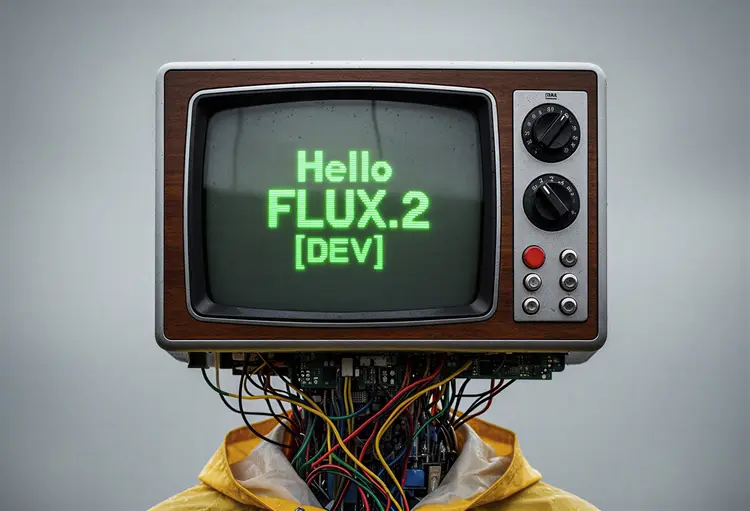
flux-2-dev: Generación de imágenes de texto a imagen de calidad

flux-2-dev permite a los creadores generar imágenes de alta calidad a partir de simples prompts de texto o imágenes de referencia. Con proporciones flexibles, formatos de salida personalizables y control sobre la calidad de la imagen, se adapta a cualquier flujo de trabajo creativo o profesional. Ya sea que necesites obras originales, visuales para marketing o bocetos rápidos de conceptos, flux-2-dev ofrece generación de imágenes rápida, confiable y reproducible. Usa imágenes de referencia para resultados más precisos o comienza desde cero con solo tu imaginación.

Oficial

Black Forest Labs

36.3k ejecuciones

Flux 2 Dev

2025-11-24

Uso comercial

flux-2-dev: Generación de imágenes de texto a imagen de calidad

Descripción general

El modelo de IA black-forest-labs/flux-2-dev te permite generar imágenes de alta calidad a partir de prompts de texto e incluso refinar visuales usando tus propias imágenes de referencia, todo en línea y completamente gratis. Diseñado para una creatividad sin esfuerzo, este modelo dentro de Picasso IA hace que la creación y edición de imágenes sea accesible para todos, entregando resultados instantáneos con solo unos clics.

Cómo funciona

  • Simplemente ingresa un prompt de texto descriptivo para guiar al modelo de IA en la generación de una imagen única.
  • Opcionalmente, sube una imagen de referencia para influir en el estilo, composición o detalles de la salida.
  • Recibe tu imagen personalizada en segundos, lista para usar, compartir o refinar más.
  • Todo el procesamiento ocurre en línea, sin descargas ni instalaciones necesarias.

Ventajas de black-forest-labs/flux-2-dev

  • Generación avanzada de texto a imagen que ofrece resultados detallados y visualmente atractivos a partir de prompts simples.
  • Edición y mejora sin esfuerzo usando imágenes de referencia, perfecto para creaciones personalizadas.
  • La interfaz intuitiva de Picasso IA no requiere experiencia técnica, haciendo la IA poderosa accesible para todos.
  • 100% gratis para usar, sin costos ocultos ni suscripciones.
  • Disfruta de un rendimiento rápido y confiable para resultados instantáneos cada vez.

Preguntas frecuentes

¿Qué puedo crear con black-forest-labs/flux-2-dev?
Puedes generar imágenes originales a partir de prompts de texto o mejorar imágenes usando tus propias referencias, ideal para arte, diseño y proyectos creativos.

¿Este modelo de IA es realmente gratis para usar?
Sí, puedes usar black-forest-labs/flux-2-dev en Picasso IA gratis, sin limitaciones.

¿Necesito habilidades de programación o conocimientos técnicos para usar esta IA?
No.

¿Qué tan rápido recibiré mis imágenes generadas?
La mayoría de los resultados aparecen en segundos, permitiendo experimentación y creatividad rápidas.

¿Puedo usar mis propias imágenes como entrada?
Sí, puedes subir imágenes de referencia para guiar a la IA en la generación o edición de visuales.

¿Hay restricciones sobre el uso comercial o personal de las imágenes generadas?
Consulta los términos de uso de Picasso IA para la información más reciente sobre derechos de uso de imágenes.

¿Qué tipos de prompts funcionan mejor?
Prompts claros y descriptivos ayudan a la IA a generar resultados más precisos y creativos.

¿Listo para liberar tu creatividad? Prueba black-forest-labs/flux-2-dev ahora y genera imágenes increíbles al instante!

Costo de Créditos

Cada generación consume 1 crédito

Casos de uso

Crear obras originales o ilustraciones a partir de texto

Generar visuales para marketing o imágenes conceptuales

Mejorar o editar imágenes existentes con prompts de texto

Producir contenido para redes sociales con proporciones específicas

Prototipado rápido para diseño de producto o interfaz

Diagramas educativos y ayudas visuales

Tarjetas de felicitación o pósters personalizados

Narración visual o creación de cómics

Ejemplos

replace the couple next to the fire in image 1 by the man in image 2 and the woman in image 3
Entrada
Input 1
Input 2
+1Resultado
replace the couple next to the fire in image 1 by the man in image 2 and the woman in image 3
11.0s
Ver Ejemplo
Change the color of the gloves to the color of image 2
Entrada
Input 1
Input 2
Resultado
Change the color of the gloves to the color of image 2
8.6s
Ver Ejemplo
Photorealistic infographic showing the complete Berlin TV Tower (Fernsehturm) from ground base to antenna tip, full vertical view with entire structure visible including concrete shaft, metallic sphere, and antenna spire. Slight upward perspective angle looking up toward the iconic sphere, perfectly centered on clean white background. Left side labels with thin horizontal connector lines: the text '368m' in extra large bold dark grey numerals (#2D3748) positioned at exactly the antenna tip with 'TOTAL HEIGHT' in small caps below. The text '207m' in extra large bold with 'TELECAFÉ' in small caps below, with connector line touching the sphere precisely at the window level. Right side label with horizontal connector line touching the sphere's equator: the text '32m' in extra large bold dark grey numerals with 'SPHERE DIAMETER' in small caps below. Bottom section arranged in three balanced columns: Left - Large text '986' in extra bold dark grey with 'STEPS' in caps below. Center - 'BERLIN TV TOWER' in bold caps with 'FERNSEHTURM' in lighter weight below. Right - 'INAUGURATED' in bold caps with 'OCTOBER 3, 1969' below. At the very bottom center, below the columns, add small italicized text 'Run Flux.2 on Replicate' in medium grey (#A0AEC0). All typography in modern sans-serif font (such as Inter or Helvetica), color #2D3748 unless specified, clean minimal technical diagram style. Horizontal connector lines are thin, precise, and clearly visible, touching the tower structure at exact corresponding measurement points. Professional architectural elevation drawing aesthetic with dynamic low angle perspective creating sense of height and grandeur, poster-ready infographic design with perfect visual hierarchy.
2.0s
Ver Ejemplo
Replace the color of the car to blue
Entrada
Input 1
Resultado
Replace the color of the car to blue
5.2s
Ver Ejemplo