🍌

Nano Banana Pro, Veo 3.1, Sora 2 और Flux 2 आ गए हैं! 80% तक बचाएं।

PicassoIA में इन्फिनिटी टैग वाले किसी भी मॉडल पर असीमित जेनरेशन। $4/महीने से शुरू।
1200 अक्षर शेष

0 / 100%

~15s

हम आपकी सामग्री उत्पन्न कर रहे हैं। कृपया एक क्षण प्रतीक्षा करें। आपके धैर्य के लिए धन्यवाद!

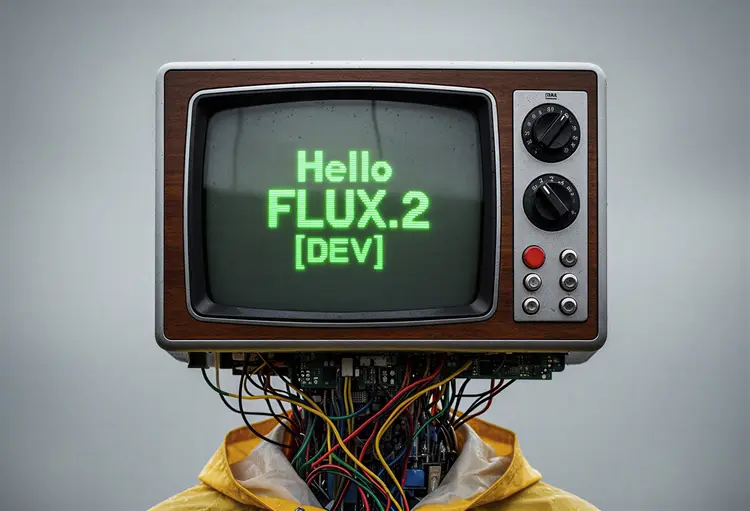
flux-2-dev: गुणवत्ता टेक्स्ट-टू-इमेज जनरेशन

flux-2-dev रचनाकारों को सरल टेक्स्ट प्रॉम्प्ट या संदर्भ छवियों से उच्च गुणवत्ता वाली छवियाँ उत्पन्न करने में सक्षम बनाता है। लचीले आस्पेक्ट अनुपात, अनुकूलन योग्य आउटपुट प्रारूप, और छवि गुणवत्ता पर नियंत्रण के साथ, यह किसी भी रचनात्मक या पेशेवर कार्यप्रवाह के लिए अनुकूल है। चाहे आपको मूल कलाकृति, विपणन दृश्य, या त्वरित अवधारणा स्केच की आवश्यकता हो, flux-2-dev तेज़, विश्वसनीय, और पुनरुत्पादनीय छवि निर्माण प्रदान करता है। अधिक सटीक परिणामों के लिए संदर्भ छवियों का उपयोग करें या केवल अपनी कल्पना से शुरुआत करें।

आधिकारिक

Black Forest Labs

36.3k रन

Flux 2 Dev

2025-11-24

व्यावसायिक उपयोग

flux-2-dev: गुणवत्ता टेक्स्ट-टू-इमेज जनरेशन

अवलोकन

black-forest-labs/flux-2-dev AI मॉडल आपको टेक्स्ट प्रॉम्प्ट से उच्च गुणवत्ता वाली छवियाँ उत्पन्न करने और अपनी स्वयं की संदर्भ छवियों का उपयोग करके दृश्य सुधारने की अनुमति देता है—सभी ऑनलाइन और पूरी तरह से मुफ्त। सहज रचनात्मकता के लिए डिज़ाइन किया गया, यह मॉडल Picasso IA के अंदर छवि निर्माण और संपादन को सभी के लिए सुलभ बनाता है, केवल कुछ क्लिक में त्वरित परिणाम प्रदान करता है।

यह कैसे काम करता है

  • एक वर्णनात्मक टेक्स्ट प्रॉम्प्ट दर्ज करें ताकि AI मॉडल एक अनूठी छवि उत्पन्न कर सके।
  • वैकल्पिक रूप से, आउटपुट की शैली, संरचना, या विवरणों को प्रभावित करने के लिए एक संदर्भ छवि अपलोड करें।
  • कुछ ही सेकंड में अपनी अनुकूलित छवि प्राप्त करें, उपयोग, साझा करने या आगे सुधार के लिए तैयार।
  • सभी प्रसंस्करण ऑनलाइन होता है—कोई डाउनलोड या इंस्टॉलेशन आवश्यक नहीं।

black-forest-labs/flux-2-dev के फायदे

  • उन्नत टेक्स्ट-टू-इमेज जनरेशन सरल प्रॉम्प्ट से विस्तृत, दृश्यात्मक रूप से आकर्षक परिणाम प्रदान करता है।
  • संदर्भ छवियों का उपयोग करके सहज संपादन और सुधार—व्यक्तिगत रचनाओं के लिए आदर्श।
  • Picasso IA का सहज इंटरफ़ेस कोई तकनीकी विशेषज्ञता आवश्यक नहीं करता, जिससे शक्तिशाली AI सभी के लिए सुलभ हो जाता है।
  • 100% मुफ्त उपयोग, बिना किसी छिपे हुए शुल्क या सदस्यता के।
  • त्वरित, विश्वसनीय प्रदर्शन का आनंद लें जो हर बार त्वरित परिणाम देता है।

अक्सर पूछे जाने वाले प्रश्न

मैं black-forest-labs/flux-2-dev के साथ क्या बना सकता हूँ?
आप टेक्स्ट प्रॉम्प्ट से मूल छवियाँ उत्पन्न कर सकते हैं या अपनी स्वयं की संदर्भ छवियों का उपयोग करके छवियों को सुधार सकते हैं—कला, डिज़ाइन, और रचनात्मक परियोजनाओं के लिए आदर्श।

क्या यह AI मॉडल वास्तव में मुफ्त है?
हाँ, आप Picasso IA पर black-forest-labs/flux-2-dev को बिना किसी सीमा के मुफ्त में उपयोग कर सकते हैं।

क्या मुझे इस AI को चलाने के लिए प्रोग्रामिंग कौशल या तकनीकी ज्ञान चाहिए?
नहीं।

मुझे अपनी उत्पन्न छवियाँ कितनी जल्दी मिलेंगी?
अधिकांश परिणाम कुछ ही सेकंड में दिखाई देते हैं, जिससे त्वरित प्रयोग और रचनात्मकता संभव होती है।

क्या मैं अपनी स्वयं की छवियों को इनपुट के रूप में उपयोग कर सकता हूँ?
हाँ, आप संदर्भ छवियाँ अपलोड कर सकते हैं ताकि AI दृश्य उत्पन्न करने या संपादित करने में मार्गदर्शन कर सके।

उत्पन्न छवियों के व्यावसायिक या व्यक्तिगत उपयोग पर कोई प्रतिबंध हैं?
छवि उपयोग अधिकारों के लिए नवीनतम जानकारी के लिए Picasso IA की उपयोग शर्तें देखें।

किस प्रकार के प्रॉम्प्ट सबसे अच्छे काम करते हैं?
स्पष्ट, वर्णनात्मक प्रॉम्प्ट AI को सबसे सटीक और रचनात्मक परिणाम उत्पन्न करने में मदद करते हैं।

क्या आप अपनी रचनात्मकता को मुक्त करना चाहते हैं? अभी black-forest-labs/flux-2-dev आज़माएं और तुरंत अद्भुत छवियाँ उत्पन्न करें!

क्रेडिट लागत

प्रत्येक जेनरेशन 1 क्रेडिट का उपयोग करता है

उपयोग के मामले

टेक्स्ट से मूल कलाकृति या चित्र बनाएं

विपणन दृश्य या अवधारणा छवियाँ उत्पन्न करें

मौजूदा छवियों को टेक्स्ट प्रॉम्प्ट के साथ सुधारें या संपादित करें

विशिष्ट आस्पेक्ट अनुपात के साथ सोशल मीडिया सामग्री बनाएं

उत्पाद या UI डिज़ाइन के लिए त्वरित प्रोटोटाइपिंग

शैक्षिक आरेख और दृश्य सहायता

व्यक्तिगत अभिवादन कार्ड या पोस्टर

दृश्य कहानी कहने या कॉमिक निर्माण

उदाहरण

replace the couple next to the fire in image 1 by the man in image 2 and the woman in image 3
इनपुट
Input 1
Input 2
+1परिणाम
replace the couple next to the fire in image 1 by the man in image 2 and the woman in image 3
11.0s
उदाहरण देखें
Change the color of the gloves to the color of image 2
इनपुट
Input 1
Input 2
परिणाम
Change the color of the gloves to the color of image 2
8.6s
उदाहरण देखें
Photorealistic infographic showing the complete Berlin TV Tower (Fernsehturm) from ground base to antenna tip, full vertical view with entire structure visible including concrete shaft, metallic sphere, and antenna spire. Slight upward perspective angle looking up toward the iconic sphere, perfectly centered on clean white background. Left side labels with thin horizontal connector lines: the text '368m' in extra large bold dark grey numerals (#2D3748) positioned at exactly the antenna tip with 'TOTAL HEIGHT' in small caps below. The text '207m' in extra large bold with 'TELECAFÉ' in small caps below, with connector line touching the sphere precisely at the window level. Right side label with horizontal connector line touching the sphere's equator: the text '32m' in extra large bold dark grey numerals with 'SPHERE DIAMETER' in small caps below. Bottom section arranged in three balanced columns: Left - Large text '986' in extra bold dark grey with 'STEPS' in caps below. Center - 'BERLIN TV TOWER' in bold caps with 'FERNSEHTURM' in lighter weight below. Right - 'INAUGURATED' in bold caps with 'OCTOBER 3, 1969' below. At the very bottom center, below the columns, add small italicized text 'Run Flux.2 on Replicate' in medium grey (#A0AEC0). All typography in modern sans-serif font (such as Inter or Helvetica), color #2D3748 unless specified, clean minimal technical diagram style. Horizontal connector lines are thin, precise, and clearly visible, touching the tower structure at exact corresponding measurement points. Professional architectural elevation drawing aesthetic with dynamic low angle perspective creating sense of height and grandeur, poster-ready infographic design with perfect visual hierarchy.
2.0s
उदाहरण देखें
Replace the color of the car to blue
इनपुट
Input 1
परिणाम
Replace the color of the car to blue
5.2s
उदाहरण देखें