• Picasso AI Logo
    Logo Picasso IA
  • Home
  • AI Image
    Nano Banana 2
  • AI Video
    Veo 3.1 Lite
  • AI Chat
    Gemini 3 Pro
  • Edit Images
  • Upscale Image
  • Remove Background
  • Text to Speech
  • Effects
    NEW
  • Generations
  • Billing
  • Support
  • Account
  1. Collection
  2. Super Resolution
  3. Recraft Creative Upscale

Add Depth and Detail with Recraft Creative Upscale

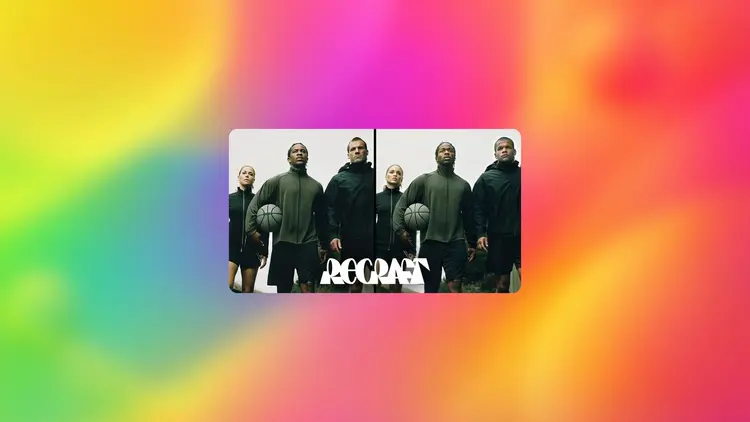
Most image upscalers simply stretch pixels and call it done. Recraft Creative Upscale takes a different approach: it reads every part of your image and rebuilds detail where it was lost or never fully present in the original. The result is a higher-resolution file where skin textures look lifelike, fabric weaves are crisp, and background elements stop being a blur. Where this model stands out is its focus on visual coherence. It sharpens facial features without the waxy look that plagues many tools. Textures like hair, fur, stone, and fabric gain realistic grain rather than artificial edge sharpening. It also preserves the color tone and mood of your original, so the upscaled version feels continuous rather than overprocessed. Photographers, product designers, and digital artists use it to bring archival images back to print quality, recover cropped details in older photos, or prepare assets for large-format output. Drop your image in, get a high-resolution file back, and download in seconds.

Official

Recraft Ai

9.6k runs

Recraft Creative Upscale

2025-01-15

Commercial Use

Add Depth and Detail with Recraft Creative Upscale

Table of contents

  • Overview
  • How It Works
  • Frequently Asked Questions
  • Credit Cost
  • Features
  • Use Cases
Get Nano Banana Pro

Overview

Recraft Creative Upscale is an AI model that raises image resolution while rebuilding the details that low-res files lose or lack. On Picasso IA, you can drop in a single image and receive a sharper, richer-looking version in seconds, no software to install and no technical settings to configure. It is particularly useful for photographers working with older scans, product teams preparing assets for print, and creators who need to resize AI-generated images without losing visual depth. The model pays close attention to fine structure, so upscaled faces, fabrics, and backgrounds look like they were always that resolution.

How It Works

  • Upload the image you want to upscale using the input panel.
  • The model reads the existing pixel data and identifies areas of low detail.
  • It reconstructs textures and fine elements based on the visual context of each region.
  • Facial features, surface grains, and complex backgrounds are each handled according to their individual characteristics.
  • Download the finished file at the higher resolution and use it directly in your project.

Frequently Asked Questions

Do I need programming skills or technical knowledge to use this? No, just open Recraft Creative Upscale on Picasso IA, adjust the settings you want, and hit generate.

Is it free to try? Yes, you can run Recraft Creative Upscale without a paid subscription to test the results on your own images.

How long does it take to get results? Most images process in a few seconds. Larger files may take slightly longer, but the result will appear in the output panel as soon as it finishes.

What output formats are supported? The model returns a high-resolution image file you can download directly from the output panel.

Can I customize the output quality or style? The model focuses specifically on resolution and detail quality. You provide the image and the upscaling logic handles the rest based on what it finds in your file.

What if the result does not look right on the first try? You can re-run the model on the same image or adjust the source before uploading again. There is no credit cost for retrying, so you can iterate until the result meets your standard.

Where can I use the outputs? The upscaled images are yours to use in print projects, digital publications, client deliverables, or anywhere else you need a higher-resolution asset.

Credit Cost

Each generation consumes 10 credits

10 credits

or 50 credits for 5 generations

Features

Everything this model can do for you

Detail synthesis

Rebuilds textures like hair, skin, and fabric rather than just stretching existing pixels.

Facial sharpening

Refines facial features to look natural and defined, without the plastic sheen common in other tools.

Texture depth

Adds realistic grain to surfaces like stone, fur, and fabric that were previously flat or blurred.

Color fidelity

Preserves the original image's tone and mood throughout the upscaling process.

Single-image input

Upload one image and receive a higher-resolution output in seconds, no batch setup required.

Print-ready output

Produces files large enough for large-format prints, posters, and packaging without visible artifacts.

Ideal for portraits, landscapes, and artwork

No manual retouching required

Use Cases

Upscale a low-resolution product photo to 4x its original size so it prints without visible pixelation on packaging

Restore a scanned archival photograph with crisp facial features and recovered texture in clothing and backgrounds

Increase the resolution of a portrait taken on a phone camera so it meets the quality bar for a professional portfolio

Prepare a cropped image detail for a large-format print run by letting the model fill in missing fine-grain texture

Turn a small digital illustration into a high-resolution file suitable for printing on merchandise or posters

Recover sharp hair and skin detail in a blurry photo taken in low light before submitting it for editorial use

Upscale an AI-generated image to print resolution while keeping textures and depth consistent with the original

Boosting clarity in landscape or travel photos

Switch Category

Effects

Text To Image

Text To Image

Text To Video

Large Language Models

Large Language Models

Text To Speech

Text To Speech

Super Resolution

Super Resolution

Lipsync

AI Music Generation

AI Music Generation

Video Editing

Speech To Text

Speech To Text

AI Enhance Videos

Remove Backgrounds

Remove Backgrounds