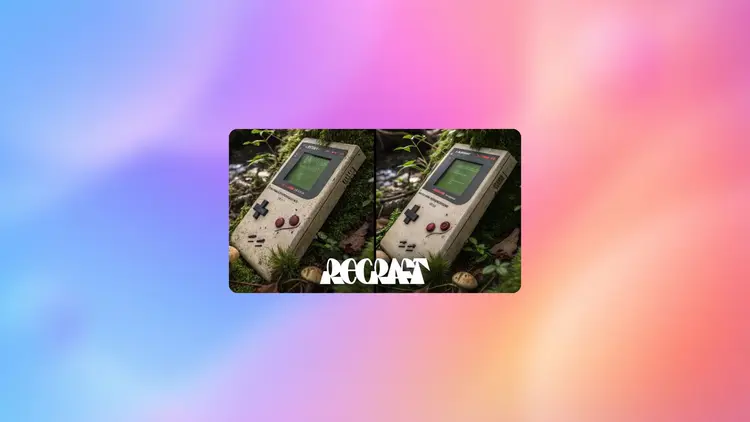
Recraft Crisp Upscale is an AI image upscaler built to sharpen blurry, compressed, or undersized photos and make them ready for web or print. A low-quality supplier image, an old scan, or a screenshot that lost clarity during export can all be brought back to a usable state without opening an editing app. The model analyzes each image at the pixel level to reconstruct edges, restore textures, and remove the artifacts that JPEG compression or aggressive downscaling leaves behind. It handles a wide range of subject types, from product shots and portraits to logos and scanned documents. Because there are no generation credits or usage quotas for this model on Picasso IA, you can run an entire batch of product photos or cycle through multiple passes on the same image without any restrictions. Drop it into a pre-delivery step for client photo work, or use it right before exporting a design file for a print shop. E-commerce sellers run it on supplier photos that arrive too small or blurry for marketplace listings. Upload the image, hit generate, and download the sharpened result in seconds.
Recraft Crisp Upscale is an AI image upscaler that restores sharpness and removes pixelation from photos, product images, logos, and illustrations. A blurry supplier photo or an over-compressed scan can cost you a sale or a client approval. On Picasso IA, you upload the image, the model processes it, and you download a cleaner, sharper version ready for web or print. No editing software, no manual adjustments, and no technical background required.
Do I need programming skills or technical knowledge to use this? No, just open Recraft Crisp Upscale on Picasso IA, adjust the settings you want, and hit generate.
Is it free to try? Yes, you can run Recraft Crisp Upscale at no cost. There is no paywall to get started, and no sign-up required to try it out.
How long does it take to get results? Most images process in a few seconds. Larger files may take a moment longer, but the result typically comes back before you would finish making a manual adjustment in another app.
What output formats are supported? The model returns a standard image file you can download directly and use in any project, from a website to a print-ready file or a client presentation.
How many times can I run the model? There are no usage caps on Picasso IA for this model. Run it once, run it fifty times, or use it daily across a large batch of images. There are no per-generation credits or quotas of any kind.
Can I use the outputs for commercial projects? Yes. The images you generate are yours to use in full, including for client work, printed materials, and commercial publishing.
What if the result still looks blurry? Re-run the model with the same image. Because there are no generation limits, you can iterate until the result meets your quality standard.
Each generation consumes 1 credit
1 credit
or 5 credits for 5 generations
With Elite or Infinite plans, enjoy unlimited generations with this model at no additional cost.
Everything this model can do for you
Recovers sharp outlines and fine textures that compression or downscaling stripped from the original image.
Produces images at a quality level suitable for physical print materials, not just screen display.
Delivers clean, optimized results for product pages, social posts, and digital assets.
Works accurately on portraits, products, logos, illustrations, and scanned documents.
Run as many upscales as you need with no credit caps or usage quotas.
Upload your image and get a sharpened result with one click, no additional settings required.
Download the upscaled image as a clean file ready for client delivery or direct publishing.
Enhances both color and grayscale images