• Picasso AI Logo
    Logo Picasso IA
  • Home
  • AI Image
    Nano Banana 2
  • AI Video
    Veo 3.1 Lite
  • AI Chat
    Gemini 3 Pro
  • Edit Images
  • Upscale Image
  • Remove Background
  • Text to Speech
  • Effects
    NEW
  • Generations
  • Billing
  • Support
  • Account
  1. Collection
  2. Text to Image
  3. Flux 1.1 Pro Ultra

Photorealistic 4MP Images with Flux 1.1 Pro Ultra

Flux 1.1 Pro Ultra converts text prompts into images at up to 4 megapixels, a resolution that holds up for print, large displays, and client presentations. Most AI image tools top out at much lower resolutions, so this model fills the gap when you need a finished visual that can actually be used at full size. You write what you want to see, pick a format, and the image arrives in seconds without installing any software. The model runs in two modes. Standard mode produces sharp, polished images well-suited to commercial projects and editorial work. Raw mode reduces post-processing and outputs something that looks like a real photograph rather than rendered art. On top of that, you can upload a reference image to steer the composition toward a specific layout, and choose from eleven aspect ratios to match exactly the canvas you are working in. Whether you are building a product mockup, testing a concept for a client, or making art for personal use, Flux 1.1 Pro Ultra fits wherever you need a high-resolution image fast. Set a seed number to lock in a composition you like, then adjust the prompt until the details are right. Flux 1.1 Pro Ultra is available on Picasso IA and takes under a minute from prompt to download.

Official

Black Forest Labs

17.29m runs

Flux 1.1 Pro Ultra

2024-11-06

Commercial Use

Photorealistic 4MP Images with Flux 1.1 Pro Ultra

Table of contents

  • Overview
  • How It Works
  • Frequently Asked Questions
  • Credit Cost
  • Features
  • Use Cases
  • Examples
Get Nano Banana Pro

Overview

Flux 1.1 Pro Ultra is a text-to-image model that outputs images at up to 4 megapixels, giving creators, designers, and marketers a way to generate high-resolution visuals from a plain text description. On Picasso IA, you type a prompt, choose an aspect ratio, and the model returns a finished image in seconds with no software to install. It addresses the common problem of AI images that look fine at thumbnail size but fall apart when used at full dimensions. A raw mode toggle shifts the output style from polished digital art toward something that reads as a photograph, making the same model useful for two meaningfully different workflows.

How It Works

  • Write a text prompt describing the scene, subject, lighting, and style you want in the output image.
  • Choose one of eleven aspect ratios, from square to ultra-wide, to match the canvas or platform where the image will appear.
  • Toggle raw mode on if you want the result to look like a real photograph instead of a rendered illustration.
  • Optionally upload a reference image and set the blend strength to steer the composition toward a specific layout.
  • Generate, review the result, and download it as JPG or PNG.

Frequently Asked Questions

Do I need programming skills or technical knowledge to use this? No, just open Flux 1.1 Pro Ultra on Picasso IA, adjust the settings you want, and hit generate.

Is it free to try? Yes, you can run Flux 1.1 Pro Ultra without paying upfront. Credits are consumed per generation, and your plan determines how many you have. You can see results right away and decide whether the quality fits your needs before upgrading.

How long does it take to get results? Most generations finish within 10 to 20 seconds. Complex prompts or very high-detail scenes may take a bit longer, but you rarely wait more than half a minute for a finished image.

What output formats are supported? You can download images as JPG or PNG. JPG is smaller and works well for web and social sharing. PNG preserves more detail and is better for editing pipelines or projects where you will composite the image with other assets.

Can I customize the style of the output? Yes. Standard mode produces crisp, polished results. Raw mode outputs images that look more like real photographs. You can also upload a reference image and control how strongly it influences the composition with the image prompt strength setting.

How many times can I run the model? You can generate as many images as your Picasso IA plan allows. To get consistent results across multiple runs, enter the same seed number and adjust only the prompt between generations.

What happens if I am not happy with the result? If the image is close but not quite right, copy the seed from the output, keep it constant, and rewrite the prompt to be more specific. If the result misses entirely, describe the subject and setting in more concrete terms and generate a new version.

Credit Cost

Each generation consumes 1 credit

1 credit

or 5 credits for 5 generations

Features

Everything this model can do for you

4-megapixel output

Generates images at up to 4MP, providing enough resolution for print and large-format digital use.

Raw mode

Produces less processed, more photographic results without the stylized look of standard AI image generation.

Eleven aspect ratios

Supports formats from 21:9 ultra-wide to 9:21 tall portrait so the image fits your canvas without cropping.

Image prompt blending

Upload a reference photo to steer the composition while the text prompt shapes the style and details.

Reproducible results

Enter a seed to lock in a composition and iterate on the same visual base across multiple generations.

Two output formats

Download your finished image as JPG for web sharing or PNG for further editing.

Adjustable content tolerance

Set the safety level from strict to permissive so the model fits your specific project type.

Seed option for reproducible results

Use Cases

Generate a photorealistic product image on a clean background by describing the item, its material, and the lighting you want

Create a 4-megapixel portrait in any art style by writing a detailed prompt that specifies the subject, mood, and color palette

Use raw mode to produce a natural-looking photograph from a text description, without the over-processed appearance of typical AI art

Blend a reference photo with a text prompt to generate a scene that matches the original composition but changes the style or setting

Pick a 9:16 aspect ratio to produce vertical images sized for social media stories without any manual cropping afterward

Test multiple creative directions for a client brief by reusing the same seed and changing only the prompt between runs

Generate wide-format 21:9 cinematic images for video thumbnails or presentation backgrounds directly from a written description

Unique content for blogs and articles

Examples

3:2
jpg
8.1s
Raw: No
Safety Tolerance: 2
Image Prompt Strength: 0.1

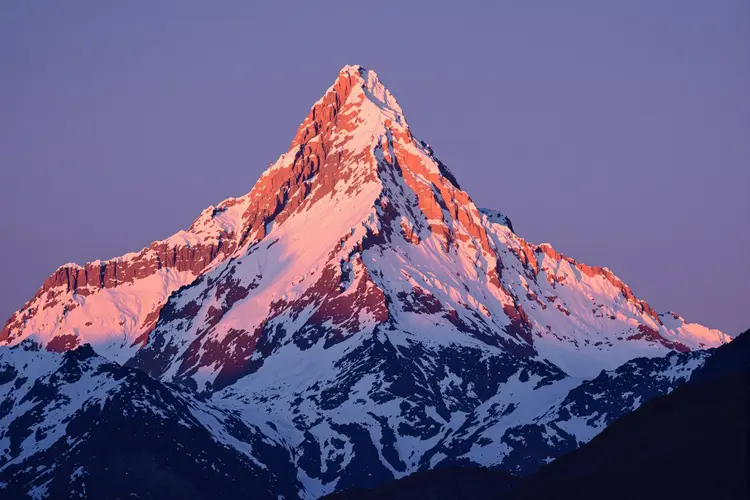
a majestic snow-capped mountain peak bathed in a warm glow of the setting sun

3:2
jpg
12.2s
Raw: No
Safety Tolerance: 2

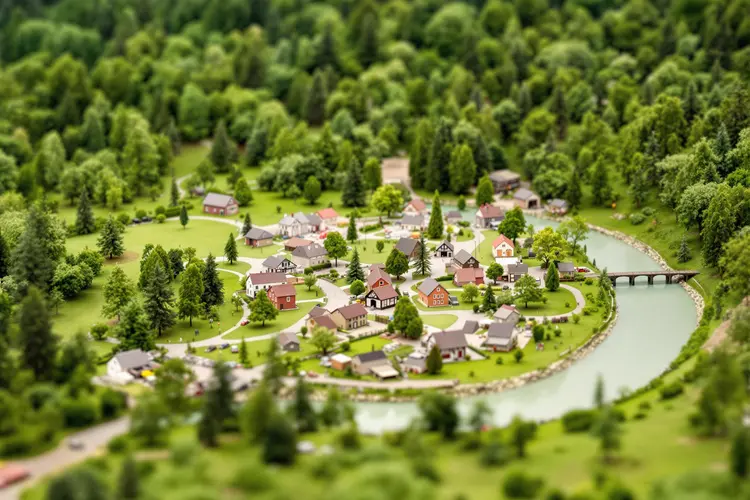
a close up of a miniature model of a small village nestled amidst a lush, verdant landscape, featuring a winding river and a backdrop of trees and buildings.

3:2
jpg
12.2s
Raw: No
Safety Tolerance: 2

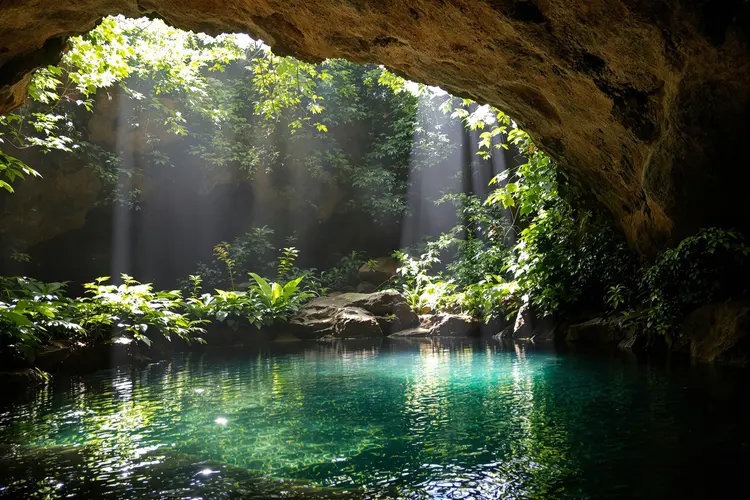
the serene interior of a cave, where a pool of water is nestled amidst an abundance of greenery. Sunlight filters through the cave opening, casting a soft glow on the surrounding foliage and the tranquil water below

3:2
jpg
16.4s
Raw: No
Safety Tolerance: 2

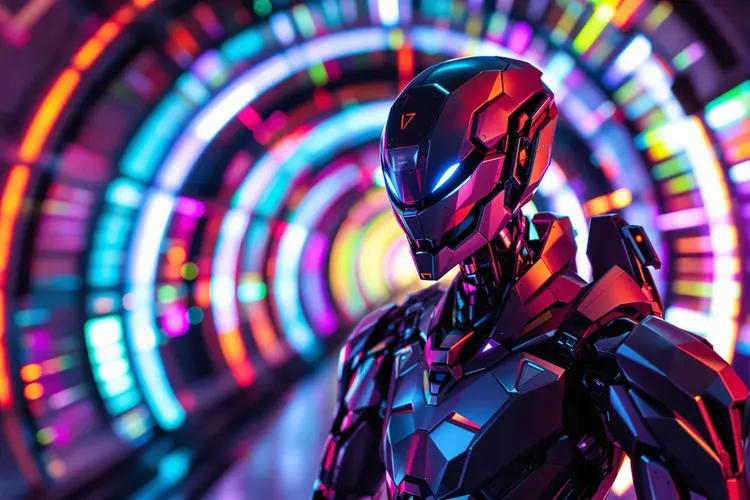
a futuristic robot with a metallic, angular design, set against a background of vibrant, colorful light effects that appear to be emanating from a tunnel or corridor

3:2
jpg
11.9s
Raw: No
Safety Tolerance: 2

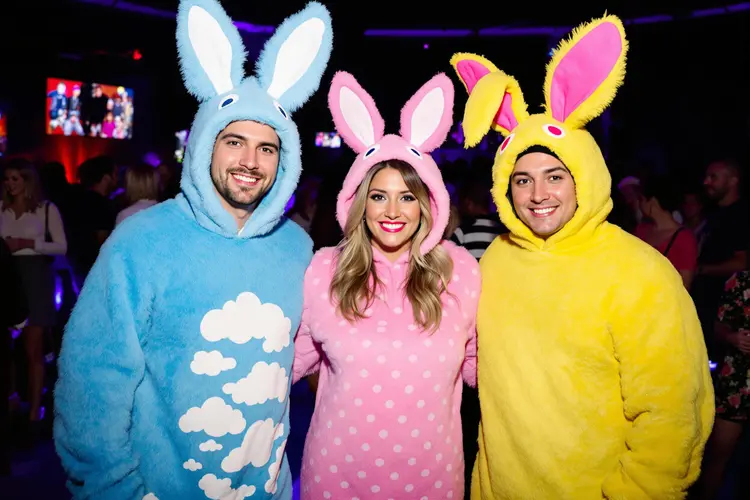
Three adults are dressed in colorful animal costumes at a club, including a blue bunny with a white cloud pattern, a pink bunny with white polka dots, and a yellow bunny with pink ears, all smiling and posing for a photo

3:2
jpg
21.6s
Raw: No
Safety Tolerance: 2

a close-up of a blueberry surrounded by a splash of dark blue water and tiny leaves and bubbles, across a blurred background

3:2
jpg
15.7s
Raw: No
Safety Tolerance: 2

an old couple holding hands, walking along the beach

3:2
jpg
13.1s
Raw: No
Safety Tolerance: 2

a majestic snow-capped mountain peak bathed in a warm glow of the setting sun

Switch Category

Effects

Text To Image

Text To Image

Text To Video

Large Language Models

Large Language Models

Text To Speech

Text To Speech

Super Resolution

Super Resolution

Lipsync

AI Music Generation

AI Music Generation

Video Editing

Speech To Text

Speech To Text

AI Enhance Videos

Remove Backgrounds

Remove Backgrounds