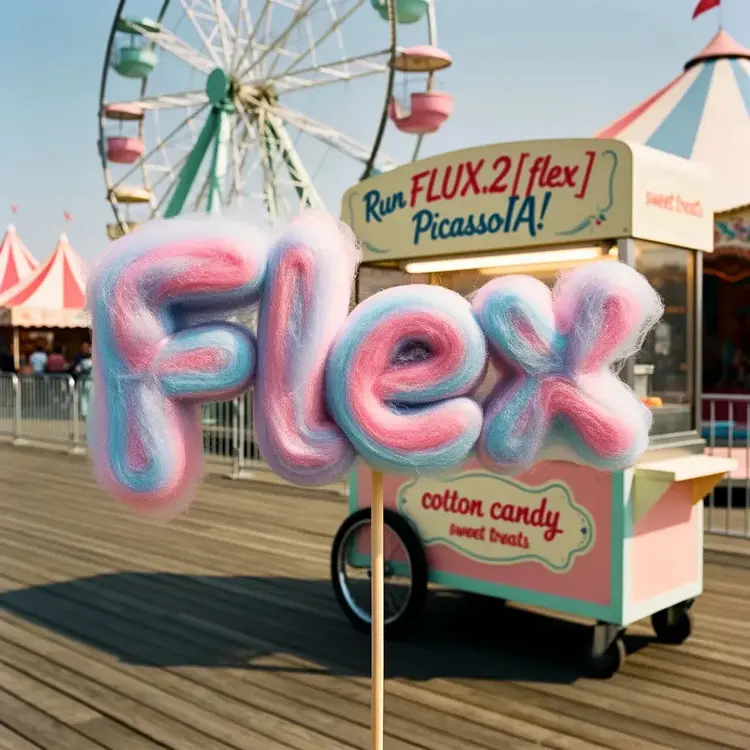
Flux 2 Flex is a text-to-image model built for situations where a text prompt alone is not enough. It accepts up to ten reference images alongside your description, so you can ground the output in real visual material instead of relying entirely on words. Whether you want to match a brand's existing visual style or edit a photo to fit a new scene, you bring in the references and the model takes it from there. The model supports custom aspect ratios across ten presets, output resolutions up to 4 megapixels, and three export formats: webp, jpg, and png. A guidance scale setting lets you control how strictly the output follows your prompt, while prompt upsampling automatically enriches shorter prompts with creative detail. Set a seed to reproduce any result exactly when you find a combination that works. In a typical workflow, you upload your references, write a description, pick a resolution and aspect ratio, and click generate. The image comes back in seconds and downloads with no watermark. If you produce visuals regularly, this model fits naturally into a production process without adding friction.
Flux 2 Flex is a text-to-image model designed for situations where a text prompt alone cannot fully capture what you need. It accepts up to ten reference images alongside your description, letting you anchor the output in real visual material rather than relying on words to convey every detail. A product photographer who needs to match a client's existing catalogue style, for instance, can drop in reference shots instead of writing out every attribute. Picasso IA runs Flux 2 Flex directly in your browser, so there is nothing to install and no account required to start generating.
Do I need programming skills or technical knowledge to use this? No, just open Flux 2 Flex on Picasso IA, adjust the settings you want, and hit generate.
Is it free to try? Yes, you can generate images without a paid plan. Some usage limits may apply depending on your account tier, but the model is accessible to new users from the start.
How long does it take to get results? Most generations finish in a few seconds. Higher resolutions or more inference steps may take a little longer, but you rarely wait more than 30 seconds for a result.
What output formats are supported? You can download your image as webp, jpg, or png. For webp and jpg, you can set the output quality from 0 to 100, where 100 gives the sharpest result.
Can I customize the output quality or style? Yes. The guidance scale controls how closely the output sticks to your prompt. A higher value gives more literal results; a lower value lets the model interpret more freely. Enabling prompt upsampling adds detail to shorter prompts without any extra input from you.
How many reference images can I use? You can upload up to ten reference images per run. The model uses all of them to shape the output, which is useful when you need to blend styles or provide context from multiple angles.
Where can I use the outputs? Images download with no watermark attached. You can use them in client work, social media posts, personal projects, or any context where you need original visuals. Picasso IA does not add attribution marks to your downloads.
Everything this model can do for you
Accepts up to 10 reference images per generation, giving you direct visual control over style and subject.
Generates images up to 4 megapixels, with a maximum canvas of 2048x2048 pixels.
Choose from ten presets or set a custom width and height for precise output sizing.
Adjust how strictly the output follows your prompt, from free interpretation to tight adherence.
Optionally expands short prompts to add depth and produce more detailed results automatically.
Set a seed value to get the same output again whenever you need to revisit a specific generation.
Download images as webp, jpg, or png with adjustable output quality from 0 to 100.
Customizable output quality
this exact image but the couple next to the fire replaced by the people in image 2 and 3
The man is leaning against the wall reading a newspaper with the title "FLUX.2" The woman is walking past him, carrying one of the tote bags with the text "R8" on it, wearing the black boots The focus is on their contrasting styles, her relaxed, creative vibe versus his formal look.
Photorealistic infographic showing the complete Berlin TV Tower (Fernsehturm) from ground base to antenna tip, full vertical view with entire structure visible including concrete shaft, metallic sphere, and antenna spire. Slight upward perspective angle looking up toward the iconic sphere, perfectly centered on clean white background. Left side labels with thin horizontal connector lines: the text '368m' in extra large bold dark grey numerals (#2D3748) positioned at exactly the antenna tip with 'TOTAL HEIGHT' in small caps below. The text '207m' in extra large bold with 'TELECAFÉ' in small caps below, with connector line touching the sphere precisely at the window level. Right side label with horizontal connector line touching the sphere's equator: the text '32m' in extra large bold dark grey numerals with 'SPHERE DIAMETER' in small caps below. Bottom section arranged in three balanced columns: Left - Large text '986' in extra bold dark grey with 'STEPS' in caps below. Center - 'BERLIN TV TOWER' in bold caps with 'FERNSEHTURM' in lighter weight below. Right - 'INAUGURATED' in bold caps with 'OCTOBER 3, 1969' below. At the very bottom center, below the columns, add small italicized text 'Run Flux.2 on Replicate' in medium grey (#A0AEC0). All typography in modern sans-serif font (such as Inter or Helvetica), color #2D3748 unless specified, clean minimal technical diagram style. Horizontal connector lines are thin, precise, and clearly visible, touching the tower structure at exact corresponding measurement points. Professional architectural elevation drawing aesthetic with dynamic low angle perspective creating sense of height and grandeur, poster-ready infographic design with perfect visual hierarchy.