Flux 2 Pro is an AI image generation model that turns text prompts into high-quality visuals, with the added ability to use up to eight reference images to shape the result. Whether you are trying to match a specific art style, reproduce a character's likeness, or keep a product shot consistent across different scenes, Flux 2 Pro gives you precise control without any manual editing. The model supports resolutions up to 4 MP and multiple aspect ratios, so your output fits the platform you are targeting. You can mix reference images with text to steer the composition, color palette, or subject detail. Output comes in WebP, JPEG, or PNG, and you can dial in the quality level to balance file size against sharpness. Flux 2 Pro fits naturally into content workflows where consistency matters. Product photographers, social media managers, and concept artists use it to iterate quickly between variations without losing the visual thread from shot to shot. Try it with a single image and prompt to see how much more precise the output becomes when you work from references.
Flux 2 Pro is a text-to-image model that produces high-quality visuals from written prompts, with the added ability to use up to eight reference images to shape the result. On Picasso IA, this means you can describe exactly what you want and show the model what it should look like, giving you far more control over the output than a prompt alone. It suits anyone who needs visual consistency across a series, whether that's a product shoot, a character design, or a branded content campaign.
Do I need programming skills or technical knowledge to use this? No, just open Flux 2 Pro on Picasso IA, adjust the settings you want, and hit generate.
Is it free to try? Yes, you can run Flux 2 Pro without a paid plan to test it before committing to anything.
How long does it take to get results? Generation time depends on the resolution and how many reference images you upload, but most runs finish in under 30 seconds at standard settings.
What output formats are supported? You can download your image as WebP, JPEG, or PNG. WebP is the default and gives a good balance of quality and file size.
Can I customize the output quality or style? Yes. You control the prompt, aspect ratio, resolution, output quality level, and reference images, so every generation reflects your exact intent.
How many times can I run the model? You can generate as many images as you like. Each run is independent, so you iterate freely without losing previous results.
Where can I use the outputs? The images are yours to use in personal or commercial projects. Download them in your chosen format and use them wherever your license allows.
Everything this model can do for you
Accept up to 8 reference images per generation to shape style, subject, or composition.
Pick from 10 standard ratios or define a custom canvas size in exact pixel dimensions.
Produce images up to 2048x2048 pixels, suitable for print and large-format display.
Export as WebP, JPEG, or PNG to fit any platform or delivery requirement.
Dial the compression level from 0 to 100 to hit the right balance between file size and sharpness.
Reuse the same seed to recreate an identical output whenever you need it.
Set how strict the content filter is, from strict to permissive, to match your use case.
Handles a wide variety of creative and commercial tasks
this exact image but the couple next to the fire is replaced by the people in image 2 and 3
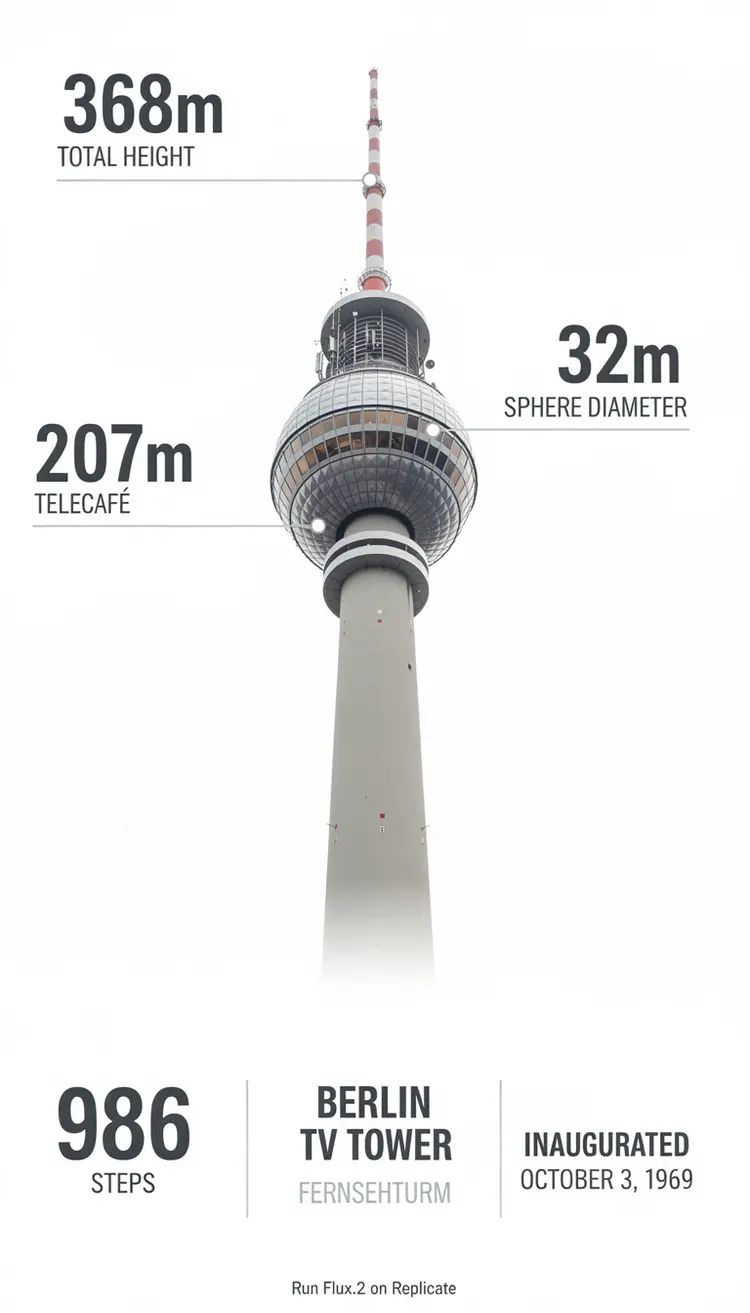
Photorealistic infographic showing the complete Berlin TV Tower (Fernsehturm) from ground base to antenna tip, full vertical view with entire structure visible including concrete shaft, metallic sphere, and antenna spire. Slight upward perspective angle looking up toward the iconic sphere, perfectly centered on clean white background. Left side labels with thin horizontal connector lines: the text '368m' in extra large bold dark grey numerals (#2D3748) positioned at exactly the antenna tip with 'TOTAL HEIGHT' in small caps below. The text '207m' in extra large bold with 'TELECAFÉ' in small caps below, with connector line touching the sphere precisely at the window level. Right side label with horizontal connector line touching the sphere's equator: the text '32m' in extra large bold dark grey numerals with 'SPHERE DIAMETER' in small caps below. Bottom section arranged in three balanced columns: Left - Large text '986' in extra bold dark grey with 'STEPS' in caps below. Center - 'BERLIN TV TOWER' in bold caps with 'FERNSEHTURM' in lighter weight below. Right - 'INAUGURATED' in bold caps with 'OCTOBER 3, 1969' below. At the very bottom center, below the columns, add small italicized text 'Run Flux.2 on Replicate' in medium grey (#A0AEC0). All typography in modern sans-serif font (such as Inter or Helvetica), color #2D3748 unless specified, clean minimal technical diagram style. Horizontal connector lines are thin, precise, and clearly visible, touching the tower structure at exact corresponding measurement points. Professional architectural elevation drawing aesthetic with dynamic low angle perspective creating sense of height and grandeur, poster-ready infographic design with perfect visual hierarchy.
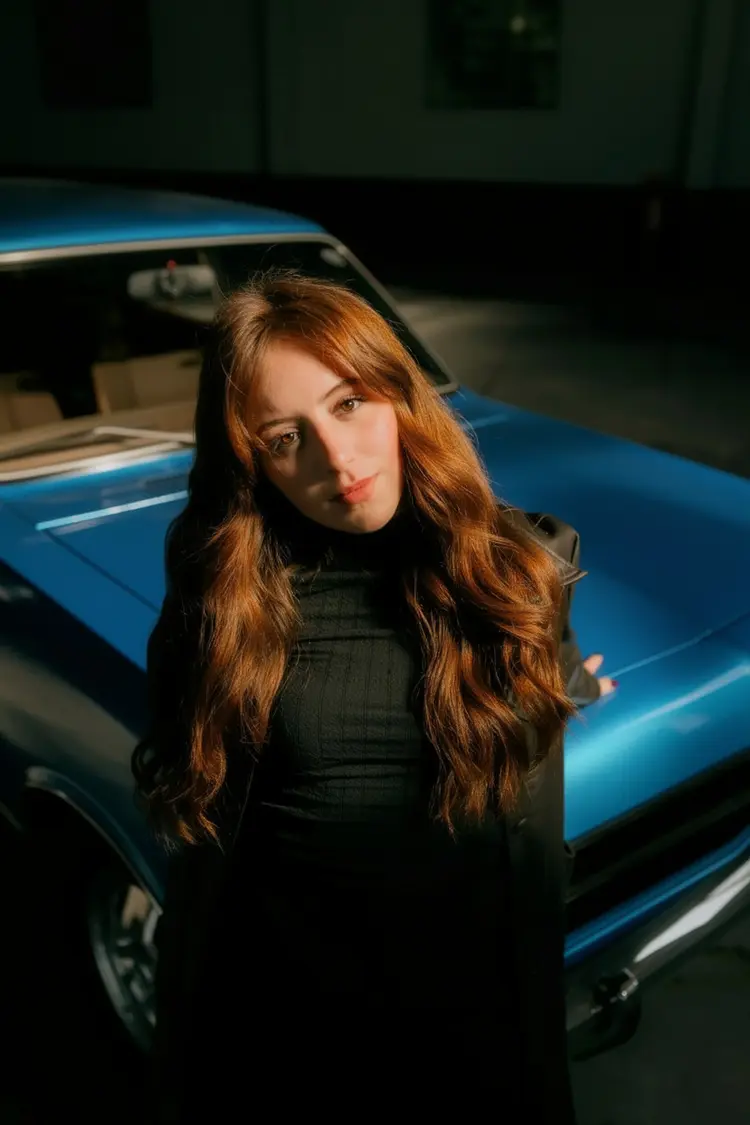
change the car to blue
The person from image 1 is petting the cat from image 2, the bird from image 3 is next to them