• Picasso AI Logo
    Logo Picasso IA
  • Home
  • AI Image
    Nano Banana 2
  • AI Video
    Veo 3.1 Lite
  • AI Chat
    Gemini 3 Pro
  • Edit Images
  • Upscale Image
  • Remove Background
  • Text to Speech
  • Effects
    NEW
  • Generations
  • Billing
  • Support
  • Account
  1. Collection
  2. Text to Image
  3. Flux Kontext Pro

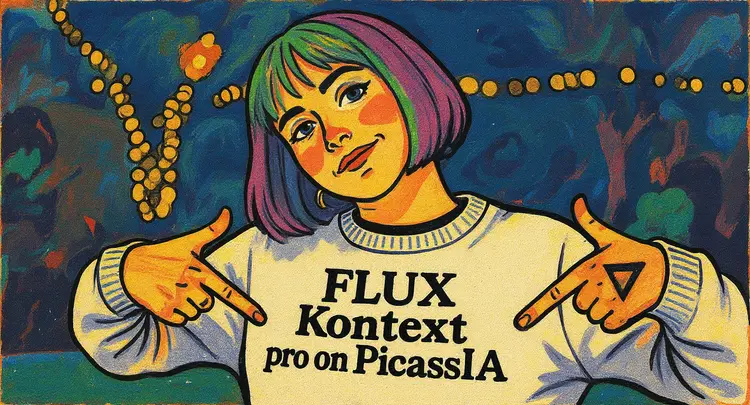
Edit Images with Text Prompts, Flux Kontext Pro

Flux Kontext Pro is a text-based image editing model that lets you modify existing photos and graphics by describing the change you want in plain language. You type what you want and the model figures out how to apply it accurately, without requiring layer masks, selection tools, or design expertise. It handles a wide range of edits, from simple swaps like changing a background scene or adjusting a shirt color to more nuanced changes like shifting the lighting mood or reinterpreting the entire visual style. The model follows prompts with high accuracy, so what you describe is typically what you get. It also works as a standalone image generator: skip the reference image and create entirely new visuals from a text description alone. Flux Kontext Pro fits naturally into product photography workflows, social media content pipelines, and visual mockup rounds where quick revisions are the norm. Instead of returning to a design tool every time a change comes in, you describe the revision and get a new version in seconds. Drop in your image, write your instruction, and you have a result ready to share.

Official

Black Forest Labs

23.99m runs

Flux Kontext Pro

2025-05-27

Commercial Use

Edit Images with Text Prompts, Flux Kontext Pro

Table of contents

  • Overview
  • How It Works
  • Frequently Asked Questions
  • Credit Cost
  • Features
  • Use Cases
  • Examples
Get Nano Banana Pro

Overview

Flux Kontext Pro is an image editing model that takes a text instruction and applies it directly to a photo or graphic. Instead of reaching for selection tools or adjustment layers, you describe the change you want and receive a revised image. On Picasso IA, this means anyone can make targeted edits to product shots, portraits, illustrations, or concept art without opening design software. It is particularly useful when you need fast iterations, such as testing five different background options for an e-commerce shoot or trying multiple color palettes on a logo mock.

How It Works

  • Upload a JPEG, PNG, GIF, or WEBP image as your starting point, or skip this step to generate from scratch using only text
  • Write a plain-text prompt describing either the image you want to create or the specific change you want applied to the uploaded photo
  • Set the aspect ratio from 14 presets or choose to automatically match the dimensions of your input image
  • Optionally enable prompt upsampling to let the model enrich a short prompt with additional detail before generating
  • Hit generate and download your result in PNG or JPG format

Frequently Asked Questions

Do I need programming skills or technical knowledge to use this? No, just open Flux Kontext Pro on Picasso IA, adjust the settings you want, and hit generate.

Is it free to try? Yes, you can run Flux Kontext Pro without any payment required to start experimenting with your images.

How long does it take to get results? Most edits and generations finish within a few seconds, depending on the complexity of the prompt and the output resolution.

What output formats are supported? You can download your result as either a PNG or JPG file, whichever suits your project or platform.

Can I control how strict the content filter is? Yes, the safety tolerance setting lets you adjust the filter from 0 (most strict) to a maximum of 2 when an input image is provided.

How many times can I run the model? You can generate as many iterations as you need. On Picasso IA, each run uses one generation credit.

What happens if I'm not happy with the result? Make your prompt more specific, try enabling prompt upsampling, or change the seed value to get a different interpretation of the same instruction.

Credit Cost

Each generation consumes 1 credit

1 credit

or 5 credits for 5 generations

Features

Everything this model can do for you

Prompt-driven edits

Change any element of an image by describing it in plain text, no design skills required.

High prompt accuracy

The model interprets detailed instructions precisely, reducing the need for multiple retries.

Consistent results

Reuse a seed value to reproduce the same output across different prompt iterations.

Flexible aspect ratios

Choose from 14 preset ratios or match the dimensions of your input image automatically.

Text-to-image mode

Generate images from scratch without a reference by leaving the input image field blank.

PNG and JPG output

Download results in either format to suit your publishing or design workflow.

Prompt upsampling

Enable automatic prompt refinement to extract richer detail from shorter descriptions.

Reproducible results with seed control

Use Cases

Swap the background of a product photo by describing the new scene in plain text

Change the clothing color or style on a model photo by typing the new look you want

Add a new object to an existing photo by describing where and what to place it

Convert a photo's lighting from harsh midday sun to a soft golden-hour glow using a text instruction

Reinterpret a corporate headshot in a different visual style, such as editorial or illustrated, without manual retouching

Generate a brand-new image from scratch with a detailed text prompt when no reference image is available

Create multiple variations of a product mockup by changing one detail at a time across successive prompts

Examples

match_input_image
jpg
4.7s
Safety Tolerance: 2

Using this style, a panda astronaut riding a unicorn

match_input_image
jpg
4.5s
Safety Tolerance: 2

Using this style, a bunny, a dog and a cat are having a tea party seated around a small white table

match_input_image
jpg
4.1s
Safety Tolerance: 2

Change the background to a beach while keeping the person in the exact same position, scale, and pose. Maintain identical subject placement, camera angle, framing, and perspective. Only replace the environment around them

match_input_image
jpg
4.7s
Safety Tolerance: 2

Replace 'joy' with 'Pro'

2:3
jpg
4.3s
Safety Tolerance: 2

match_input_image
jpg
4.7s
Safety Tolerance: 2

make this a photo

Switch Category

Effects

Text To Image

Text To Image

Text To Video

Large Language Models

Large Language Models

Text To Speech

Text To Speech

Super Resolution

Super Resolution

Lipsync

AI Music Generation

AI Music Generation

Video Editing

Speech To Text

Speech To Text

AI Enhance Videos

Remove Backgrounds

Remove Backgrounds