• Picasso AI Logo
    Logo Picasso IA
  • Home
  • AI Image
    Nano Banana 2
  • AI Video
    Veo 3.1 Lite
  • AI Chat
    Gemini 3 Pro
  • Edit Images
  • Upscale Image
  • Remove Background
  • Text to Speech
  • Effects
    NEW
  • Generations
  • Billing
  • Support
  • Account
  1. Collection
  2. Text to Image
  3. Flux Schnell

Generate AI Images in Seconds with Flux Schnell

Flux Schnell is a text-to-image model built around one priority: speed. It processes a prompt in as few as four denoising steps and returns a finished image in seconds, which makes it well-suited for fast iteration, concept drafting, and any workflow where a long queue would break your concentration. Unlike heavier models that take a minute or more per image, Flux Schnell is calibrated to keep creative momentum going. The model supports eleven aspect ratios, from square social posts to ultra-wide 21:9 and vertical 9:16, so your output matches the platform without any cropping. You can download images as webp, jpg, or png, with adjustable quality from 0 to 100. A speed-optimized processing mode cuts generation time further while keeping the output clean and usable. On Picasso IA, Flux Schnell comes with no credit caps or usage quotas. You can run it as many times as your project demands, iterate through dozens of prompt variations in a single session, and export clean, watermark-free files ready for any use.

Official

Black Forest Labs

489.09m runs

Flux Schnell

2024-07-30

Commercial Use

Generate AI Images in Seconds with Flux Schnell

Table of contents

  • Overview
  • How It Works
  • Frequently Asked Questions
  • Credit Cost
  • Features
  • Use Cases
  • Examples
Get Nano Banana Pro

Overview

Flux Schnell is a text-to-image model built around one priority: speed. It processes a prompt in as few as four denoising steps and returns a finished image in seconds, which makes it well-suited for fast iteration, concept drafting, and any workflow where a long queue would break your concentration. On Picasso IA, the whole process runs in your browser with no software to install and no setup required. Describe what you want, set your aspect ratio and format, and your image is ready before most creative sessions even get going.

How It Works

  • Type your prompt in the text field. Describe the subject, style, lighting, or mood in plain language. Shorter prompts work fine; more detail gives the model more to work with.
  • Choose an aspect ratio from the dropdown. Options include 1:1 for square posts, 16:9 for widescreen, 9:16 for mobile or vertical thumbnails, and eight additional ratios.
  • Set your output format (webp, jpg, or png) and quality level from 0 to 100. For lossless files, select png.
  • Click generate. The model runs four denoising steps and delivers your image, usually in under 5 seconds.
  • Review and download, or revise the prompt and run again. No credits are deducted. No daily cap applies.

Frequently Asked Questions

Do I need programming skills or technical knowledge to use this? No, just open Flux Schnell on Picasso IA, adjust the settings you want, and hit generate.

Is it free to try? Yes. Flux Schnell is available at no cost, with unlimited generations so you can run as many images as you need without credit caps or usage quotas.

How long does it take to get results? Most images are ready in under 5 seconds. The speed-optimized processing mode can reduce that further by using a compressed version of the model that maintains solid output quality at a shorter processing time.

What output formats are supported? You can download your image as webp, jpg, or png. Quality is adjustable from 0 to 100 for webp and jpg files. PNG is always lossless regardless of the quality setting.

Can I customize the output quality or style? Yes. You can adjust the aspect ratio, resolution (1 megapixel or 0.25 megapixels for quick previews), output format, quality level, and the number of denoising steps. The default of four steps produces clean results fast.

How many times can I run the model? As many times as you want. Picasso IA places no cap on generations for Flux Schnell. You can run the model hundreds of times in a single session and never see a quota warning.

Where can I use the outputs? The downloaded files are clean with no watermarks. You can use them in design mockups, social posts, client presentations, or any other project that needs original visual content.

Credit Cost

Each generation consumes 0.1 credits

0.1 credits

or 0.5 credits for 5 generations

With Elite or Infinite plans, enjoy unlimited generations with this model at no additional cost.

Features

Everything this model can do for you

Fast generation

Produces a 1-megapixel image in under 5 seconds using the speed-optimized processing mode.

Eleven aspect ratios

Choose from square, landscape, portrait, ultra-wide, and more to match any platform or canvas size.

Flexible output formats

Download your image as webp, jpg, or png, with quality adjustable from 0 to 100.

Reproducible results

Set a fixed seed to get the same image every time you rerun the same prompt.

Unlimited generations

Run as many images as you want on Picasso IA with no credit counters or usage caps.

Adjustable resolution

Generate at full 1 megapixel or switch to 0.25 megapixels for faster, lighter preview runs.

No watermarks

Download clean image files ready to use in any project or publication.

Ideal for local development and personal projects

Use Cases

Generate a batch of product image backgrounds by describing the surface, lighting, and color palette you want, then export the results as PNG files.

Test 10 different visual directions for a social post by running quick prompt variations and comparing the outputs in a single session.

Create a reference image for a character or scene concept by describing it in plain language, without drawing or sketching anything manually.

Produce square, landscape, and portrait versions of the same concept by switching aspect ratios between runs and keeping the best result.

Run 50 or more style variations on a single idea in one session without hitting a credit cap, then pick the direction that works.

Mock up a custom wallpaper or desktop background from a short text description and download it as a clean webp or jpg file.

Generate rough visual placeholders for a design presentation without waiting for a photographer or illustrator.

Develop AI-powered creative tools

Examples

1:1
webp
0.9s
Go Fast: Yes
Num Outputs: 1
Output Quality: 80

Three magical wizards standing on a yellow table, each holding a sign. On the left, a wizard in black robes holds a sign that says ‘AI’; in the middle, a witch in red robes holds a sign that says ‘is’; and on the right, a wizard in blue robes holds a sign that says ‘cool’

1:1
webp
0.8s
Go Fast: Yes
Num Outputs: 1
Output Quality: 80

a cat holding a sign that says hello world

1:1
webp
0.8s
Go Fast: Yes
Num Outputs: 1
Output Quality: 80

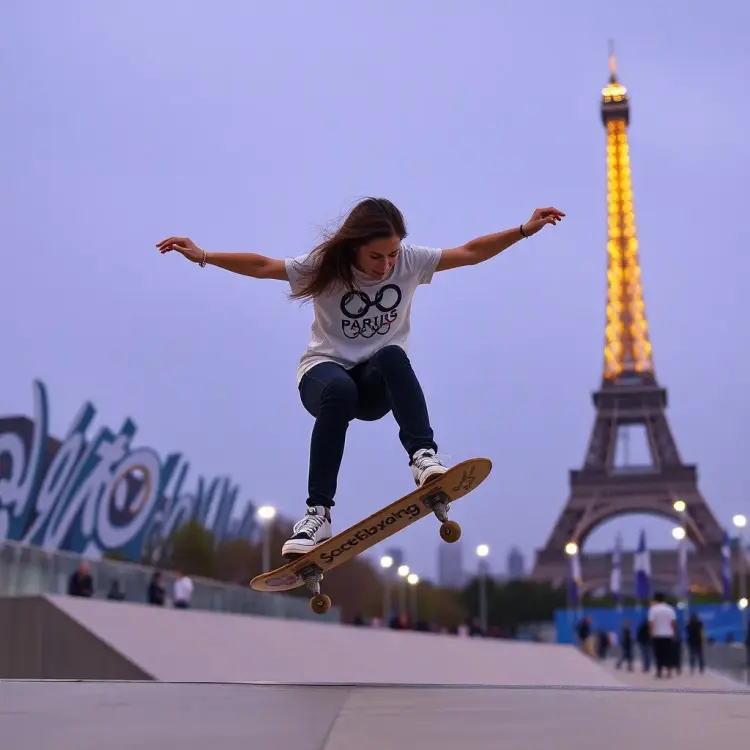
womens street skateboarding final in Paris Olympics 2024

1:1
webp
0.8s
Go Fast: Yes
Num Outputs: 1
Output Quality: 80

a tiny astronaut hatching from an egg on the moon

1:1
webp
0.8s
Go Fast: Yes
Num Outputs: 1
Output Quality: 80

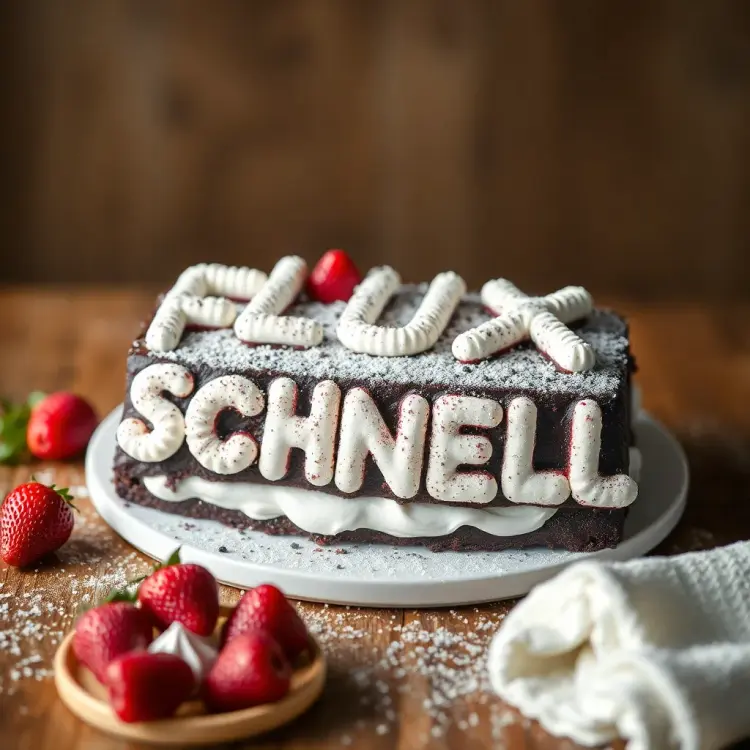
black forest gateau cake spelling out the words "FLUX SCHNELL", tasty, food photography, dynamic shot

Switch Category

Effects

Text To Image

Text To Image

Text To Video

Large Language Models

Large Language Models

Text To Speech

Text To Speech

Super Resolution

Super Resolution

Lipsync

AI Music Generation

AI Music Generation

Video Editing

Speech To Text

Speech To Text

AI Enhance Videos

Remove Backgrounds

Remove Backgrounds