• Picasso AI Logo
    Logo Picasso IA
  • Home
  • AI Image
    Nano Banana 2
  • AI Video
    Veo 3.1 Lite
  • AI Chat
    Gemini 3 Pro
  • Edit Images
  • Upscale Image
  • Remove Background
  • Text to Speech
  • Effects
    NEW
  • Generations
  • Billing
  • Support
  • Account
  1. Collection
  2. Text to Image
  3. Generate Background

Generate Background: Swap Photo Backgrounds Free

Generate Background replaces the backdrop of any photo using a plain text description or a reference image. If you have a product shot taken against a cluttered table, a portrait in a dull office, or a scene that simply did not come out the way you planned, this model puts a new background behind your subject in seconds. No manual masking or image editing software required. You write a brief description of the scene you want, such as 'a bright tropical beach at sunset' or 'a minimalist white studio,' and the model composites a realistic result that matches the lighting and perspective of the original. Alternatively, drop in a reference photo and it builds the background around your subject to match that visual style. A seed option lets you lock in a look and reproduce it across multiple images for consistent results. Product photographers, e-commerce teams, and content creators use Generate Background to reuse the same hero shot in multiple contexts without rebooking a studio. Drop your product against a seasonal scene for a holiday campaign, or swap to a neutral backdrop for a marketplace listing, all from the same original photo.

Official

Bria

59.4k runs

Generate Background

2025-07-03

Commercial Use

Generate Background: Swap Photo Backgrounds Free

Table of contents

  • Overview
  • How It Works
  • Frequently Asked Questions
  • Credit Cost
  • Features
  • Use Cases
  • Examples
Get Nano Banana Pro

Overview

Generate Background swaps the background of any photo using a text description or a reference image, solving the common problem of needing a studio setup or editing expertise to place a subject in a new scene. On Picasso IA, you upload your image, describe the environment you want, and get back a realistic, polished composite in seconds. Whether you're placing a product on a marble surface, putting a portrait in an outdoor setting, or matching a brand's visual tone, the model handles the compositing automatically. It was trained exclusively on licensed data, making it safe for commercial projects without additional clearance work.

How It Works

  • Upload your subject photo directly through the tool or paste an image URL
  • Write a text description of the background you want, or upload a reference image to match its visual style and atmosphere
  • Add an optional negative prompt to exclude unwanted elements from the generated scene
  • Toggle original quality mode if your project requires the output to match your input image's exact resolution
  • Hit generate and download the composited image with the new background applied

Frequently Asked Questions

Do I need programming skills or technical knowledge to use this? No, just open Generate Background on Picasso IA, adjust the settings you want, and hit generate.

Is it free to try? Yes, you can run Generate Background without a paid subscription to test it on your own images first.

How long does it take to get results? Most generations complete within a few seconds. The model runs in synchronous mode by default, so your result is ready as soon as the request finishes processing.

Can I use a photo instead of writing a text prompt for the background? Yes. Upload a reference image and the model will generate a background that matches its visual style and mood, without requiring any written description.

What kinds of input images work best? Images with a clearly defined subject against a simple or uniform background produce the most accurate results. The model handles background removal automatically before compositing the new scene.

Where can I use the output images? The model was trained on licensed data, so its outputs are cleared for commercial use. You can place them in ads, product listings, social media posts, or client deliverables without additional licensing steps.

What if the result doesn't match what I described? Try rephrasing your background description with more specific details, such as lighting conditions, time of day, or surface textures. You can also use the negative prompt field to steer the model away from elements you don't want in the scene.

Credit Cost

Each generation consumes 1 credit

1 credit

or 5 credits for 5 generations

Features

Everything this model can do for you

Text-to-background

Describe any scene in plain text and get a fully composited result in seconds.

Reference image input

Upload a photo of any environment and the model builds your new background to match it.

Subject isolation

The model detects and preserves the foreground subject without manual masking or selection tools.

Reproducible output

Lock in a seed value to reproduce the same background across multiple images consistently.

Prompt refinement

Automatic prompt improvement produces more realistic scenes without requiring extra input from you.

Commercial-safe outputs

Built exclusively on licensed imagery, so results are safe for paid client work and published campaigns.

Negative prompt control

Specify what to exclude from the generated scene to keep unwanted elements out of the result.

Use Cases

Replace a cluttered home background in a portrait with a clean studio-style backdrop by describing the setting in a text prompt

Put a product photo against a seasonal scene, such as snowy mountains for a winter campaign, without reshooting the item

Drop a model shot taken indoors into an outdoor location by uploading a reference photo of the destination environment

Generate multiple background variants from the same subject image to A/B test which scene performs best in an ad

Create a consistent white or neutral background across a batch of product images for a marketplace listing

Build a branded scene behind a product photo by describing the brand colors, textures, and mood in the prompt

Swap the background of a real estate interior photo to show a more appealing exterior view through the window

Examples

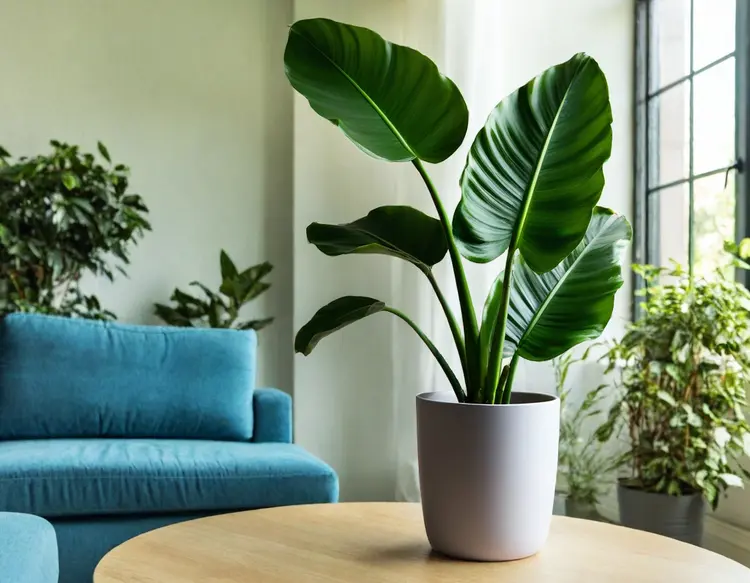
8.2s
Fast: Yes
Sync: Yes
Bg Prompt: In a apprtment with a blue sofa
Force Rmbg: No
Refine Prompt: Yes
Original Quality: No
Enhance Ref Image: Yes
Content Moderation: No
10.4s
Fast: Yes
Sync: Yes
Bg Prompt: A vibrant, minimalistic poolside scene with a clean turquois…
Force Rmbg: No
Refine Prompt: Yes
Original Quality: No
Enhance Ref Image: Yes
Content Moderation: No
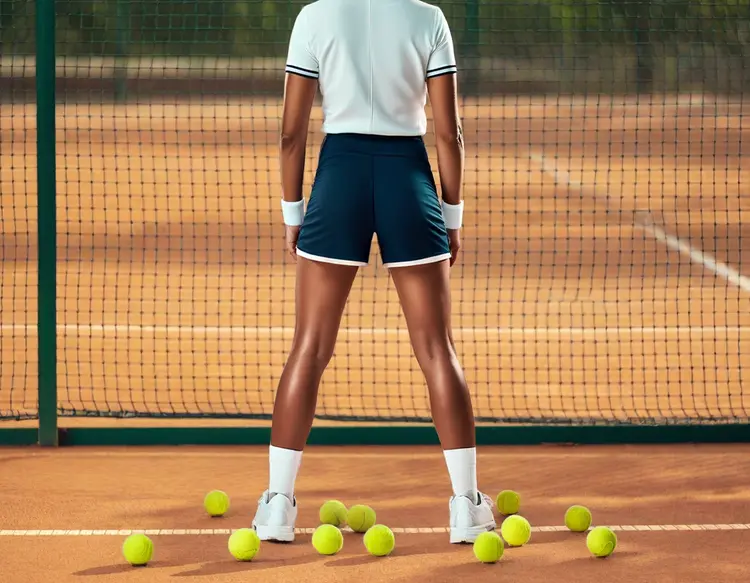
10.0s
Fast: Yes
Sync: Yes
Bg Prompt: Tennis court fence made of green chain-link mesh, with a sol…
Force Rmbg: No
Refine Prompt: Yes
Original Quality: No
Enhance Ref Image: Yes
Content Moderation: No
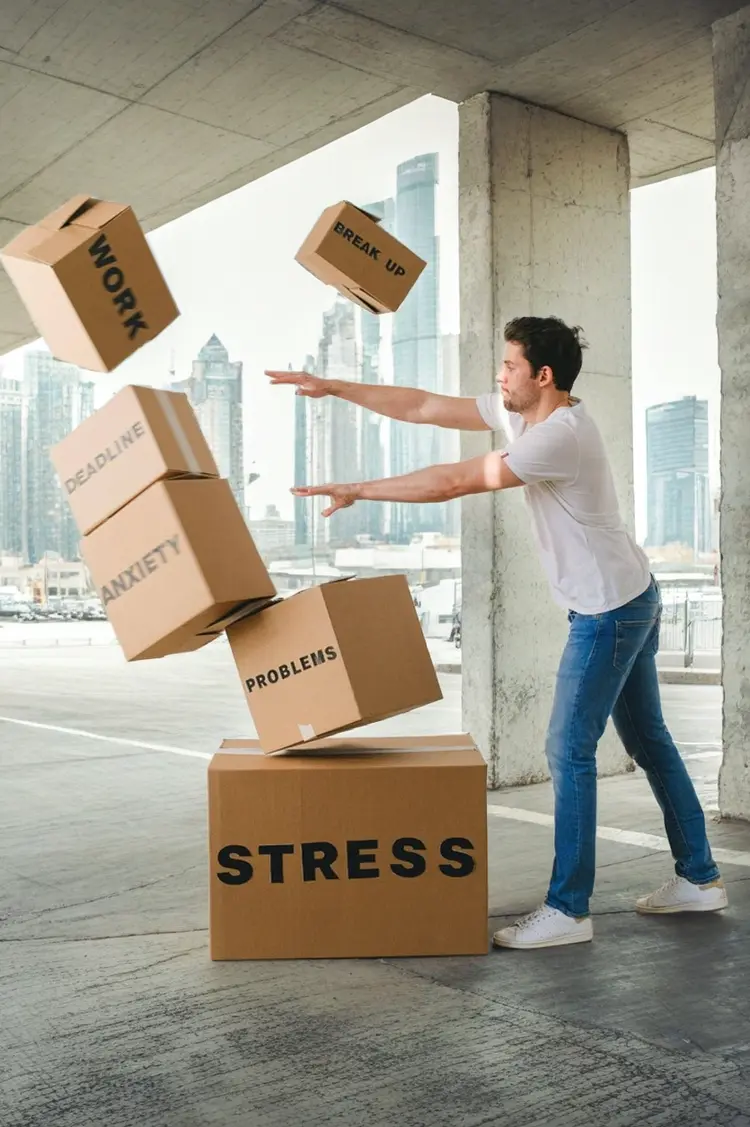
9.5s
Fast: Yes
Sync: Yes
Bg Prompt: in a parking lot
Force Rmbg: No
Num Results: 1
Refine Prompt: Yes
Original Quality: No
Enhance Ref Image: Yes
Content Moderation: No

Switch Category

Effects

Text To Image

Text To Image

Text To Video

Large Language Models

Large Language Models

Text To Speech

Text To Speech

Super Resolution

Super Resolution

Lipsync

AI Music Generation

AI Music Generation

Video Editing

Speech To Text

Speech To Text

AI Enhance Videos

Remove Backgrounds

Remove Backgrounds