Controlnet Scribble reads the lines in a hand-drawn sketch and uses them as a structural blueprint for generating a finished, detailed image. Instead of trying to describe a composition in words alone, you can draw the rough outline of what you want and let the model fill in the textures, lighting, and detail. The model accepts any sketch or rough line drawing as input, then combines it with a text prompt to produce an image that follows your intended layout. You can control the level of fidelity with the scale slider, adjust the number of steps for sharper or faster results, and generate up to four variations at once to compare options side by side. This fits naturally into creative workflows where spatial composition matters: concept art, character design, interior sketches, or product ideation. If you already have a rough shape in mind, Controlnet Scribble lets you skip the back-and-forth of prompt engineering and go straight from a drawn idea to a finished image.
Controlnet Scribble is a sketch-to-image AI that converts rough line drawings into detailed, finished visuals using a text prompt to fill in style and content. On Picasso IA, it solves a specific problem: you have a clear spatial idea in your head but lack the vocabulary to describe it precisely in words. A scribbled outline of a room, a character, or a landscape gives the model a concrete spatial framework to work from. The result is an image that actually matches what you had in mind, not just a generic interpretation of a written description.
Do I need programming skills or technical knowledge to use this? No, just open Controlnet Scribble on Picasso IA, adjust the settings you want, and hit generate.
Is it free to try? Yes, you can run the model on Picasso IA without paying anything upfront. Check the current credit policy on the platform for details on free usage limits.
How long does it take to get results? A single 512-pixel image typically processes in 15 to 30 seconds depending on the number of steps you set. Generating four samples at once takes proportionally longer.
What output formats are supported? The model returns standard image files you can download directly. The resolution options are 256, 512, and 768 pixels, suitable for digital use, presentations, and rapid prototyping.
Can I customize the output quality or style? Yes. The fidelity scale controls how closely the output follows your sketch lines. The number of steps affects sharpness and detail. Your text prompt controls the visual style, and the negative prompt removes elements you do not want to see.
What if my sketch is very rough or messy? Controlnet Scribble is specifically designed for rough scribbles, not clean technical drawings. A simple outline with basic shapes is enough for the model to work from. The text prompt does most of the heavy lifting for style and subject matter.
Where can I use the outputs? The images are yours to download and use however you need. They work for concept presentations, mood boards, social content, or as a starting point for further editing in other tools.
Everything this model can do for you
Use any rough line drawing as the spatial input instead of relying on written descriptions alone.
Combine your sketch with a written description to set the style, mood, and subject matter of the output.
Adjust how closely the output follows your sketch lines, from loose interpretation to strict line adherence.
Generate up to four image variations from one sketch in a single run to compare results.
Specify what to exclude from the output to keep results clean and on target.
Choose 256, 512, or 768-pixel output to match your project's quality and speed requirements.
Reuse a seed value to reproduce a specific result or iterate from a known starting point.
Fine-tune with quality and detail prompts
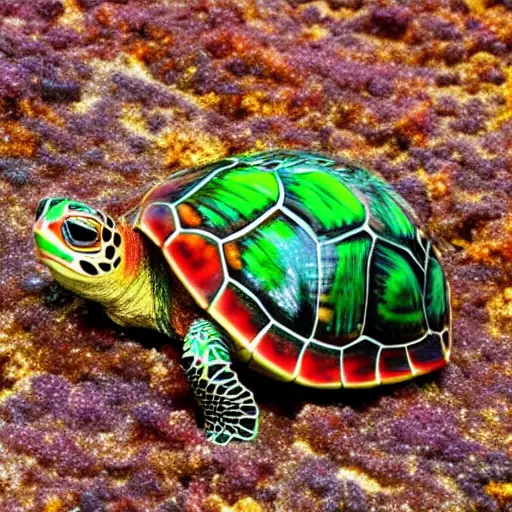
a photo of a brightly colored turtle