• Picasso AI Logo
    Logo Picasso IA
  • Home
  • AI Image
    Nano Banana 2
  • AI Video
    Veo 3.1 Fast
  • AI Chat
    Gemini 3 Pro
  • Edit Images
  • Upscale Image
  • Remove Background
  • Text to Speech
  • Effects
    NEW
  • Generations
  • Billing
  • Support
  • Account
  1. Collection
  2. Text to Image
  3. Face To Many Kontext

Face To Many Kontext: Turn Portraits into Art

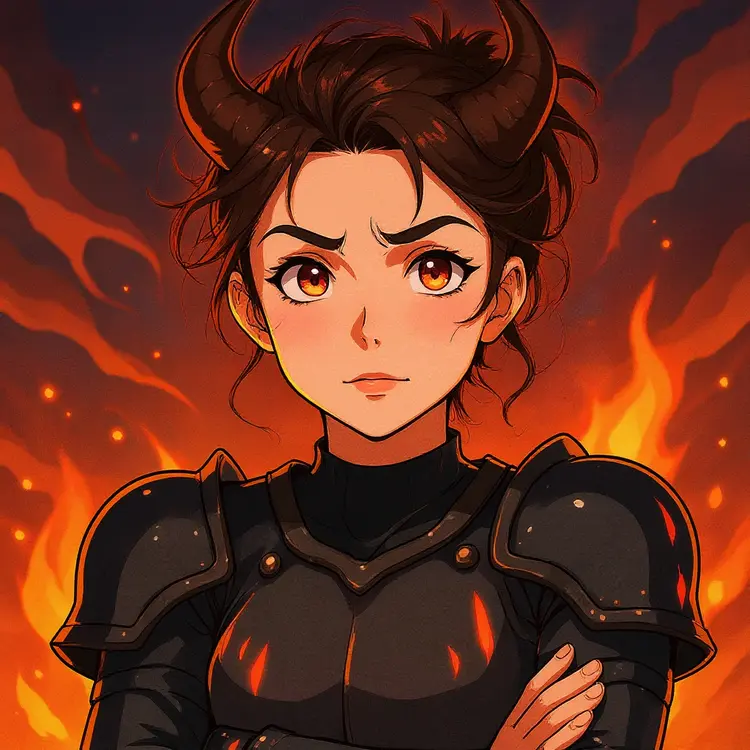
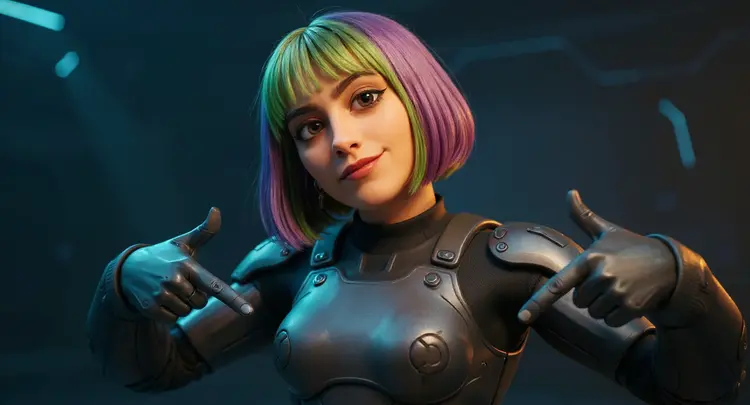
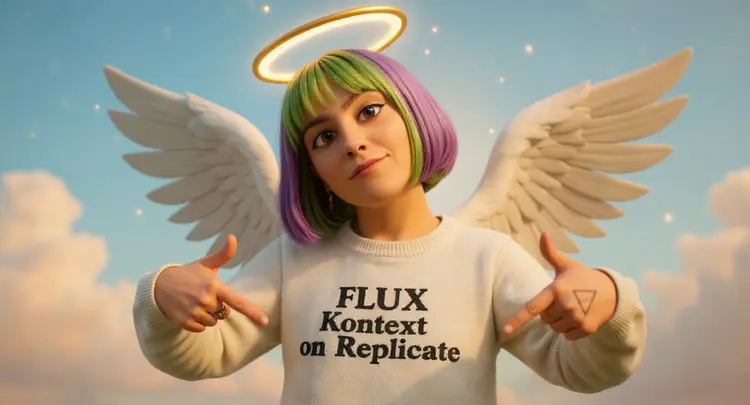
Face To Many Kontext takes a portrait photo and converts it into a stylized character image by combining artistic styles with fictional personas. Whether you want to see yourself as an anime hero, a Lego figure, or a zombie in watercolor, this tool handles the whole visual shift without any editing skills on your part. Upload a photo, pick your settings, and the result is ready. The model offers 16 distinct styles, from Anime and Cartoon to Clay, Pixel Art, and Watercolor, and pairs any of them with 13 character personas including Astronaut, Ninja, Samurai, Robot, and Zombie. You can choose to keep your outfit or background intact when you want the look to stay familiar in context. Output comes as clean PNG or JPG, and you control the aspect ratio from square to cinematic widescreen. Social media creators use it to produce custom profile pictures or themed content without needing photo editing software. Designers drop it into early-stage character or avatar workflows, where the range of styles helps quickly sketch out visual directions. On Picasso IA, the whole process from upload to download takes under a minute.

Official

Flux Kontext Apps

90.4k runs

Face To Many Kontext

2025-06-05

Commercial Use

Face To Many Kontext: Turn Portraits into Art

Table of contents

  • Overview
  • How It Works
  • Frequently Asked Questions
  • Credit Cost
  • Features
  • Use Cases
  • Examples
Get Nano Banana Pro

Overview

Face To Many Kontext takes a photo of a real person and reimagines them in any artistic style you choose, from Anime and Pixel Art to Lego, Watercolor, or South Park. The result is a styled portrait that keeps the subject's face recognizable while placing them into a completely different visual world. On Picasso IA, you can pick from over a dozen art styles and character personas, set the aspect ratio for your target platform, and get a finished image in seconds. It is the kind of tool that turns a standard headshot into something people actually want to share.

How It Works

  • Upload a clear photo of the person you want to restyle. JPEG, PNG, GIF, and WebP files all work.
  • Choose an artistic style from the dropdown. Options include Anime, Cartoon, Clay, Lego, Minecraft, Pixel Art, Watercolor, Sketch, and more.
  • Optionally select a persona such as Astronaut, Ninja, Vampire, or Samurai to layer a character role on top of the chosen style.
  • Set the aspect ratio to match your platform (square for social media, widescreen for banners, portrait for mobile).
  • Hit generate and download your result as a JPG or PNG, ready to share or drop into a project.

Frequently Asked Questions

Do I need programming skills or technical knowledge to use this? No, just open Face To Many Kontext on Picasso IA, adjust the settings you want, and hit generate.

Is it free to try? Yes, you can run the model without any upfront payment. Picasso IA lets you generate images to test different styles and personas before committing to anything.

How long does it take to get results? Most results arrive in under 30 seconds. The exact time depends on the style you pick and server load at the moment you run it.

Can I generate multiple images in one run? Yes, there is a setting to increase the number of images generated per run, which lets you compare different outputs without re-uploading your photo each time.

What happens if the background or outfit changes in ways I do not want? There are dedicated toggles to preserve the background and preserve the outfit from the original photo. Turning either on before generating keeps those elements closer to the source image.

What output formats are supported? You can download your result as either a JPG or PNG. PNG is the default and works well when you need clean edges; JPG produces a smaller file that is easy to share online.

Can I reproduce the same result later? Yes. Set a specific seed number before generating, then reuse that seed with the same settings to get the same output again. This is useful when you want a consistent look across a batch of images.

Credit Cost

Each generation consumes 1 credit

1 credit

or 5 credits for 5 generations

Features

Everything this model can do for you

16 artistic styles

Apply looks from Anime and Watercolor to Lego and Pixel Art with a single selection.

13 character personas

Overlay an Astronaut, Ninja, Zombie, or Vampire identity onto any face.

Outfit preservation

Keep the subject's clothing intact while the face and style change.

Background preservation

Retain the original background so the scene context stays consistent.

Flexible aspect ratios

Output in 1:1, 16:9, 9:16, and over ten other ratios, or match the source image automatically.

PNG and JPG export

Download finished images in either format, ready to publish or use elsewhere.

Batch generation

Produce multiple image variations in a single run to compare results side by side.

Reproducible outputs

Set a seed value to recreate the exact same result across separate runs.

Use Cases

Generate a cartoon-style avatar from a headshot for use as a social media profile picture

Turn a team photo into a set of Lego-style character portraits for a company website or newsletter

Create an anime version of a portrait to use as a game character concept or fan art reference

Apply a zombie or vampire persona to a photo for themed Halloween content or a horror-genre post

Produce a pixel art version of a face for retro game design mockups or indie developer assets

Generate multiple stylized versions of the same photo at once to compare looks across different art styles

Convert a face photo into a sketch or minimalist portrait for clean, editorial-style visual content

Convert a portrait into a Minecraft-style character for a gaming community thumbnail or profile

Examples

Input
Input 1
Output
7.8s
View Example
Input
Input 1
Output
6.6s
View Example

Switch Category

Effects

Text To Image

Text To Image

Text To Video

Large Language Models

Large Language Models

Text To Speech

Text To Speech

Super Resolution

Super Resolution

Lipsync

AI Music Generation

AI Music Generation

Video Editing

Speech To Text

Speech To Text

AI Enhance Videos

Remove Backgrounds

Remove Backgrounds