• Picasso AI Logo
    Logo Picasso IA
  • Home
  • AI Image
    Nano Banana 2
  • AI Video
    Veo 3.1 Fast
  • AI Chat
    Gemini 3 Pro
  • Edit Images
  • Upscale Image
  • Remove Background
  • Text to Speech
  • Effects
    NEW
  • Generations
  • Billing
  • Support
  • Account
  1. Collection
  2. Text to Image
  3. Professional Headshot

Turn Any Photo into a Professional Headshot

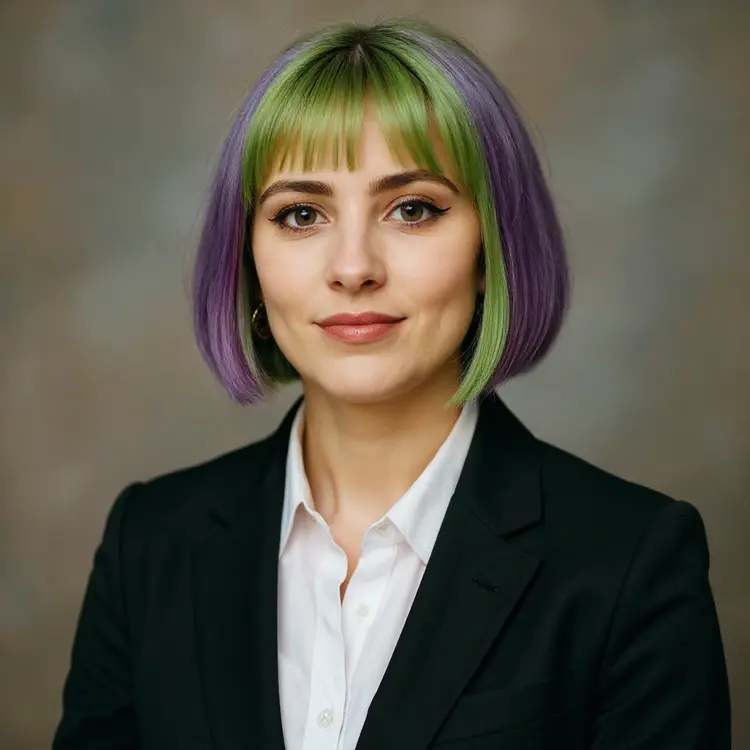
Professional Headshot takes a single photo of any person and produces a polished portrait ready for LinkedIn, a company bio, or a job application. Instead of scheduling a photographer or editing for hours, you upload one image and get back a sharp, studio-style result in seconds. The model lets you choose from five background options (white, black, neutral, gray, or office), set the aspect ratio to match your input or pick a standard format, and specify a gender setting for better output accuracy. Results arrive as a clean PNG or JPG, sized for immediate use on any platform. Drop it into a hiring profile, website team page, or press kit without any additional editing. It works especially well for professionals who need a consistent look across multiple people in an organization, or for anyone who needs a new headshot between photography sessions.

Official

Flux Kontext Apps

77.6k runs

Professional Headshot

2025-05-27

Commercial Use

Turn Any Photo into a Professional Headshot

Table of contents

  • Overview
  • How It Works
  • Frequently Asked Questions
  • Credit Cost
  • Features
  • Use Cases
  • Examples
Get Nano Banana Pro

Overview

Professional Headshot converts any single photo into a clean, polished portrait that looks like it was taken in a studio. The typical problem it solves is straightforward: most people have no good headshot because hiring a photographer is expensive and scheduling is inconvenient. Upload a photo of yourself or a team member, pick a background, and the model handles framing, composition, and overall finish. On Picasso IA, the whole process takes under a minute, no appointment needed. This fits naturally into the workflow of job seekers refreshing their LinkedIn presence, HR teams building consistent staff directories, or freelancers who need a credible profile photo without the cost of a studio session.

How It Works

  • Upload a single image of the person in JPEG, PNG, GIF, or WebP format.
  • Select a background from five options: white, black, neutral, gray, or office setting.
  • Choose an aspect ratio that matches the platform where the headshot will be used, or use the default setting to preserve the original image proportions.
  • Set the output format to PNG (default) or JPG, and optionally enter a seed number to reproduce the exact same result in future runs.
  • Generate and download the finished headshot, watermark-free and ready to drop into a resume, profile page, or company directory.

Frequently Asked Questions

Do I need programming skills or technical knowledge to use this? No, just open Professional Headshot on Picasso IA, adjust the settings you want, and hit generate.

Is it free to try? You can run the model without any upfront payment. Check your account page for the number of free generations included and the credit cost for additional runs.

How long does it take to get results? Most headshots are ready in under 30 seconds. Larger input files or non-standard aspect ratios may add a few extra seconds to processing time.

What output formats are supported? PNG is the default and retains the most image detail. JPG is also available for cases where file size matters, such as platforms with strict upload limits.

Can I customize the background? Yes. Five background styles are available: white, black, neutral, gray, and office. The neutral option works well for most professional contexts. The office background adds a realistic indoor environment for a warmer, less corporate look.

How many times can I run the model? You can generate as many headshots as your credit balance allows. Changing the seed or background between runs produces a different variation from the same source photo, so you can compare options before choosing the best one.

What happens if I'm not happy with the result? Try a different seed to get a fresh variation, or upload a cleaner source photo with even lighting and a less cluttered background. The quality of the input image has a direct effect on the output, and small improvements to the source often make a noticeable difference.

Credit Cost

Each generation consumes 1 credit

1 credit

or 5 credits for 5 generations

Features

Everything this model can do for you

Single photo input

Upload one image of any person and receive a polished headshot without needing additional reference shots.

Five background options

Choose white, black, gray, neutral, or office to match where the headshot will be used.

Flexible aspect ratios

Select from 14 ratio presets or match the input image dimensions automatically.

No watermarks

Download clean, watermark-free portraits ready for LinkedIn, websites, or print materials.

PNG and JPG output

Get your headshot in either format depending on your publishing needs.

Reproducible results

Set a seed value to regenerate the exact same headshot with identical settings.

Gender tuning

Specify male, female, or none to help the model produce more accurate facial results.

Use Cases

Update your LinkedIn profile photo by uploading a recent selfie and selecting a neutral or office background for a business-ready result

Generate a consistent set of headshots for an entire team using individual photos with the same background and aspect ratio settings

Produce a clean author photo for a press release or book bio page without hiring a professional photographer

Refresh a speaker bio headshot by converting an informal photo into a sharp, professional portrait with a white background

Create a company directory photo for a new employee using any decent snapshot taken on a phone

Prepare a headshot for a job application by converting a casual photo into a professional-looking portrait with a neutral background

Generate a website team page portrait from a recent conference or event photo

Examples

Input
Input 1
Output
6.6s
View Example
Input
Input 1
Output
5.9s
View Example
Input
Input 1
Output
6.2s
View Example
Input
Input 1
Output
6.4s
View Example

Switch Category

Effects

Text To Image

Text To Image

Text To Video

Large Language Models

Large Language Models

Text To Speech

Text To Speech

Super Resolution

Super Resolution

Lipsync

AI Music Generation

AI Music Generation

Video Editing

Speech To Text

Speech To Text

AI Enhance Videos

Remove Backgrounds

Remove Backgrounds