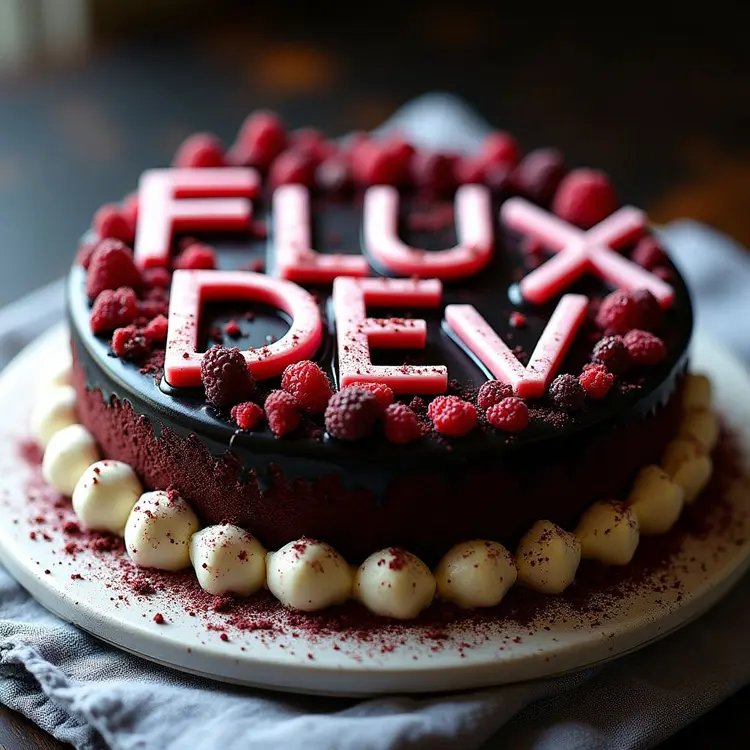
Flux.1 Dev is a text-to-image model engineered for speed, turning written prompts into detailed, high-resolution images faster than most alternatives. It solves a real problem for anyone who needs multiple visual variations quickly: instead of waiting minutes per image, you get results in seconds and can iterate without breaking your flow. The model supports 11 aspect ratios, four speed modes, and an adjustable guidance scale so you can set exactly how closely the output follows your prompt. You can lock a seed to reproduce a specific result, choose PNG, JPG, or WebP output, and control image quality for web-ready file sizes. These controls make it practical for both rough ideation and more polished visual work. In practice, Flux.1 Dev fits anywhere you need images at speed: drafting ad concepts before a client call, building a mood board from scratch, or generating placeholder visuals for a presentation. The browser-based interface means no installation, no local setup, and no queue to manage. Type your prompt and see what comes back.
Flux.1 Dev is a text-to-image model built around speed without cutting corners on output quality. Where most image generators ask you to wait, this one returns sharp, high-resolution visuals in a matter of seconds. You access it directly on Picasso IA in the browser: type your prompt, choose an aspect ratio, pick a speed setting, and click generate. It suits anyone who needs visual assets on a tight schedule, from social media managers testing ad concepts to designers drafting client mockups before a meeting.
Do I need programming skills or technical knowledge to use this? No, just open Flux.1 Dev on Picasso IA, adjust the settings you want, and hit generate.
Is it free to try? Yes, you can run the model without a paid plan. Usage tiers may apply depending on your account type, but getting started costs nothing.
How long does it take to get results? Most generations finish in a few seconds. The fastest speed mode is optimized for rapid iteration, while the slower modes prioritize consistency over raw speed.
What output formats are supported? You can download images as PNG, JPG, or WebP. For JPG and WebP outputs, a quality setting lets you balance file size against visual fidelity.
Can I reproduce a specific result? Yes. Set a fixed seed value and keep your prompt and settings identical. The model will return a near-identical image each time, which is useful for fine-tuning a prompt incrementally.
Where can I use the generated images? You get clean downloads with no watermarks, ready for client presentations, ad mockups, blog illustrations, or personal projects.
What if I'm not satisfied with the first result? Adjust your prompt, raise the number of inference steps for finer detail, or switch to a more consistent speed mode and run it again. Minor prompt edits often produce noticeably different results.
Everything this model can do for you
Switch between four generation settings to trade output consistency against time per image.
Output in 11 formats including 1:1, 16:9, 9:16, and 4:5 to match any platform or canvas size.
Lock a seed integer to reproduce near-identical results across multiple runs for iterative prompt work.
Render images up to 1024px on the longest side for crisp, print-ready or web-ready results.
Download as PNG for lossless quality, JPG for smaller file sizes, or WebP for modern web use.
Set how strictly the model follows your prompt versus introducing its own creative interpretation.
Raise the number of diffusion steps for finer detail or lower them for faster, rougher drafts.
Fine-tune inference steps for detail vs. speed
a man staring into the sunset
a cat
black forest gateau cake spelling out the words "FLUX DEV", tasty, food photography, dynamic shot