Overview
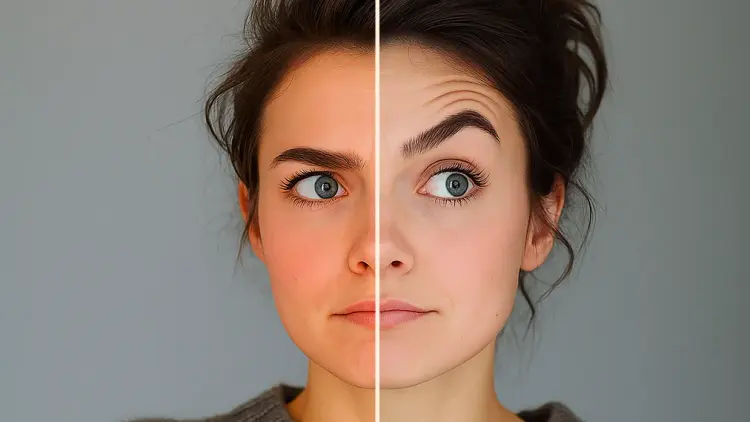
Color Matcher transfers the color palette of a reference image onto a target image, giving both photos a unified, consistent look. It also applies automatic white balance correction when your image has a color cast from mixed lighting or an incorrect camera setting. On Picasso IA, photographers and designers use it to match the tone of a hero shot across an entire product set, fix lighting inconsistencies between photos taken at different times, or simply correct an image that came out warmer or cooler than expected. No editing software is required.
How It Works
- Upload your input image, the one whose colors you want to change.
- Optionally add a reference image whose color palette you want to apply to the input.
- Choose a color transfer method from six options: MKL, HM, Reinhard, MVGD, or one of the combined methods, depending on the type of image and the result you are after.
- Adjust the strength slider between 0.0 and 1.0 to control how much of the reference palette replaces the original colors.
- Toggle white balance correction on or off before the transfer runs, and fine-tune the percentile setting if the automatic correction needs more or less contrast.
- Hit generate and download the corrected image.
Frequently Asked Questions
Do I need programming skills or technical knowledge to use this?
No, just open Color Matcher on Picasso IA, adjust the settings you want, and hit generate.
Is it free to try?
You can run Color Matcher without entering payment details upfront. Check the platform's current credits page to see how many runs are included at no cost.
How long does it take to get results?
Most runs finish in a few seconds. The exact time depends on image resolution, but even high-resolution files process quickly enough that iterating on the settings feels instant.
Which transfer method should I use?
MKL is the default and works well for most natural photos. HM performs better on images with strong tonal contrasts, while MVGD and the combined methods give more refined control over complex lighting situations. If you are unsure, start with MKL and compare the result to one other method before committing.
Do I need a reference image?
No. If you skip the reference image, Color Matcher applies only white balance correction to the input. That alone removes color casts caused by artificial lighting or an incorrect white balance setting at capture.
Can I control how strong the color transfer is?
Yes. The strength parameter runs from 0.0 (no change) to 1.0 (full palette transfer). Setting it to 0.5 blends the transferred colors with the original, which is useful when a full match looks too aggressive on skin tones or natural textures.
What if the result does not look right?
Switch to a different transfer method, lower the strength, or adjust the white balance percentile. Each run is fast, so you can iterate through a few variations in under a minute until the output matches what you had in mind.