• Picasso AI Logo
    Logo Picasso IA
  • Home
  • AI Image
    Nano Banana 2
  • AI Video
    Veo 3.1 Lite
  • AI Chat
    Gemini 3 Pro
  • Edit Images
  • Upscale Image
  • Remove Background
  • Text to Speech
  • Effects
    NEW
  • Generations
  • Billing
  • Support
  • Account
  1. Collection
  2. Text to Image
  3. Imagen 4

Create Photorealistic Images with Imagen 4

Imagen 4 is a high-fidelity text-to-image model that converts written descriptions into sharp, detailed photographs and illustrations. Whether you are a marketer who needs original visuals fast or a freelancer building a portfolio without a photo budget, this tool takes your words and turns them into professional-looking images in seconds. It handles a full range of aspect ratios including portrait, landscape, square, and widescreen, so you can generate images sized for any platform from the start. The output quality is notably sharp, with accurate rendering of textures, lighting, and spatial depth. You can also choose between JPG and PNG output, giving you direct control over file size and format needs. In a typical workflow, Imagen 4 fits right between your creative brief and your publishing step. Write a clear prompt describing what you want, pick the dimensions, and download a ready-to-use file. It removes the gap between having an idea and having an image, so you spend less time sourcing stock and more time on work that matters.

Official

Google

3.95m runs

Imagen 4

2025-05-21

Commercial Use

Create Photorealistic Images with Imagen 4

Table of contents

  • Overview
  • How It Works
  • Frequently Asked Questions
  • Credit Cost
  • Features
  • Use Cases
  • Examples
Get Nano Banana Pro

Overview

Imagen 4 is a text-to-image model that produces high-fidelity photographs and illustrations from written descriptions. On Picasso IA, you type a prompt, choose an aspect ratio, and receive a finished image in seconds without any software to install. It suits creators who need original visuals on demand, from product mockups to editorial illustrations. Whether your project calls for a cinematic landscape or a clean product shot on a white background, Imagen 4 translates plain language into detailed, print-ready images.

How It Works

  • Write a prompt describing the image you want: include the subject, setting, mood, and any specific visual details like lighting or color palette.
  • Choose an aspect ratio that fits your use case: 1:1 for social posts, 16:9 for video thumbnails, 9:16 for mobile content, or 4:3 and 3:4 for other formats.
  • Select your output format: JPG for smaller file sizes, PNG if you need a cleaner format for further editing.
  • Adjust the safety filter level if your project involves content that a standard filter might restrict.
  • Click generate and download your image directly from the results panel.

Frequently Asked Questions

Do I need programming skills or technical knowledge to use this? No, just open Imagen 4 on Picasso IA, adjust the settings you want, and hit generate.

Is it free to try? Yes. You can run Imagen 4 without any technical setup or installation. Credit usage may apply depending on how many images you generate, but you can get started immediately.

How long does it take to get results? Most images are ready within a few seconds. Complex prompts with high detail may take slightly longer, but generation rarely exceeds 15 seconds.

What output formats are supported? You can download your image as a JPG or PNG file. JPG works well for most online uses where file size matters; PNG is better when you want cleaner edges or plan to edit the image further.

Can I customize the output quality or style? You control the look through your prompt. Describing the lighting, color, perspective, and mood gives you direct influence over the final result. There is no separate quality slider, so the detail in your prompt shapes the detail in the image.

How many times can I run the model? You can run Imagen 4 as many times as you need within your session. If the first result does not match your vision, rephrase your prompt and generate again.

Where can I use the outputs? The images you download are yours to use in presentations, websites, social media, print materials, or any other project. No watermarks are added to your files.

Credit Cost

Each generation consumes 1 credit

1 credit

or 5 credits for 5 generations

Features

Everything this model can do for you

Multiple aspect ratios

Output images in square, portrait, landscape, or widescreen formats from a single prompt.

High visual fidelity

Renders accurate textures, lighting, and depth for photorealistic results.

JPG and PNG output

Download in your preferred format to control file size or preserve transparency.

Adjustable safety filters

Set the content filter level to match your project's needs and audience.

No installation required

Run the model directly in your browser without installing any software.

Fast generation

Receive a finished image in seconds after submitting your prompt.

Prompt-driven control

Describe color, composition, lighting, and style in plain language to shape the result.

Supports creative and professional workflows

Use Cases

Generate product images on a plain background by describing the item and its styling in a text prompt

Create social media visuals in portrait or landscape format by specifying the scene and mood you want

Produce concept art for a project pitch by writing a detailed description of the setting and visual style

Build a set of blog header images by describing each topic with a short, specific prompt

Design custom backgrounds for presentations by writing a prompt that matches your brand colors and theme

Create character portraits for a story or creative project by describing appearance, lighting, and expression

Generate video thumbnail images by describing the scene, colors, and focal point you want viewers to notice first

Personalized image creation for presentations

Examples

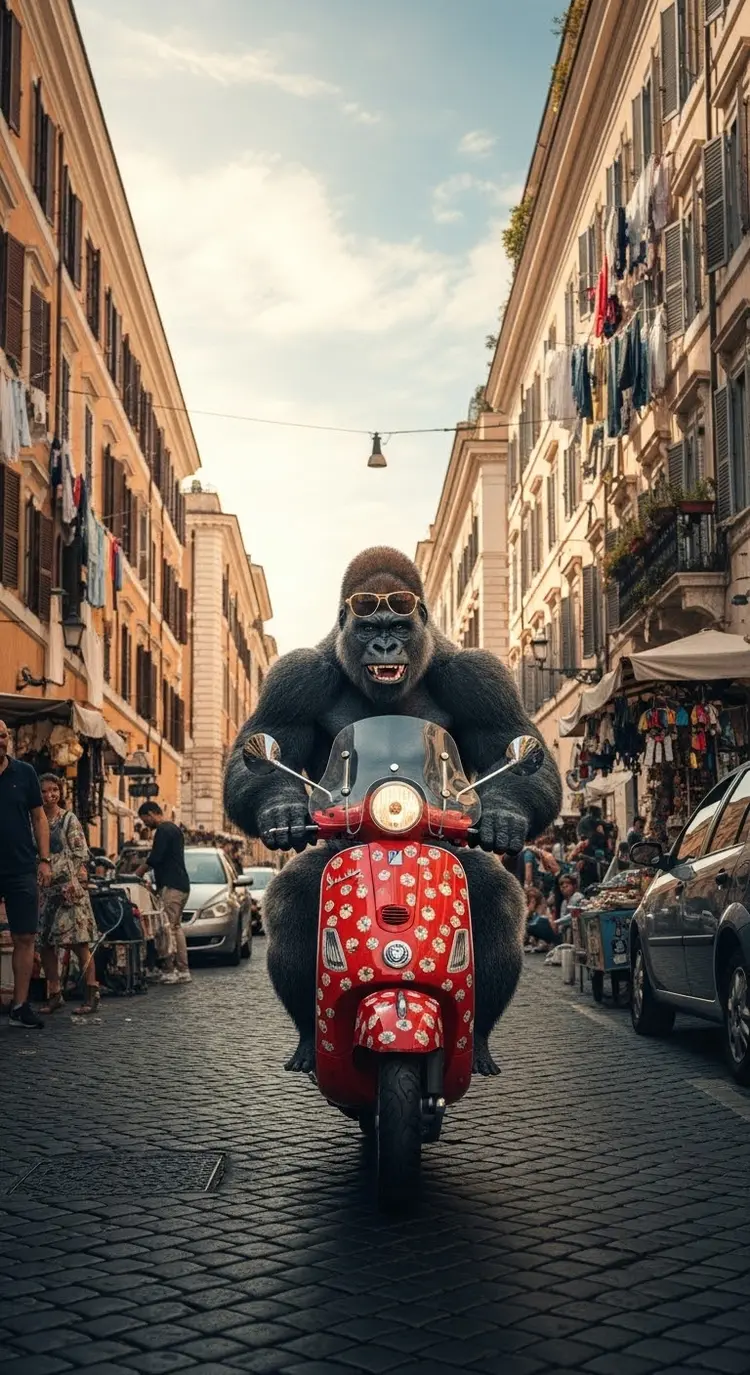
9:16
7.3s
Safety Filter Level: block_medium_and_above

gorilla riding a moped through busy italian city

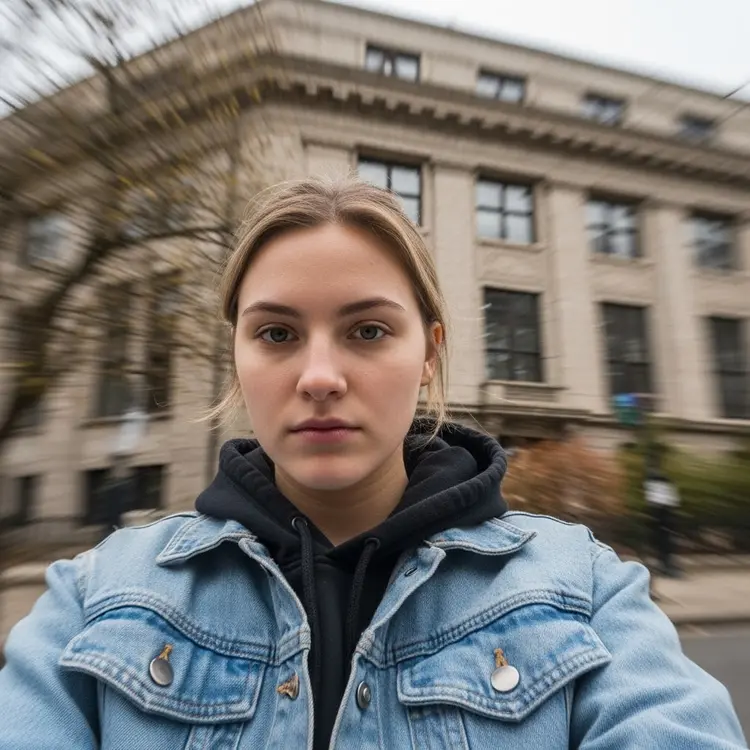
1:1
4.1s
Safety Filter Level: block_medium_and_above

An extremely unremarkable iPhone picture with no clear subject or framing—just a careless snapshot with a slight worm's eye perspective. The photo has motion blur artifacts from being taken carelessly, and mildly overexposed from uneven sunlight. The angle is awkward, the composition nonexistent, and the overall effect is aggressively mediocre—like a photo taken by accident while pulling the phone out of a pocket to take the picture.

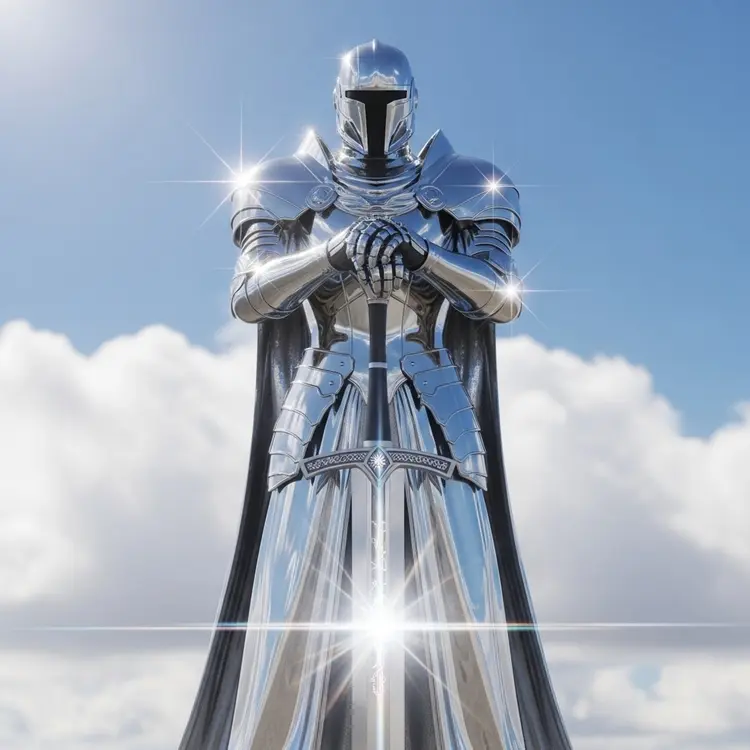
1:1
4.2s
Safety Filter Level: block_medium_and_above

A towering, futuristic armored knight standing against a backdrop of bright blue sky and soft, puffy white clouds. The knight is fully encased in a hyper-polished, chrome-like reflective armor that gleams with pristine clarity—so reflective it captures subtle distortions of the clouds and light around it. The armor design is sleek, smooth, and seamless, evoking both medieval plate armor and high-tech sci-fi aesthetics. The helmet is full-face, with no visible eyes or features, completely blacked-out visor or void-like front, giving it a mysterious and intimidating presence. The figure wears a long, flowing cloak made of the same mirror-chrome material—fluid and draped like silk, yet structured, catching the light in sharp, star-like flares across its surface. The knight stands regally, both hands resting on the pommel of a massive broadsword planted in the ground before them. The sword is symmetrical, grand, and glowing with an ethereal white light at its core. The blade emits a radiant, prismatic flare—a spectrum of light beams radiating outward, refracting into rainbow hues at the edge of the light. The hilt of the sword is ornately crafted, echoing the chrome aesthetic but encrusted with subtle runes or technological etchings that glow faintly. The atmosphere is surreal, almost celestial, as if the knight is standing on a high mountaintop or floating in a divine realm. The lighting is crisp and heavenly, with intense sun reflections casting dramatic highlights across the armor and cloak, creating lens flare effects and sparkles at several points on the knight's body, especially around the shoulders, hands, and sword. The proportions of the knight are slightly exaggerated—taller and broader than a human, evoking a sense of power and reverence. The entire scene is composed symmetrically, with the figure dead center, vertical, and monolithic, like a statue of an angelic guardian forged in another dimension. The mood is solemn, noble, and epic, blending themes of ancient chivalry with cosmic futurism. Unreal Engine 5 lighting 8K resolution hyperrealism cinematic wide angle lens high contrast volumetric lighting HDR reflections celestial / divine aesthetic chrome texture material standing figure centered, low-angle view for dramatic scale

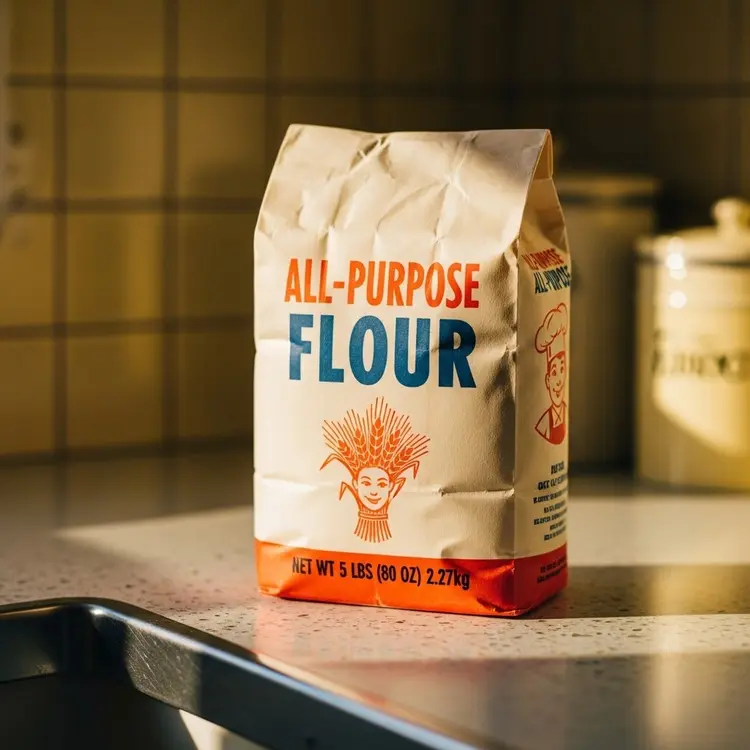
1:1
3.9s
Featuring A Delightful Illustration Like A Stylized Sheaf Of Wheat Or A Cheerful Baker Character. In Smaller Bold Print At The Bottom Of The Package: NET WT 5 LBS (80 OZ) 2.27kg". Focus sharply on the package d…
Safety Filter Level: block_medium_and_above

Capture an intimate close-up bathed in warm, soft, late-afternoon sunlight filtering into a quintessential 1960s kitchen. The focal point is a charmingly designed vintage package of all-purpose flour, resting invitingly on a speckled Formica countertop. The packaging itself evokes pure nostalgia: perhaps thick, slightly textured paper in a warm cream tone, adorned with simple, bold typography (a friendly serif or script) in classic red and blue "ALL-PURPOSE FLOUR

16:9
7.3s
Safety Filter Level: block_medium_and_above

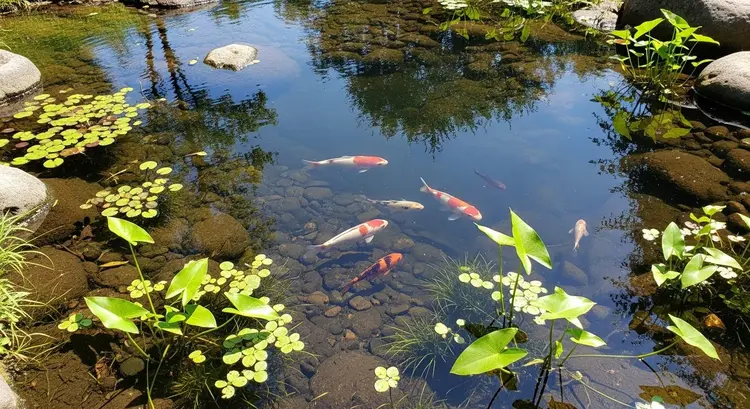
A serene, shallow pool nestled among creek rocks, with several small koi fish playfully swimming under sunlight. The water reflects a clear blue sky and tree tops above. Lush aquatic plants sway gently, clearly visible beneath the surface

Switch Category

Effects

Text To Image

Text To Image

Text To Video

Large Language Models

Large Language Models

Text To Speech

Text To Speech

Super Resolution

Super Resolution

Lipsync

AI Music Generation

AI Music Generation

Video Editing

Speech To Text

Speech To Text

AI Enhance Videos

Remove Backgrounds

Remove Backgrounds