• Picasso AI Logo
    Logo Picasso IA
  • Home
  • AI Image
    Nano Banana 2
  • AI Video
    Veo 3.1 Lite
  • AI Chat
    Gemini 3 Pro
  • Edit Images
  • Upscale Image
  • Remove Background
  • Text to Speech
  • Effects
    NEW
  • Generations
  • Billing
  • Support
  • Account
  1. Collection
  2. Text to Image
  3. Hidream L1 Fast

Generate AI Images Instantly with Hidream L1 Fast

Hidream L1 Fast is an optimized text-to-image model that converts written descriptions into detailed, high-resolution images in a fraction of the time it takes standard generators. If you've been stuck waiting 30 seconds or more for a single image just to realize it's not right, this model cuts that cycle down so you can iterate faster and get closer to what you want. The model offers four speed modes, from the highest quality "Unsqueezed" setting to the ultra-fast "Extra Juiced" option, giving you direct control over the speed-quality tradeoff. You can pick from seven resolution presets covering square, portrait, and landscape orientations. Output files are available in PNG, JPG, or WebP, so images drop into whatever workflow you're already running. Whether you're mocking up a social media post, testing visual concepts for a client, or exploring what a scene might look like before commissioning real artwork, Hidream L1 Fast slots into your process without friction. Set your speed mode, type your prompt, and the image is ready before you've had time to second-guess the wording.

3.49m runs

Hidream L1 Fast

2025-04-10

Commercial Use

Generate AI Images Instantly with Hidream L1 Fast

Table of contents

  • Overview
  • How It Works
  • Frequently Asked Questions
  • Credit Cost
  • Features
  • Use Cases
  • Examples
Get Nano Banana Pro

Overview

Hidream L1 Fast is a text-to-image model built for speed, letting you turn a written description into a finished image without the long waits that slow down creative iteration. It runs an optimized build of the base image model, which means you get sharp, detailed outputs faster than with standard configurations. On Picasso IA, the whole process happens in your browser, no downloads or complex setup required. Whether you're a designer sketching ideas or a marketer testing visual directions, the model gets you from prompt to pixel in seconds.

How It Works

  • Type a detailed description of the image you want in the prompt field, including subject, style, and any specific visual details you need
  • Select a resolution preset that fits your intended use, such as 1024x1024 for square posts or 1360x768 for widescreen layouts
  • Pick a speed mode: higher quality for final assets, faster modes when you're still deciding on the concept and want quick iterations
  • Optionally add a negative prompt to exclude unwanted elements from the output
  • Hit generate and download your image in PNG, JPG, or WebP format once the result matches what you had in mind

Frequently Asked Questions

Do I need programming skills or technical knowledge to use this? No, just open Hidream L1 Fast on Picasso IA, adjust the settings you want, and hit generate.

Is it free to try? Yes, you can run Hidream L1 Fast without paying anything upfront. Some generation limits may apply depending on your account plan, but trying the model out costs nothing to start.

How long does it take to get results? Generation time depends on the speed mode you choose. The "Extra Juiced" option delivers results in a few seconds, while the highest-quality "Unsqueezed" setting takes a bit longer but produces more refined outputs.

What output formats are supported? Images can be downloaded as PNG, JPG, or WebP. For JPG and WebP, you can set the quality level from 1 to 100, giving you control over file size versus image detail.

Can I customize the output quality or style? Yes. Beyond the prompt itself, you can adjust the speed mode, resolution, output format, quality setting, and negative prompt. For repeatable results, save the seed number from any run you want to recreate.

What happens if I'm not happy with the result? Adjust your prompt, switch the speed mode, or change the resolution and run again. Because the model processes fast, working through several versions takes only a minute or two. A negative prompt also helps you steer the output away from anything you want to avoid.

Credit Cost

Each generation consumes 1 credit

1 credit

or 5 credits for 5 generations

Features

Everything this model can do for you

Four speed modes

Choose between highest quality and maximum speed to match any deadline or iteration goal.

Seven resolution presets

Pick square, portrait, or landscape formats sized for social, print, or web without manual resizing.

Three output formats

Download images as PNG, JPG, or WebP, each at up to 100% quality for clean final files.

Negative prompt support

Specify what to exclude from the image to steer clear of unwanted elements in the output.

Seed control

Reproduce any result exactly by saving and reusing the same seed number across runs.

Optimized inference

Runs a faster build of the base model, cutting wait time without sacrificing core visual quality.

No watermarks

Download images without overlaid logos, ready for direct use in projects.

Random seed feature for unique image variations.

Use Cases

Generate social media visuals from a text prompt, choosing portrait or landscape orientation to match platform specs

Create product concept images by describing the item, style, and background without a photo studio

Produce multiple variations of a scene by tweaking the prompt and cycling through speed modes to find the best result

Build visual mood boards for client presentations by generating several distinct images from a list of prompts

Draft thumbnail ideas for videos or articles by describing the composition you have in mind

Generate character references or costume concepts for creative projects by describing appearance details in the prompt

Test layout ideas for web or print designs by generating placeholder visuals that match a specific style or color palette

Experiment with art styles and themes effortlessly.

Examples

1024 × 1024 (Square)
jpg
10
1.7s
Model Type: fast
Speed Mode: Extra Juiced 🚀 (even more speed)
Output Quality: 80

a purple cheetah holding a sign that says "pip install pruna"

1024 × 1024 (Square)
webp
10
2.5s
Model Type: fast
Speed Mode: Juiced 🔥 (more speed)
Output Quality: 80

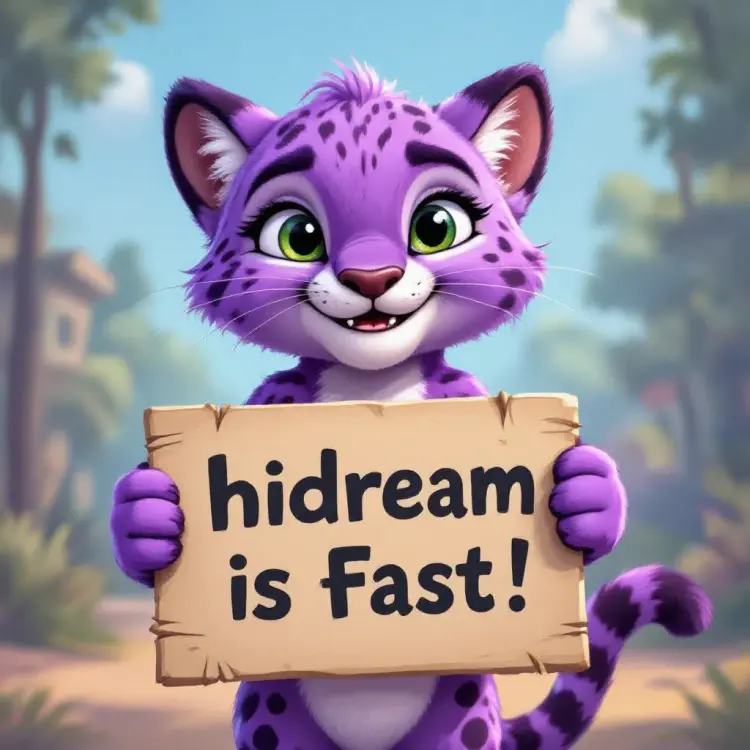
a happy spherical purple prune emoji and a sign that says "hidream is Fast!"

1024 × 1024 (Square)
webp
10
2.0s
Model Type: fast
Speed Mode: Extra Juiced 🚀 (even more speed)
Output Quality: 80

a purple cheetah holding a sign that says "pip install pruna"

1024 × 1024 (Square)
webp
10
2m 26s
Model Type: fast
Speed Mode: Lightly Juiced 🍊 (more consistent)
Output Quality: 80

a purple cheetah holding a sign that says "pip install pruna"

Switch Category

Effects

Text To Image

Text To Image

Text To Video

Large Language Models

Large Language Models

Text To Speech

Text To Speech

Super Resolution

Super Resolution

Lipsync

AI Music Generation

AI Music Generation

Video Editing

Speech To Text

Speech To Text

AI Enhance Videos

Remove Backgrounds

Remove Backgrounds