• Picasso AI Logo
    Logo Picasso IA
  • Home
  • AI Image
    Nano Banana 2
  • AI Video
    Veo 3.1 Lite
  • AI Chat
    Gemini 3 Pro
  • Edit Images
  • Upscale Image
  • Remove Background
  • Text to Speech
  • Effects
    NEW
  • Generations
  • Billing
  • Support
  • Account
  1. Collection
  2. Text to Image
  3. Ideogram V2

Ideogram v2: Generate Images with Sharp Text

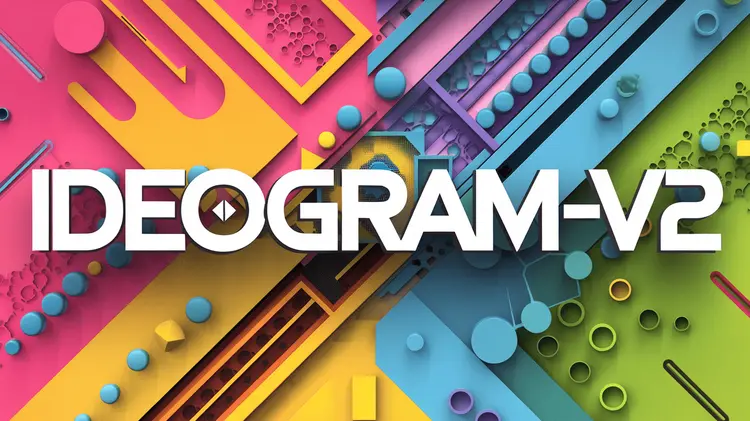
Ideogram v2 is a text-to-image model built around two capabilities that most image generators handle inconsistently: rendering legible text inside images and performing clean inpainting on existing photos. Designers and marketers who need posters, labels, or ad creatives with readable words in the scene no longer have to manually add text in a separate editing step. The model accepts a plain text prompt and produces a full image based on your description, including any words or phrases you want visible in the scene. Inpainting lets you upload a photo with a black-and-white mask, and the model fills in only the masked area while leaving everything else untouched. Style presets including Realistic, Anime, and Render 3D give you direct control over the visual tone without rewriting your prompt each time. The workflow fits into existing content and design projects without requiring any technical background. Write a prompt, pick a style, and generate in seconds. For retouching work, upload your source image with a mask and let the model handle only the area you want to change. You can try Ideogram v2 on Picasso IA right now with no account setup or prior experience.

Official

Ideogram Ai

2.43m runs

Ideogram V2

2024-10-22

Commercial Use

Ideogram v2: Generate Images with Sharp Text

Table of contents

  • Overview
  • How It Works
  • Frequently Asked Questions
  • Credit Cost
  • Features
  • Use Cases
Get Nano Banana Pro

Overview

Ideogram v2 is a text-to-image model on Picasso IA that addresses two areas most AI image generators handle inconsistently: rendering readable text inside an image and performing clean inpainting on existing photos. If you have ever typed a prompt asking for a product label, a poster headline, or a shop sign and received an image full of warped, illegible characters, this model was built specifically to fix that gap. It treats text in the scene as a first-class element, meaning the words you describe in the prompt appear as actual readable letters rather than visual noise. The result is more useful for designers, marketers, and anyone who needs AI-generated images that communicate through words, not just visuals.

How It Works

  • Type a prompt describing the full scene, including any specific words, phrases, or text that should appear visibly in the image.
  • Select a style preset from the panel: Auto, General, Realistic, Design, Render 3D, or Anime, depending on the visual tone you need.
  • Pick a resolution from over 60 options or set an aspect ratio like 16:9 or 4:3 for standard formats.
  • Enable Magic Prompt to let the model automatically rewrite your input into a more detailed description before generating.
  • For inpainting, upload an existing image alongside a black-and-white mask. Black pixels mark the areas to replace; white pixels stay unchanged.

Frequently Asked Questions

Do I need programming skills or technical knowledge to use this? No, just open Ideogram v2 on Picasso IA, adjust the settings you want, and hit generate.

Is it free to try? Yes, you can run Ideogram v2 without paying upfront. Some runs may consume credits depending on your account plan, but there is no technical barrier to getting started.

How long does it take to get results? Most standard image generations finish in under 15 seconds. Inpainting runs with larger images or detailed masks may take slightly longer, but results typically arrive within half a minute.

What output formats are supported? You get a high-resolution image file you can download directly and use in any creative or commercial project without watermarks.

Can I customize the output quality or style? Yes. Between the style preset, resolution, negative prompt, and Magic Prompt toggle, you have several independent levers to shape the final result without needing to manually edit the image afterward.

What happens if I'm not happy with the result? Change the seed, rewrite part of your prompt, or switch the style preset and run again. Each attempt takes only seconds, so iteration is fast.

Credit Cost

Each generation consumes 1 credit

1 credit

or 5 credits for 5 generations

Features

Everything this model can do for you

Text rendering

Produces legible, accurate text inside images, including signs, labels, headlines, and captions.

Inpainting support

Replace or repair any part of an existing image using a black-and-white mask without affecting the rest.

Style presets

Choose from Auto, Realistic, Anime, General, Design, or Render 3D to match the visual tone you need.

Resolution control

Select from over 60 specific resolutions or use the aspect ratio picker for standard formats.

Magic Prompt

Automatically expands a short prompt into a richer description to improve output variety and detail.

Negative prompts

Specify elements you do not want in the image to tighten the output without extra iterations.

Seed control

Pin a seed number to reproduce the same result across multiple runs for consistent outputs.

Seed control for reproducible results

Use Cases

Generate social media posts with readable text overlays by describing the scene and the exact words you want displayed in the image

Fix a damaged or unwanted area of an existing photo by uploading it with a black-and-white mask marking the section to replace

Design product labels and packaging mockups with precise typography by writing the layout and text content directly in the prompt

Create illustrated book covers or event posters that include legible titles and subtitles without adding text manually afterward

Produce realistic product shots on clean backgrounds by describing the item, lighting, and setting in a single prompt

Build concept art for game or film projects by selecting Render 3D or Anime style and describing the scene in detail

Generate branded ad creatives with correct headlines by specifying the exact text and visual style in one prompt

Retouch an AI-generated image by masking only the area you want to change and running inpainting with a targeted description

Switch Category

Effects

Text To Image

Text To Image

Text To Video

Large Language Models

Large Language Models

Text To Speech

Text To Speech

Super Resolution

Super Resolution

Lipsync

AI Music Generation

AI Music Generation

Video Editing

Speech To Text

Speech To Text

AI Enhance Videos

Remove Backgrounds

Remove Backgrounds