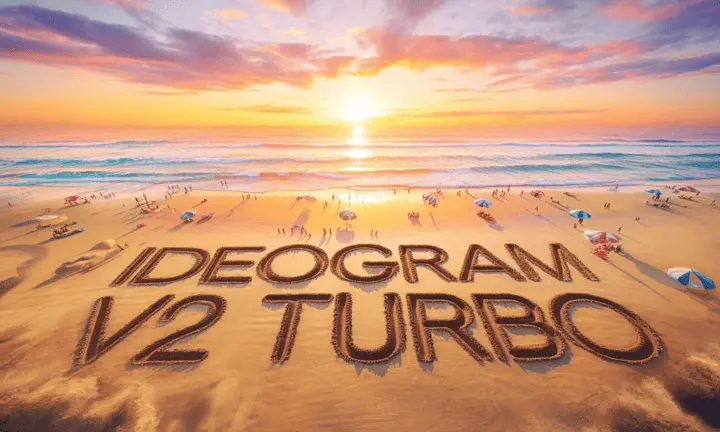
Ideogram v2 Turbo is a fast text-to-image model built for one thing most AI image generators get wrong: readable text inside images. Whether you need a product label, a poster headline, or a social media graphic with words that actually look correct, this model renders lettering with a precision that most generators miss entirely. The model accepts a wide range of output resolutions, from square 1024×1024 to tall 512×1536 portrait formats, and five style presets including Realistic, Anime, Design, and Render 3D. It also supports inpainting: upload a photo alongside a black-and-white mask, and the model fills in only the masked area while leaving the rest of the image unchanged. A Magic Prompt option automatically expands short prompts into richer descriptions, giving more variety to each result. If your workflow involves generating social media assets, product mock-ups, or event flyers with branded text, this model cuts the need for post-editing in a separate design tool. Run it on Picasso IA without any installation or account setup, adjust the style preset or resolution, and iterate until the result is ready to publish.
Ideogram v2 Turbo is a text-to-image model that solves a problem most AI image tools ignore: rendering actual words inside a picture. On Picasso IA, you can type a prompt like "a concert poster for a jazz trio with the band name in large bold type" and get an image where that text is legible and correctly spelled. It runs fast, accepts more than fifty resolution options, and includes inpainting so you can edit specific parts of an existing photo rather than starting from scratch. For anyone who creates graphics that include text, it removes a significant step from the production process.
Do I need programming skills or technical knowledge to use this? No, just open Ideogram v2 Turbo on Picasso IA, adjust the settings you want, and hit generate.
Is it free to try? Yes, you can run Ideogram v2 Turbo online on Picasso IA without a paid subscription. Credits determine how many generations you can run per session.
How long does it take to get results? Most generations finish in a few seconds. Resolution and style complexity can affect processing time slightly, but the model is built for speed.
What output formats are supported? You receive a PNG image download. The resolution you select determines the final pixel dimensions, with options ranging from 512×1536 up to 1536×512.
Can I customize the output quality or style? Yes. Pick from six style presets, set an exact resolution from a list of more than fifty options, write a negative prompt to exclude unwanted elements, and activate Magic Prompt for automatic prompt expansion.
What happens if I am not happy with the result? Change the seed to get a different variation on the same prompt, or refine your description and re-run. Magic Prompt can also produce noticeably different results even from a short starting phrase.
Can I edit a specific part of an existing photo? Yes. Upload your photo as the base image and provide a black-and-white mask where black marks the area to replace. The model fills only those pixels while leaving the rest of the photo unchanged.
Everything this model can do for you
Generates readable words, numbers, and labels directly inside the image without post-editing.
Fills masked regions of an existing photo with new content while preserving surrounding pixels.
Choose from Auto, General, Realistic, Design, Render 3D, or Anime to set the visual tone instantly.
Outputs from 512×1536 to 1536×512, spanning portrait, landscape, and square formats.
Expands a short input into a richer description automatically, producing more varied and detailed results.
Reuse a seed value to reproduce the same composition while changing only the prompt or style.
Specify what to exclude from the image to steer results away from unwanted elements.
Seed control for reproducibility