Kandinsky 2 is a text-to-image model that converts written descriptions into finished images, from photorealistic scenes to abstract compositions and stylized illustrations. If you have an idea for a visual but lack the tools to create it, this model bridges that gap in seconds. Type a description, hit generate, and see the result appear. The model gives you control over resolution up to 1024×1024, a choice of three schedulers (DDIM, P-sampler, PLMS), and a denoising step count you can raise or lower depending on how much detail and time you want to spend. You can also set a guidance scale to control how closely the output follows your prompt, and download the result in JPEG, PNG, or WebP. Kandinsky 2 fits naturally into workflows where you need quick visual concepts, draft illustrations, or reference images before committing to a final design. Set a seed to reproduce a result you like, adjust batch size to generate up to four variations at once, and iterate until the image matches your vision.
Kandinsky 2 is a text-to-image model that turns written descriptions into full images, from portraits and product shots to abstract compositions and stylized scenes. It runs directly on Picasso IA with no downloads or configuration, so you can go from idea to image in under a minute. The model was trained on a large dataset of high-resolution images and tuned to handle both photorealistic and artistic styles, making it suitable across creative and commercial tasks. Whether you need a quick visual concept for a client pitch or a draft illustration for a blog post, Kandinsky 2 handles the generation while you focus on the idea.
Do I need programming skills or technical knowledge to use this? No, just open Kandinsky 2 on Picasso IA, adjust the settings you want, and hit generate.
Is it free to try? Yes, you can run Kandinsky 2 without a paid subscription to test the model and see what it produces. No credit card required.
How long does it take to get results? Most generations finish in under 30 seconds, depending on your resolution and the number of inference steps you set. Larger images with more steps take a bit longer.
What output formats are supported? You can download your image as WebP, JPEG, or PNG. WebP is the default and gives a good balance between quality and file size.
Can I customize the output quality or style? Yes. Adjust the guidance scale to control how literally the model interprets your prompt, choose a different scheduler, and set the output quality slider between 0 and 100 to match your needs.
How many times can I run the model? You can generate as many images as you need. Run multiple batches, try different prompts, or iterate on the same seed until you get the result you want.
Where can I use the outputs? The downloaded images have no watermarks and can be used in presentations, social media posts, client mockups, or any personal project.
Everything this model can do for you
Choose between DDIM, P-sampler, and PLMS to shape how the image is constructed.
Set width and height independently up to 1024×1024 for sharper, print-ready outputs.
Produce up to four image variations in a single run to compare results side by side.
Download your image as WebP, JPEG, or PNG depending on where you need it.
Adjust guidance scale and prior scale to control how closely the output follows your text prompt.
Set a seed to regenerate the exact same image whenever you need it.
Fine-tune output quality from 0 to 100 to balance file size against image sharpness.
Fast, high-resolution image output
An illustration of a quaint garden, watercolor, green and blue, white background
a portrait photo of a woman in sunglasses, garden city, summer dress, street photography, detailed, 8k, morning, soft light, bokeh, cool tones, blue sky
a film still of a cute bird in a tree from a 2.5d animated movie, sharp focus
a beautiful landscape photo, epic, dawn light, 8k, mountains, river, dramatic, award winning
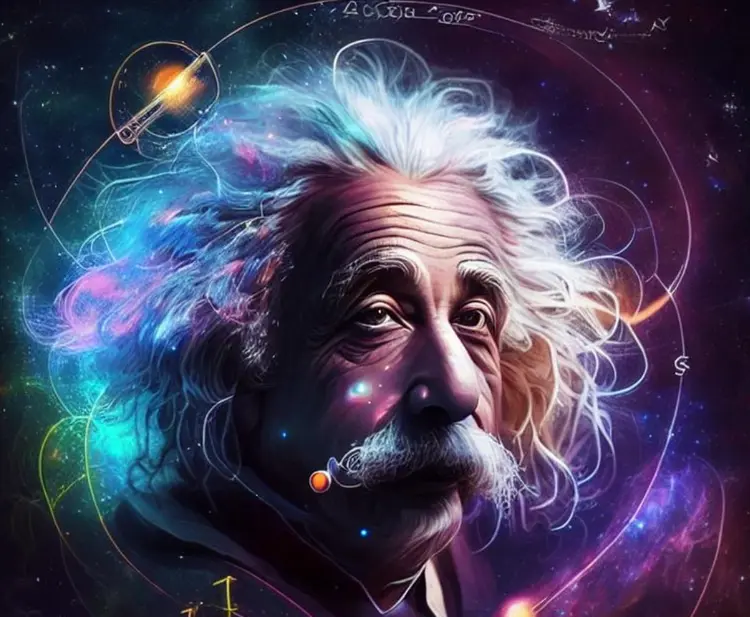
Einstein in space around the logarithm scheme
red cat, 4k photo