• Picasso AI Logo
    Logo Picasso IA
  • Home
  • AI Image
    Nano Banana 2
  • AI Video
    Veo 3.1 Lite
  • AI Chat
    Gemini 3 Pro
  • Edit Images
  • Upscale Image
  • Remove Background
  • Text to Speech
  • Effects
  • AI Toolkit
    NEW
  • Generations
  • Billing
  • Support
  • Account
Unlimited Videos ARE HERE ยท Nano Banana 2 & GPT Image 2.0 UNLIMITED UNTIL June 25Upgrade
  1. Collection
  2. Text to Image
  3. Krea 2 Medium

Make Anime and Painterly Art with Krea 2 Medium

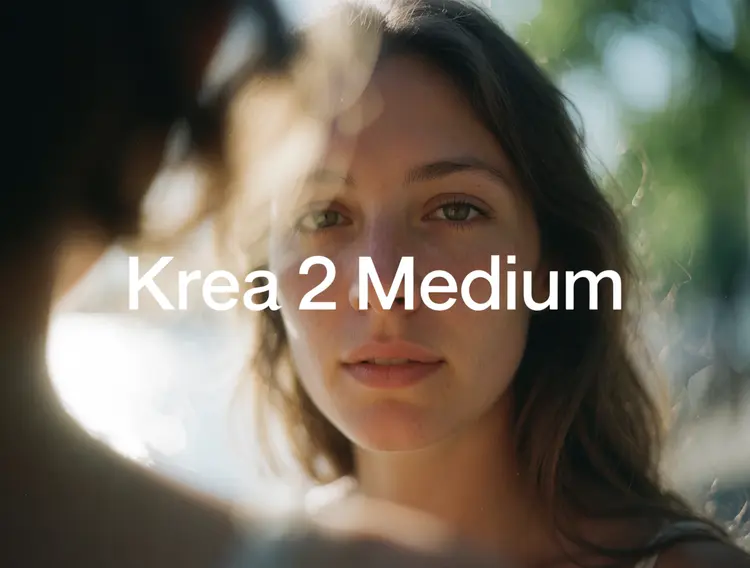
Krea 2 Medium is a text-to-image model built for expressive, stylized artwork. It handles the gap between a rough idea and a finished illustration, letting you type a description and receive a polished image in seconds. Whether you are producing anime characters, oil-painted landscapes, or concept art with an editorial look, it keeps the style consistent across every generation. The model offers a creativity dial that ranges from literal to imaginative. At the raw setting it renders only what you write; at high it takes creative latitude while staying true to the subject. You can also feed it style reference images to pull a specific visual texture into the result, with a strength slider that controls how much influence those references carry. Krea 2 Medium fits at any stage of a visual project. Drop it in at the ideation phase to test directions quickly, or use it at the finish line to produce a refined asset you can hand directly to a client or post online. The aspect ratio controls and seed settings let you lock in a format and reproduce the same composition as many times as you need.

Official

Krea

5.5k runs

Krea 2 Medium

2026-05-27

Commercial Use

Make Anime and Painterly Art with Krea 2 Medium

Table of contents

  • Overview
  • How It Works
  • Frequently Asked Questions
  • Credit Cost
  • Features
  • Use Cases
Get Nano Banana Pro

Overview

Krea 2 Medium is a text-to-image model built for illustration, anime, and painterly visual styles. Where most general-purpose image generators default to photorealism, this one stays rooted in artistic aesthetics. You can run it on Picasso IA directly in your browser, with no setup or technical knowledge needed. Type a prompt, choose how much creative interpretation you want, and get a styled image in a few seconds. It fits naturally into workflows for character art, concept illustration, graphic novels, or any visual project that needs an artistic look.

How It Works

  • Write a text prompt describing the image: subject, style, mood, and any compositional details you want included.
  • Set the creativity level. "Raw" sticks closely to your exact words. "High" gives the model more room to interpret the scene on its own.
  • Select an aspect ratio from 1:1 square to 9:16 portrait, 16:9 landscape, or cinematic 2.35:1.
  • Upload reference images to guide the output toward a specific visual style. Use the strength slider to control how much those images shape the result.
  • Hit generate. Save the seed from any result you like to reproduce it or build variations from the same starting point.

Frequently Asked Questions

Do I need programming skills or technical knowledge to use this? No, just open Krea 2 Medium on Picasso IA, adjust the settings you want, and hit generate.

Is it free to try? Yes, you can run Krea 2 Medium on Picasso IA without committing to a paid plan. Open the model, type a prompt, and generate your first image right away.

How long does it take to get results? Most images are ready within a few seconds. Generation time can vary slightly based on the aspect ratio you select and current server load.

What output formats are supported? The model outputs standard image files you can download and use in any design tool, social platform, or print project.

Can I customize the output style? Yes. Upload up to 10 reference images to define a visual style, then adjust the style strength slider to control how much influence those images have. The creativity setting separately controls how closely the model follows your prompt.

How many times can I run the model? There is no hard cap on the number of images you can generate. Iterate as many times as you need until the result matches what you had in mind.

Where can I use the outputs? Images are yours to use in personal projects, client work, social media, game assets, or any other application. No watermarks are added to downloads.

Credit Cost

Each generation consumes 1 credit

1 credit

or 5 credits for 5 generations

Features

Everything this model can do for you

Creativity control

Choose from four levels, raw to high, to decide how literally or freely the model interprets your prompt.

Style reference input

Upload up to 10 reference images and transfer their visual texture to your output with an adjustable strength slider.

Multiple aspect ratios

Pick from eight presets including 16:9, 9:16, and 4:5 to match your target canvas or platform.

Seed-based reproduction

Reuse the same seed to reproduce identical compositions across multiple runs.

Consistent stylistic output

Delivers coherent results across anime, painterly, and illustrative directions without mode-switching.

Fast generation

Produces a finished image in seconds, suitable for rapid iteration across many concepts.

No technical setup

Type a prompt, choose your settings, and generate directly from the browser with no code required.

Use Cases

Type a text description to generate a finished anime character with consistent line art and color.

Turn a scene concept into a painterly illustration by adjusting the creativity level until the composition feels right.

Upload up to 10 style reference images and generate new artwork that borrows their visual texture and palette.

Set the aspect ratio to 9:16 and create vertical illustrations ready for social media or mobile wallpapers.

Lock a seed and iterate on the same composition across multiple prompt variations to compare directions.

Produce a series of concept art frames for a story or pitch deck using consistent prompt language.

Generate expressive editorial illustrations from descriptive prompts for blog posts, newsletters, or presentations.

Switch Category

Effects

Text To Image

Text To Video

Large Language Models

Text To Speech

Super Resolution

Lipsync

AI Music Generation

Video Editing

Speech To Text

AI Enhance Videos

Remove Backgrounds