• Picasso AI Logo
    Logo Picasso IA
  • Home
  • AI Image
    Nano Banana 2
  • AI Video
    Veo 3.1 Lite
  • AI Chat
    Gemini 3 Pro
  • Edit Images
  • Upscale Image
  • Remove Background
  • Text to Speech
  • Effects
    NEW
  • Generations
  • Billing
  • Support
  • Account
  1. Collection
  2. Text to Image
  3. Photon

Create High-Fidelity Images with Photon

Photon is a text-to-image model built for creative professionals who need reliable, high-fidelity results without spending hours on prompt engineering. Whether you are producing concept art, product visuals, or editorial imagery, it converts a written description into a finished image with a level of detail that holds up at large sizes and across different aspect ratios. The model supports image, style, and character reference inputs, meaning you can feed it a photo to maintain a consistent visual identity across a project. Aspect ratio options span from portrait to ultra-wide, with presets for social media, print, and widescreen formats in a single tool. Seed control lets you lock in a composition you like and iterate from that fixed point rather than regenerating blindly. Photon fits naturally into creative pipelines where visual consistency matters: brand campaigns, editorial shoots, or product pages where every image needs to feel cohesive. Set your reference images once, write your prompt, and get production-ready assets without switching between multiple tools. If you need repeatable, polished output from day one, this is the model to start with.

Official

Luma

2.69m runs

Photon

2024-12-05

Commercial Use

Create High-Fidelity Images with Photon

Table of contents

  • Overview
  • How It Works
  • Frequently Asked Questions
  • Credit Cost
  • Features
  • Use Cases
  • Examples
Get Nano Banana Pro

Overview

Photon is a high-fidelity text-to-image model designed for creative professionals who need production-ready visuals with precise detail. On Picasso IA, you type a prompt, choose your aspect ratio, and the model renders a finished image in seconds. It accepts optional reference photos for style, character, or composition, so you can maintain visual consistency across a series of related images. The results hold up at large print formats and across all seven supported aspect ratios, making it a practical option for both digital and print work.

How It Works

  • Write a detailed text prompt describing the subject, lighting, setting, and mood you want in the image.
  • Select an aspect ratio from seven options: 1:1, 3:4, 4:3, 9:16, 16:9, 9:21, or 21:9.
  • Upload an optional reference image for composition, a style reference for visual tone, or a character reference to keep a specific figure consistent across runs.
  • Set the reference weight sliders to control how much each reference image shapes the final output.
  • Click generate and receive your image in seconds. Fix a seed to reproduce the same result on subsequent runs or to iterate from a stable starting point.

Frequently Asked Questions

Do I need programming skills or technical knowledge to use this? No, just open Photon on Picasso IA, adjust the settings you want, and hit generate.

Is it free to try? Yes, you can run Photon on Picasso IA without a paid plan. Free usage lets you test different prompts and reference combinations before committing to larger projects.

How long does it take to get results? Most images are ready in a few seconds. Generation time varies with prompt complexity and aspect ratio, but you rarely wait more than fifteen seconds.

What aspect ratios does Photon support? Seven options are available: 1:1, 3:4, 4:3, 9:16, 16:9, 9:21, and 21:9. These include square social formats, vertical mobile layouts, standard widescreen, and ultra-wide cinematic crops.

Can I control how much the reference image affects the output? Yes. Each reference type has its own weight slider. A higher value pulls the output closer to the reference; a lower value gives the text prompt more room to shape the image.

What happens if I am not happy with the result? Adjust the prompt wording or shift the reference weight and generate again. If you used a seed, changing it gives you a fresh composition while keeping everything else the same. Iteration takes only a few seconds per run.

Credit Cost

Each generation consumes 1 credit

1 credit

or 5 credits for 5 generations

Features

Everything this model can do for you

Reference image input

Anchor the generated image to a specific visual by uploading a photo as a composition reference.

Style transfer control

Apply the color palette and texture of any reference image to new scenes with an adjustable weight slider.

Character consistency

Reuse a character reference across multiple images to keep faces and features stable between runs.

Multiple aspect ratios

Output in seven formats from 9:21 portrait to 21:9 cinematic wide, fitting all major publishing formats.

Seed-based reproducibility

Lock a seed to reproduce the exact same composition and iterate from a stable baseline.

High-fidelity detail

Renders textures, fine detail, and subtle lighting at a quality level suitable for print and large-format use.

No setup required

Open Photon, fill in your prompt, and generate without any installation or technical configuration.

Access to a wide variety of styles and formats

Use Cases

Generate product visuals on a clean background by writing a short product description and uploading a reference photo of the item

Match an existing brand visual style by uploading a style reference image and prompting Photon to apply that look to new scenes

Create concept art for a character by uploading a character reference and describing the environment or pose you want

Produce editorial illustrations in multiple aspect ratios from a single text prompt to fit both portrait and landscape layouts

Iterate on a composition by fixing the seed and adjusting only the prompt, so each variation stays visually anchored to the original

Build consistent image sequences for a campaign by reusing the same style reference weight across all generated assets

Convert a rough written brief into a polished image draft that a client can review before any photography budget is committed

Experiment with different styles for inspiration

Examples

16:9
12.2s
Image Reference Weight: 0.85
Style Reference Weight: 0.85

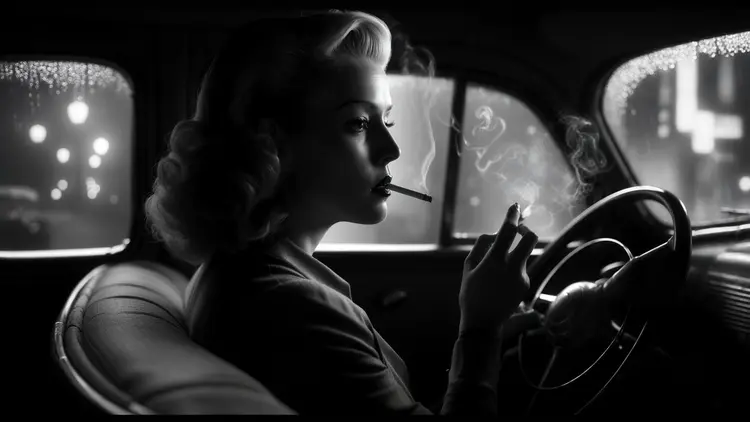
cinematic still, film noir, 1940s, woman driving a car and smoking a cigarette

16:9
11.6s
Image Reference Weight: 0.85
Style Reference Weight: 0.85

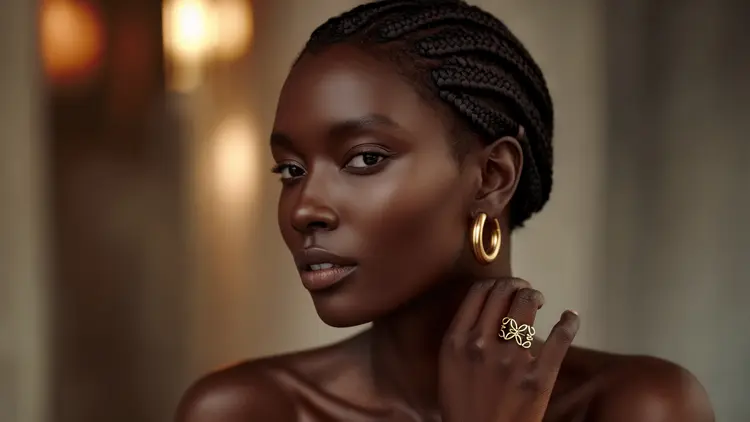
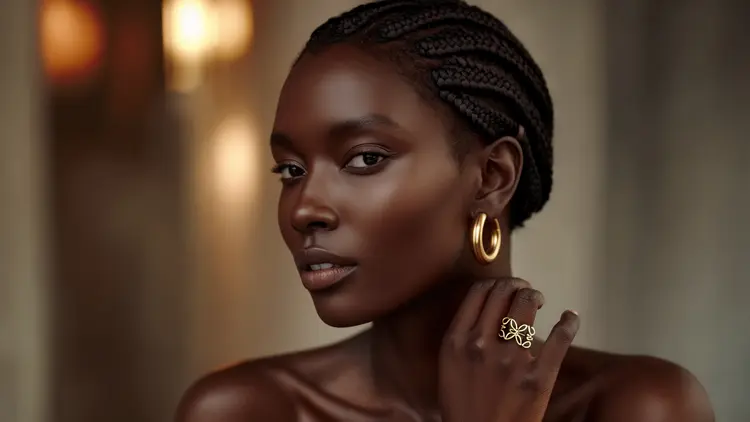
A black woman with a short hair wearing gold hoop earrings, her hand is placed on the side of her neck, hair with braids, showing a ring, a model for Loewe jewellery campaign

16:9
11.8s
Image Reference Weight: 0.85
Style Reference Weight: 0.85

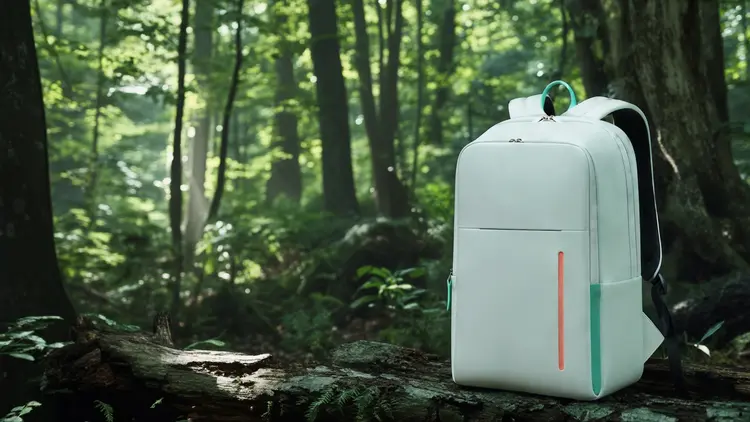
Minimal white back pack design with accent color in a forest

16:9
11.8s
Image Reference Weight: 0.85
Style Reference Weight: 0.85

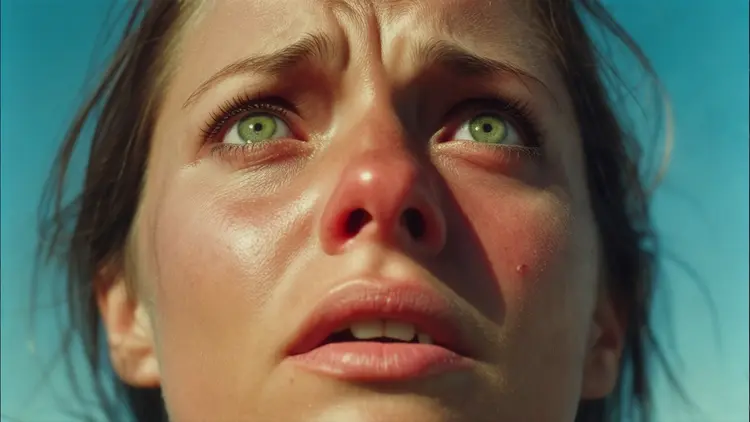
Cinestill 800T film still, closeup portrait of a woman in the blue sky. Her cheeks are sun-kissed and she's looking up towards the sky, her eyes green and full of fear. In the style of documentary portrait photography

16:9
11.3s
Image Reference Weight: 0.85
Style Reference Weight: 0.85

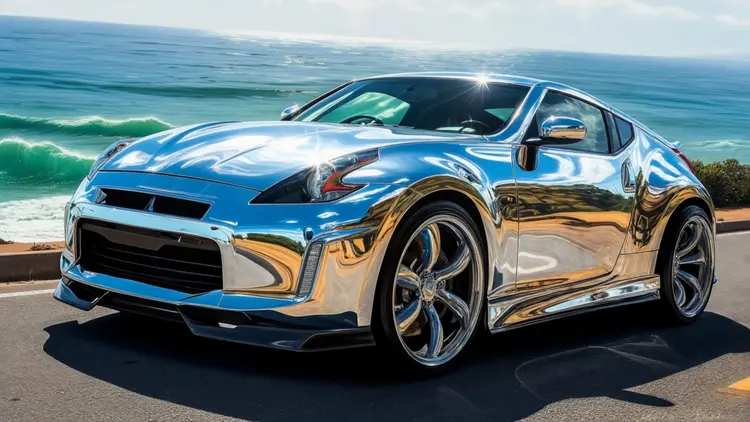
chrome sports car by the sea

16:9
12.1s
Image Reference Weight: 0.85
Style Reference Weight: 0.85

an abstract cubism painting of a cat

16:9
11.3s
Image Reference Weight: 0.85
Style Reference Weight: 0.85

photorealistic fashionable lady full body shot in street texting

Switch Category

Effects

Text To Image

Text To Image

Text To Video

Large Language Models

Large Language Models

Text To Speech

Text To Speech

Super Resolution

Super Resolution

Lipsync

AI Music Generation

AI Music Generation

Video Editing

Speech To Text

Speech To Text

AI Enhance Videos

Remove Backgrounds

Remove Backgrounds