GPT Image 1.5 converts a text description into a finished image in seconds, eliminating the back-and-forth of hiring a designer or hunting for stock photos that almost fit. Whether you need a square product shot, a portrait-format social card, or a transparent PNG for a UI element, you set the parameters and the model returns exactly the format you need. You can dial the quality between low, medium, and high depending on how fast you need results or how much detail matters in the final output. Background control lets you generate images with a transparent layer already baked in, saving the extra step of removing it in a photo editor. You can also pass in one or more reference images to nudge the model toward a specific style or set of facial features, and produce up to 10 variations in a single run. Designers drop GPT Image 1.5 into their mockup workflow to prototype visuals before involving a photographer. Marketers use it to spin up multiple ad-ready image variants in one sitting, testing copy and layout without a single photo license. Open it on Picasso IA, write your prompt, and the image is ready before your next coffee.
GPT Image 1.5 turns a written description into a finished image in seconds, solving the gap between having a visual concept and having an actual file to work with. On Picasso IA, you write the prompt, set the format options, and the model returns an image matched to your specs, whether that's a square graphic, a portrait-format asset, or a PNG with a transparent background already included. It's built for people who need images that fit into real projects, not just impressively detailed demos.
Do I need programming skills or technical knowledge to use this? No, just open GPT Image 1.5 on Picasso IA, adjust the settings you want, and hit generate.
Is it free to try? Yes, you can run GPT Image 1.5 without paying or signing up for anything. The model is available directly from the Picasso IA interface.
How long does it take to get results? At low quality, results typically arrive in a few seconds. High quality outputs take a bit longer but are still measured in seconds, not minutes.
What output formats are supported? You can download your image as PNG, JPEG, or WebP. PNG is the right choice when you need a transparent background. JPEG and WebP give you smaller file sizes for web use.
Can I customize the output quality or style? Yes. You control quality level, aspect ratio, output format, compression percentage, and whether the background is transparent or opaque. Uploading a reference image also lets you shift the style or match a specific look.
How many times can I run the model? You can run it as many times as you want. Each run can also produce up to 10 image variations at once, so a single session can yield a lot of options quickly.
Where can I use the outputs? There are no usage restrictions baked into the download itself. The images are clean files with no watermarks, suitable for social media posts, client presentations, product listings, or any other project.
Everything this model can do for you
Generate images with a built-in transparent layer, ready to drop into any design without extra editing.
Switch between low, medium, and high quality to balance speed and detail for each project stage.
Produce up to 10 image variations in one run to compare options without re-entering settings.
Choose between 1:1, 3:2, and 2:3 to match the exact dimensions your layout requires.
Upload one or more source images to steer the output toward a specific style or likeness.
Download your result as PNG, JPEG, or WebP at a compression level you control from 0 to 100.
Every generated image is clean and publication-ready without any overlaid branding.
Content moderation to ensure safe outputs
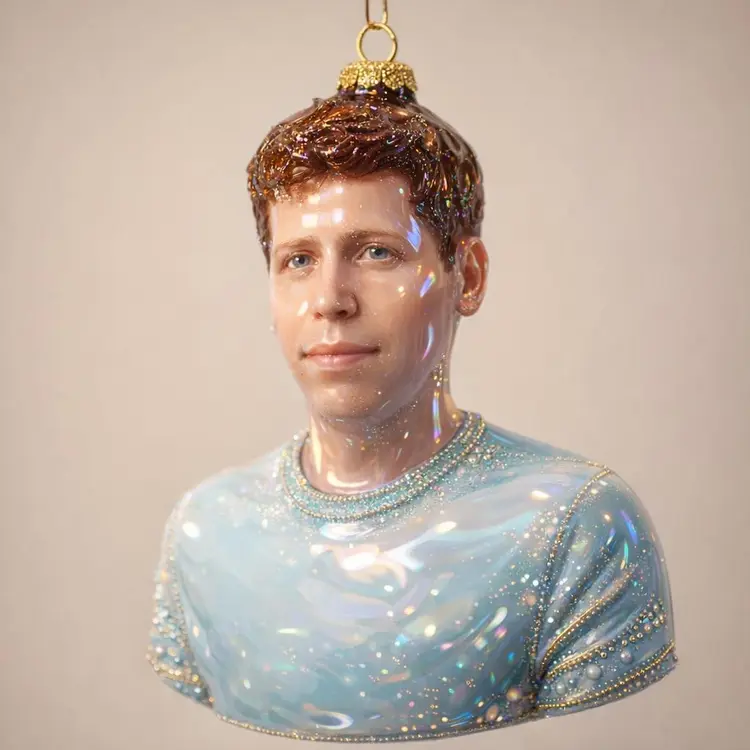
Turn me into an ornament sculpted from glossy molded glass, finished in a high-shine lacquer that catches light from every angle. Its surface feels perfectly smooth and cool, with a weight that suggests fragility and permanence at once. The coating is a lustrous enamel, somewhere between ceramic and candy shell — reflective enough that small highlights bloom across its curves like soft sparks. Tiny metallic embellishments trace the outlines of form and texture — dots, lines, and filigree patterns that shimmer as they move. These are applied with fine glittering paint or microbeads, giving the sense of hand-finished ornamentation; the shimmer isn't flat, but layered, so the light seems to dance over raised details. The whole piece radiates a feeling of retro kitsch luxury: vivid color blocked against gleaming accents, playful yet deliberate. There's a subtle iridescence where curves catch light — hints of gold, rose, and pearl. The finish feels almost edible, like glazed sugar or melted candy poured into shape. Suspended from a delicate gold loop and string, the ornament hovers with a gentle theatricality, equal parts festive and sculptural. It's the kind of object that feels both iconic and humorous, a statement piece meant to sparkle under tree lights or studio lamps — an embodiment of camp elegance and handcrafted nostalgia.
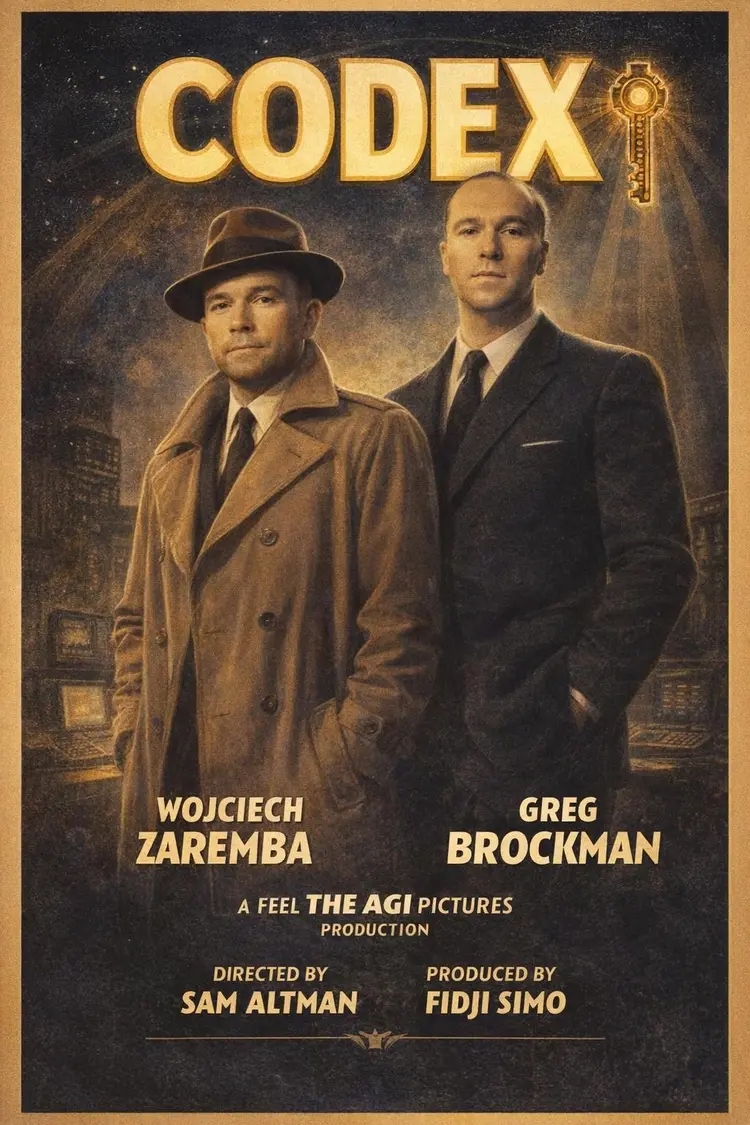
Make an old school golden age hollywood movie poster of a movie called 'codex' from the image of these two men. feel free to change their costumes to fit the times Change the names of the actors to Wojciech Zaremba (left) and Greg Brockman (right) Directed by Sam Altman, produced by Fidji Simo. A Feel the AGI Pictures Production.
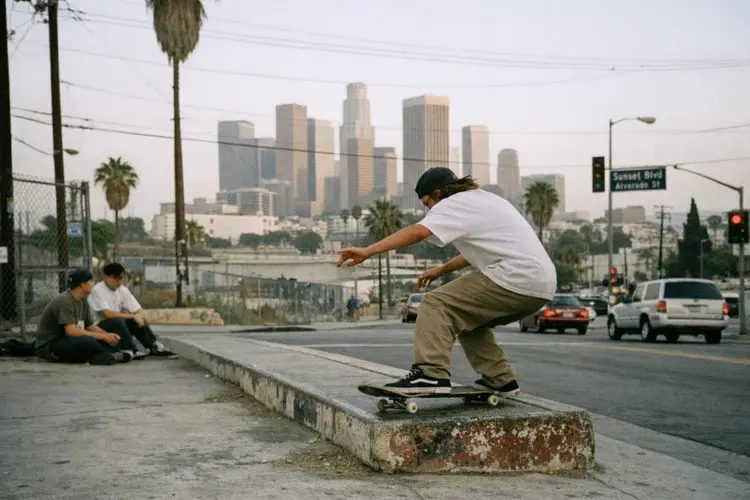
los angeles landscape skateboarding shot with the following style: late 1990s documentary street photography shot on 35mm color film, Leica M-style rangefinder camera with a 35mm lens, Kodak Portra 400 color palette, natural daylight, soft contrast, muted realistic colors, embedded film grain, slight edge softness, observational candid framing, no HDR, no modern digital sharpness, no cinematic lighting
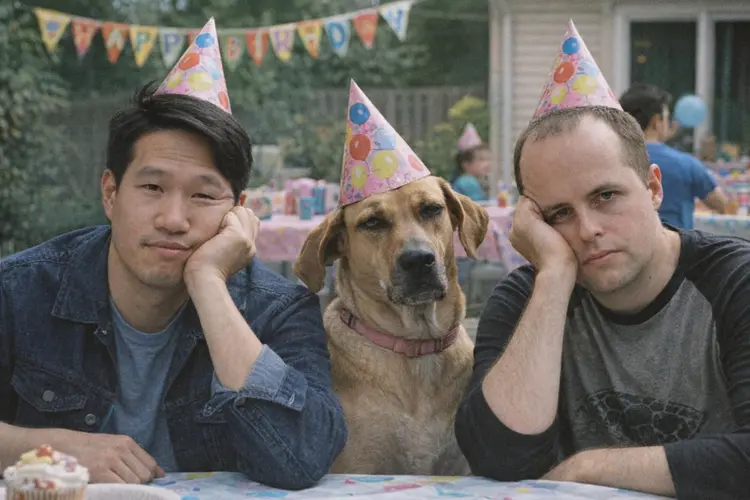
Combine the two men and the dog in a 2000s film camera-style photo of them looking bored at a kids birthday party.