• Picasso AI LogoLogo Picasso IA
  • Home
  • Image
  • Video
  • Video Edit
  • Lipsync
  • Enhance
  • Music
  • Voice
  • Transcribe
  • Chat
  • 3D
  • Upscale
  • Remove BG
  • Effects
  • AI ToolkitNEW
  • Generations
  • Billing
  • Support
  • Account
Seedance 2.5 IS HERE ยท Nano Banana 2 & GPT Image 2.5 UNLIMITED UNTIL September 10Upgrade
  1. Collection
  2. Text to Image
  3. Gpt Image 2.5 Sunburst

Generate and Edit Images with Gpt Image 2.5 Sunburst

Gpt Image 2.5 Sunburst turns a written description, or a photo you already have, into a finished image without needing design software or editing skills. It targets the exact moment where most image tools fall short: making precise changes to an existing picture, like swapping a background, fixing text on a label, or adjusting one object while leaving everything else untouched. For creators who need a specific result rather than a rough draft, that precision changes the workflow. The model reads detailed instructions closely, so multi-step prompts like 'change the shirt to red and add sunglasses' produce accurate results instead of guesswork. Text inside the image, signs, labels, packaging, comes out sharp and legible rather than garbled. You can also set the background to transparent for product cutouts, pick from several quality tiers to balance speed against detail, and choose the exact aspect ratio your project needs, from square social posts to widescreen banners. In a typical session you upload a product photo or write a prompt, describe the edit or scene you want, and generate several variations in one pass, up to ten images at a time. Marketers can produce ad variants without a photo shoot, freelancers can polish client mockups on the spot, and hobbyists can turn a rough idea into a shareable picture in minutes. The output arrives ready to download in the format your project needs.

Official

Openai

6.7k runs

Gpt Image 2.5 Sunburst

2026-09-08

Commercial Use

Generate and Edit Images with Gpt Image 2.5 Sunburst

Table of contents

  • Overview
  • How It Works
  • Frequently Asked Questions
  • Credit Cost
  • Features
  • Use Cases
  • Examples
Get Nano Banana Pro

Overview

Gpt Image 2.5 Sunburst turns a written prompt, or a prompt plus a reference photo, into a finished image with sharp text and precise edits. It's built for the moment a rough idea has to become an exact visual: a product shot on a specific background, a poster with a headline that actually reads clean, or a photo that needs one detail changed without redrawing the whole scene. On Picasso IA, you type what you want, attach a reference image if you have one, and the model follows the instructions closely instead of guessing at the intent. Ask for a red mug on a marble counter with a shadow falling at 45 degrees, and that's what comes back. Freelancers, marketers, and anyone tired of retyping the same prompt five times to fix one small detail will notice the difference right away.

How It Works

  • Write a prompt describing the image you want, or upload one or more reference images alongside it
  • Choose a quality level and an aspect ratio, from a square icon to a wide 4K banner
  • Pick a transparent or solid background when the image needs to drop straight into another design
  • Set the output format and how many versions to generate in one run
  • Download the finished image, or images, in seconds, ready to use as is

Frequently Asked Questions

Do I need programming skills or technical knowledge to use this? No, just open Gpt Image 2.5 Sunburst on Picasso IA, adjust the settings you want, and hit generate.

Is it free to try? Picasso IA runs Gpt Image 2.5 Sunburst on your account credits, so you can generate an image without a separate signup or any software install.

How long does it take to get results? Most images finish in a few seconds to under a minute, depending on the quality level and resolution you pick.

What output formats are supported? You can save your image as PNG, JPEG, or WEBP, and switch on a transparent background when you need one for a logo or a product cutout.

Can I customize the output quality or style? Yes, you can move between quality tiers and pick a specific aspect ratio, from a square post to a 4K widescreen size.

How many times can I run the model? You can generate as many images as your credits allow, and each run can produce up to ten images at once.

Where can I use the outputs? The images are yours to use in ads, social posts, product listings, or any other project, with no watermark attached.

Credit Cost

The credit cost for this model varies based on the settings you choose. Below are the costs per configuration:

ConfigurationCredits
auto5per image
low0.3per image
medium1per image
high2.6per image
xhigh5per image
max10per image

With Elite or Infinite plans, enjoy unlimited generations with this model at no additional cost.

Features

Everything this model can do for you

Instruction precision

Follow multi-step prompts accurately so edits match exactly what you asked for.

Sharp text rendering

Produce clean, legible text inside images for labels, signs, and packaging.

Photo and text input

Combine a reference photo with a written prompt to control the final result.

Flexible quality tiers

Pick from several quality levels to balance generation speed against fine detail.

Transparent backgrounds

Generate images with a transparent background ready for product cutouts.

Custom aspect ratios

Choose from square, portrait, landscape, and ultra-wide formats up to 4K.

Batch generation

Create up to ten image variations from a single prompt in one run.

Multiple output formats

Download results as PNG, JPEG, or WebP depending on your project needs.

Use Cases

Swap the background of a product photo for a plain white or transparent one for e-commerce listings.

Change a specific detail in an existing image, like the color of a shirt or the text on a sign, without redrawing the whole scene.

Generate a set of ad creative variations from one prompt by requesting multiple images in a single run.

Create a package mockup with legible brand text and logos straight from a text description.

Turn a rough sketch or reference photo into a polished illustration in a specific style.

Produce social media graphics sized to an exact aspect ratio, from square posts to vertical stories.

Combine two reference images, like a person and an outfit, into one edited composite.

Generate a transparent-background icon or sticker ready to drop into another design.

Examples

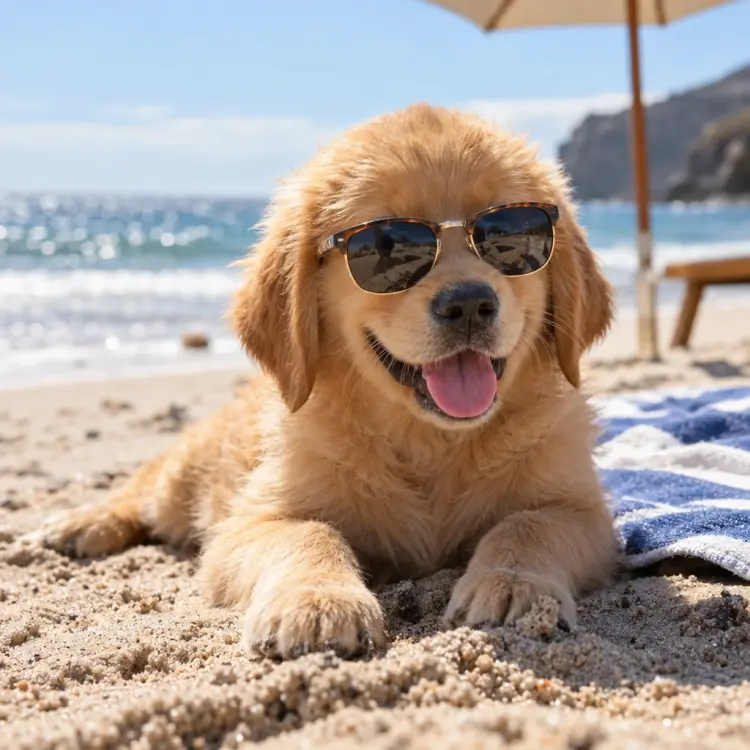
1:1
High
34.7s

A golden retriever puppy wearing tiny sunglasses on a sunny beach, photorealistic, shallow depth of field

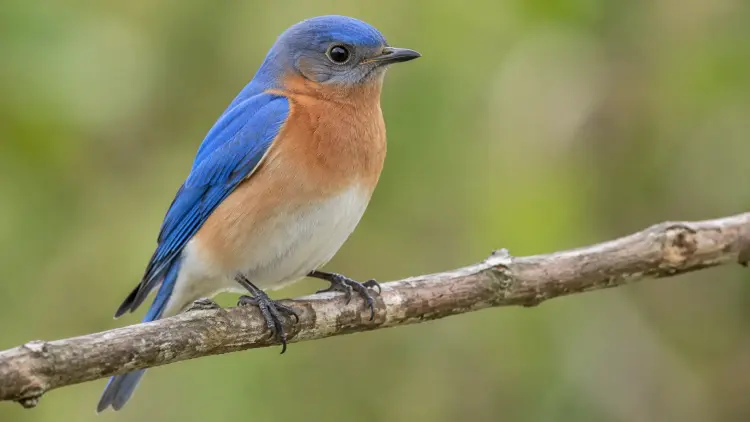
16:9
webp
Auto
13.7s
Moderation: auto
Number Of Images: 1
Output Compression: 90
Background: auto

a bird

Switch Category

Effects

Text To Image

Text To Video

Large Language Models

Text To Speech

Super Resolution

Lipsync

AI Music Generation

Video Editing

Speech To Text

AI Enhance Videos

Remove Backgrounds