• Picasso AI Logo
    Logo Picasso IA
  • Home
  • AI Image
    Nano Banana 2
  • AI Video
    Veo 3.1 Lite
  • AI Chat
    Gemini 3 Pro
  • Edit Images
  • Upscale Image
  • Remove Background
  • Text to Speech
  • Effects
    NEW
  • Generations
  • Billing
  • Support
  • Account
  1. Collection
  2. Text to Image
  3. P Image Edit

Sub-Second Photo Editing with P Image Edit

P Image Edit is a fast, text-driven image editing model built for people who need precise visual changes without spending hours in traditional editing software. You describe the change you want in plain language, and the model rewrites your image in well under a second. Whether you are cleaning up a product photo, swapping backgrounds, or applying a style to multiple images at once, it handles the edit the moment you click generate. The model accepts up to several reference images at the same time, so you can edit one image while referencing another for style or color cues. You can control the aspect ratio to match the original image or switch to a specific format like 16:9 or 1:1 for social media. A turbo mode handles most everyday edits at full speed, and disabling it gives you more accuracy on complex multi-step changes. P Image Edit fits naturally into fast-paced production workflows where iteration speed matters. Because there are no per-generation credits or usage quotas on Picasso IA, you can run dozens of variations until the edit is exactly right without watching a counter tick down. Upload your images, type what you want changed, and get results you can act on immediately.

Official

30.6k runs

P Image Edit

2024-10-10

Commercial Use

Sub-Second Photo Editing with P Image Edit

Table of contents

  • Overview
  • How It Works
  • Frequently Asked Questions
  • Credit Cost
  • Features
  • Use Cases
  • Examples
Get Nano Banana Pro

Overview

P Image Edit is a text-driven image editing model that processes changes in under one second, making it one of the fastest options available for production-grade visual work. You write a plain-language description of what you want to change, and the model rewrites the image to match. On Picasso IA, there is no software to install, no account setup required, and no technical knowledge needed. Whether you are a product photographer working through dozens of assets, a social media manager making last-minute adjustments, or a freelancer handling client requests, P Image Edit fits directly into how you already work.

How It Works

  • Upload one or more images using the image input field. The first image is treated as the primary one to edit. Add a second image if you want the model to draw style or color references from it.
  • Write a clear text prompt describing the edit. You can refer to each uploaded image as "image 1" or "image 2" so the model knows exactly which one to change and how.
  • Choose your output aspect ratio. Select "match input image" to preserve the original dimensions, or pick a standard format like 1:1, 16:9, or 9:16 for a specific platform.
  • Toggle turbo mode. Leave it on for everyday edits where speed matters most. Turn it off when working on complex, multi-step changes that need greater precision.
  • Click generate. The edited image is ready in under a second, clean and ready to download.

Frequently Asked Questions

Do I need programming skills or technical knowledge to use this? No, just open P Image Edit on Picasso IA, adjust the settings you want, and hit generate.

Is it free to try? Yes. P Image Edit is available to run without any upfront cost. You can start editing immediately after opening the model page.

How long does it take to get results? Most edits finish in under one second. Tasks involving multiple reference images may take marginally longer, but the model is built for production speed and rarely takes more than a few seconds.

How many times can I run the model? There are no usage caps or credit limits on Picasso IA. You can generate as many edits as you want, iterate through dozens of variations, and never hit a quota or wait for a counter to reset.

What output formats and sizes are supported? You can choose from several aspect ratios before generating, including 1:1, 16:9, 9:16, 4:3, and others. The output matches the format you select and is ready to download immediately.

Can I reproduce the same result twice? Yes. Set a specific seed value before generating, and you can recreate that exact output at any time by entering the same seed and prompt again.

Where can I use the outputs? The images are clean and watermark-free. You can use them in client deliverables, social posts, product listings, ad creatives, or any other project without restrictions.

Credit Cost

Each generation consumes 0.2 credits

0.2 credits

or 1 credits for 5 generations

With Elite or Infinite plans, enjoy unlimited generations with this model at no additional cost.

Features

Everything this model can do for you

Sub-second edits

Deliver a finished edited image in under one second, even on complex multi-image tasks.

Multi-image input

Provide up to several reference images so the model can blend style, content, or context across them.

Flexible aspect ratios

Output in 1:1, 16:9, 9:16, 4:3, and more, or keep the exact dimensions of the original image.

Turbo mode

Speed up generation on standard edits with one toggle, and disable it for detailed, multi-step changes.

Seed control

Reproduce a specific output exactly by saving and reusing the same seed value.

Unlimited generations

Run as many edits as you need on Picasso IA with no credit caps or usage quotas.

Production-ready output

Get clean, watermark-free images ready to drop into a client project or publish immediately.

Production-ready for high-volume tasks

Use Cases

Remove or replace the background of a product photo by describing the scene you want in the prompt

Apply a consistent color grade or visual style across a set of images by referencing one styled image and describing the treatment

Edit text overlays or graphic elements in an image by describing exactly what to replace or remove

Swap clothing colors or patterns on a model photo by describing the desired change in plain language

Generate 50+ variations of a hero image for different platforms by iterating freely without any usage cap

Retouch portraits by describing specific corrections, such as removing blemishes or adjusting lighting direction

Adjust the aspect ratio of edited images to fit platform specs, like 9:16 for Stories or 16:9 for YouTube thumbnails

Quick prototyping for design teams

Examples

1:1
0.9s
Turbo: Yes

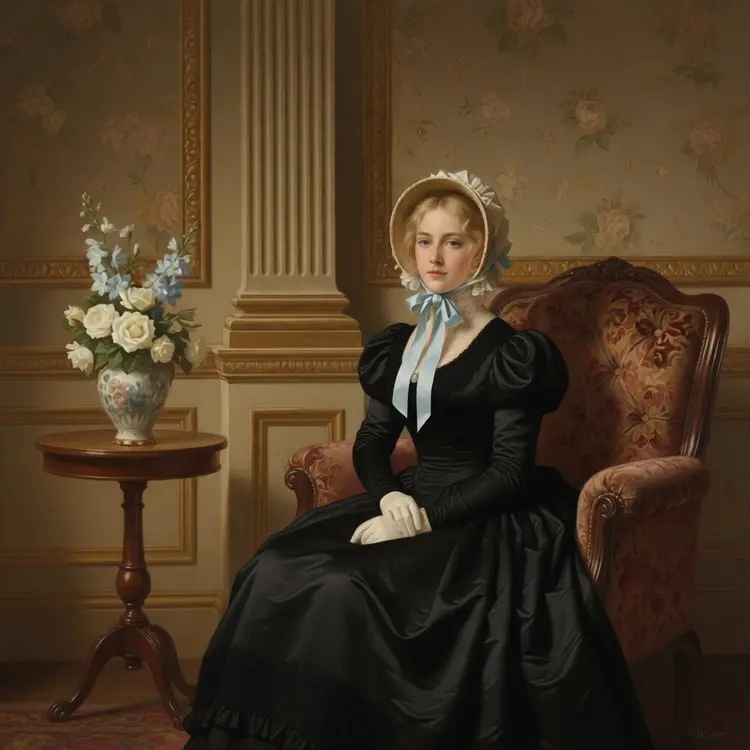
The woman's dress is changed to black

match_input_image
2.5s
Megapixels: 2

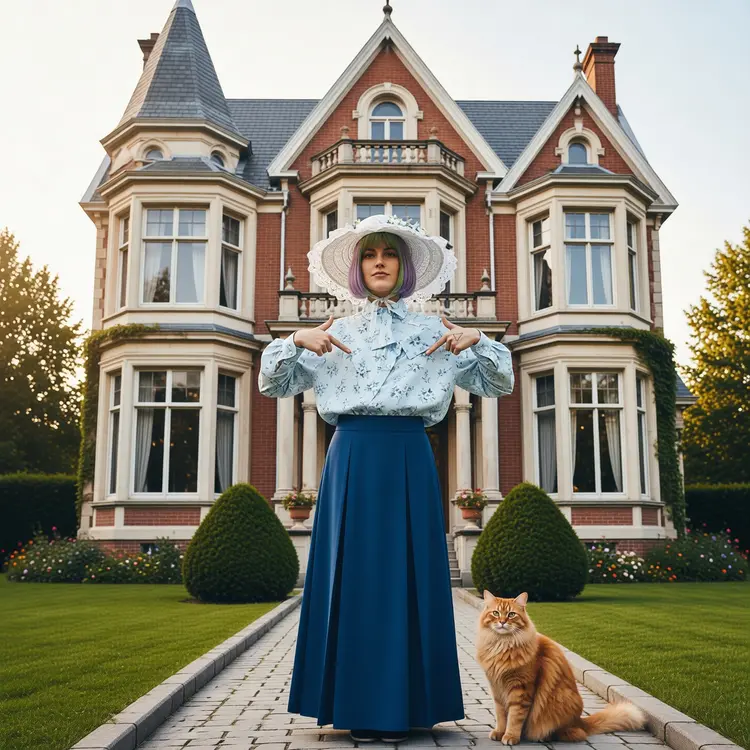
Dress the model in the clothes and hat. Add a cat to the scene and change the background to a Victorian era building.

Switch Category

Effects

Text To Image

Text To Image

Text To Video

Large Language Models

Large Language Models

Text To Speech

Text To Speech

Super Resolution

Super Resolution

Lipsync

AI Music Generation

AI Music Generation

Video Editing

Speech To Text

Speech To Text

AI Enhance Videos

Remove Backgrounds

Remove Backgrounds