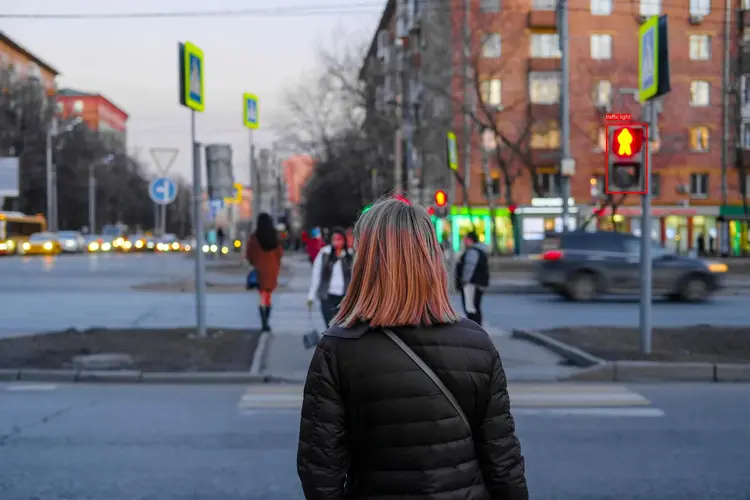
Isaac 0.1 is a 2-billion-parameter vision model built to read real-world images and return structured, usable answers. It handles questions like whether it is safe to cross the street, where a specific sign is located, and which objects appear in the frame. Instead of a vague caption, you get bounding boxes, exact coordinates, polygon outlines, or plain text, depending on which format fits your task. The model reads an image alongside a natural-language prompt and returns the output type you choose. Request bounding boxes to get rectangular regions drawn around detected objects. Request polygons for precise shape outlines, or coordinates for exact pixel positions. Prefer plain text and you get a short written answer directly. All four response modes run from the same image-plus-prompt input. A traffic safety checker, a quality control step in a photo pipeline, a document scanner that locates regions on a page, or a prototype that flags items in a warehouse photo, Isaac 0.1 fits wherever the task is to look at an image and answer a specific question. Run it on Picasso IA without writing a single line of code.
Isaac 0.1 is a 2-billion-parameter open-source vision model that analyzes images and returns structured spatial answers to natural language questions. Where most image AI tools generate new visuals, Isaac 0.1 reads what is already in a photo: it can draw bounding boxes around detected objects, pinpoint exact coordinates, trace polygon outlines, or write a plain-text description of what it finds. On Picasso IA, you upload any image, ask a question in plain language, and get back precise localization data in seconds. No setup, no code, no configuration files.
Do I need programming skills or technical knowledge to use this? No, just open Isaac 0.1 on Picasso IA, adjust the settings you want, and hit generate.
Is it free to try? Yes, you can run Isaac 0.1 without a paid subscription to get started. Check the current plan details for generation limits and credit usage.
How long does it take to get results? Most requests complete within a few seconds. Processing time depends on image size and the type of spatial output you have selected.
What output formats are supported? Isaac 0.1 returns bounding box coordinates, point locations, polygon boundaries, or plain-text descriptions. You pick the format using the response type selector before running the model.
Can I use the outputs in my own projects? Yes. The structured data Isaac 0.1 returns, such as bounding box coordinates or polygon outlines, can be copied and used in any application, spreadsheet, or workflow you are building.
What kinds of images work best? The model performs well on clear, well-lit photographs with distinct subjects. Blurry, heavily cropped, or very low-resolution images may reduce the accuracy of spatial outputs.
What happens if I am not satisfied with the result? Try rewording your prompt to be more specific about what you want to locate or describe. Switching the response type, for example from "box" to "polygon", can also produce more useful output for certain kinds of objects.
Everything this model can do for you
Returns results as bounding boxes, polygon shapes, point coordinates, or plain text based on your selection.
Packs a full 2-billion-parameter model into a size suited for fast inference on real images.
Accepts any natural-language question about the image, not limited to predefined categories.
Bounding box and polygon modes return exact pixel regions around each detected object.
Run the model directly in your browser on Picasso IA with no setup or API calls.
Adjust the max token count to get a brief answer or a longer description in one run.
Built on an open 2B-parameter model, auditable and reproducible without proprietary restrictions.