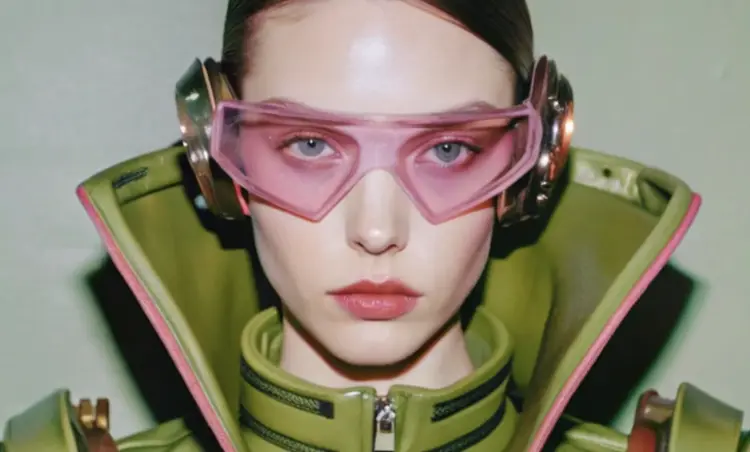
Overview
Recraft 20B is a text-to-image model built for speed and value, generating clean, usable images from a text prompt in seconds. It fills a real gap on Picasso IA: you need something that looks good fast, without waiting through a long queue or spending credits on a heavier model. The model covers more than two dozen visual styles, from studio-quality photography and HDR realism to hand-drawn illustration, pixel art, watercolor, and retro poster art. That range means a freelancer, marketer, or hobbyist can use one tool for wildly different briefs without switching models.
How It Works
- Write a prompt describing the image you want. Be specific about subject, mood, and setting, or keep it broad and iterate from the first result.
- Choose a style from the list. Options include realistic photography variants (natural light, studio portrait, hard flash, motion blur), digital illustration modes (watercolor, pixel art, kawaii, 3D, 80s poster), and more.
- Set an image size or select an aspect ratio that matches your target format (square for social, 16:9 for presentations, portrait for mobile).
- Click generate. Recraft 20B processes the prompt and returns an image within a few seconds.
- Download the image or refine your prompt and run again until the result fits your brief.
Frequently Asked Questions
Do I need programming skills or technical knowledge to use this?
No, just open Recraft 20B on Picasso IA, adjust the settings you want, and hit generate.
Is it free to try?
Yes. Recraft 20B is available to try on Picasso IA without any upfront payment. Check the platform for current credit details and generation limits.
How long does it take to get results?
Most images come back in a few seconds. The model is designed with speed as a priority, so even larger sizes typically don't take long to render.
What styles are available?
Recraft 20B includes over 25 style options. These cover realistic photography (including HDR, motion blur, and studio portrait), digital illustration (including pixel art, watercolor, kawaii, and 3D), and several artistic variants like hand-drawn, psychedelic, and seamless pattern.
Can I control the output size and aspect ratio?
Yes. You can pick from a set of preset image dimensions or select a standard aspect ratio (1:1, 16:9, 9:16, 4:3, and others). Size and ratio settings let you match the output to a specific platform or layout without cropping after the fact.
What happens if the result isn't what I expected?
Adjust the prompt with more specific wording, switch to a different style, or change the size and try again. Because generation is fast, testing a few variations takes only a minute or two.