• Picasso AI Logo
    Logo Picasso IA
  • Home
  • AI Image
    Nano Banana 2
  • AI Video
    Veo 3.1 Lite
  • AI Chat
    Gemini 3 Pro
  • Edit Images
  • Upscale Image
  • Remove Background
  • Text to Speech
  • Effects
    NEW
  • Generations
  • Billing
  • Support
  • Account
  1. Collection
  2. Text to Image
  3. Recraft V3

Generate Images in Any Style with Recraft v3

Recraft v3 is a text-to-image model built for creators who need production-ready visuals across a wide range of styles. Whether you're designing assets for a game, building out a brand look, or illustrating a story concept, it turns your written description into a finished image in seconds. There's no coding, no technical setup, and no subscription required to get started. Recraft v3 supports more than 18 distinct visual styles, from photorealistic options like natural light portraits and HDR landscapes to digital illustration modes including pixel art, hand-drawn sketches, grain, and engraving. It renders text inside images with notable accuracy, which is useful for posters, mockups, and any design that includes readable labels or titles. You can specify the exact resolution and aspect ratio you need, from standard squares to wide banners and vertical mobile formats. For designers, marketers, and content creators, Recraft v3 fits into a fast iteration loop: describe what you need, pick a style, and download a clean image in seconds. When the first result isn't quite right, adjusting a few words in your prompt and regenerating takes almost no time. Try it on Picasso IA today and see how quickly you can move from idea to finished visual.

Official

Recraft Ai

5.85m runs

Recraft V3

2024-10-30

Commercial Use

Generate Images in Any Style with Recraft v3

Table of contents

  • Overview
  • How It Works
  • Frequently Asked Questions
  • Credit Cost
  • Features
  • Use Cases
  • Examples
Get Nano Banana Pro

Overview

Recraft v3 is a text-to-image model designed for creators who need high-quality visuals in a specific style, fast. It generates outputs across a wide range of visual styles, from photorealistic images to digital illustrations, pixel art, and 2D posters, all from a single text prompt. You can try it directly on Picasso IA, no account setup required. Whether you're building a brand kit, illustrating a concept, or generating assets for a game, the model handles the heavy lifting while you stay focused on the creative direction.

How It Works

  • Type a text prompt describing the image you want, including subject, scene, and any important details
  • Choose a visual style from the menu, with options ranging from realistic photo and HDR to pixel art and hand-drawn illustration
  • Set your desired aspect ratio or resolution, or leave it at the default square format
  • Hit generate and receive your image within seconds
  • Download the result as a clean file, or adjust your prompt and regenerate to refine it

Frequently Asked Questions

Do I need programming skills or technical knowledge to use this? No, just open Recraft v3 on Picasso IA, adjust the settings you want, and hit generate.

Is it free to try? Yes, you can generate images with Recraft v3 on Picasso IA without paying upfront. Check the current plan details for any usage limits that may apply.

How long does it take to get results? Most images are ready within a few seconds of submitting your prompt. Generation time can vary slightly depending on the selected style and output resolution.

What output sizes and aspect ratios are supported? The model outputs images at resolutions up to 2048 pixels on either side. You can pick from over 15 preset sizes and aspect ratios, including vertical, horizontal, and square formats.

Can I choose the visual style of the output? Yes. Recraft v3 includes over 18 style options, from photorealistic sub-styles like natural light and HDR to illustration modes like grain, engraving, and pixel art. You select the style before generating.

Where can I use the images I generate? The images you create are yours to use in personal and commercial projects, with no watermarks added to the output.

What if the first result isn't quite right? Adjust your prompt, switch the style, or change the resolution, then generate again. Since each run is fast, iterating a few times to get the exact result you need takes only a minute or two.

Credit Cost

Each generation consumes 1 credit

1 credit

or 5 credits for 5 generations

Features

Everything this model can do for you

Multi-style output

Choose from over 18 visual styles, including pixel art, HDR, studio portrait, and hand-drawn illustration.

Accurate text rendering

Generates readable text inside images, a capability most image models handle poorly.

Flexible aspect ratios

Select from 15 aspect ratio presets or custom resolutions up to 2048px on either side.

Photorealistic modes

Multiple realistic sub-styles, including natural light, hard flash, and enterprise, give precise control over photo aesthetics.

No watermarks

Download your generated images as clean files ready for direct use in client projects or publishing.

Fast generation

Returns a full-resolution image within seconds of submitting your prompt.

Style consistency

Reuse the same style setting across prompts to maintain a consistent visual identity across a batch.

Use Cases

Generate product mockup images from text descriptions, choosing between photorealistic or studio-lit styles for e-commerce listings

Create character concept art in a hand-drawn or digital illustration style from a short text description of the character

Produce social media visuals in the exact aspect ratio you need, from square posts to 9:16 vertical stories

Build game asset sprites and tiles using the pixel art style, generated directly from a written description

Design marketing posters with embedded readable text using the 2D art poster style

Generate HDR landscape or architectural photos from a descriptive prompt, ready for use as backgrounds or presentations

Create black-and-white editorial illustrations from scene descriptions using the grain or engraving style

Produce studio-quality portrait images from a written subject description, with consistent lighting and framing

Examples

1024x1024
realistic_image
6.6s

A dramatic, black and white photograph of a ballet dancer mid-leap, with a spotlight illuminating their graceful pose, photorealistic portrait

1024x1024
any
9.9s

Mist-shrouded Highland dawn

1024x1024
any
8.2s

In a bustling urban coffee shop, a group of four friends gathers around a small table. A young woman with short black hair is laughing, holding a latte; a tall man with glasses is animatedly telling a story; another woman with curly red hair is listening intently while sketching in a notebook; and a fourth, a man with a beard, is checking his smartphone. The scene is cozy, with a rainy window in the background

1365x1024
any
8.8s

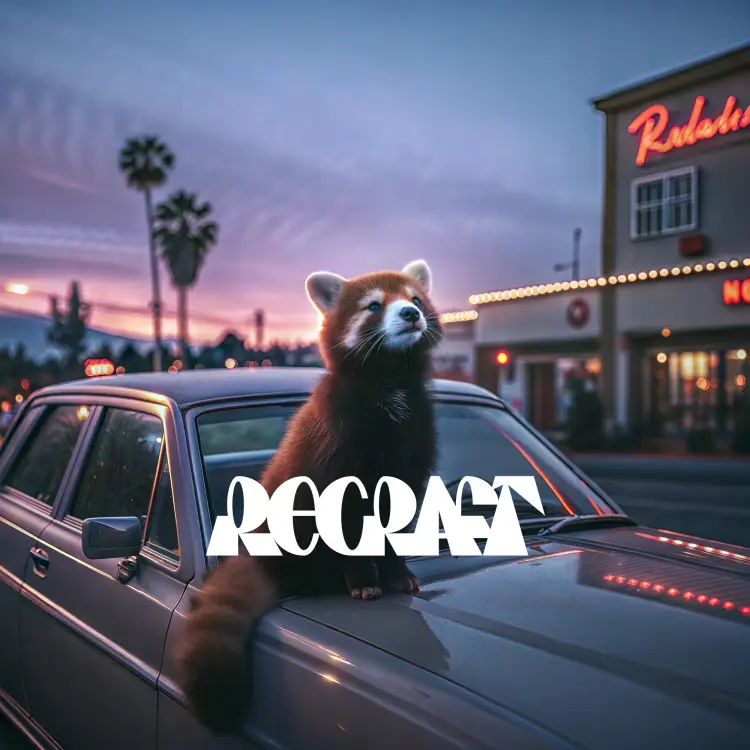
a wildlife photography photo of a red panda using a laptop in a snowy forest

1024x1024
any
9.2s

Design a minimalist, propaganda-style poster encouraging Earth's citizens to "Join the Asteroid Mining Revolution," with bold, geometric illustrations of futuristic mining equipment and a stark, contrasting color palette

Switch Category

Effects

Text To Image

Text To Image

Text To Video

Large Language Models

Large Language Models

Text To Speech

Text To Speech

Super Resolution

Super Resolution

Lipsync

AI Music Generation

AI Music Generation

Video Editing

Speech To Text

Speech To Text

AI Enhance Videos

Remove Backgrounds

Remove Backgrounds