• Picasso AI Logo
    Logo Picasso IA
  • Home
  • AI Image
    Nano Banana 2
  • AI Video
    Veo 3.1 Lite
  • AI Chat
    Gemini 3 Pro
  • Edit Images
  • Upscale Image
  • Remove Background
  • Text to Speech
  • Effects
  • AI Toolkit
    NEW
  • Generations
  • Billing
  • Support
  • Account
Unlimited Videos ARE HERE ยท Nano Banana 2 & GPT Image 2.0 UNLIMITED UNTIL June 25Upgrade
  1. Collection
  2. Text to Image
  3. Recraft V4.1 Utility Pro

Recraft v4.1 Utility Pro: Fast AI Image Generator

Recraft v4.1 Utility Pro is a text-to-image model designed for speed and scale. Where most image generators lose consistency under repeated use, this one stays reliable, delivering sharp 2048px results without the wait. It fits anyone who needs to produce images in volume without trading visual quality for time. The model reads long, detailed text prompts accurately and returns images that stay close to what you described. You can control the aspect ratio before generating, so the composition fits your target format from the start, whether that is a square post, a wide banner, or a vertical reel. Design clarity holds up even when you are running it at production pace. For teams or solo creators who work through large image batches, this model slots into the workflow where other generators slow down. Run through concept variations, ad visuals, or product mockups quickly, without waiting between each output. Try a prompt now to see how fast the turnaround is.

Official

Recraft Ai

743 runs

Recraft V4.1 Utility Pro

2026-05-11

Commercial Use

Recraft v4.1 Utility Pro: Fast AI Image Generator

Table of contents

  • Overview
  • How It Works
  • Frequently Asked Questions
  • Credit Cost
  • Features
  • Use Cases
Get Nano Banana Pro

Overview

Recraft v4.1 Utility Pro is a text-to-image model built for production speed at high resolution. Most fast generators trade away sharpness or prompt fidelity once you push past 1024px; this one holds both at 2048px output. Think of a studio running daily ad variations, a freelancer who needs 20 product mockups by noon, or a designer iterating on visual concepts without waiting around. On Picasso IA, you get that throughput with nothing to install.

How It Works

  • Write your prompt in plain language, up to 10,000 characters, to describe subject, style, lighting, composition, and any other detail you want the model to follow
  • Select an output size or aspect ratio from the available presets, ranging from square 2048x2048 to wide landscape and tall portrait formats
  • Submit the generation and receive a finished image at up to 2048px resolution, typically within seconds
  • Review the result, adjust the prompt or dimensions if needed, and run again as many times as the task requires

Frequently Asked Questions

Do I need programming skills or technical knowledge to use this? No, just open Recraft v4.1 Utility Pro on Picasso IA, adjust the settings you want, and hit generate.

Is it free to try? You can run your first generations on Picasso IA without a paid plan. It's a good way to check whether the model's style and resolution fit your project before committing to more volume.

How long does it take to get results? Recraft v4.1 Utility Pro is optimized for throughput, so most images return within seconds. Very complex prompts or maximum-size outputs may take a moment longer.

What output formats are supported? The model produces high-resolution image files at up to 2048px, suitable for print, digital publishing, web use, or direct client delivery. Files download without watermarks.

Can I customize the output size and proportions? Yes. Choose from a full set of aspect ratio presets (1:1, 16:9, 9:16, 4:3, and more) or set exact pixel dimensions. The model respects your chosen format and fills it with a properly composed image.

How many times can I run the model? As many times as your plan allows. The model is designed for high-volume iteration, so running it repeatedly to refine an output is exactly the intended workflow.

What if the first result doesn't match what I had in mind? Refine your prompt with more specific detail about subject, mood, color, or composition, then run again. Because generations are fast, you can iterate several times in a short session without losing ground.

Credit Cost

Each generation consumes 5 credits

5 credits

or 25 credits for 5 generations

Features

Everything this model can do for you

2048px native resolution

Outputs images at full 2048px without upscaling, sharp enough for web, print, or high-density displays.

Fast throughput

Processes each prompt in seconds, making it practical to run many variations back to back without bottlenecks.

Aspect ratio control

Set a target ratio like 16:9, 9:16, or 4:3 before generating, so the composition fits your layout from the start.

Accurate prompt reading

Follows detailed text descriptions closely, including subject placement, background color, and style choices.

Production-scale consistency

Holds quality steady across repeated runs, making it reliable for batch content work.

14 resolution presets

Select from sizes ranging from 2048x2048 square to 2688x1536 wide to match any platform or format spec.

Long prompt support

Accepts up to 10,000 characters of input, so you can describe complex or layered scenes in full detail.

Use Cases

Generate a set of social media images at 9:16 for Instagram Stories by writing a description of each scene in plain text

Create multiple ad visual concepts for a client campaign by running variations of the same prompt with different style or color details

Produce wide-format 2560x1664 banner images for a website header by describing the layout and subject in one detailed prompt

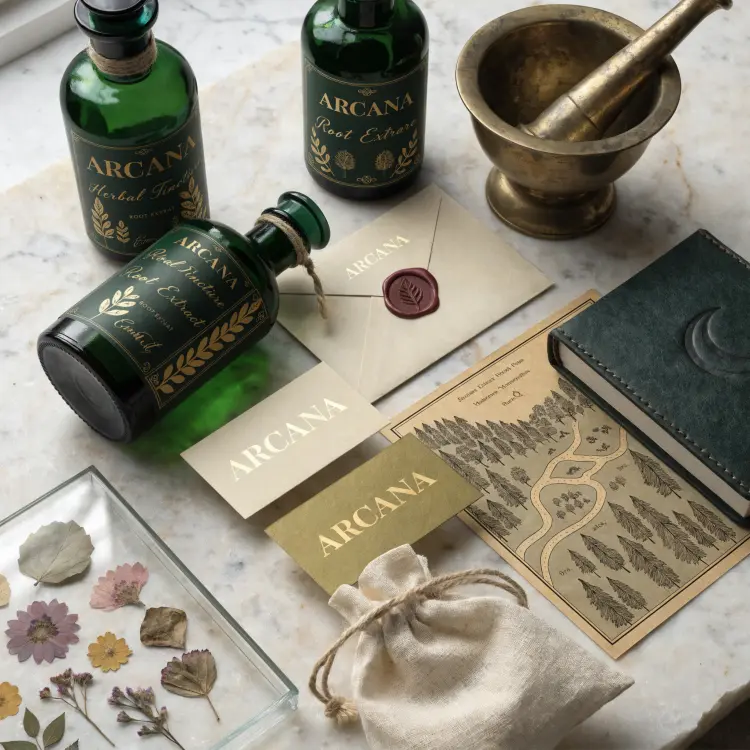
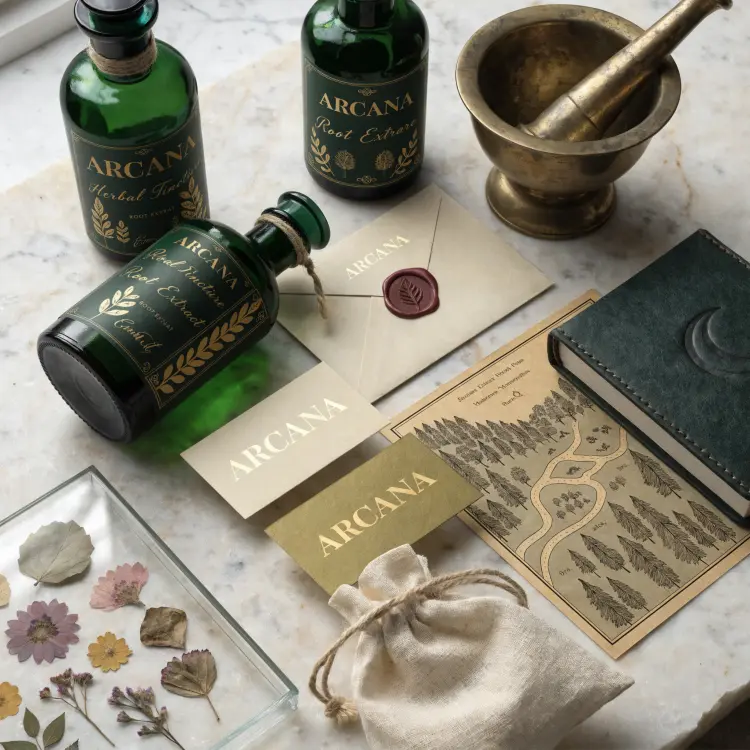
Build a batch of product lifestyle shots by describing the item, background setting, and lighting style in text

Draft presentation visuals by generating one custom illustration per slide concept from a short descriptive sentence

Create square 2048x2048 product mockups on a plain background by describing the product and surface in the prompt

Generate reference visuals for a design brief by running several prompt variations and comparing the outputs side by side

Switch Category

Effects

Text To Image

Text To Video

Large Language Models

Text To Speech

Super Resolution

Lipsync

AI Music Generation

Video Editing

Speech To Text

AI Enhance Videos

Remove Backgrounds