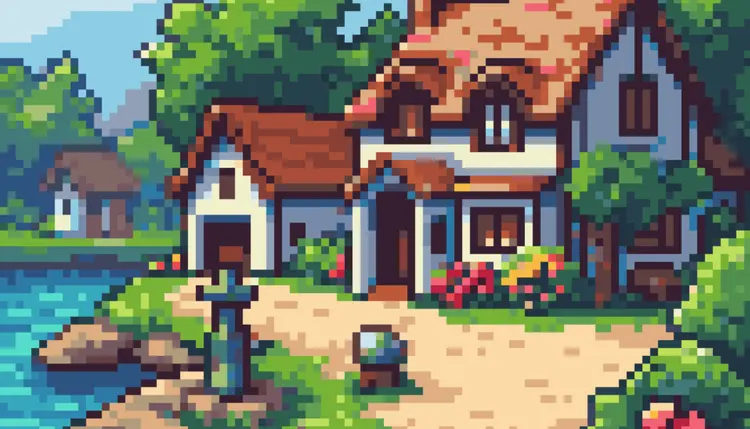
If you've ever needed pixel art for a game, app, or creative project but couldn't draw it yourself, RD-Plus closes that gap fast. Type a description, pick a style, and get back clean, grid-perfect pixel art that looks hand-crafted — whether you need a Minecraft-style item, a top-down map tile, or a retro PC98 scene. The model ships with 18 distinct style presets, each tuned for a specific output. "Character Turnaround" gives you a sprite sheet showing your character from multiple angles. "Isometric Asset" places a 3D-looking object on a clean background, ready to drop into a scene. "Skill Icon" produces the kind of polished ability icons you'd find in an RPG. You can also feed in a reference image for image-to-image generation, supply a color palette to lock in your game's visual identity, or enable seamless tiling so your textures repeat without visible seams. RD-Plus fits naturally into indie game dev pipelines, UI prototyping, and pixel art illustration work. Generate a batch of variations, pull the one that's closest to what you need, and keep building. Start with a prompt and see what comes back in seconds.
rd-plus is a specialized AI text-to-image generation model built specifically for pixel art, producing authentic retro-style visuals from plain text descriptions. If you have ever tried to create pixel art manually and found it painstaking or time-consuming, this model does the heavy lifting in seconds. Whether you are designing characters for an indie game, building sprite sheets, or just experimenting with a nostalgic aesthetic, rd-plus generates results that look like they came from a seasoned pixel artist. On Picasso IA, you can access this model instantly, no coding required, and start producing pixel art that feels genuinely hand-crafted rather than algorithmically generated.
Do I need programming skills or technical knowledge to use this? No — just open rd-plus on Picasso IA, adjust the settings you want, and hit generate. The interface is fully visual, and no coding, API knowledge, or technical background is required at any point.
Is it free to try? Yes, you can run rd-plus without committing to a paid plan. Free access lets you test the model, experiment with different prompts, and evaluate whether the outputs suit your project before deciding to use it more extensively.
How long does it take to get results? Most generations complete within a few seconds. The exact time can vary slightly depending on prompt complexity and current server load, but you are typically looking at near-instant results rather than long processing queues.
Can I customize the output quality or style? Yes. Beyond your text prompt, you can adjust available parameters to influence aspects like image dimensions and generation behavior. Experimenting with your prompt wording is also one of the most effective ways to shift the style, mood, and detail level of the output.
What output formats are supported? Generated images can be downloaded as standard image files suitable for use in game engines, design tools, websites, and social media. The pixel art format is preserved on export, so you are not dealing with blurry or compressed results.
Where can I use the outputs? The images you generate are yours to use across personal and creative projects, including indie games, digital art collections, concept work, and online content. Always review the current usage terms on the platform for full details on commercial applications.
What happens if I am not happy with the result? Simply refine your prompt and generate again. Because each run takes only seconds, iteration is fast and low-friction. Small wording changes, like specifying a color, an angle, or a time of day, can produce noticeably different and often better results on the very next attempt.
There is no better way to see what rd-plus can do than to run it yourself right now on Picasso IA.