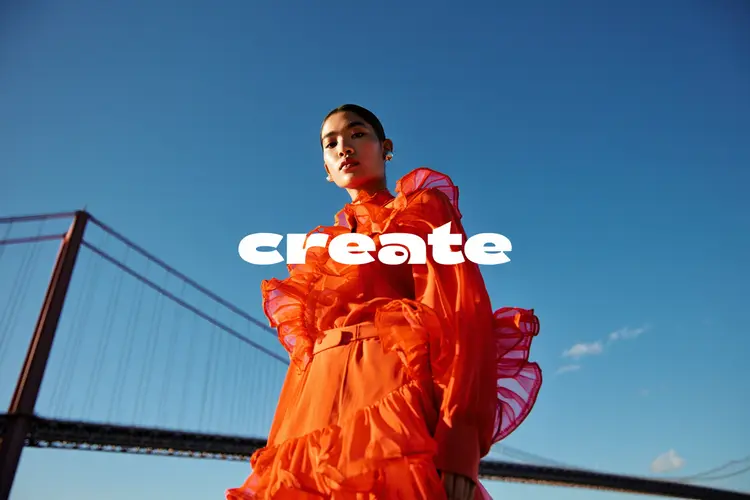
Create is a text-to-image model that turns written descriptions into detailed, high-resolution images. If you've ever needed a visual for a blog post, social campaign, or creative project but had no time to photograph or illustrate it, Create fills that gap immediately. You write a description, choose an aspect ratio from seven presets (portrait, landscape, square, and others), and the model returns a finished image in seconds. The results hold fine detail across a wide range of subjects, from outdoor scenes to stylized artwork. Pinning a seed value lets you reproduce a specific look across multiple runs, making iteration consistent rather than random. Create fits into any visual workflow: use it to draft a concept before committing to a full shoot, generate background images for design mockups, or produce a visual placeholder that teams can react to fast. No software to install and no design skills required.
Create is a text-to-image model that turns a written description into a finished image without any technical setup. On Picasso IA, you type what you want to see, choose your aspect ratio, and get a result in seconds. This makes it useful for freelancers building pitch materials, content creators who need original visuals for every post, and small business owners who want product images without hiring a photographer. The model handles a wide range of subjects, from scenic landscapes to product shots to abstract compositions, with consistent output quality across runs. There is no installation, no account linking, and no design experience required.
Do I need programming skills or technical knowledge to use this? No, just open Create on Picasso IA, adjust the settings you want, and hit generate. The entire process runs in your browser with no code, no installs, and no API keys.
Is it free to try? Yes, you can run Create on Picasso IA without a subscription. New users receive credits to test with real prompts right away, no payment details needed upfront.
How long does it take to get results? Most images arrive in under 10 seconds. Generation time varies slightly with prompt complexity and server load, but you rarely wait more than 15 seconds for a result.
What aspect ratios does Create support? Seven ratios are available: 16:9, 9:16, 3:2, 2:3, 4:3, 3:4, and 1:1. These span the most common formats for web, print, and social media.
Can I reproduce a specific image result? Yes. Enter a seed number before generating. Whenever you use the same prompt and seed combination, Create returns the same image, which helps you maintain visual consistency across a project.
Where can I use the images I generate? The images download as clean files without watermarks. You can use them in commercial projects, client presentations, social media posts, websites, or any other context where you need original visuals.
Everything this model can do for you
Choose from portrait, landscape, square, and four additional presets to match any platform or format.
Lock a seed value to reproduce the same visual style across multiple generations.
Describe your image in plain language and get a finished result with no design tools needed.
Receive a complete, high-resolution image within seconds of submitting your prompt.
Download your generated images as clean files ready for publishing or further editing.
Select the specific model version to use, giving you stability for production workflows.
Works across landscapes, portraits, product shots, abstract art, and more from a single prompt.