• Picasso AI Logo
    Logo Picasso IA
  • Home
  • AI Image
    Nano Banana 2
  • AI Video
    Veo 3.1 Lite
  • AI Chat
    Gemini 3 Pro
  • Edit Images
  • Upscale Image
  • Remove Background
  • Text to Speech
  • Effects
    NEW
  • Generations
  • Billing
  • Support
  • Account
  1. Collection
  2. Text to Image
  3. Sana Sprint 1.6b

Generate Images in One Step with Sana Sprint 1.6B

Sana Sprint 1.6B is a one-step text-to-image model that produces sharp, detailed images from plain text prompts in a fraction of the time most generators need. It solves the waiting problem: instead of sitting through 20 or 50 denoising steps, you get a finished image in one or two steps. That speed makes iteration practical, so you can try six prompt variations in the time it used to take to see one result. The model outputs images at 1024×1024 pixels by default, with support for custom widths and heights to fit different aspect ratios. You can export in JPG, PNG, or WebP and set the output quality level when saving compressed formats. A guidance scale control lets you tune how closely the image follows your prompt, and a fixed seed lets you recreate the exact same image on demand. It fits into any workflow where speed matters: quick mockups for presentations, social content ideas drafted before breakfast, or rapid reference images for illustration briefs. Because the settings are straightforward, there is nothing to install or configure before your first run.

Nvidia

739.7k runs

Sana Sprint 1.6b

2025-03-31

Commercial Use

Generate Images in One Step with Sana Sprint 1.6B

Table of contents

  • Overview
  • How It Works
  • Frequently Asked Questions
  • Credit Cost
  • Features
  • Use Cases
  • Examples
Get Nano Banana Pro

Overview

Sana Sprint 1.6B is a text-to-image model built around one-step diffusion, meaning it skips the long denoising process that makes most image generators feel slow. On Picasso IA, you type a prompt, adjust a few optional settings, and receive a 1024×1024 image in seconds. That speed changes how you work: instead of committing to one prompt and waiting, you can test a dozen ideas in the time a standard model finishes one. It suits anyone who needs visual output quickly, whether for mockups, reference material, or creative drafts.

How It Works

  • Type your prompt describing the subject, style, lighting, and mood you want in the image
  • Set the output dimensions if you need something other than the default 1024×1024
  • Adjust the guidance scale if you want the image to follow your prompt more loosely or more literally
  • Choose your export format (JPG, PNG, or WebP) and set the quality level for compressed outputs
  • Hit generate and receive your image in one or two inference steps, typically in under three seconds

Frequently Asked Questions

Do I need programming skills or technical knowledge to use this? No, just open Sana Sprint 1.6B on Picasso IA, adjust the settings you want, and hit generate.

Is it free to try? Yes, you can run the model without a paid subscription to start. Check the current plan details on the platform for generation limits.

How long does it take to get results? Most generations finish in under three seconds. The one-step diffusion approach means the model does not need dozens of denoising passes, so wait times are much shorter than conventional diffusion models.

What output formats are supported? You can save images as JPG, WebP, or PNG. For JPG and WebP you can also set the quality level from 0 to 100, where 100 produces the sharpest file at the largest size.

Can I customize the output quality or style? Yes. The guidance scale controls how closely the image matches your prompt, and you can specify custom width and height values. For two-step mode, the intermediate timestep parameter gives you additional control over the generation curve.

How many times can I run the model? You can generate as many images as your plan allows. Because each run finishes in seconds, working through a set of prompt variations takes very little time.

Where can I use the outputs? The images you download are yours to use in presentations, social posts, client mockups, or any other project. No watermarks are added to your output files.

Credit Cost

Each generation consumes 1 credit

1 credit

or 5 credits for 5 generations

Features

Everything this model can do for you

One-step generation

Produces a finished image in one or two inference steps instead of the usual 20 to 50.

High-resolution output

Default image size is 1024×1024 pixels, with adjustable width and height for any aspect ratio.

Multiple export formats

Save results as JPG, PNG, or WebP with configurable compression quality from 0 to 100.

Guidance scale control

Adjust how tightly the output follows your prompt, from loose interpretation to highly literal.

Reproducible results

Lock in a seed value to regenerate the exact same image across multiple runs.

No watermarks

Download clean images ready for direct use in projects or client deliverables.

Fast iteration

Sub-three-second generation time lets you work through many prompt variations in a single session.

Use Cases

Generate a product concept image from a text description in under three seconds, then iterate on wording until the result matches the brief

Create social media visuals by typing a scene description and exporting the result in WebP for fast web publishing

Draft reference images for illustration projects by describing character, setting, and mood in a single prompt

Produce multiple visual concepts for a campaign by entering different scene prompts and comparing the outputs side by side

Generate background art for presentations by describing the color palette, subject, and atmosphere you need

Test how a product looks in different lifestyle settings by swapping out the scene description while keeping the item description the same

Create thumbnail mockups for video content by typing the visual concept and downloading the result in JPG format

Provide inspiration for creative writing

Examples

1024x1024
jpg
-1
0.1s
Guidance Scale: 4.5
Output Quality: 80
Inference Steps: 2
Intermediate Timesteps: 1.3

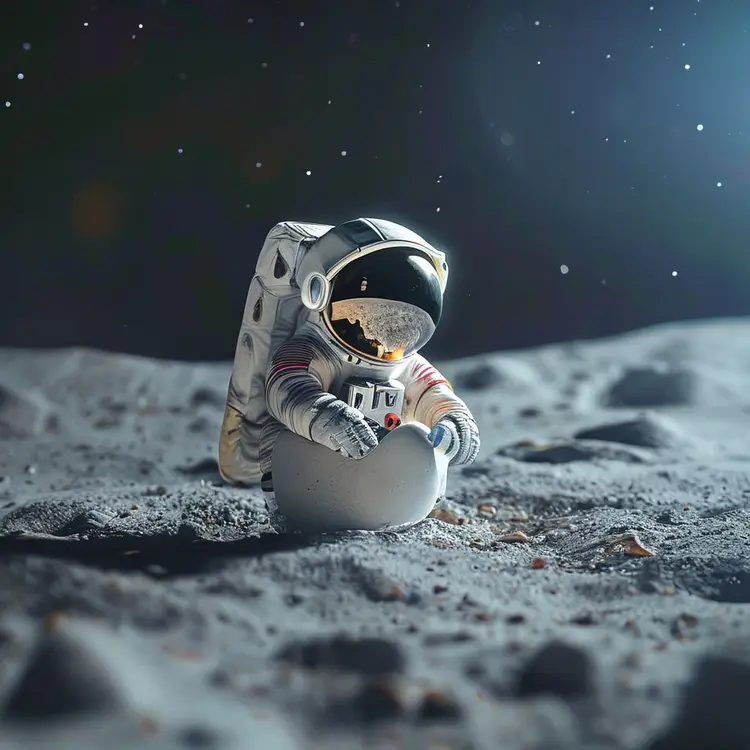
a tiny astronaut hatching from an egg on the moon

1024x1024
-1
0.6s
Guidance Scale: 4.5
Inference Steps: 2

Peach-faced lovebird with a slick pompadour

512x1024
-1
0.3s
Guidance Scale: 4.5
Inference Steps: 2

Close-up of the top peak of Aconcagua, a snow-covered mountain in the Himalayas at sunrise during the golden hour. Award-winning photography, shot on a Canon EOS R5 in the style of Ansel Adams.

1024x1024
-1
0.4s
Guidance Scale: 4.5
Inference Steps: 2

a stunning and luxurious bedroom carved into a rocky mountainside seamlessly blending nature with modern design with a plush earth-toned bed textured stone walls circular fireplace massive uniquely shaped window framing snow-capped mountains dense forests

1024x1024
-1
0.6s
Guidance Scale: 4.5
Inference Steps: 2

professional portrait photo of an anthropomorphic cat wearing fancy gentleman hat and jacket walking in autumn forest

1024x1024
-1
0.5s
Guidance Scale: 4.5
Inference Steps: 2

🐶 Wearing 🕶 flying on the 🌈

1024x1024
-1
0.5s
Guidance Scale: 4.5
Inference Steps: 2

Pirate ship trapped in a cosmic maelstrom nebula, rendered in cosmic beach whirlpool engine, volumetric lighting, spectacular, ambient lights, light pollution, cinematic atmosphere, art nouveau style, illustration art artwork by SenseiJaye, intricate detail.

1024x1024
-1
0.5s
Guidance Scale: 4.5
Inference Steps: 2

a photograph of an astronaut riding a horse

Switch Category

Effects

Text To Image

Text To Image

Text To Video

Large Language Models

Large Language Models

Text To Speech

Text To Speech

Super Resolution

Super Resolution

Lipsync

AI Music Generation

AI Music Generation

Video Editing

Speech To Text

Speech To Text

AI Enhance Videos

Remove Backgrounds

Remove Backgrounds