• Picasso AI Logo
    Logo Picasso IA
  • Home
  • AI Image
    Nano Banana 2
  • AI Video
    Veo 3.1 Lite
  • AI Chat
    Gemini 3 Pro
  • Edit Images
  • Upscale Image
  • Remove Background
  • Text to Speech
  • Effects
    NEW
  • Generations
  • Billing
  • Support
  • Account
  1. Collection
  2. Text to Image
  3. Sticker Maker

Create Transparent AI Stickers with Sticker Maker

Sticker Maker turns a text description into a ready-to-use sticker graphic with a transparent background. No design skills required. You type what you want, and the model returns a clean cutout image you can drop straight into a messaging app, a social post, or a product mockup. It solves the specific problem of needing custom icons or characters without hiring a designer or opening photo-editing software. The model generates square outputs at up to 1152x1152 pixels, giving you crisp edges suitable for both digital and print use. You can request multiple variations in a single run, compare them side by side, and keep the one that fits your needs. A negative prompt field lets you exclude unwanted visual elements, so if you need a sticker of a cat without background objects cluttering the scene, you can specify that directly. Sticker Maker fits into content workflows that need quick visual assets on demand. Social media creators can batch-generate sets of themed stickers for a campaign. Product teams can mock up sticker packs for a new app before committing to a final design. Type a prompt, set the quantity, and download transparent PNGs or WebPs ready for immediate use.

Fofr

1.51m runs

Sticker Maker

2024-02-23

Commercial Use

Create Transparent AI Stickers with Sticker Maker

Table of contents

  • Overview
  • How It Works
  • Frequently Asked Questions
  • Credit Cost
  • Features
  • Use Cases
  • Examples
Get Nano Banana Pro

Overview

Sticker Maker is an AI model available on Picasso IA that turns a plain text prompt into a sticker graphic with a fully transparent background. It removes the usual bottleneck of needing design software or a photo editor to cut out backgrounds. A creator working on a messaging app pack, a small brand building a merch line, or a developer prototyping an app icon can all use it the same way: write a description, run the model, download the result. The output is a clean image file ready to place on any surface without extra editing.

How It Works

  • Write a prompt describing what you want, for example "a smiling robot holding a wrench, flat design"
  • Add a negative prompt if you want to exclude specific elements, such as "no text, no background objects"
  • Set the number of stickers you want in one run and choose your preferred output size and format
  • Click generate and wait a few seconds for the model to return your stickers
  • Download the transparent WebP, PNG, or JPEG files and drop them directly into your project

Frequently Asked Questions

Do I need programming skills or technical knowledge to use this? No, just open Sticker Maker on Picasso IA, adjust the settings you want, and hit generate.

Is it free to try? Yes, you can run Sticker Maker at no cost to see what the model produces before deciding how to use it in your workflow.

How long does it take to get results? Most stickers generate within a few seconds. Requesting multiple images at once adds a little extra time, but a full batch typically finishes quickly.

What output formats are supported? The model supports WebP, PNG, and JPEG. WebP is the default and gives a good balance of sharpness and file size for digital assets.

Can I customize the style or look of the sticker? Yes, through the prompt itself. Describe the art style directly, such as "chibi illustration" or "flat vector icon," and the model will follow your description. The negative prompt field helps you steer away from styles you don't want.

How many stickers can I generate in one run? You can set the number of images per session, which makes it practical to produce several variations from the same prompt and choose the best one.

Where can I use the sticker outputs? The transparent image files work in messaging apps, social media posts, print-on-demand services, presentation slides, and any design tool that supports PNG or WebP uploads.

Credit Cost

Each generation consumes 1 credit

1 credit

or 5 credits for 5 generations

Features

Everything this model can do for you

Transparent backgrounds

Every sticker exports with a clean, pre-cut transparent background, no manual masking required.

Multiple output formats

Download your stickers as WebP, JPEG, or PNG to suit any platform or workflow.

Batch generation

Produce up to several stickers in a single run to speed up pack creation.

High-resolution output

Renders at up to 1152x1152 pixels, giving crisp edges for both screen and print.

Negative prompt control

Exclude unwanted elements from the sticker by listing them in the negative prompt field.

Seed-based reproducibility

Reuse a seed value to reproduce the exact same sticker output across sessions.

Adjustable quality

Set output quality from 0 to 100 to balance file size and image sharpness.

User-friendly interface for quick creativity

Use Cases

Generate a custom emoji-style sticker from a text description and download it as a transparent PNG

Create a set of themed character stickers for a messaging app sticker pack

Produce a branded mascot sticker in seconds using only a text prompt describing the character

Design sticker assets for a mobile app UI by describing the icon style and subject

Generate product label stickers with illustrated graphics from a written description of the product

Make printable stickers for packaging by specifying the subject and art style in the prompt

Build a sticker sheet for a social media campaign by generating multiple variations at once

Providing creative resources for digital artists

Examples

1152x1152
webp
4.6s
Steps: 17
Output Quality: 100
Number Of Images: 1

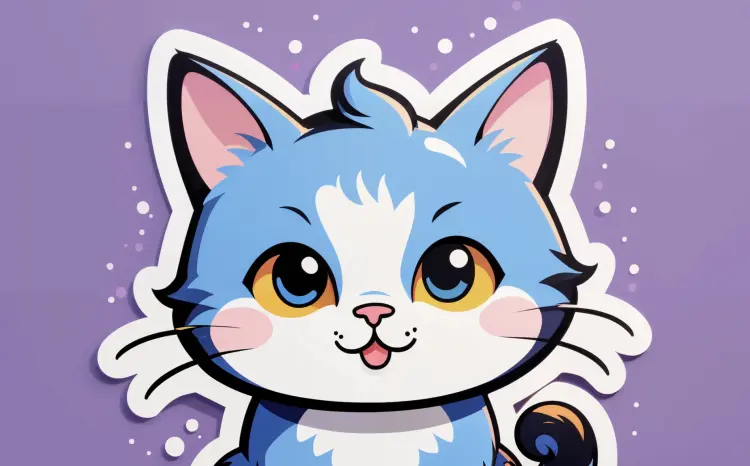
a cute cat

1152x1152
webp
49.9s
Steps: 17
Output Quality: 100
Number Of Images: 1

a cute cat

1024x1024
24.9s
Steps: 20
Upscale: Yes
Upscale Steps: 10

a toxic yellow smiley face, X eyes

1024x1024
24.7s
Steps: 20
Upscale: Yes
Upscale Steps: 10
bubbles

cyberpunk

1024x1024
24.9s
Steps: 20
Upscale: Yes
Upscale Steps: 10
bubbles

cute dragon

1024x1024
23.6s
Steps: 20
Upscale: Yes
Upscale Steps: 10

pikachu, simple, clean

1024x1024
25.1s
Steps: 20
Upscale: Yes
Upscale Steps: 10

an angry penguin

1024x1024
59.9s
Steps: 20
Upscale: Yes
Upscale Steps: 10

a cute cat

Switch Category

Effects

Text To Image

Text To Image

Text To Video

Large Language Models

Large Language Models

Text To Speech

Text To Speech

Super Resolution

Super Resolution

Lipsync

AI Music Generation

AI Music Generation

Video Editing

Speech To Text

Speech To Text

AI Enhance Videos

Remove Backgrounds

Remove Backgrounds