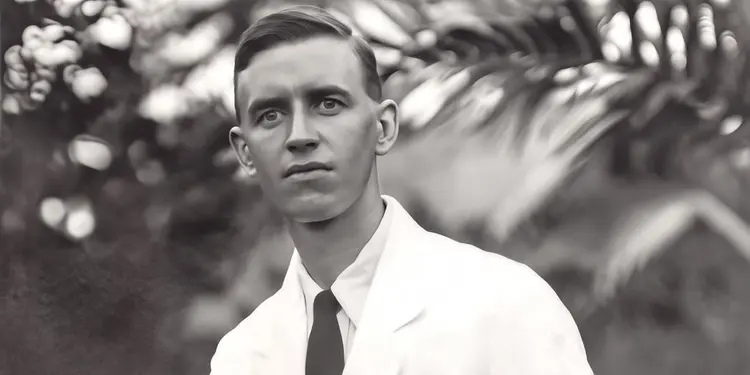
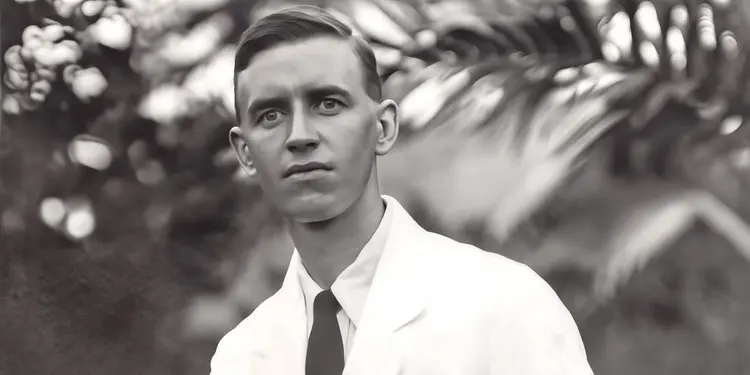
Old photos accumulate dust, scratches, and surface damage over decades of handling and storage. Dust And Scratch v2 analyzes each uploaded image and removes these imperfections automatically, giving you a clean digital copy without hours of manual retouching. Whether you are scanning a family album or fixing a single damaged portrait, the model handles the repair in seconds. The model detects and removes both fine dust particles and larger scratch marks while preserving original detail, tone, and texture underneath. After restoration, you can optionally add film grain in three styles, silver rich for a classic analog look, gaussian for uniform noise, or grey for monochromatic grain, with separate controls for size, density, and strength. Results are available as JPG or PNG, ready to print, archive, or share. A typical workflow takes seconds: upload your scanned image, choose your output format and any grain settings, then download the result. It fits naturally into a photo digitization project, a family archiving effort, or preparation for a print or framing order. Dust And Scratch v2 on Picasso IA handles the technical restoration work so you spend your time on the photos themselves, not the tools.
Dust And Scratch v2 restores old and damaged photographs by automatically detecting and removing dust particles, surface scratches, and film imperfections. It solves a specific, tedious problem: you have a scanned print or negative from decades ago, and the physical wear shows up as white specks, thin lines, or cloudy patches across the image. On Picasso IA, you simply upload the photo and the model handles the cleanup in one pass. No retouching layer, no clone stamp tool, no hours spent zooming into a photo editor. The result is a clean image that preserves the original detail underneath all the surface damage.
Do I need programming skills or technical knowledge to use this? No, just open Dust And Scratch v2 on Picasso IA, adjust the settings you want, and hit generate.
Is it free to try? Yes, you can test Dust And Scratch v2 on your photos without a paid plan. Upload an image and run a restoration to see the result before committing.
How long does it take to get results? Most restorations finish within a few seconds. Processing time scales slightly with image resolution, but you rarely wait more than 10 to 15 seconds even on large scans.
What output formats are supported? The model saves your restored image as either a JPG or PNG file. PNG is better for archiving because it is lossless; JPG works well for sharing or printing.
Can I customize the grain effect after restoration? Yes. Once the damage is removed, you can add optional film grain with three preset types and separate controls for grain size, density, and strength. This lets you match the restored image to the grain texture of the original film stock.
What happens if I am not happy with the result? Run the model again on the same image with different grain settings, or turn grain off entirely if the default output looks too processed. Your original uploaded file is never modified.
Everything this model can do for you
Detects and eliminates surface scratches without any manual selection or masking.
Identifies and cleans fine dust particles from scanned film and print photographs.
Add grain after restoration in three styles: silver rich, gaussian, or grey monochromatic.
Set grain size, density, and strength independently for precise vintage or cinematic results.
Download restored images as JPG for web sharing or PNG for lossless archiving.
Restores clean surfaces while keeping original texture, tone, and sharpness intact.