• Picasso AI Logo
    Logo Picasso IA
  • Home
  • AI Image
    Nano Banana 2
  • AI Video
    Veo 3.1 Lite
  • AI Chat
    Gemini 3 Pro
  • Edit Images
  • Upscale Image
  • Remove Background
  • Text to Speech
  • Effects
    NEW
  • Generations
  • Billing
  • Support
  • Account
  1. Collection
  2. Text to Image
  3. Wan 2.7 Image Pro

Generate 4K Images with Wan 2.7 Image Pro

Wan 2.7 Image Pro is a text-to-image model built for users who need sharp, detailed visuals without a complicated setup. It converts a written description into a finished image at resolutions up to 4K, which makes it useful for anything from social content to print-ready graphics. Write a prompt, choose your size, and get a result you can actually use. The model accepts up to nine reference images as input, so you can edit existing photos, transfer a visual style, or combine multiple elements into one scene. A built-in thinking mode interprets your prompt more carefully before generating, reducing the gap between what you described and what you get. Image set mode lets you produce up to 12 related images in one run, which is useful when you need a character, product, or concept shown consistently across multiple visuals. Wan 2.7 Image Pro fits well into creative and commercial workflows where output quality matters. Designers can generate multiple high-res variations in a single session; content teams can produce a full set of consistent visuals from one brief. Open it on Picasso IA, write your description, and your image is ready within seconds.

Official

Wan Video

19.2k runs

Wan 2.7 Image Pro

2026-04-01

Commercial Use

Generate 4K Images with Wan 2.7 Image Pro

Table of contents

  • Overview
  • How It Works
  • Frequently Asked Questions
  • Credit Cost
  • Features
  • Use Cases
  • Examples
Get Nano Banana Pro

Overview

Wan 2.7 Image Pro generates and edits high-resolution images from text prompts or reference photos, covering both creation and editing in a single model. The problem it solves is real: most image workflows require separate tools for generation, editing, and batch production, but this model handles all three without switching tabs. A product photographer can type a prompt, upload a reference shot, and receive a 4K-ready result; a social media manager can produce a set of twelve on-brand visuals from one prompt in a single run. On Picasso IA, you access it in your browser with no installation or API calls required.

How It Works

  • Write a text prompt describing the image you want. If you need to edit or reference existing images, upload up to 9 photos in JPG, PNG, BMP, or WebP format alongside your prompt.
  • Pick your output resolution: 1K, 2K, or 4K. The 4K option is available for text-to-image runs only and supports outputs up to 4096x4096 pixels.
  • For text-to-image jobs, enable thinking mode to give the model more time to reason through your prompt before generating. This raises output quality at the cost of a longer wait.
  • Set how many images you want. Standard mode generates up to 4 variants; image set mode generates up to 12 images that share a consistent visual style, useful for character sheets, product angles, or seasonal variations.
  • Review your results and download the files. Save the seed number if you want to reproduce the exact same output on a later run.

Frequently Asked Questions

Do I need programming skills or technical knowledge to use this? No, just open Wan 2.7 Image Pro on Picasso IA, adjust the settings you want, and hit generate.

Is it free to try? Picasso IA includes Wan 2.7 Image Pro in its model catalog. Check the current plan page to see which features are available at no cost.

How long does generation take? A standard 2K text-to-image run typically finishes in under a minute. Enabling thinking mode or requesting 4K resolution adds a few minutes per image. Editing runs with multiple reference images may take slightly longer depending on the number of inputs.

What resolutions and aspect ratios can I choose from? You can select 1K, 2K, or 4K presets, or set specific pixel dimensions for square, landscape, portrait, and widescreen crops. The model covers ratios from 4:3 to 16:9 and their vertical counterparts.

Can I edit photos I already have? Yes. Upload up to 9 images alongside your prompt and the model switches to editing mode. It handles style transfer, content modification, and compositing from multiple references in one pass.

What is image set mode? Image set mode generates up to 12 images from a single prompt that share a consistent look and subject. It works well for anything that needs visual continuity across a batch: a character in different outfits, a product in multiple settings, or a scene across different times of day.

Where can I use the images I generate? The outputs are clean files with no watermarks. You can use them in client deliverables, social media posts, presentations, printed materials, or any other context you need.

Credit Cost

Each generation consumes 1 credit

1 credit

or 5 credits for 5 generations

Features

Everything this model can do for you

4K output

Export images at up to 4096×4096 pixels, ready for large-format print or high-res digital use.

Multi-image input

Accept up to 9 reference photos to edit, blend, or use as style anchors in a single generation.

Image set mode

Produce up to 12 thematically consistent images in one run from a single prompt.

Thinking mode

Interprets complex prompts before generating, reducing the gap between your description and the result.

Flexible resolution

Choose from 18 preset sizes across portrait, landscape, and square orientations at 1K, 2K, and 4K.

Reproducible results

Set a seed value to recreate the exact same image any time you need a revision.

Batch variations

Generate up to 4 image variations from one prompt in standard mode to compare results side by side.

Use Cases

Generate a 4K product photo from a text description of the item, background, and lighting for use in an online store

Upload a portrait and a style description to restyle the lighting, background, or visual treatment of the photo

Feed in multiple reference images to blend their visual elements into a single composite scene

Produce a set of up to 12 related images, such as a character in different outfits, from one text prompt using image set mode

Create a concept illustration for a presentation by describing the scene, color palette, and mood in plain text

Edit an existing product shot by uploading the original image and describing the specific changes you want applied

Generate social media visuals in portrait, landscape, or square format by selecting a preset resolution before running the prompt

Examples

4K
5555
1m 14s
Thinking Mode: Yes

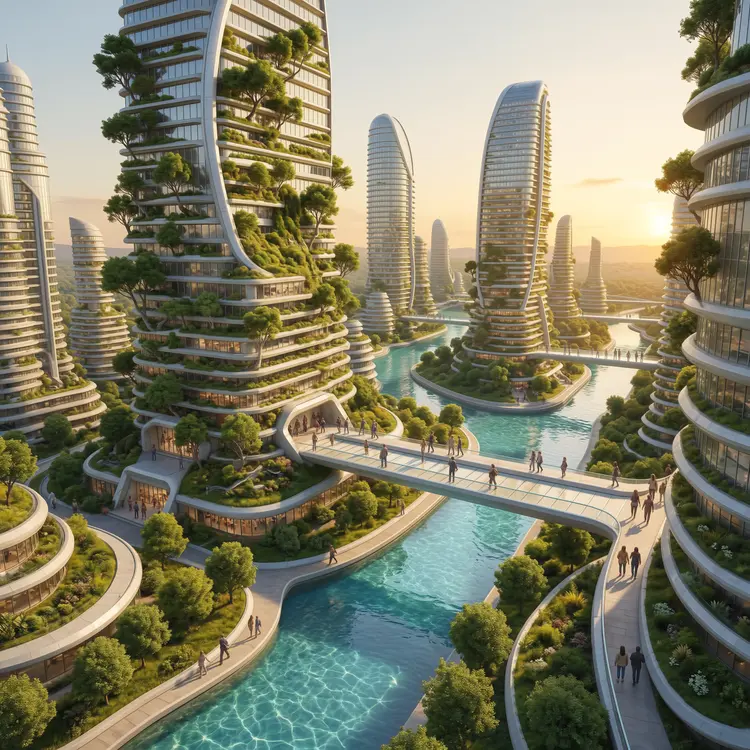
A grand architectural photograph of a futuristic solarpunk city, massive living buildings covered in vertical gardens and trees, crystal-clear rivers flowing between structures, people walking on sky bridges, golden afternoon light, ultra-detailed 4K rendering

2K
3333
51.1s
Thinking Mode: Yes

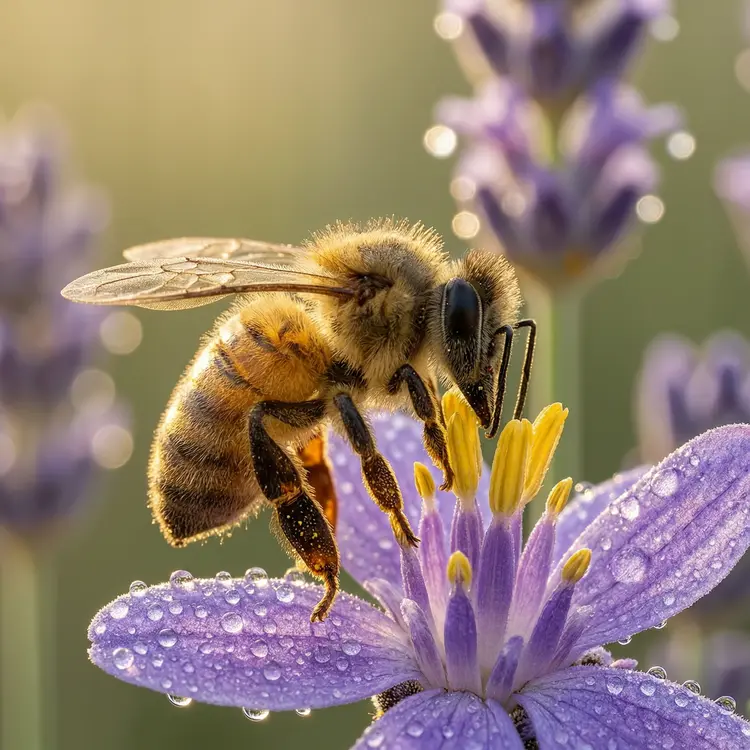
An extreme close-up macro photograph of a honeybee collecting pollen from a lavender flower, every hair and wing vein sharply detailed, soft bokeh background with morning dew drops glistening on purple petals, natural golden hour lighting, shot on Hasselblad with 100mm macro lens

Switch Category

Effects

Text To Image

Text To Image

Text To Video

Large Language Models

Large Language Models

Text To Speech

Text To Speech

Super Resolution

Super Resolution

Lipsync

AI Music Generation

AI Music Generation

Video Editing

Speech To Text

Speech To Text

AI Enhance Videos

Remove Backgrounds

Remove Backgrounds