• Picasso AI Logo
    Logo Picasso IA
  • Home
  • AI Image
    Nano Banana 2
  • AI Video
    Veo 3.1 Fast
  • AI Chat
    GPT 5
  • Edit Images
  • Upscale Image
  • Remove Background
  • Text to Speech
  • Effects
    NEW
  • Generations
  • Billing
  • Support
  • Account
  1. Collection
  2. Text to Image
  3. Grok Imagine Image

CreditsUpgrade

Grok Imagine Image — AI Image Generator & Editor

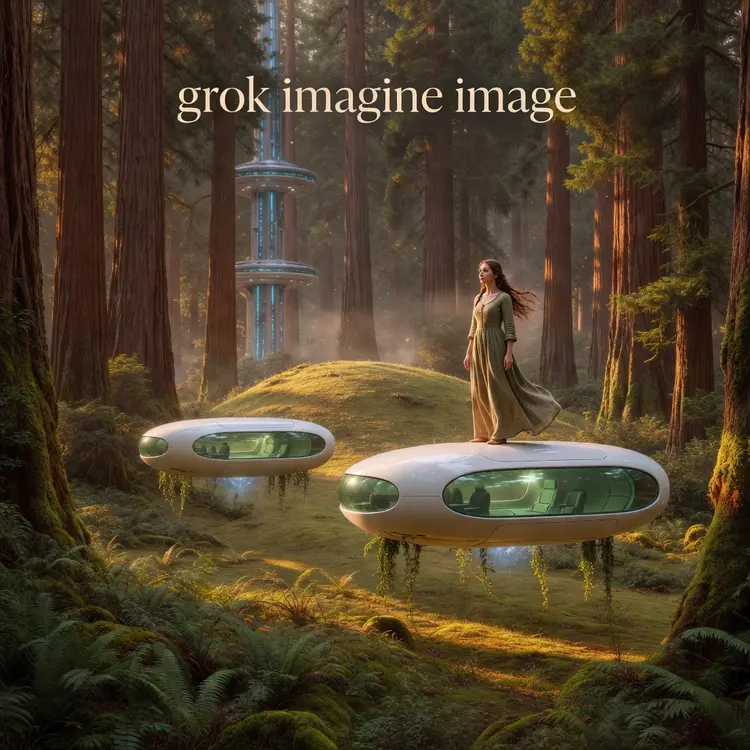
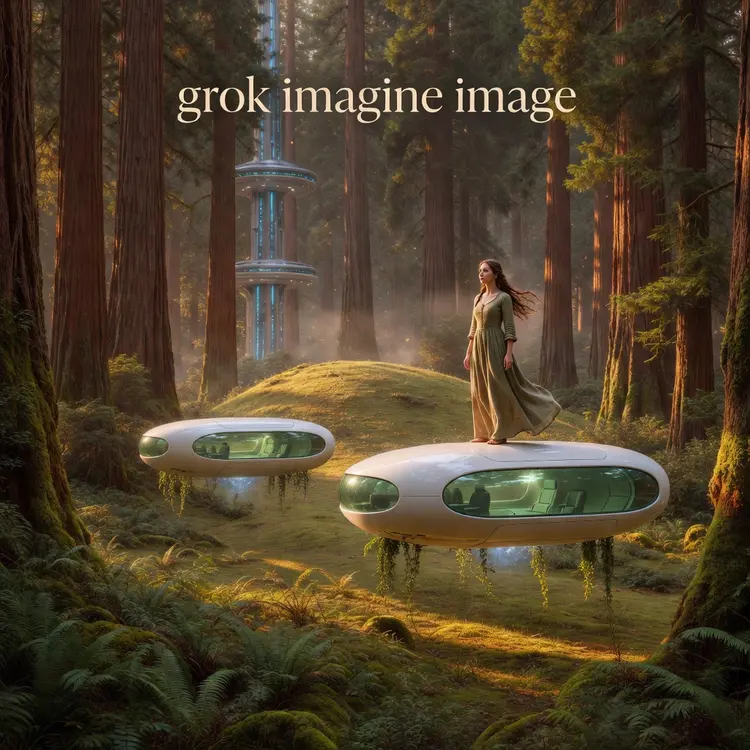
Grok Imagine Image is xAI's text-to-image model built to produce high-quality visuals from a written description — or to edit an existing photo based on your instructions. Whether you're starting from scratch or refining something you already have, you type what you want and the model handles the rest. No software to install, no technical background needed. The model supports both pure generation and image editing in a single workflow. Drop in a photo and describe the change you want — swap the background, alter the mood, adjust clothing — and the model applies your instructions directly to the image. For new creations, you can choose from over a dozen aspect ratios, from square to ultra-wide cinematic formats, so your output fits wherever you plan to use it. Grok Imagine slots naturally into creative work that moves fast. Bloggers, social media managers, and independent designers use it to go from idea to finished visual without opening a separate editing tool. Try it now and see what one good prompt can produce.

Official

Xai

113.2k runs

Grok Imagine Image

2026-02-12

Commercial Use

Grok Imagine Image — AI Image Generator & Editor
Table of contents
  • Overview
  • How It Works
  • Key Features
  • Frequently Asked Questions
  • Credit Cost
  • Use Cases
Get Nano Banana Pro

Overview

grok-imagine-image is xAI's state-of-the-art text-to-image generation model, built to convert written descriptions into high-fidelity visuals with remarkable accuracy and detail. Whether you're a designer looking to prototype a concept in seconds or a content creator who needs a striking visual without a photo shoot, this model closes the gap between imagination and output. On Picasso IA, it's available directly in your browser — no installations, no setup, no waiting. Type what you see in your head, and get a finished image back almost instantly.

How It Works

  • Write your prompt. Describe the scene, subject, style, mood, or composition you want in plain text. The more specific your description, the closer the result is to what you're picturing.
  • Adjust any settings. Before generating, you can tweak parameters like aspect ratio, image quality, or stylistic preferences directly from the interface above.
  • Submit and generate. The model processes your text input and runs inference on xAI's infrastructure, translating language into pixel-level visual information.
  • Review your output. A finished image appears in seconds. You can inspect it, compare it to your original prompt, and decide whether to download it or iterate.
  • Refine as needed. If the result isn't quite right, modify your prompt or adjust the settings and run it again. Each generation is independent, so experimenting costs nothing but a few seconds.

Key Features

  • Photorealistic rendering. The model produces images with fine detail, accurate lighting, and natural textures — making it suitable for both realistic scenes and stylized artwork.
  • Broad stylistic range. From cinematic photography to flat illustration, oil painting to concept art, grok-imagine-image adapts to the visual language you describe, without needing style codes or preset filters.
  • Fast generation speed. Results arrive in seconds rather than minutes, which means you can iterate through multiple ideas in a single sitting without losing momentum.
  • No coding required. The entire workflow runs through a clean visual interface — instant results without writing a single line of code or touching an API.
  • High-resolution output. Images are generated at a resolution suitable for digital publishing, social media, presentations, and mockups — not just low-res thumbnails.
  • Free online access. You can run the model directly in your browser without signing up for a paid API account or managing cloud credits on your own.

Frequently Asked Questions

Do I need programming skills or technical knowledge to use this? No — just open grok-imagine-image on Picasso IA, adjust the settings you want, and hit generate. The entire experience is point-and-click, and every control is labeled in plain language.

Is it free to try? Yes. grok-imagine-image is available as a free online tool, meaning you can generate images and evaluate the quality before committing to anything. Depending on your usage volume, certain tiers or credit limits may apply, but getting started costs nothing.

How long does it take to get results? Most generations complete within a few seconds. Actual time can vary slightly based on server load and the complexity of your prompt, but you're generally looking at near-instant results rather than a wait measured in minutes.

What output formats are supported? Generated images can be downloaded as standard web-compatible formats, making them immediately usable in design tools, content management systems, presentations, or social media platforms — no conversion step needed.

Can I customize the output quality or style? Absolutely. You can control aspects like aspect ratio and quality level through the settings panel. On the creative side, your prompt itself is the most direct lever — specifying lighting, color palette, perspective, and mood all shape the final image in meaningful ways.

What happens if I'm not happy with the result? Simply refine your prompt and generate again. A more specific description, a different stylistic direction, or a small change in wording can produce noticeably different outputs. Because each run takes only seconds, iteration is fast and low-friction.

Where can I use the outputs? Images generated through grok-imagine-image can be used across a wide range of personal and commercial applications, including social media content, blog posts, product mockups, presentations, and creative projects. Always review the applicable terms of service for any specific commercial licensing requirements.

Ready to see what your ideas look like? Try grok-imagine-image right now and generate your first image in seconds.

Credit Cost

Each generation consumes 0.5 credits

0.5 credits
or 2.5 credits for 5 generations

With Elite or Infinite plans, enjoy unlimited generations with this model at no additional cost.

Use Cases

Write a prompt describing a product on a clean white background and get a ready-to-use e-commerce image without a photoshoot.

Upload a portrait photo and describe a new background — replace a cluttered room with a studio setting or an outdoor scene.

Type a description of a blog header scene and choose a 16:9 ratio to get a correctly sized feature image in one step.

Describe a logo concept in text and generate several visual interpretations to present as initial directions to a client.

Upload a draft illustration and use a text prompt to change the color palette, lighting style, or level of detail.

Generate a vertical 9:16 image for an Instagram story or TikTok thumbnail by typing the scene and selecting the matching ratio.

Describe a room interior with specific furniture and lighting and receive a realistic reference image to share with a contractor or decorator.

Edit a product photo by describing an addition — add a shadow, change the surface the item sits on, or place it in a seasonal setting.

Switch Category

Text To Image

Text To Image

Text To Video

Large Language Models

Large Language Models

Text To Speech

Text To Speech

Super Resolution

Super Resolution

Lipsync

AI Music Generation

AI Music Generation

Video Editing

Speech To Text

Speech To Text

AI Enhance Videos

Remove Backgrounds

Remove Backgrounds

Effects