• Picasso AI Logo
    Logo Picasso IA
  • Home
  • AI Image
    Nano Banana 2
  • AI Video
    Veo 3.1 Lite
  • AI Chat
    Gemini 3 Pro
  • Edit Images
  • Upscale Image
  • Remove Background
  • Text to Speech
  • Effects
    NEW
  • Generations
  • Billing
  • Support
  • Account
  1. Collection
  2. AI Video Editing
  3. Video To Sfx V1

Add Synced Sound Effects with Video To Sfx v1

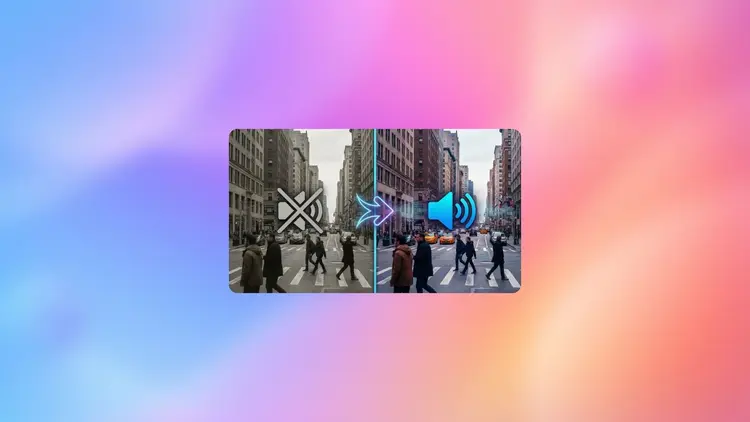
Video To Sfx v1 takes any silent or audio-free video clip and generates a new soundtrack timed precisely to what happens on screen. Whether you shot a product demo, a short film, or a social clip with no usable audio, this model fills that gap without requiring editing software or a recording session. The model reads the visual content of your video and produces sound effects that match on-screen motion and action. You can generate multiple audio variations in a single run, then pick the one that fits best. An optional text prompt lets you steer the output toward specific sound categories, from ambient outdoor tones to mechanical or percussive effects, and a creativity setting gives you control over how closely the result follows standard conventions. Drop it into a post-production step for social media content, game trailers, or silent footage captured in the field. The output is a video file with the new audio track already embedded, so it comes out ready to download and share.

Official

Mirelo

5.2k runs

Video To Sfx V1

2025-09-17

Commercial Use

Add Synced Sound Effects with Video To Sfx v1

Table of contents

  • Overview
  • How It Works
  • Frequently Asked Questions
  • Credit Cost
  • Features
  • Use Cases
Get Nano Banana Pro

Overview

Video To Sfx v1 takes any video file and generates synchronized sound effects that match the on-screen action, solving the common problem of silent or poorly-matched audio in raw footage. Available on Picasso IA, it works for anyone who has shot a clip without proper audio or needs custom sound design without hiring a sound engineer. Upload a video, optionally describe the type of sounds you want, and the model returns the clip with a fresh audio track synced to what happens on screen. Whether it is a product demo, a short film scene, or a social media clip, the output is ready to use immediately.

How It Works

  • Upload your video file (up to 10 seconds; longer clips are trimmed automatically from a start point you choose).
  • Optionally write a text prompt describing the type of sounds you want, or leave it blank to let the model infer directly from the visuals.
  • Set the number of variations you want generated, so you can compare multiple audio options and pick the best fit.
  • Adjust the creativity coefficient to control how closely the audio follows the visual cues versus taking a more interpretive approach.
  • Download your video with the new synced soundtrack embedded and ready to publish.

Frequently Asked Questions

Do I need programming skills or technical knowledge to use this? No, just open Video To Sfx v1 on Picasso IA, adjust the settings you want, and hit generate.

Is it free to try? Yes, you can run the model without a paid subscription. Check the current plan details on the platform for generation limits.

How long does it take to get results? Processing time depends on video length and the number of steps configured. Most clips are ready within about a minute on default settings.

Can I generate more than one sound version at once? Yes. Set the number of samples to 2 or more and the model returns multiple audio variations in a single run, so you can compare and choose the one that fits best.

What if I want a specific type of sound rather than auto-detected audio? Use the text prompt field to describe what you want, for example "rain hitting a tin roof" or "crowd noise fading in". The model uses your description alongside the video content to shape the output.

What happens if I am not happy with the result? Run it again with a different seed or adjust the creativity coefficient up or down. Each generation with a new seed produces a different output, and more steps generally improve audio precision.

Where can I use the outputs? The generated video is yours to download and use in any project, from social media posts to professional edits, with no watermarks added by Picasso IA.

Credit Cost

Each generation consumes 5 credits

5 credits

or 25 credits for 5 generations

Features

Everything this model can do for you

Visual sync

Reads on-screen motion and generates audio timed precisely to match the action in each frame.

Multiple variations

Produce several distinct audio tracks in one run to compare and choose the best fit.

Text prompt steering

Add a short description to direct the sound style toward specific tones or effect categories.

Adjustable creativity

Set the creativity coefficient higher for unexpected textures or lower for realistic, grounded results.

Embedded output

Receive a video file with the new sound track already merged in, ready to download.

Reproducible results

Enter a fixed seed to regenerate the exact same audio output for any clip.

Offset control

Set a start point in seconds to generate audio for a specific segment of a longer clip.

Use Cases

Upload a silent product demo video and receive a version with sound effects timed to match the on-screen motion

Generate two or more audio variations for the same clip and compare which one matches your creative intent

Add environmental sound to a nature or travel video shot without audio, with effects timed to what appears on screen

Steer the audio style toward specific sounds by typing a short prompt, such as 'city traffic' or 'mechanical hum', before generating

Process a short animation clip to audition realistic sound effects before committing to a professional sound designer

Add sound to a sports highlight reel or action sequence without touching audio editing software

Set a start offset to skip a silent intro and generate audio only for the active portion of the clip

Switch Category

Effects

Text To Image

Text To Image

Text To Video

Large Language Models

Large Language Models

Text To Speech

Text To Speech

Super Resolution

Super Resolution

Lipsync

AI Music Generation

AI Music Generation

Video Editing

Speech To Text

Speech To Text

AI Enhance Videos

AI Enhance Videos

Remove Backgrounds

Remove Backgrounds