• Picasso AI Logo
    Logo Picasso IA
  • Home
  • AI Image
    Nano Banana 2
  • AI Video
    Veo 3.1 Lite
  • AI Chat
    Gemini 3 Pro
  • Edit Images
  • Upscale Image
  • Remove Background
  • Text to Speech
  • Effects
    NEW
  • Generations
  • Billing
  • Support
  • Account
/
  1. Effects
  2. Zombie Decay

Generate
Browse more effects

Zombie Decay

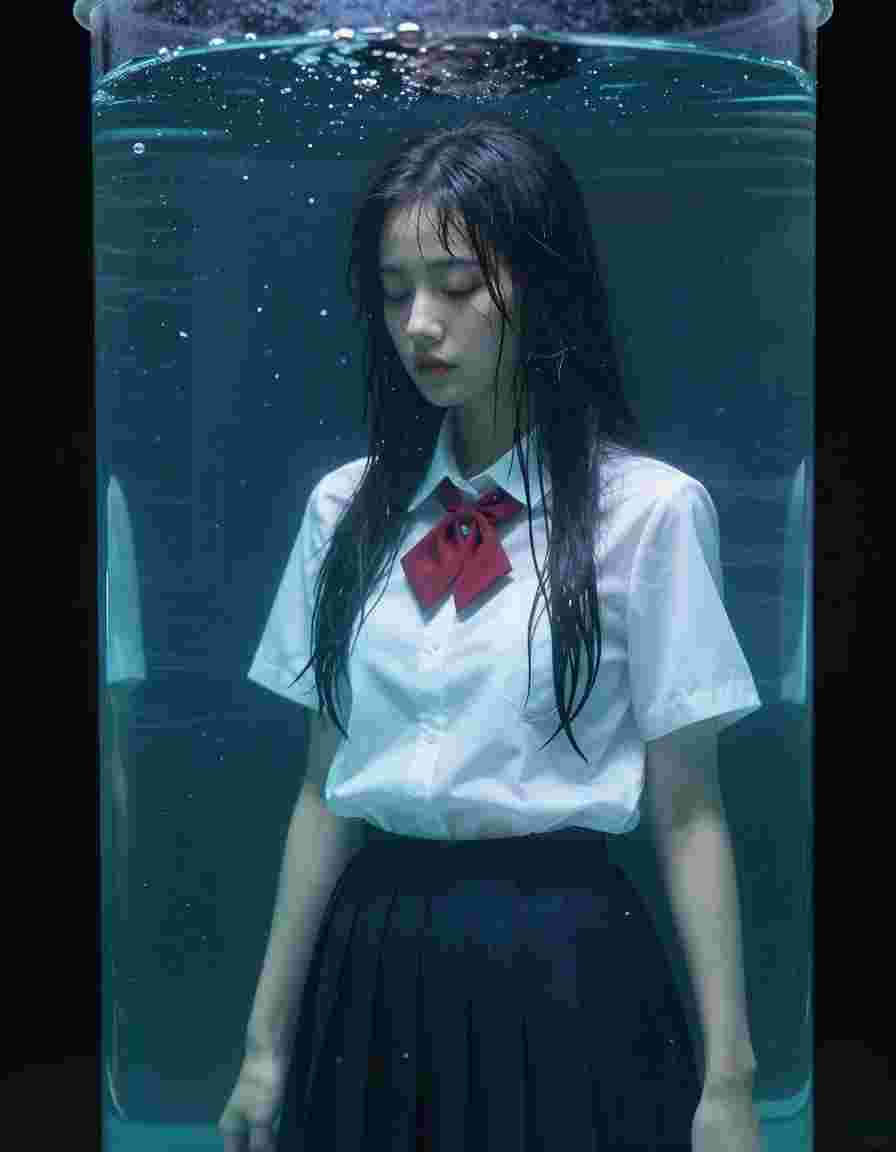
Zombie Decay is an AI-powered New effect rendered with Minimax Hailuo. Upload one photo, hit generate and get a cinematic video clip in seconds with no editing skills required.

Minimax Hailuo

New

Halloween

Try Zombie Decay

About Minimax Hailuo

by MiniMax · released 2024

Clip duration
6s
Released
2024
Strengths
Fast generation, expressive character motion, strong anime adherence
Best for
Anime, character animation, viral short clips

How to use this effect

Three steps to turn any photo into the Zombie Decay cinematic clip. No editing skills required.

  1. 1

    Upload your photo

    Pick a high-quality image up to 10MB. Portraits, landscapes and product shots all work great as input for Minimax Hailuo.

  2. 2

    Confirm the effect

    The Zombie Decay template arrives pre-configured with the prompt and parameters tuned by our team. You can tweak them or hit generate directly.

  3. 3

    Generate and download

    AI renders your cinematic clip in seconds. Download in HD or share directly to TikTok, Reels and Shorts.

More New effects

Effects from the same category, hand-picked because they pair well with what you just saw. Apply any of them with one click using a different photo.

Thunder God AI visual effect, first frame preview

Thunder God

Turning Metal AI visual effect, first frame previewTop choice

Turning Metal

Set on Fire AI visual effect, first frame preview

Set on Fire

Invisible AI visual effect, first frame preview

Invisible

Melting AI visual effect, first frame preview

Melting

Agent Reveal AI visual effect, first frame preview

Agent Reveal

Soul Jump AI visual effect, first frame preview

Soul Jump

Push To Glass AI visual effect, first frame preview

Push To Glass

YoYo Zoom AI visual effect, first frame preview

YoYo Zoom

Wind to Face AI visual effect, first frame preview

Wind to Face

General AI visual effect, first frame preview

General

Raven Transition AI visual effect, first frame preview

Raven Transition

More from Minimax Hailuo

Other AI visual effects rendered with Minimax Hailuo. Same engine, different motion, different vibe.

General AI visual effect, first frame preview

General

Bloody Eyes AI visual effect, first frame preview

Bloody Eyes

Vampire Transformation AI visual effect, first frame preview

Vampire Transformation

Devil Transformation AI visual effect, first frame preview

Devil Transformation

Horned Witch AI visual effect, first frame preview

Horned Witch

Screamer AI visual effect, first frame preview

Screamer

Graveyard Logo AI visual effect, first frame preview

Graveyard Logo

Ghostly Disintegration AI visual effect, first frame preview

Ghostly Disintegration

Trending right now

The most generated AI visual effects across the platform this week, sorted by community usage.

Earth Zoom Out AI visual effect, first frame previewTop choice

Earth Zoom Out

Arc Right AI visual effect, first frame previewTop choice

Arc Right

Building Explosion AI visual effect, first frame previewTop choice

Building Explosion

Disintegration AI visual effect, first frame previewTop choice

Disintegration

Eyes In AI visual effect, first frame previewTop choice

Eyes In

General AI visual effect, first frame previewTop choice

General

Static AI visual effect, first frame previewTop choice

Static

Turning Metal AI visual effect, first frame previewTop choice

Turning Metal

Frequently asked questions

How do I generate the Zombie Decay effect with my own photo?

Click Try this effect above. You will land in the Minimax Hailuo generator with the effect prompt pre-loaded. Upload your photo, hit generate and Picasso IA renders your cinematic video in 30 to 90 seconds.

Which AI model powers Zombie Decay?

Zombie Decay uses Minimax Hailuo, an image-to-video model selected by our team for its quality on this specific motion. You can browse other Minimax Hailuo effects from the badge above.

How much does it cost to generate Zombie Decay?

Cost is measured in credits and depends on resolution and duration. Most Minimax Hailuo effects run between 5 and 60 credits per generation. Pro and Infinity subscribers get unlimited generations on supported models.

Can I use Zombie Decay commercially?

Yes. Generations are yours to use in personal and commercial projects, including social ads, brand campaigns and client work. Check our terms for the full license.

What kind of input photo gives the best results?

High-resolution images with clear subjects and good lighting produce the strongest results. Portraits work best for character effects, landscapes for camera moves, and product shots for commercial templates.

Ready to recreate Zombie Decay with your own photo?

Open the Minimax Hailuo generator, upload a photo and apply the effect in one click. No credit card needed to start.


Try Zombie Decay