Overview
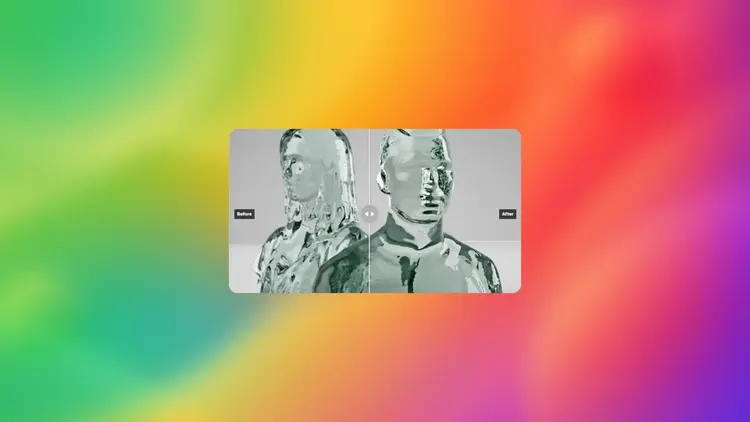
Increase Resolution takes any image and scales it up 2x or 4x using a dedicated upscaling method, not a generative one. That distinction matters: most AI image tools recreate your content from scratch during upscaling, which means details shift, textures change, and the output may look different from what you started with. This model skips all of that. It enlarges your file by analyzing the existing pixel data and filling in the gaps, so what you had before is still what you have, just bigger. Small product photos, compressed screenshots, scanned documents, and transparent logos all come back sharper and larger. On Picasso IA, you can run the whole process in the browser without writing a single line of code.
How It Works
- Upload your image directly or paste its URL into the input field on the left panel.
- Choose your resolution multiplier: 2x doubles each dimension, 4x quadruples it for a more significant size jump.
- Toggle alpha channel preservation on or off depending on whether your image has transparency you need to keep intact.
- Click generate and give the model a few seconds to process your file. Larger images or 4x scaling will take a moment longer.
- Download the finished image from the output panel. It is ready for print, web delivery, or further editing in any graphics tool.
Frequently Asked Questions
Do I need programming skills or technical knowledge to use this?
No, just open Increase Resolution on Picasso IA, adjust the settings you want, and hit generate. The whole interface is point-and-click with no setup required.
Is it free to try?
Yes, you can run Increase Resolution on Picasso IA and see the results before committing to any plan. Try it on a sample image first to judge the quality for your specific use case.
How long does it take to get results?
Most standard images come back in a few seconds. Files that are already large or that use the 4x multiplier may take a bit longer, but you will see a progress indicator while you wait.
What output formats are supported?
The model returns a high-resolution image file you can download directly from the results panel. It preserves the format and channel structure of your original, including transparency where applicable.
Can I upscale an image with a transparent background?
Yes. Alpha channel preservation is turned on by default, so logos, cutouts, and layered assets keep their transparent areas intact after upscaling. You can disable this option if you prefer a flat output.
What is the maximum output resolution?
The model supports output up to 8192x8192 pixels total area. If your source image combined with the chosen multiplier would exceed that ceiling, the model scales accordingly.
What if the result does not look right?
Try switching between the 2x and 4x multipliers. A 4x upscale on an already-large image can sometimes over-sharpen fine edges, in which case the 2x version usually gives a cleaner, more natural result.