• Picasso AI Logo
    Logo Picasso IA
  • Home
  • AI Image
    Nano Banana 2
  • AI Video
    Veo 3.1 Lite
  • AI Chat
    Gemini 3 Pro
  • Edit Images
  • Upscale Image
  • Remove Background
  • Text to Speech
  • Effects
    NEW
  • Generations
  • Billing
  • Support
  • Account
  1. Collection
  2. Text to Image
  3. Open Dalle V1.1

Create Detailed AI Images with Open Dalle v1.1

Open Dalle v1.1 is a text-to-image model that translates written prompts into detailed visual outputs with unusually high fidelity. Where most image generators require you to simplify complex descriptions, this model parses multi-part prompts and honors each element of them. It solves the common frustration of getting a result that only loosely resembles what you actually described. The model supports text-to-image generation, image-to-image workflows, and inpainting. In image-to-image mode, you supply a reference photo and describe what should change, and the model reshapes it according to your instructions. Inpainting lets you mask specific areas of an image and fill them with new content, leaving the rest of the composition intact. Output defaults to 1024 by 1024 pixels, and you can tune detail levels by adjusting inference steps and choosing from seven scheduling algorithms. Open Dalle v1.1 fits naturally into creative workflows that involve reference images, concept art, editorial illustration, or product photography. Feed it a draft image and a precise description of what you want instead, and get a refined result in a single pass. No technical setup is required.

Lucataco

130.3k runs

Open Dalle V1.1

2023-12-27

Commercial Use

Create Detailed AI Images with Open Dalle v1.1

Table of contents

  • Overview
  • How It Works
  • Frequently Asked Questions
  • Credit Cost
  • Features
  • Use Cases
  • Examples
Get Nano Banana Pro

Overview

Open Dalle v1.1 is a text-to-image model built for creators who write detailed, specific prompts and want the output to actually match them. It handles complex multi-element descriptions with a level of semantic accuracy that few open models reach, tracking and rendering each component of a prompt rather than approximating it. Available on Picasso IA, it supports three distinct workflows: generating images from a text prompt, modifying an existing photo using image-to-image mode, and filling in masked sections of an image with inpainting. Whether you're building concept art, refining product photography, or producing illustrations from scratch, this model is precise enough to work with rather than around.

How It Works

  • Write a prompt describing the scene, subject, style, colors, and mood. The more specific you are, the more accurately the output matches your intent.
  • Optionally upload a reference image if you want to start from an existing photo rather than generate from scratch. Set the prompt strength to control how much the model departs from the original.
  • Draw or upload a mask if you're using inpainting mode. White areas are replaced by the model; black areas are preserved exactly as they are.
  • Choose a scheduler and set the number of inference steps. Sixty to seventy steps produces the sharpest detail; thirty-five steps gives faster results with slightly less refinement.
  • Download your result and, if needed, adjust the guidance scale, seed, or prompt to iterate toward the output you want.

Frequently Asked Questions

Do I need programming skills or technical knowledge to use this? No, just open Open Dalle v1.1 on Picasso IA, adjust the settings you want, and hit generate.

Is it free to try? Yes, you can run Open Dalle v1.1 for free. Check the pricing page for details on generation limits and available plans.

How long does it take to get results? Most generations finish in under 30 seconds. Using 60 to 70 inference steps gives the sharpest results; dropping to 35 steps cuts generation time noticeably.

What output formats are supported? The model produces standard image files you can download immediately. The default resolution is 1024x1024 pixels, and you can adjust the width and height to suit your project.

Can I customize the output quality or style? Yes. The guidance scale controls how strictly the model follows your prompt versus interpreting it loosely. Swapping the scheduler changes the visual character of the output, and raising or lowering inference steps balances detail against speed.

What happens if I'm not happy with the result? Change one variable at a time: refine the prompt, try a different seed, or shift the guidance scale up or down. Small changes often produce noticeably different results, so iterating is usually faster than starting over.

Where can I use the outputs? You can use the images in personal projects, client work, or commercial applications.

Credit Cost

Each generation consumes 1 credit

1 credit

or 5 credits for 5 generations

Features

Everything this model can do for you

Prompt precision

Follows multi-part, complex descriptions closely and renders each specified element in the output.

Inpainting support

Mask specific areas of an uploaded image and fill them with new content without touching the surrounding areas.

Image-to-image mode

Feed an existing photo as a starting point and reshape it with a prompt and an adjustable strength setting.

Flexible schedulers

Choose from seven scheduling algorithms to control how detail and sharpness build across inference steps.

High-resolution output

Generates images at 1024x1024 pixels by default for crisp digital or print-ready results.

Negative prompts

Specify what to exclude from the output to steer results away from unwanted artifacts or visual styles.

Seed control

Reuse a specific seed value to reproduce or closely Picasso IA a previous result across separate runs.

Supports various aspect ratios and prompt strengths

Use Cases

Type a detailed multi-element prompt describing specific colors, textures, and object relationships, and receive an image that captures each part of it

Upload a reference photo and rewrite sections of it by describing what should replace the existing area using the inpainting mask

Generate character concept art from a written description of appearance, clothing, lighting, and mood without needing to sketch a draft first

Create product mockups by describing the item, background, and lighting style you want in plain language

Refine an existing image by running it through image-to-image mode with a modified prompt and adjusted prompt strength

Produce editorial illustrations for articles or blog posts by describing the scene, style, and atmosphere in a single text prompt

Iterate on a visual concept by adjusting one element of the prompt and comparing outputs to narrow in on the result you want

AI-assisted creative exploration

Examples

1024x1024
14.2s
Scheduler: KarrasDPM
Num Outputs: 1
Guidance Scale: 7.5
Apply Watermark: Yes
Prompt Strength: 0.8
Num Inference Steps: 60

((OpenDalle!)text logo:1), aesthetic

1024x1024
14.1s
Scheduler: KarrasDPM
Num Outputs: 1
Guidance Scale: 7.5
Apply Watermark: Yes
Prompt Strength: 0.8
Num Inference Steps: 60
bad quality, bad anatomy, worst quality, low quality, low resolutions, extra fingers, blur, blurry, ugly, wrongs proportions, watermark, image artifacts, lowres, ugly, jpeg artifacts, deformed, noisy image

in the style of artgerm, comic style,3D model, mythical seascape, negative space, space quixotic dreams, temporal hallucination, psychedelic, mystical, intricate details, very bright neon colors, (vantablack background:1.5), pointillism, pareidolia, melting, symbolism, very high contrast, chiaroscuro

1024x1024
14.5s
Scheduler: KarrasDPM
Num Outputs: 1
Guidance Scale: 7.5
Apply Watermark: Yes
Prompt Strength: 0.8
Num Inference Steps: 60
worst quality, low quality

cinematic film still of Kodak Motion Picture Film: (Sharp Detailed Image) An Oscar winning movie for Best Cinematography a woman in a kimono standing on a subway train in Japan Kodak Motion Picture Film Style, shallow depth of field, vignette, highly detailed, high budget, bokeh, cinemascope, moody, epic, gorgeous, film grain, grainy

1024x1024
14.2s
Scheduler: KarrasDPM
Num Outputs: 1
Guidance Scale: 7.5
Apply Watermark: Yes
Prompt Strength: 0.8
Num Inference Steps: 60
worst quality, low quality

Super Closeup Portrait, action shot, Profoundly dark whitish meadow, glass flowers, Stains, space grunge style, Jeanne d'Arc wearing White Olive green used styled Cotton frock, Wielding thin silver sword, Sci-fi vibe, dirty, noisy, Vintage monk style, very detailed, hd

1024x1024
14.3s
Scheduler: KarrasDPM
Num Outputs: 1
Guidance Scale: 7.5
Apply Watermark: Yes
Prompt Strength: 0.8
Num Inference Steps: 60
worst quality, low quality

John Berkey Style page,ral-oilspill, There is no road ahead,no land, Strangely,the river is still flowing,crossing the void into the mysterious unknown, The end of nothingness,a huge ripple,it is a kind of wave,and it is the law of time that lasts forever in that void, At the end of the infinite void,there is a colorful world,very hazy and mysterious,and it cannot be seen clearly,but it is real, And that's where the river goes

1024x1024
14.2s
Scheduler: KarrasDPM
Num Outputs: 1
Guidance Scale: 7.5
Apply Watermark: Yes
Prompt Strength: 0.8
Num Inference Steps: 60
worst quality, low quality

(impressionistic realism by csybgh), a 50 something male, working in banking, very short dyed dark curly balding hair, Afro-Asiatic ancestry, talks a lot but listens poorly, stuck in the past, wearing a suit, he has a certain charm, bronze skintone, sitting in a bar at night, he is smoking and feeling cool, drunk on plum wine, masterpiece, 8k, hyper detailed, smokey ambiance, perfect hands AND fingers

1024x1024
2m 7s
Scheduler: KarrasDPM
Num Outputs: 1
Guidance Scale: 7.5
Apply Watermark: Yes
Prompt Strength: 0.8
Num Inference Steps: 60
worst quality, low quality

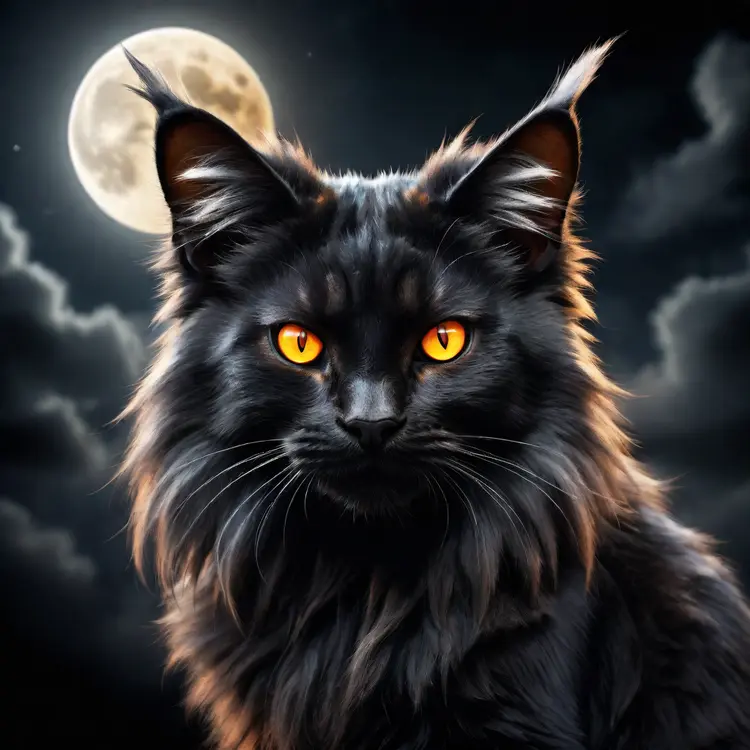
black fluffy gorgeous dangerous cat animal creature, large orange eyes, big fluffy ears, piercing gaze, full moon, dark ambiance, best quality, extremely detailed

Switch Category

Effects

Text To Image

Text To Image

Text To Video

Large Language Models

Large Language Models

Text To Speech

Text To Speech

Super Resolution

Super Resolution

Lipsync

AI Music Generation

AI Music Generation

Video Editing

Speech To Text

Speech To Text

AI Enhance Videos

Remove Backgrounds

Remove Backgrounds