• Picasso AI Logo
    Logo Picasso IA
  • Home
  • AI Image
    Nano Banana 2
  • AI Video
    Veo 3.1 Fast
  • AI Chat
    Gemini 3 Pro
  • Edit Images
  • Upscale Image
  • Remove Background
  • Text to Speech
  • Effects
    NEW
  • Generations
  • Billing
  • Support
  • Account
  1. Collection
  2. Text to Image
  3. Qwen Image Edit Plus Lora Photo To Anime

Qwen Image Edit Plus LoRA Photo To Anime

If you've ever wanted to see a photo rendered as an anime character, Qwen Image Edit Plus LoRA Photo To Anime does exactly that. Upload any photo, and the model converts it into a cel-shaded anime-style frame with clean line art and vibrant colors. No drawing skills, no software, and no technical setup required. The model works with portraits, group photos, and general scenes, producing consistent stylized results each time. You can steer the output toward a specific anime look by adding style cues to the prompt, such as manga line work or energetic lighting. A fast 8-step preset handles quick previews, while the 40-step detailed mode produces sharper, more refined frames ready for use. This fits naturally into projects where you need stylized character art, themed social content, or illustrated references without hours of manual work. Drop in a photo, pick your settings, and download a clean file in your preferred format. The output arrives ready to post, print, or drop into a design without additional editing.

Official

Qwen Edit Apps

3k runs

Qwen Image Edit Plus Lora Photo To Anime

2025-11-14

Commercial Use

Qwen Image Edit Plus LoRA Photo To Anime

Table of contents

  • Overview
  • How It Works
  • Frequently Asked Questions
  • Credit Cost
  • Features
  • Use Cases
  • Examples
Get Nano Banana Pro

Overview

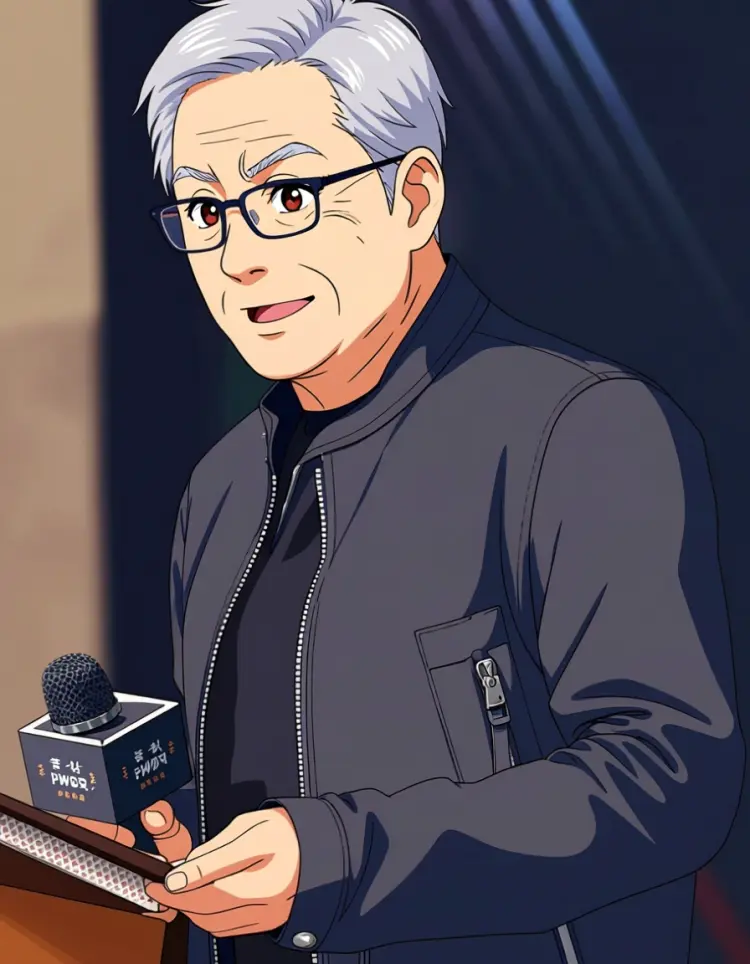
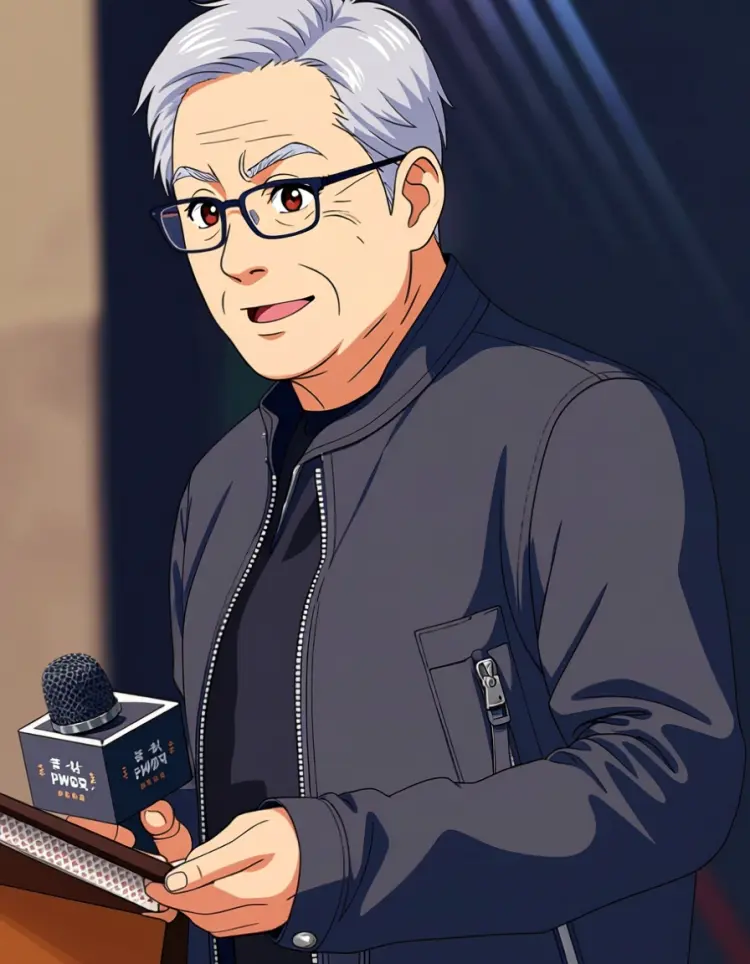
Qwen Image Edit Plus LoRA Photo To Anime takes any photo and converts it into a cel-shaded anime frame with crisp line art and vibrant, stylized colors. If you've ever wanted to see a portrait, a landscape, or a group photo rendered in the visual language of classic animation, this model does it in a single pass. Available on Picasso IA, it applies a dedicated anime LoRA adapter on top of the base image editing model, so the style transfer is consistent and purposeful rather than a generic filter effect. Upload a still photo, type a brief style description, and get back a polished anime-style image that holds the original composition intact.

How It Works

  • Upload your photo in JPEG, PNG, GIF, or WebP format using the image input field.
  • Write a short style prompt, such as "anime style, clean line art, vibrant cel-shaded colors," and optionally add cues like "manga line work" or "energetic lighting."
  • Choose an aspect ratio: match the original photo's proportions, or pick a preset like 1:1, 16:9, or 9:16.
  • Select your speed mode: the fast preset (8 denoising steps) delivers quick results, while the detailed preset (40 steps) produces sharper lines and more consistent cel shading.
  • Download your finished image in WebP, JPG, or PNG, with output quality configurable up to 95 out of 100.

Frequently Asked Questions

Do I need programming skills or technical knowledge to use this? No, just open Qwen Image Edit Plus LoRA Photo To Anime on Picasso IA, adjust the settings you want, and hit generate.

Is it free to try? Yes, you can run the model on Picasso IA without a paid subscription to test it out. Credit usage depends on your current plan, so check your account for the specifics.

How long does it take to get results? The fast preset typically returns a result within a few seconds. The detailed preset takes a bit longer but produces tighter line work and more defined cel shading across the image.

Can I control how strongly the anime style is applied? Yes. The LoRA scale slider lets you set how much of the anime aesthetic the model applies, from a subtle stylistic tint all the way to a full cel-shaded conversion. Lower values keep more of the original photo's texture and detail.

What output formats are supported? You can download results in WebP, JPG, or PNG. WebP and JPG let you set quality from 0 to 100, with 95 as the default. PNG outputs are always lossless and don't use the quality setting.

What if I'm not satisfied with the result? Adjust the style prompt to add or drop specific cues, change the LoRA scale, or switch from the fast preset to the detailed one. Fixing a seed value also lets you reproduce a specific result and iterate from that starting point.

Where can I use the outputs? The styled images work for social media posts, fan art, digital content, and personal creative projects. Make sure the source photo you upload doesn't carry rights that restrict its use in derivative works.

Credit Cost

Each generation consumes 1 credit

1 credit

or 5 credits for 5 generations

Features

Everything this model can do for you

Anime-specific LoRA

Applies a purpose-built adapter trained on cel-shaded anime art styles for accurate photo conversion.

Dual speed presets

Choose the 8-step fast mode for quick previews or the 40-step detailed mode for sharper, refined output.

Flexible aspect ratios

Match original image proportions or switch to 1:1, 16:9, 9:16, 4:3, or 3:4 for your layout.

Three output formats

Download results in WebP, JPG, or PNG with quality settings up to 95 for clean, crisp files.

Prompt-guided style

Steer the anime look with text cues like cel shading, energetic lighting, or manga line work.

Reproducible results

Set a seed value to get the same output again whenever you need to iterate on a consistent base.

No watermarks

Every downloaded file is clean and ready for direct use in posts, prints, or design projects.

Use Cases

Convert a portrait photo into a cel-shaded anime character for use as a social media avatar or profile picture

Turn a group photo into a matching set of anime-style illustrations for a fan art or themed project

Generate anime-style character reference images from real photos for use in comic or game development

Convert a pet photo into a vibrant anime illustration with clean line art and cel-shaded colors

Produce themed gift or birthday card artwork by converting a personal photo into an anime-style frame

Test different anime visual styles on the same photo by adjusting prompt cues like 'manga line work' or 'vibrant cel shading'

Create styled promotional images for anime-themed events by converting product or venue photos

Examples

transform into anime, clean line art, vibrant cel-shaded colors
Input
Input 1
Output
transform into anime, clean line art, vibrant cel-shaded colors
12.5s
View Example

Switch Category

Effects

Text To Image

Text To Image

Text To Video

Large Language Models

Large Language Models

Text To Speech

Text To Speech

Super Resolution

Super Resolution

Lipsync

AI Music Generation

AI Music Generation

Video Editing

Speech To Text

Speech To Text

AI Enhance Videos

Remove Backgrounds

Remove Backgrounds