• Picasso AI Logo
    Logo Picasso IA
  • Home
  • AI Image
    Nano Banana 2
  • AI Video
    Veo 3.1 Fast
  • AI Chat
    Gemini 3 Pro
  • Edit Images
  • Upscale Image
  • Remove Background
  • Text to Speech
  • Effects
    NEW
  • Generations
  • Billing
  • Support
  • Account
  1. Collection
  2. Text to Image
  3. Qwen Image Edit Plus Lora Skin

Qwen Image Edit Plus LoRA Skin: AI Skin Retouching

Portrait retouching software often goes too far, leaving subjects with that telltale airbrushed look that nobody asked for. Qwen Image Edit Plus LoRA Skin targets the opposite problem: it brings out natural skin detail, making pores visible and tonal variation realistic, so the person in the photo looks like a real human being and not a CGI rendering. The model runs on a specialized LoRA adapter trained specifically on skin textures, which means its edits stay focused without bleeding into background or clothing. You can choose between a fast 8-step Lightning preset for quick previews or a slower 40-step run when you need the sharpest possible detail. Outputs come in WebP, JPEG, or PNG at up to 95% quality, and a seed option lets you recreate the exact same result if you need to batch-process consistent edits. Photographers who shoot in studio or natural light often spend hours in post-processing trying to undo over-smoothing from phone cameras or beauty filters. This model slots into that workflow as a targeted correction step: upload the retouched or raw photo, write a short prompt describing the mood you want, and get back a version where the skin looks intentionally real. It is a good fit for headshots, editorial portraits, and product photos that feature people.

Official

Qwen Edit Apps

13.9k runs

Qwen Image Edit Plus Lora Skin

2025-11-14

Commercial Use

Qwen Image Edit Plus LoRA Skin: AI Skin Retouching

Table of contents

  • Overview
  • How It Works
  • Frequently Asked Questions
  • Credit Cost
  • Features
  • Use Cases
  • Examples
Get Nano Banana Pro

Overview

Qwen Image Edit Plus LoRA Skin is a portrait retouching model that improves skin texture in photos without flattening it. Instead of the airbrushed, plastic look that most beauty filters produce, it preserves pores, tonal variation, and natural micro-detail while evening out the overall complexion. On Picasso IA, you upload a portrait, write a short prompt describing the retouch mood you want, and get back an edited image that looks like it was touched up by a professional retoucher rather than a generic filter. Whether you are preparing headshots for clients or cleaning up a product photo with a human subject, this model gives you a result that holds up at full resolution.

How It Works

  • Upload a portrait or photo with a visible subject (JPEG, PNG, GIF, or WebP are all accepted)
  • Write a prompt that describes the skin retouch direction, such as "retain pores, add flattering studio light" or "keep natural skin texture, reduce redness slightly"
  • Choose between the 8-step fast preset or the 40-step detailed preset depending on how much refinement you want
  • Adjust the LoRA scale to control how strongly the skin-retouching adapter is applied to the result
  • Select your output format (WebP, JPG, or PNG) and quality level, then generate and download

Frequently Asked Questions

Do I need programming skills or technical knowledge to use this? No, just open Qwen Image Edit Plus LoRA Skin on Picasso IA, adjust the settings you want, and hit generate.

Is it free to try? Yes, you can run the model without any prior setup or coding required. Credits may apply for higher-resolution or high-step-count runs, depending on your plan.

How long does it take to get results? The 8-step fast preset typically finishes in a few seconds. The 40-step detailed preset takes longer but produces finer texture rendering, especially on high-resolution portraits where pore and tonal detail matters most.

What output formats are supported? You can download your retouched image as WebP, JPG, or PNG. WebP is the default and offers a good balance of file size and quality. PNG is lossless and best when you need clean assets for compositing or print.

Can I customize the output quality or style? Yes. The prompt field lets you specify the retouch mood in plain language. You can also dial in the LoRA scale to increase or reduce the intensity of the skin-detail effect, and set the inference step count manually if the presets do not give you the control you need.

How many times can I run the model? You can run it as many times as you need. If a result is not quite right, adjust the prompt or tweak the LoRA scale and regenerate. Using the same seed across runs lets you compare changes side by side.

Where can I use the outputs? The retouched images work for client headshots, social media profiles, editorial photography, and any project on Picasso IA where natural-looking skin texture matters more than a filtered finish.

Credit Cost

Each generation consumes 1 credit

1 credit

or 5 credits for 5 generations

Features

Everything this model can do for you

LoRA skin adapter

Applies a purpose-trained skin texture adapter that targets pores and tonal variation without touching background or clothing.

Fast and detailed presets

Switch between an 8-step Lightning run for quick previews and a 40-step mode when output sharpness matters most.

Seed-based reproducibility

Reuse a seed number to get the exact same retouch result across multiple photos in the same batch.

Format flexibility

Export retouched images in WebP, JPEG, or PNG, with quality settings up to 100 for near-lossless output.

Aspect ratio control

Match the original image dimensions automatically or choose from standard ratios like 1:1, 16:9, or 9:16.

Adjustable LoRA strength

Set the adapter scale to increase or reduce retouch intensity based on how much correction the photo needs.

No watermarks

Download finished portraits clean and ready for client delivery or direct publication.

Use Cases

Restore natural pore detail to a portrait that was over-smoothed by a phone camera's beauty mode

Add realistic tonal variation to a studio headshot where flat lighting erased skin texture

Fix the plastic-skin effect on a selfie by running it through a natural-retouch prompt

Batch-process a set of editorial portraits to a consistent skin texture by reusing the same seed

Retouch product photos featuring human models to meet platform authenticity requirements

Convert an over-filtered social media photo back to a natural-looking portrait for professional use

Control how much texture is added to a retouch by adjusting the LoRA scale before running the model

Examples

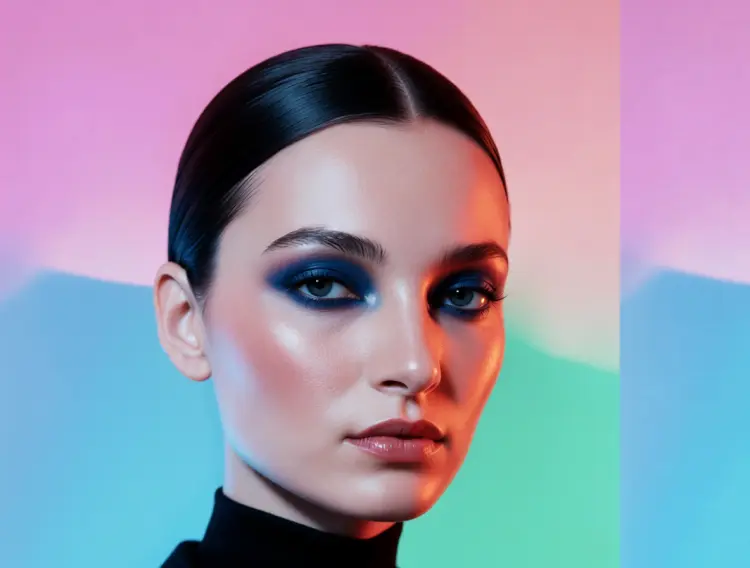
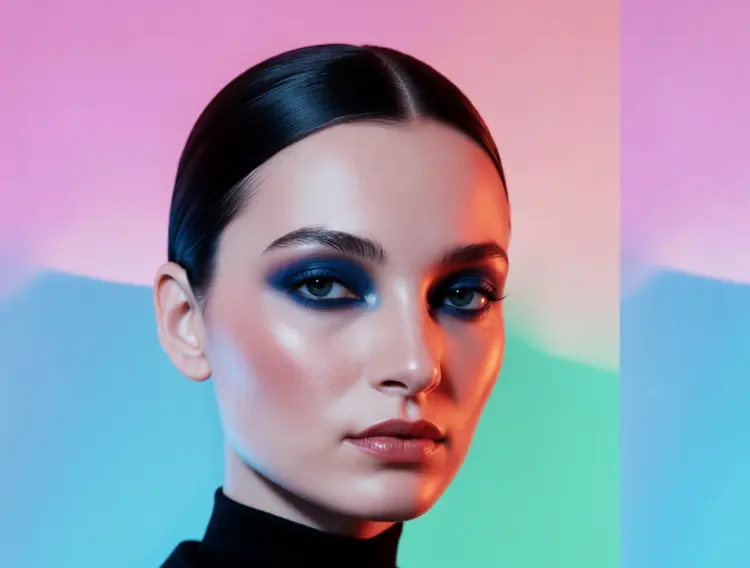
make the subject's skin details more prominent and natural, keep pores and tonal variation
Input
Input 1
Output
make the subject's skin details more prominent and natural, keep pores and tonal variation
9.6s
View Example
make the subject's skin details more prominent and natural, keep pores and tonal variation
Input
Input 1
Output
make the subject's skin details more prominent and natural, keep pores and tonal variation
9.6s
View Example

Switch Category

Effects

Text To Image

Text To Image

Text To Video

Large Language Models

Large Language Models

Text To Speech

Text To Speech

Super Resolution

Super Resolution

Lipsync

AI Music Generation

AI Music Generation

Video Editing

Speech To Text

Speech To Text

AI Enhance Videos

Remove Backgrounds

Remove Backgrounds