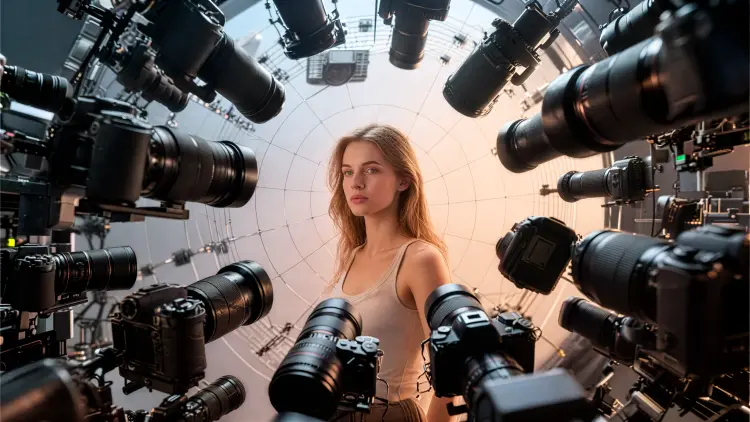
Qwen Edit Multiangle lets you change the camera perspective of an existing photo using text instructions. Instead of reshooting a scene from a different angle, you describe the viewpoint you want and the model reconstructs the image as if the camera had moved. This makes it practical for product photography, portrait work, and architecture shots where reshooting is not an option. The camera controls include vertical tilt for bird's-eye or worm's-eye angles, a rotation dial for left and right spins, a forward-push parameter for tighter close-ups, and a wide-angle toggle to broaden the field of view. Each control works independently, so you can layer a rotation with a zoom in a single pass. The model carries over the subject, lighting, and color from your original image while recalculating the geometry for the new angle. Photographers and product teams use it to generate multiple-angle variants from a single studio shot, cutting reshoots from hours to seconds. Drop in your image, type the perspective you want, and the new frame is ready in a few seconds. If the first result is off, adjust one parameter and run again.
Qwen Edit Multiangle takes a photo you already have and re-renders it from a different camera angle. Instead of reshooting a product, a portrait, or a scene, you describe the new viewpoint and the model repositions the virtual camera for you. On Picasso IA, this means you can go from a level front-facing shot to a bird's-eye view, a close-up, or a wide-angle frame without 3D software or a second photography session. The model runs on a fast image-editing pipeline with a multi-angle LoRA that keeps your subject consistent across different viewpoints.
Do I need programming skills or technical knowledge to use this? No, just open Qwen Edit Multiangle on Picasso IA, adjust the settings you want, and hit generate.
Is it free to try? Yes, you can run Qwen Edit Multiangle without a paid plan to start. Check your account dashboard for the generation limits that apply to your tier.
How long does it take to get results? With the fast preset at 4 denoising steps, results typically arrive in a few seconds. Switching to the 40-step detailed preset takes longer but produces sharper, more refined edits.
What output formats are supported? The model exports WebP, JPG, and PNG files. WebP and JPG outputs support a quality setting from 0 to 100; PNG files are lossless by default.
Can I customize the camera angle precisely? Yes. You control vertical tilt (bird's-eye, level, or worm's-eye), rotation in degrees, forward zoom depth, and a wide-angle lens toggle. Each parameter is independent, so you can combine them for specific framing results.
How many times can I run the model? You can iterate as many times as your account tier allows. If one camera angle does not look right, adjust a single parameter and regenerate without starting over.
Where can I use the outputs? The images are yours to use in product listings, social media posts, presentations, or any project that needs multi-angle photography without a studio shoot.
Everything this model can do for you
Tilt, rotate, and zoom the virtual camera independently on any uploaded photo.
Switch between a 4-step quick preset and a 40-step high-detail preset to match your deadline.
Convert a standard framing to a wide-angle perspective with a single toggle.
Output in 1:1, 16:9, 9:16, 4:3, or match the original image dimensions exactly.
Add a description to direct style, lighting, or content edits alongside the camera movement.
Set a seed to get the same output every time you run the same parameters.
Save results as WebP, JPG, or PNG at up to 100% quality.