

PicassoIA Image uses the model ID picassoia/picassoia-image. Text to image with 1 or 2 images per request and 7 aspect ratios.
Calling the API
Send requests to https://api.picassoia.com/v1/models/picassoia/picassoia-image/predictions with a JSON body whose input matches the parameters below.
Setup
Keep your API key on your server, in an environment variable, and send it in the Authorization header of every request.
export PICASSOIA_API_KEY="pia_sk_…"Request Parameters
promptstringRequired- DefaultNone
- What the output should show. Up to 4000 characters.
aspect_ratiostring- Default
"1:1" - The shape of the output. Where match_input_image is an option, it keeps the proportions of the input image, or of the first one when there are several. Options: 1:1, 16:9, 9:16, 4:3, 3:4, 3:2 and 2:3.
num_outputsinteger- Default
1 - How many results to make. From 1 to 2.
output_formatstring- Default
"jpg" - The file format of the result. Options: webp, jpg and png.
output_qualityinteger- Default
80 - Compression quality, for JPG and WebP. From 0 to 100.
seedinteger- DefaultNone
- Set it to reproduce a result; leave it out for a random one.
Modes
The mode depends on which files, if any, you send with the prompt. Every mode uses the same endpoint.
Example Request
Text to Image
curl -s -X POST https://api.picassoia.com/v1/models/picassoia/picassoia-image/predictions \
-H "Authorization: Bearer $PICASSOIA_API_KEY" \
-H "Content-Type: application/json" \
-d '{"input":{"prompt":"a lighthouse at sunset, oil painting"}}'const API = 'https://api.picassoia.com/v1'
const headers = {
Authorization: `Bearer ${process.env.PICASSOIA_API_KEY}`,
'Content-Type': 'application/json',
}
const sleep = (s) => new Promise((resolve) => setTimeout(resolve, s * 1000))
const input = {
prompt: "a lighthouse at sunset, oil painting"
}
const created = await fetch(`${API}/models/picassoia/picassoia-image/predictions`, {
method: 'POST',
headers,
body: JSON.stringify({ input }),
})
let prediction = await created.json()
if (!created.ok) throw new Error(`${prediction.code}: ${prediction.detail}`)
while (!['succeeded', 'failed', 'canceled'].includes(prediction.status)) {
await sleep(prediction.eta?.next_poll_in_seconds ?? 2)
prediction = await (await fetch(prediction.urls.get, { headers })).json()
}
if (prediction.status !== 'succeeded') throw new Error(prediction.error ?? prediction.status)
console.log(prediction.output)import os, time, requests
API = "https://api.picassoia.com/v1"
HEADERS = {"Authorization": f"Bearer {os.environ['PICASSOIA_API_KEY']}"}
payload = {"input": {
"prompt": "a lighthouse at sunset, oil painting",
}}
response = requests.post(f"{API}/models/picassoia/picassoia-image/predictions", json=payload, headers=HEADERS)
prediction = response.json()
if not response.ok:
raise RuntimeError(f"{prediction['code']}: {prediction['detail']}")
while prediction["status"] not in ("succeeded", "failed", "canceled"):
time.sleep((prediction.get("eta") or {}).get("next_poll_in_seconds", 2))
prediction = requests.get(prediction["urls"]["get"], headers=HEADERS).json()
if prediction["status"] != "succeeded":
raise RuntimeError(prediction["error"] or prediction["status"])
print(prediction["output"])Authentication
Every request needs an API key in the Authorization header, as a Bearer token. Create keys in your account; the full key is shown once.
Authorization: Bearer $PICASSOIA_API_KEYQueue and Polling
Every prediction takes three steps: create it, poll it until it finishes, then read the result.
Submit
The API answers 201, usually within seconds, with the prediction in the starting state, an estimate in eta and the URL to poll in urls.get. If the prediction fails right away, for example when the safety filter refuses the input, the answer is still 201, with the prediction in the failed state and its error.
curl -s -X POST https://api.picassoia.com/v1/models/picassoia/picassoia-image/predictions \
-H "Authorization: Bearer $PICASSOIA_API_KEY" \
-H "Content-Type: application/json" \
-d '{"input":{"prompt":"a lighthouse at sunset, oil painting"}}'const API = 'https://api.picassoia.com/v1'
const headers = {
Authorization: `Bearer ${process.env.PICASSOIA_API_KEY}`,
'Content-Type': 'application/json',
}
const input = {
prompt: "a lighthouse at sunset, oil painting"
}
const created = await fetch(`${API}/models/picassoia/picassoia-image/predictions`, {
method: 'POST',
headers,
body: JSON.stringify({ input }),
})
let prediction = await created.json()
if (!created.ok) throw new Error(`${prediction.code}: ${prediction.detail}`)
console.log(prediction.id, prediction.status) // api_…, startingimport os, requests
API = "https://api.picassoia.com/v1"
HEADERS = {"Authorization": f"Bearer {os.environ['PICASSOIA_API_KEY']}"}
payload = {"input": {
"prompt": "a lighthouse at sunset, oil painting",
}}
response = requests.post(f"{API}/models/picassoia/picassoia-image/predictions", json=payload, headers=HEADERS)
prediction = response.json()
if not response.ok:
raise RuntimeError(f"{prediction['code']}: {prediction['detail']}")
print(prediction["id"], prediction["status"]) # api_…, starting{
"id": "api_3f9c2b7e8d1a4c6f9e0b1a2c3d4e5f60",
"model": "picassoia/picassoia-image",
"input": {
"prompt": "a lighthouse at sunset, oil painting",
"aspect_ratio": "1:1",
"num_outputs": 1,
"output_format": "jpg",
"output_quality": 80
},
"output": null,
"error": null,
"status": "starting",
"created_at": "2026-10-01T09:30:00.000Z",
"started_at": null,
"completed_at": null,
"metrics": {
"predict_time": null
},
"urls": {
"get": "https://api.picassoia.com/v1/predictions/api_3f9c2b7e8d1a4c6f9e0b1a2c3d4e5f60",
"cancel": "https://api.picassoia.com/v1/predictions/api_3f9c2b7e8d1a4c6f9e0b1a2c3d4e5f60/cancel"
},
"eta": {
"seconds": 12,
"next_poll_in_seconds": 6
}
}Poll
Poll urls.get again after eta.next_poll_in_seconds: at half the estimate, when the estimate is reached, then every 2 seconds.
# Repeat after eta.next_poll_in_seconds until status is
# succeeded, failed or canceled.
curl -s https://api.picassoia.com/v1/predictions/api_3f9c2b7e8d1a4c6f9e0b1a2c3d4e5f60 \
-H "Authorization: Bearer $PICASSOIA_API_KEY"const sleep = (s) => new Promise((resolve) => setTimeout(resolve, s * 1000))
while (!['succeeded', 'failed', 'canceled'].includes(prediction.status)) {
await sleep(prediction.eta?.next_poll_in_seconds ?? 2)
prediction = await (await fetch(prediction.urls.get, { headers })).json()
}import time
while prediction["status"] not in ("succeeded", "failed", "canceled"):
time.sleep((prediction.get("eta") or {}).get("next_poll_in_seconds", 2))
prediction = requests.get(prediction["urls"]["get"], headers=HEADERS).json(){
"id": "api_3f9c2b7e8d1a4c6f9e0b1a2c3d4e5f60",
"status": "processing",
"output": null,
"eta": {
"seconds": 6,
"next_poll_in_seconds": 6
}
}Result
When status is succeeded, output holds the result. A failed prediction carries its reason in error, and a canceled one was stopped before it finished. All three statuses are final.
# The last poll holds the result: "output" when "status" is succeeded,
# "error" when it is failed. With jq, just those three fields:
curl -s https://api.picassoia.com/v1/predictions/api_3f9c2b7e8d1a4c6f9e0b1a2c3d4e5f60 \
-H "Authorization: Bearer $PICASSOIA_API_KEY" | jq '.status, .output, .error'if (prediction.status !== 'succeeded') throw new Error(prediction.error ?? prediction.status)
console.log(prediction.output)if prediction["status"] != "succeeded":
raise RuntimeError(prediction["error"] or prediction["status"])
print(prediction["output"]){
"id": "api_3f9c2b7e8d1a4c6f9e0b1a2c3d4e5f60",
"status": "succeeded",
"output": [
"https://…/output-1.jpg"
],
"error": null,
"completed_at": "2026-10-01T09:30:08.000Z",
"metrics": {
"predict_time": 6.4
},
"eta": null
}Cancel
POST urls.cancel stops a prediction that is still queued (any model) or an image that is still generating; a video already generating answers 409 not_cancelable.
The IDs, times and URLs in these responses are examples: yours will have their own.
Output
When the prediction succeeds, output is a list of 1 or 2 image URLs.
Real Outputs




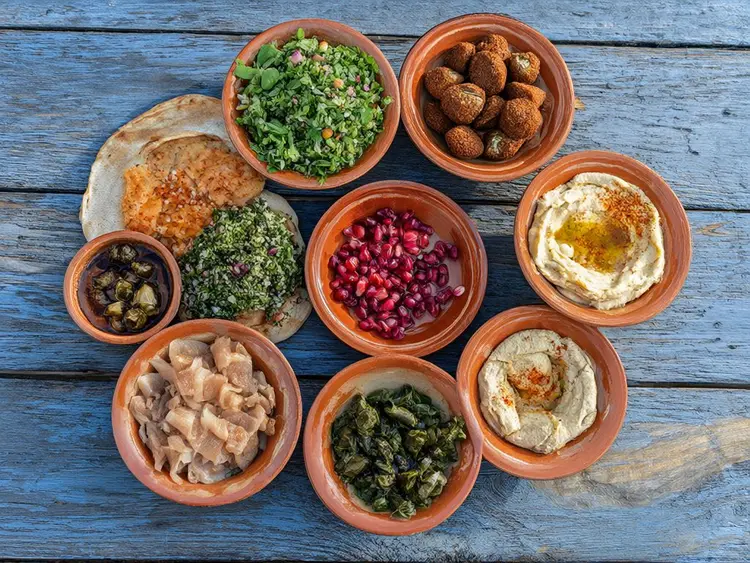

Errors and Limits
Errors are JSON problem details with a stable code, and a 422 names every field at fault.
Limits
- 5 predictions queued or running at once per account
- Request body up to 10 MB; images as data URLs up to 5 MB each
- Prompt up to 4000 characters
- Unknown fields are refused with 422 invalid_input
Pricing
$0 per request with an active Infinite plan: API predictions use no credits, whatever the settings.
Other providers charge $0.02/MP for a comparable model (as of October 1, 2026).
API PricingJSON Schema
The same schema the API serves at GET /v1/models/picassoia/picassoia-image.
{
"input_schema": {
"$schema": "https://json-schema.org/draft/2020-12/schema",
"type": "object",
"properties": {
"prompt": {
"type": "string",
"minLength": 1,
"maxLength": 4000,
"description": "What the image should show."
},
"aspect_ratio": {
"default": "1:1",
"description": "Aspect ratio of the images.",
"type": "string",
"enum": [
"1:1",
"16:9",
"9:16",
"4:3",
"3:4",
"3:2",
"2:3"
]
},
"num_outputs": {
"default": 1,
"description": "How many images to create: 1 or 2.",
"type": "integer",
"minimum": 1,
"maximum": 2
},
"output_format": {
"default": "jpg",
"description": "File format of the images.",
"type": "string",
"enum": [
"webp",
"jpg",
"png"
]
},
"output_quality": {
"default": 80,
"description": "Quality of JPG and WebP images, from 0 to 100.",
"type": "integer",
"minimum": 0,
"maximum": 100
},
"seed": {
"description": "Random seed. Set it to reproduce a result.",
"type": "integer",
"minimum": -9007199254740991,
"maximum": 9007199254740991
}
},
"required": [
"prompt"
],
"additionalProperties": false
},
"output_schema": {
"$schema": "https://json-schema.org/draft/2020-12/schema",
"type": "array",
"items": {
"type": "string",
"format": "uri"
},
"minItems": 1,
"maxItems": 2,
"description": "URLs of the generated images, in the requested output_format."
}
}