• Picasso AI Logo
    Logo Picasso IA
  • Home
  • AI Image
    Nano Banana 2
  • AI Video
    Veo 3.1 Fast
  • AI Chat
    Gemini 3 Pro
  • Edit Images
  • Upscale Image
  • Remove Background
  • Text to Speech
  • Effects
    NEW
  • Generations
  • Billing
  • Support
  • Account
  1. Collection
  2. Text to Image
  3. Gen4 Image

Turn References into Any Scene with Gen4 Image

Gen4 Image solves a specific frustration: standard text-to-image generation gives you something close to what you want, but rarely exact. If you need a particular face, product, outfit, or object to appear in the output, uploading up to three reference photos changes the equation. The model reads those references alongside your text prompt and builds an image that reflects both. The reference tagging system is the core mechanic. You assign a short alphanumeric tag to each uploaded photo, then call those tags by name directly in your prompt using @tag notation. This lets you mix references naturally, like placing a person from one photo into a scene described in another. Outputs arrive at 1080p by default across six aspect ratios, from portrait 9:16 to cinema-wide 21:9. Product teams use it to shoot virtual catalog images without a studio. Brand designers use it to produce consistent visuals across a whole campaign. Concept artists use it to quickly block out scenes with real reference material. Whatever the project, the workflow is the same: upload your references, write a clear prompt, and get a clean 1080p image ready to use.

Official

Runwayml

1.02m runs

Gen4 Image

2025-06-27

Commercial Use

Turn References into Any Scene with Gen4 Image

Table of contents

  • Overview
  • How It Works
  • Frequently Asked Questions
  • Credit Cost
  • Features
  • Use Cases
  • Examples
Get Nano Banana Pro

Overview

Gen4 Image is a text-to-image model that accepts up to 3 reference photos alongside your text prompt, giving you precise control over what ends up in the final frame. Most AI image tools let you describe what you want and hope for the best. Gen4 Image lets you show it. On Picasso IA, you upload your references, tag each one, and call them by name directly inside your prompt, so the output matches your actual intent rather than an interpretation of it. Whether you are recreating a product from multiple angles or building a scene around a specific face or object, the guesswork disappears.

How It Works

  • Upload between 1 and 3 reference images representing the subject, style, object, or person you want in the output.
  • Assign a short alphanumeric tag to each reference (for example, @jacket or @model) so you can address them individually in your prompt.
  • Write your text prompt and drop the tags into the sentences where they apply, telling the model exactly how each reference should appear in the scene.
  • Choose your resolution (720p or 1080p) and pick an aspect ratio from 16:9 to 21:9 to match the format your project requires.
  • Hit generate and receive a finished image that fuses your references with the scene you described.

Frequently Asked Questions

Do I need programming skills or technical knowledge to use this? No, just open Gen4 Image on Picasso IA, adjust the settings you want, and hit generate.

Is it free to try? Yes, you can run the model directly in your browser without installing anything or writing a single line of code.

How long does it take to get results? Most generations finish in a few seconds. Resolution and scene complexity can affect the time slightly, but you will not be waiting long.

Can I use reference images of real people or products? Yes. The reference system is built for exactly that: anchor the output to a specific face, product, outfit, or object by uploading a photo and tagging it in your prompt.

What aspect ratios can I generate in? The model supports 16:9, 9:16, 4:3, 3:4, 1:1, and 21:9, covering everything from social media posts to cinematic widescreen frames.

What if only some of my references are showing up correctly? Check that each tag appears explicitly in the prompt text and that the reference image is clearly focused on one subject. Cropping tightly around the object or person before uploading usually improves accuracy.

Where can I use the images I generate? The output is a standard image file you can download immediately and drop into any project, presentation, or publishing workflow without restriction.

Credit Cost

Each generation consumes 1 credit

1 credit

or 5 credits for 5 generations

Features

Everything this model can do for you

Reference image control

Use up to 3 photos to anchor the output to a specific person, object, or visual style.

Prompt tagging system

Label each reference with a short tag and call it by name directly inside your text prompt.

1080p default output

Images generate at full 1080p resolution, sharp enough for print, web, or client delivery.

Six aspect ratios

Choose from 16:9, 9:16, 4:3, 3:4, 1:1, or 21:9 to fit any platform or layout.

Reproducible results

Set a seed value to recreate the same output exactly across multiple runs.

No coding required

Enter a prompt, upload references, and hit generate directly in the browser.

Use Cases

Generate product mockups by uploading a photo of the item and describing the background or setting you want around it

Reproduce a specific person's likeness across multiple scenes by tagging their reference photo and calling it in each new prompt

Create fashion or outfit mockups by referencing a clothing item photo and placing it in a styled editorial scene

Produce consistent brand visuals by anchoring each generation to a reference photo of your product, color palette, or style

Build concept art by referencing a mood board or texture photo alongside a written scene description

Produce social media posts in 9:16 or 1:1 format by using the same reference images with a different aspect ratio setting

Combine two references in a single prompt, such as placing a specific subject from one photo into a location from another

Examples

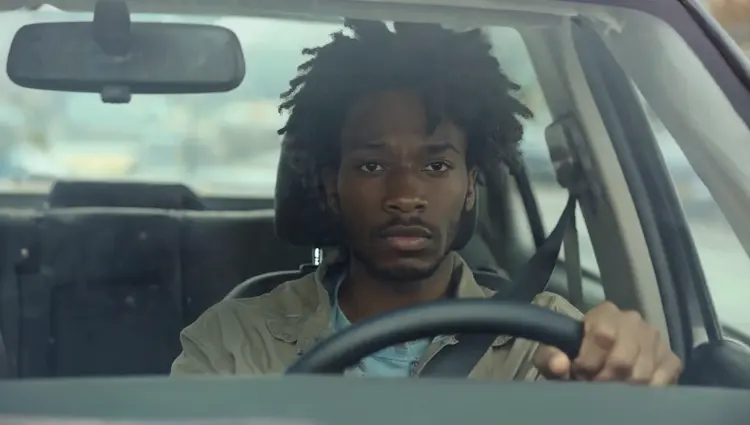
show me the man from @img_1 framed through the windshield of a car like the reference @img_2
Input
Input 1
Input 2
Output
show me the man from @img_1 framed through the windshield of a car like the reference @img_2
40.5s
View Example
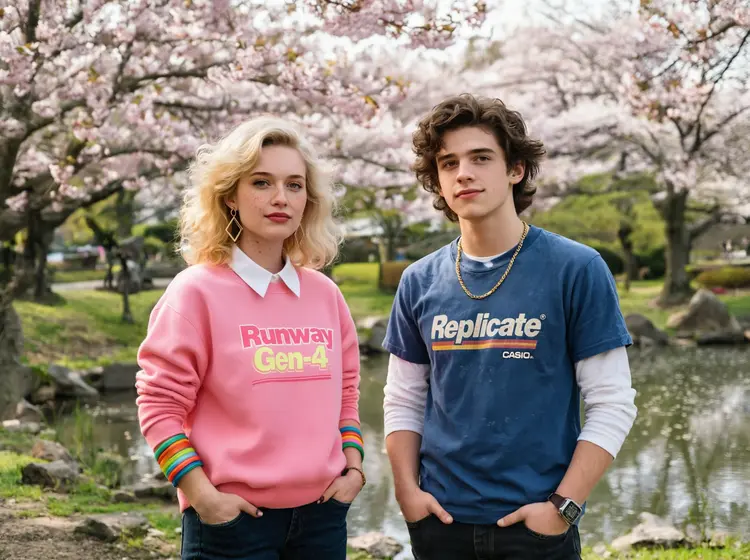
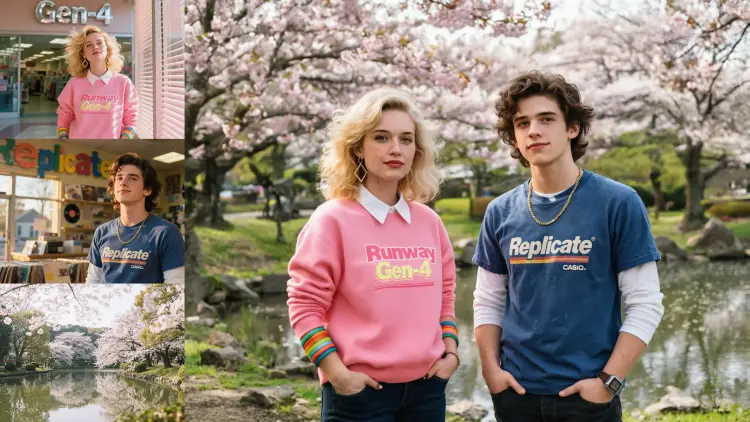
a close up portrait of @woman and @man standing in @park, hands in pockets, looking cool. She is wearing her pink sweater and bangles.
Input
Input 1
Input 2
+1Output
a close up portrait of @woman and @man standing in @park, hands in pockets, looking cool. She is wearing her pink sweater and bangles.
36.9s
View Example
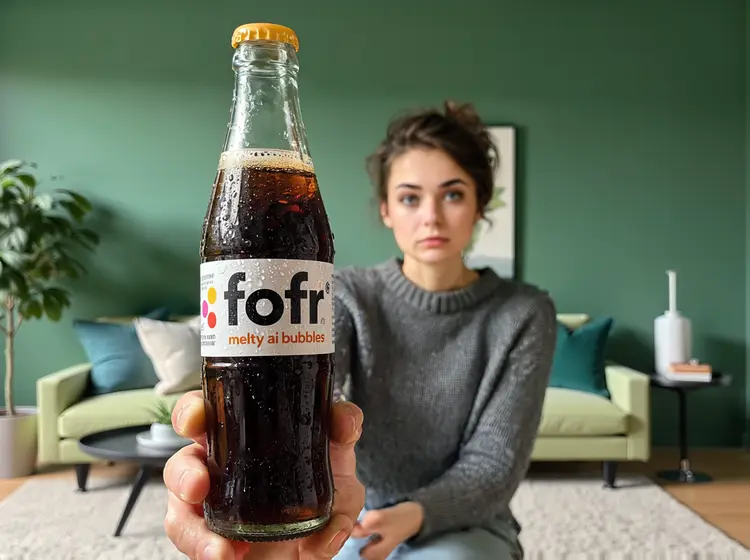
@woman holds the @bottom up, the bottle is the subject, the @woman is visible but she is blurred, she is in the @living_room, it is a product photo shoot
Input
Input 1
Input 2
+1Output
@woman holds the @bottom up, the bottle is the subject, the @woman is visible but she is blurred, she is in the @living_room, it is a product photo shoot
35.2s
View Example
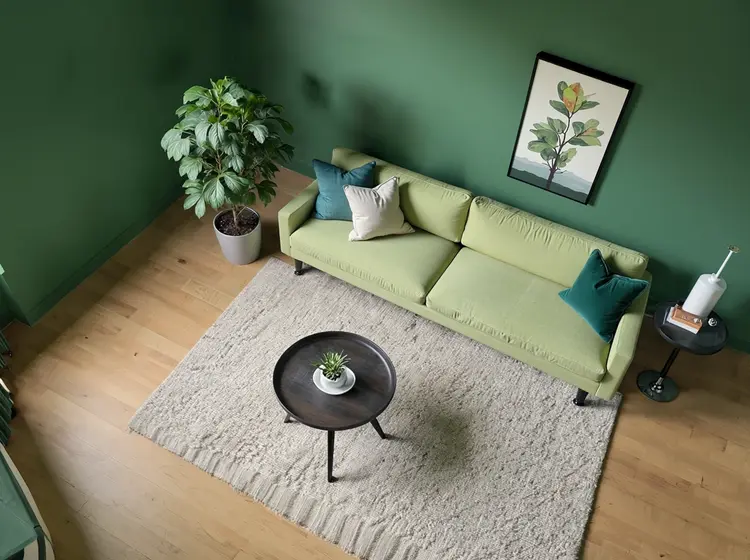
a top down isometric view of @living_room
Input
Input 1
Output
a top down isometric view of @living_room
26.4s
View Example
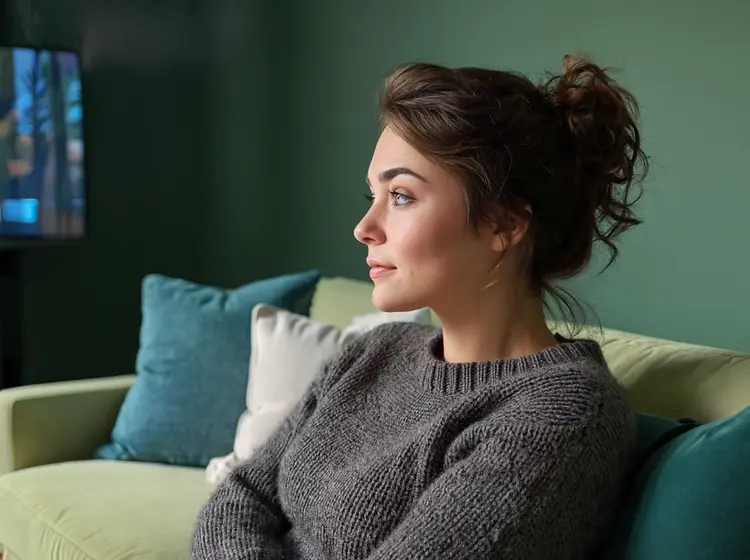
a close up portrait of @woman, she is lounging on the sofa in @living_room, it is evening and low light, she is watching TV and the screen illuminates her, seen from a side angle
Input
Input 1
Input 2
Output
a close up portrait of @woman, she is lounging on the sofa in @living_room, it is evening and low light, she is watching TV and the screen illuminates her, seen from a side angle
31.0s
View Example
a @woman and @robot are lounging on the sofa in @living_room, it is evening and low light
Input
Input 1
Input 2
+1Output
a @woman and @robot are lounging on the sofa in @living_room, it is evening and low light
35.4s
View Example
a close up portrait of @woman, she is standing on stage in the middle of giving a tech talk at a large conference
Input
Input 1
Output
a close up portrait of @woman, she is standing on stage in the middle of giving a tech talk at a large conference
25.2s
View Example

Switch Category

Effects

Text To Image

Text To Image

Text To Video

Large Language Models

Large Language Models

Text To Speech

Text To Speech

Super Resolution

Super Resolution

Lipsync

AI Music Generation

AI Music Generation

Video Editing

Speech To Text

Speech To Text

AI Enhance Videos

Remove Backgrounds

Remove Backgrounds