• Picasso AI Logo
    Logo Picasso IA
  • Home
  • AI Image
    Nano Banana 2
  • AI Video
    Veo 3.1 Fast
  • AI Chat
    Gemini 3 Pro
  • Edit Images
  • Upscale Image
  • Remove Background
  • Text to Speech
  • Effects
    NEW
  • Generations
  • Billing
  • Support
  • Account
  1. Collection
  2. Text to Image
  3. Gen4 Image Turbo

Generate Precise Images with Gen4 Image Turbo

Gen4 Image Turbo is a text-to-image model built for precision. When a stock photo won't cut it and describing a scene with words alone never gets the details exactly right, you can feed it up to three reference images alongside your text prompt. It reads from all of them at once and produces the visual you had in mind. The model runs 2.5 times faster than the standard Gen4 Image, so you spend less time waiting and more time iterating. You can pin specific details by tagging each reference image and calling those tags directly inside your prompt. Aspect ratio and resolution controls let you set the output for any format, from a square social card at 1:1 to a wide cinematic frame at 21:9, all rendered at up to 1080p. Drop it into any creative or production workflow where visual accuracy matters. Product photographers can recreate a specific item in a new scene without a studio. Art directors can merge visual references into one coherent image in seconds. Open it now and see how close the first result lands to what you pictured.

Official

Runwayml

115.1k runs

Gen4 Image Turbo

2025-08-11

Commercial Use

Generate Precise Images with Gen4 Image Turbo

Table of contents

  • Overview
  • How It Works
  • Frequently Asked Questions
  • Credit Cost
  • Features
  • Use Cases
  • Examples
Get Nano Banana Pro

Overview

Gen4 Image Turbo is a reference-guided text-to-image model that runs 2.5x faster than its predecessor at a lower cost per generation. It solves a specific problem that most image generators cannot handle: reproducing a real, specific subject with consistency across different angles, lighting conditions, and compositions. On Picasso IA, you upload up to three reference photos of a product, person, or object, write a prompt describing the scene you want, and receive a polished image that matches what you had in mind. This is not a generic image generator. It is built for situations where "close enough" is not good enough.

How It Works

  • Upload between one and three reference images of the subject you want to appear in the output.
  • Assign a short tag to each reference image (for example, @shoe or @model) so you can name them directly in your prompt.
  • Write a text prompt describing the scene, lighting, and composition, and mention each reference tag where relevant.
  • Choose your output resolution (720p or 1080p) and aspect ratio from six available options covering portrait, landscape, square, and cinematic formats.
  • Hit generate and receive a finished image in seconds, ready to download.

Frequently Asked Questions

Do I need programming skills or technical knowledge to use this? No, just open Gen4 Image Turbo on Picasso IA, adjust the settings you want, and hit generate.

Is it free to try? Gen4 Image Turbo is available on Picasso IA with no complex setup required to test it. Check the current plan details on the platform for generation limits and credit information.

How long does it take to get results? Generation typically completes in a few seconds. The turbo version runs 2.5x faster than the standard Gen-4 Image model, so you spend less time waiting between iterations.

What output formats and resolutions are supported? You receive a high-resolution image file ready to download. Resolution options are 720p and 1080p, with six aspect ratio choices including 16:9, 9:16, 4:3, 3:4, 1:1, and 21:9.

How do reference tags work? Each reference image gets a short text tag between three and fifteen alphanumeric characters, starting with a letter. You drop that tag into your prompt using @tagname, and the model uses the corresponding image as a visual anchor for that part of the scene.

Can I reuse the same reference images across multiple generations? Yes. You can reuse the same reference images in as many runs as you want. Pair that with a fixed seed value and you can reproduce consistent results while changing only the prompt text.

Where can I use the images I generate? The images you generate are suitable for commercial uses such as product photography, social media content, client presentations, and print materials. Review the platform terms for specifics on your intended use case.

Credit Cost

Each generation consumes 1 credit

1 credit

or 5 credits for 5 generations

Features

Everything this model can do for you

Reference image input

Feed up to 3 photos into the model to anchor visual details the prompt alone cannot convey.

2.5x faster output

Produces results significantly faster than the standard version, cutting wait time on every iteration.

Prompt tag system

Label each reference image with a custom tag and call it by name inside your text prompt for precise control.

Multi-format output

Choose from six aspect ratios including 21:9 and 9:16, and render at up to 1080p resolution.

Reproducible results

Set a seed value to get the same output every time, useful for small adjustments without starting over.

No coding required

Run the model directly in the browser with a simple form, no API or scripts needed.

Use Cases

Generate a product image on a custom background by uploading the product photo and describing the scene you want around it

Create a character portrait in a specific art style by providing two or three reference images that show the style you want to match

Produce a campaign visual that combines elements from multiple reference shots into one consistent image

Recreate a real location from a different angle by feeding reference photos and prompting for the exact perspective you need

Design concept art for a scene by uploading rough sketches as references and describing the final look in the prompt

Generate social media visuals at any aspect ratio, from square posts to vertical stories, without cropping or resizing afterward

Iterate on a visual direction by reusing the same seed to keep output consistent while adjusting the prompt word by word

Examples

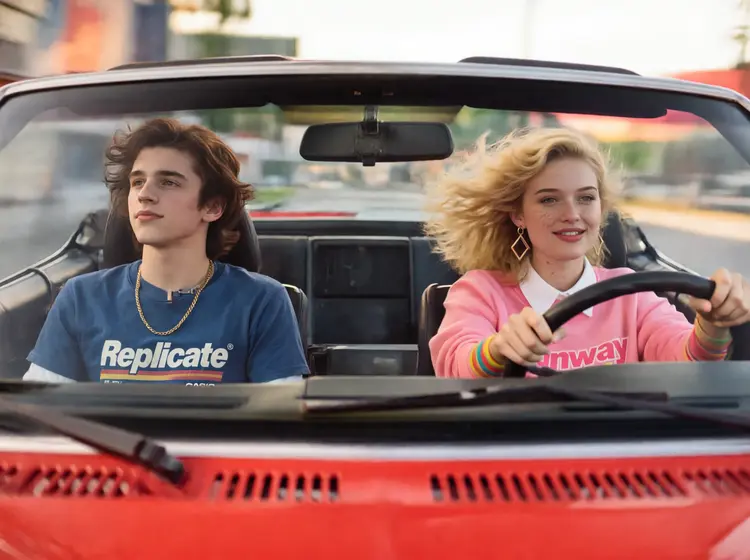
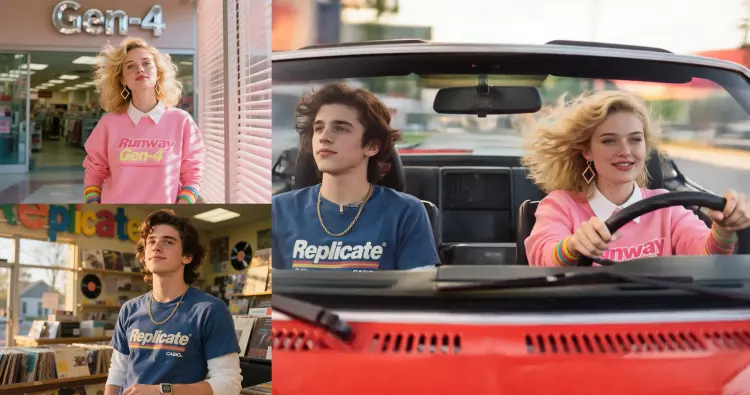
a close up portrait of @woman and @man driving fast in a red 1980s sports car
Input
Input 1
Input 2
Output
a close up portrait of @woman and @man driving fast in a red 1980s sports car
15.8s
View Example
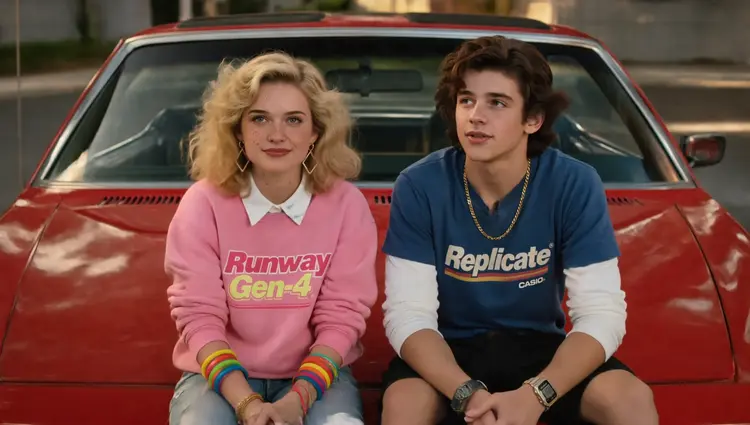
a close up portrait of @woman and @man sitting on the hood of a red 1980s sports car
Input
Input 1
Input 2
Output
a close up portrait of @woman and @man sitting on the hood of a red 1980s sports car
11.8s
View Example
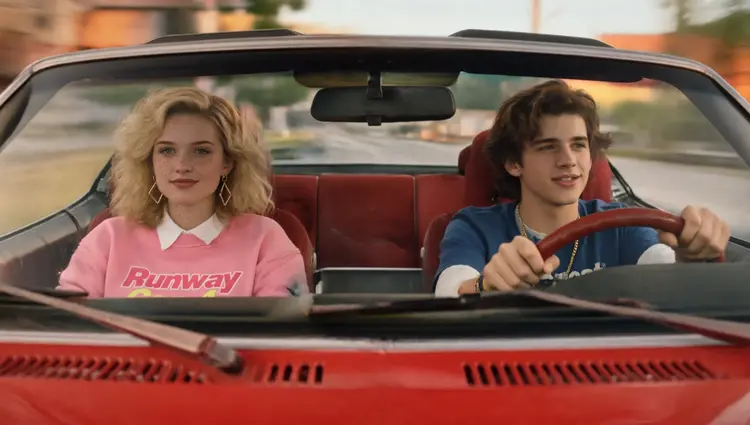
a close up portrait of @woman and @man driving fast in a red 1980s sports car
Input
Input 1
Input 2
Output
a close up portrait of @woman and @man driving fast in a red 1980s sports car
13.4s
View Example

Switch Category

Effects

Text To Image

Text To Image

Text To Video

Large Language Models

Large Language Models

Text To Speech

Text To Speech

Super Resolution

Super Resolution

Lipsync

AI Music Generation

AI Music Generation

Video Editing

Speech To Text

Speech To Text

AI Enhance Videos

Remove Backgrounds

Remove Backgrounds