• Picasso AI Logo
    Logo Picasso IA
  • Home
  • AI Image
    Nano Banana 2
  • AI Video
    Veo 3.1 Fast
  • AI Chat
    Gemini 3 Pro
  • Edit Images
  • Upscale Image
  • Remove Background
  • Text to Speech
  • Effects
    NEW
  • Generations
  • Billing
  • Support
  • Account
  1. Collection
  2. Text to Speech
  3. Speech 02 Turbo

Explore voices to match your need

ASMR

ASMR

Japanese
Whisper
Whispering Woman

Whispering Woman

Whisper
Relaxation
Lucky Robot

Lucky Robot

Robotic
Creative
Angry Pirate

Angry Pirate

Character
Creative

Audio Tools

Original Audio
Cloned
Result

Clone Your Voice

Experience instant voice magic with just 10 seconds of audio input!

Pirate Captain
Pirate Captain
Greedy Goblin
Greedy Goblin
Southern Belle
Southern Belle

Voice Design

Create Any Voice You Can Imagine - From Simple Text Description

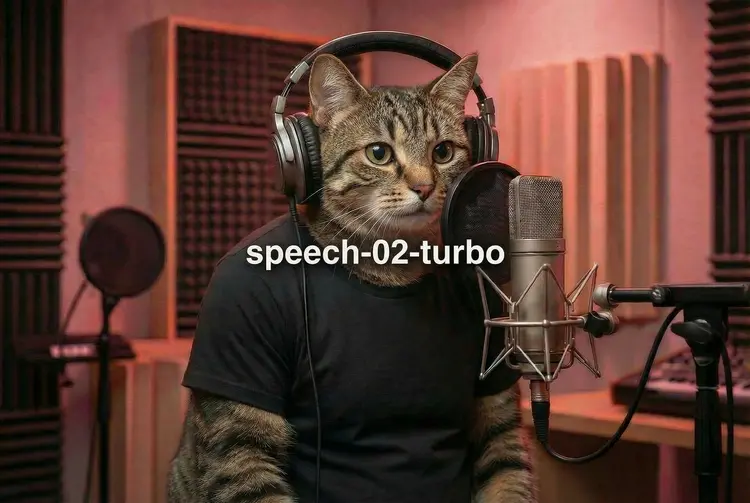
Speech 02 Turbo: Real-Time AI Text to Speech

Speech 02 Turbo is a text-to-speech model built for speed and natural output. If you need a voiceover for a short video, a narration for an online course, or a spoken prompt inside an app, it converts written text into audio that sounds like a real person reading it. The low-latency design means results return fast enough for real-time applications. The model handles over 30 languages, from English and Spanish to Japanese, Arabic, and Hindi, so you can produce content for international audiences without recording separate takes. Emotional delivery is adjustable: choose calm, happy, angry, surprised, or several other styles to control how the final audio feels to the listener. Pitch, speed, volume, and sample rate are all configurable, and the output saves as MP3, WAV, FLAC, or raw PCM. In a typical session, you paste your script, select a voice and an emotion, set the output format, and hit generate. The file is ready to drop into a video editor, podcast tool, or mobile app without extra conversion steps. If caption sync matters to your project, subtitle metadata returns sentence-level timestamps, which saves time when aligning spoken audio to on-screen text.

Official

Minimax

7.32m runs

Speech 02 Turbo

2025-05-02

Commercial Use

Speech 02 Turbo: Real-Time AI Text to Speech

Table of contents

  • Overview
  • How It Works
  • Frequently Asked Questions
  • Credit Cost
  • Features
  • Use Cases
Get Nano Banana Pro

Overview

Speech 02 Turbo is a text-to-audio model on Picasso IA that turns written text into natural-sounding speech in seconds. It was designed with real-time applications in mind, so latency is low enough for live tools, chatbots, and automated workflows, not just offline production. A content creator narrating a tutorial, a developer adding spoken output to a mobile app, and a marketer auditioning voiceover scripts are all working with the same model. Wide language coverage, adjustable emotional delivery, and flexible audio export formats make it practical for a broad range of professional and creative projects.

How It Works

  • Paste the text you want to narrate. You can enter up to 10,000 characters and insert pause markers at specific points to control the silence between sentences.
  • Choose a voice from the available system voices, or enter a custom voice ID from a previous voice cloning session.
  • Set the emotion, pitch, and speed. Options include calm, happy, sad, angry, and surprised. Leave emotion on auto if you want the model to choose based on context.
  • Select the output format and sample rate that match your workflow. MP3 suits most general use; WAV and FLAC are lossless; PCM delivers raw bytes for app integration.
  • Run the model. The finished audio file downloads ready to place in a video timeline, podcast feed, IVR system, or mobile app.

Frequently Asked Questions

Do I need programming skills or technical knowledge to use this? No, just open Speech 02 Turbo on Picasso IA, adjust the settings you want, and hit generate.

Is it free to try? You can run Speech 02 Turbo without a paid subscription to start. Picasso IA offers a free tier so you can test the voice output before committing to a plan.

How long does it take to get results? Most outputs are ready within a few seconds. The model is built for low latency, so the wait is typically shorter than the audio itself would take to play.

What output formats are supported? MP3, WAV, FLAC, and PCM. MP3 suits most general publishing needs. WAV and FLAC are lossless and suited for professional audio production. PCM sends raw bytes to applications that process audio without a container format.

Can I control how the voice sounds beyond the emotion setting? Yes. Shift pitch up or down by semitones, adjust speech speed from 0.5x to 2.0x, set overall volume, and choose between mono and stereo channel output to match your project requirements.

Can I use the output files in commercial projects? The audio files download clean and are ready to publish. Check the platform terms of service for details on commercial use, since policies may differ by subscription tier.

What happens if I am not happy with the result? Change the settings and run the model again. There are no penalties for re-running, and each generation produces a fresh audio file, so you can iterate through different voice styles or emotions until the output matches the script.

Credit Cost

Each generation consumes 1 credit

1 credit

or 5 credits for 5 generations

Features

Everything this model can do for you

Real-time output

Low-latency processing returns audio fast enough to use in live or streaming applications.

30+ languages

Select from Arabic, Chinese, English, Japanese, Spanish, and dozens more with a single setting change.

Emotional voice styles

Choose from calm, happy, angry, surprised, or auto to shape the tone of every line.

Pitch and speed control

Shift the voice up or down by up to 12 semitones and set speech speed from 0.5x to 2.0x.

Multiple audio formats

Export as MP3, WAV, FLAC, or PCM at sample rates from 8,000 Hz to 44,100 Hz.

Subtitle metadata

Enable sentence-level timestamps in the output to make caption syncing fast and accurate.

Stereo support

Switch from mono to stereo channel output for broadcast or audio production workflows.

Optimized for low-latency, real-time use

Use Cases

Narrate a blog post or article by pasting the text and selecting a voice, then download the MP3 to publish as a podcast episode.

Add spoken instructions to a mobile app by converting interface tooltips or help text into audio files.

Produce multilingual voiceovers for the same script by switching the language boost setting without re-recording anything.

Set a specific emotional tone, such as calm or enthusiastic, to match the mood of a video before exporting the audio track.

Generate spoken subtitles with timestamp metadata to sync a transcript automatically to video captions.

Create character voices for a game or interactive story by adjusting pitch and speed settings to differentiate each speaker.

Convert customer support scripts into audio responses for an IVR system, choosing mono or stereo output as required.

Test how a marketing tagline sounds when spoken aloud before recording a professional voiceover session.

Switch Category

Effects

Text To Image

Text To Image

Text To Video

Large Language Models

Large Language Models

Text To Speech

Text To Speech

Super Resolution

Super Resolution

Lipsync

AI Music Generation

AI Music Generation

Video Editing

Speech To Text

Speech To Text

AI Enhance Videos

Remove Backgrounds

Remove Backgrounds