• Picasso AI Logo
    Logo Picasso IA
  • Home
  • AI Image
    Nano Banana 2
  • AI Video
    Veo 3.1 Fast
  • AI Chat
    Gemini 3 Pro
  • Edit Images
  • Upscale Image
  • Remove Background
  • Text to Speech
  • Effects
    NEW
  • Generations
  • Billing
  • Support
  • Account
  1. Collection
  2. Text to Speech
  3. Speech 2.8 Turbo

Explore voices to match your need

ASMR

ASMR

Japanese
Whisper
Whispering Woman

Whispering Woman

Whisper
Relaxation
Lucky Robot

Lucky Robot

Robotic
Creative
Angry Pirate

Angry Pirate

Character
Creative

Audio Tools

Original Audio
Cloned
Result

Clone Your Voice

Experience instant voice magic with just 10 seconds of audio input!

Pirate Captain
Pirate Captain
Greedy Goblin
Greedy Goblin
Southern Belle
Southern Belle

Voice Design

Create Any Voice You Can Imagine - From Simple Text Description

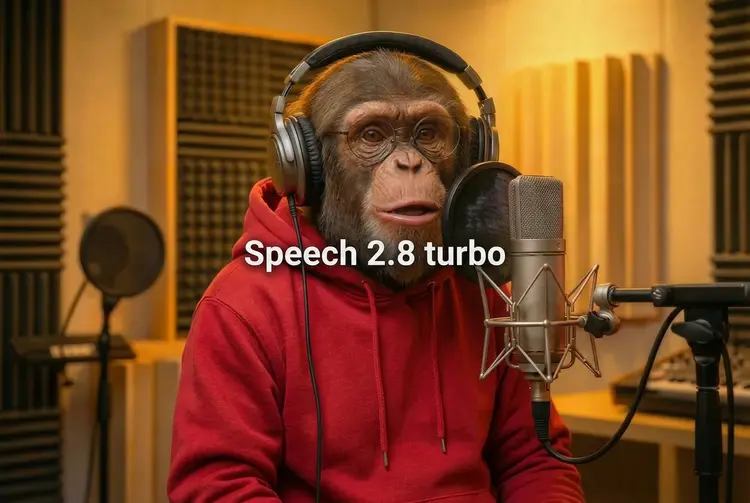
Speech 2.8 Turbo: Natural AI Voiceovers Online

Speech 2.8 Turbo converts written text into expressive, natural-sounding audio. Whether you are a podcaster who needs a narrator that sounds human, a marketer recording product demos in multiple languages, or a developer building a voice interface, this model handles the full production pipeline without a recording studio or voice actor. The model supports 40+ languages with an optional language hint to sharpen pronunciation accuracy. You can select from nine preset emotions, including calm, happy, angry, and surprised, so the delivery matches the tone of your content. Fine-grained controls for pitch, speed, and volume let you shape how the voice sounds before you download the finished file. Drop your script into the text field, choose a voice and emotion, and the model returns an MP3, WAV, FLAC, or PCM file within seconds. It fits naturally into content production pipelines, narration workflows, and app prototypes where a human-sounding voice adds immediate clarity. Start with the default settings, then refine from there.

Official

Minimax

91.8k runs

Speech 2.8 Turbo

2026-02-05

Commercial Use

Speech 2.8 Turbo: Natural AI Voiceovers Online

Table of contents

  • Overview
  • How It Works
  • Frequently Asked Questions
  • Credit Cost
  • Features
  • Use Cases
Get Nano Banana Pro

Overview

Speech 2.8 Turbo converts written text into natural, expressive audio without any recording setup or audio editing software. It handles voiceover pacing, emotional tone, and multilingual pronunciation in a single pass. On Picasso IA, you paste your script, choose a voice and delivery style, and download a finished audio file in seconds. The model supports 40+ languages and lets you fine-tune pitch, speed, and emotion, so the result fits your content rather than sounding like a generic automated read.

How It Works

  • Paste your text into the input field. Scripts can be up to 10,000 characters. Insert timing markers in the text to add deliberate pauses between sentences or sections.
  • Pick a voice from the built-in library and choose an emotion style: happy, calm, sad, angry, neutral, or auto to let the model decide based on context.
  • Adjust pitch in semitone steps, set the speed from slow narration to fast reads, and set the volume level to match your mix.
  • Choose an output format. MP3 works for most use cases. WAV and FLAC give lossless audio for professional editing. PCM delivers raw bytes for app integration.
  • Generate and download. The model returns a clean audio file with no watermarks, ready to place in any project.

Frequently Asked Questions

Do I need programming skills or technical knowledge to use this? No, just open Speech 2.8 Turbo on Picasso IA, adjust the settings you want, and hit generate.

Is it free to try? Yes, you can run Speech 2.8 Turbo without setting up a developer account or writing any code. Check the credits page for details on how many runs are included.

How long does it take to get results? Short to medium scripts usually return audio in a few seconds. Longer texts or lossless output formats take a bit more time, but you won't be waiting more than a minute in most cases.

What output formats are supported? Speech 2.8 Turbo outputs MP3, WAV, FLAC, and PCM. You can also set the bitrate (32 kbps to 256 kbps) and sample rate (8 kHz to 44.1 kHz) to match your platform's requirements.

Can I control the emotion or tone of the voice? Yes. You can specify an emotion from the list (happy, sad, angry, calm, surprised, and more), or use auto to let the model read the context naturally. Pitch and speed are adjustable per run too.

How many times can I run the model? There is no hard cap on the number of runs. You generate audio as many times as you need within your available credits, with each run producing a fresh output.

Where can I use the generated audio? The output is a standard audio file with no restrictions added. Use it in videos, podcasts, online courses, apps, or any project that needs a voiceover.

Credit Cost

Each generation consumes 1 credit

1 credit

or 5 credits for 5 generations

Features

Everything this model can do for you

Emotion control

Choose from nine delivery styles, including happy, sad, angry, calm, and neutral, to match the tone of your content.

40+ languages

Generate accurate, natural-sounding speech in dozens of locales with an optional language hint for sharper pronunciation.

Pitch and speed tuning

Shift the voice pitch by up to 12 semitones and set playback speed anywhere from 0.5x to 2x the normal rate.

Multiple audio formats

Download the finished file as MP3, WAV, FLAC, or raw PCM to suit your production pipeline.

Subtitle metadata

Request sentence-level timestamps alongside the audio to sync on-screen captions without manual timing.

Voice selection

Pick any system voice or supply a custom voice ID to produce audio in a consistent, recognizable style.

Bitrate control

Set the MP3 output bitrate from 32 kbps up to 256 kbps to balance file size against audio quality.

Use Cases

Narrate a multilingual product walkthrough by typing the script and selecting from 40+ supported languages with no re-recording needed

Apply a specific emotion, such as calm or happy, to a customer service script so the audio sounds natural and contextually appropriate

Generate voiced audiobook chapters from manuscript text, adjusting pitch and speed to match a character's personality

Export lossless WAV or FLAC audio from a written script for use in broadcast or podcast post-production

Test different voice IDs and pitch offsets to find the right tone for a brand's voice identity before committing to a final recording

Add timed subtitle metadata to a generated audio clip so captions sync with spoken sentences automatically

Prototype a voice interface or virtual assistant by converting sample dialog text into audio and iterating quickly

Switch Category

Effects

Text To Image

Text To Image

Text To Video

Large Language Models

Large Language Models

Text To Speech

Text To Speech

Super Resolution

Super Resolution

Lipsync

AI Music Generation

AI Music Generation

Video Editing

Speech To Text

Speech To Text

AI Enhance Videos

Remove Backgrounds

Remove Backgrounds