• Logo Picasso IA
    Logo Picasso IA
  • Início
  • IA Imagem
    Nano Banana 2
  • IA Vídeo
    Veo 3.1 Fast
  • IA Chat
    Gemini 3 Pro
  • Editar Imagens
  • Melhorar Imagem
  • Remover Fundo
  • Texto para Fala
  • Efeitos
    NEW
  • Gerações
  • Faturamento
  • Suporte
  • Conta
  1. Coleção
  2. Texto para Imagem
  3. Qwen Image Edit 2511

Edite qualquer foto com Qwen Image Edit 2511

Qwen Image Edit 2511 pega uma foto que você fornece e uma descrição em texto simples do que deseja alterar e, em seguida, gera uma nova versão dessa imagem que corresponde às suas instruções. Isso é útil quando você precisa ajustar um visual existente sem reconstruí-lo do zero, seja trocando o fundo, mudando a cor de um produto ou modificando detalhes em uma cena. O modelo oferece consistência visual notavelmente melhor em comparação com seu predecessor, o que significa que as áreas editadas se integram às partes inalteradas da imagem em vez de parecerem remendadas. Ele aceita entradas JPEG, PNG, GIF e WEBP e gera saídas nos mesmos formatos com configurações de qualidade de até 100. Você também pode travar a proporção para corresponder à imagem original ou escolher uma proporção padrão como 16:9 ou 1:1 para reformatar a saída para uma plataforma específica. Gerentes de mídias sociais, fotógrafos de produtos e designers gráficos podem inserir isso em seu fluxo de edição para lidar com ajustes repetitivos de imagem sem retoques manuais. Escreva uma instrução curta, envie a imagem de referência e obtenha um resultado refinado em segundos.

Oficial

Qwen

3.77m execuções

Qwen Image Edit 2511

2025-12-22

Uso comercial

Edite qualquer foto com Qwen Image Edit 2511

Índice

  • Visão geral
  • Como funciona
  • Perguntas frequentes
  • Custo de Créditos
  • Recursos
  • Casos de uso
  • Exemplos
Obtenha Nano Banana Pro

Visão geral

Qwen Image Edit 2511 é um modelo de IA que edita fotos existentes com base em instruções em texto simples. Em vez de abrir um editor de imagens e trabalhar com camadas ou máscaras, você descreve a alteração que deseja e o modelo a aplica diretamente ao seu arquivo. No Picasso IA, você envia uma imagem JPEG, PNG, GIF ou WebP, digita algo como "substitua o fundo por uma rua chuvosa" ou "mude a cor da camisa para azul-marinho" e recebe uma imagem revisada em segundos. Esta versão oferece consistência visivelmente melhor em comparação com seu predecessor, o que significa que as partes da imagem que você não mencionou permanecem visualmente intactas entre as edições.

Como funciona

  • Envie uma ou mais imagens de referência nos formatos JPEG, PNG, GIF ou WebP.
  • Escreva uma instrução em texto simples descrevendo a edição específica que você deseja, como "remova o texto da placa" ou "adicione neblina ao fundo."
  • Escolha uma proporção para a saída ou deixe-a definida para corresponder às dimensões da sua imagem original.
  • Selecione o formato de saída preferido (WebP, JPG ou PNG) e ajuste o nível de qualidade, se necessário.
  • Clique em gerar e receba a imagem editada, normalmente em poucos segundos.

Perguntas frequentes

Preciso de habilidades de programação ou conhecimento técnico para usar isso? Não, basta abrir Qwen Image Edit 2511 no Picasso IA, ajustar as configurações desejadas e clicar em gerar.

É gratuito para testar? Sim, você pode executar Qwen Image Edit 2511 sem qualquer pagamento inicial. Consulte a página de preços do Picasso IA para obter detalhes sobre créditos e limites do plano gratuito.

Quanto tempo leva para obter os resultados? A maioria das edições é concluída em menos de 10 segundos com o modo rápido ativado por padrão. Imagens maiores ou mais complexas podem levar alguns segundos adicionais, dependendo da instrução.

Quais formatos de saída são compatíveis? O modelo exporta em WebP, JPG ou PNG. WebP é o padrão e equilibra bem o tamanho do arquivo com a qualidade. PNG é a escolha certa quando você precisa de um arquivo sem perdas e sem artefatos de compactação.

Posso personalizar a qualidade ou o estilo da saída? Sim. Você pode definir um valor de qualidade de 0 a 100 para saídas JPG e WebP, e pode escolher uma proporção diferente da imagem de origem, se necessário. Definir uma semente fixa permite reproduzir o mesmo resultado para iterações consistentes.

O que acontece se eu não ficar satisfeito com o resultado? Refine sua instrução em texto para ser mais específico sobre o que deve mudar e o que deve permanecer igual. Pequenos ajustes de redação no prompt costumam produzir resultados visivelmente diferentes, então a iteração é rápida e de baixo esforço.

Onde posso usar as saídas? As imagens editadas são suas para baixar e usar em qualquer projeto. Aplicações comuns incluem páginas de produtos, publicações em redes sociais, apresentações para clientes e mockups de marketing. Nenhuma marca d'água é adicionada aos arquivos baixados.

Custo de Créditos

Cada geração consome 1 crédito

1 crédito

ou 5 créditos para 5 gerações

Recursos

Tudo o que este modelo pode fazer por você

Edições guiadas por texto

Descreva a alteração que você deseja em linguagem simples e receba uma imagem editada em segundos.

Consistência aprimorada

As áreas editadas se misturam à imagem original sem emendas visíveis ou transições irregulares.

Vários formatos de entrada

Aceita imagens de referência JPEG, PNG, GIF e WEBP sem necessidade de conversão de formato.

Proporções flexíveis

Gere em 1:1, 16:9, 9:16, 4:3, 3:4 ou corresponda às dimensões da imagem original.

Alta qualidade de saída

Defina a qualidade de saída até 100 para resultados nítidos, prontos para impressão ou para a web.

Geração mais rápida

O modo de velocidade opcional processa sua solicitação com otimizações adicionais para um retorno mais rápido.

Controle de semente

Defina um valor de semente para reproduzir o mesmo resultado de edição em várias execuções.

Casos de uso

Substitua o fundo de uma foto de produto por um cenário de estúdio descrevendo a cena em poucas palavras

Altere a cor de um item em uma foto, como transformar uma camisa vermelha em azul, digitando uma instrução simples

Remova objetos indesejados de uma imagem descrevendo o que retirar e com o que preencher o espaço

Reformate uma foto existente para uma proporção de 16:9 ou 9:16, ajustando a composição para caber na nova moldura

Retoque a iluminação ou o tom de um retrato descrevendo o ajuste que você deseja sem abrir um editor de imagens

Adapte uma imagem de produto para diferentes contextos editando detalhes visuais como cores, objetos ou elementos de fundo

Transforme uma foto externa diurna em uma cena noturna descrevendo a iluminação e o céu que você deseja

Exemplos

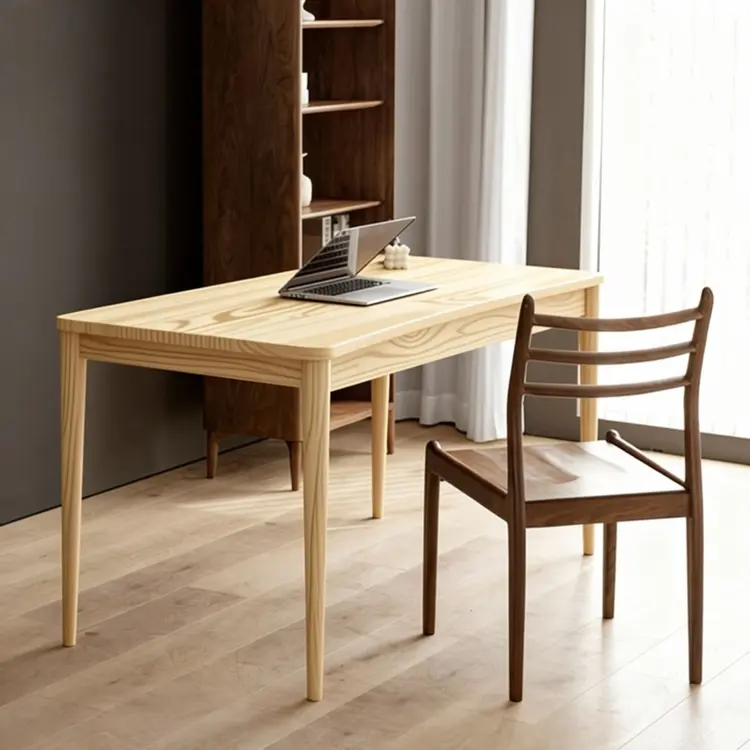
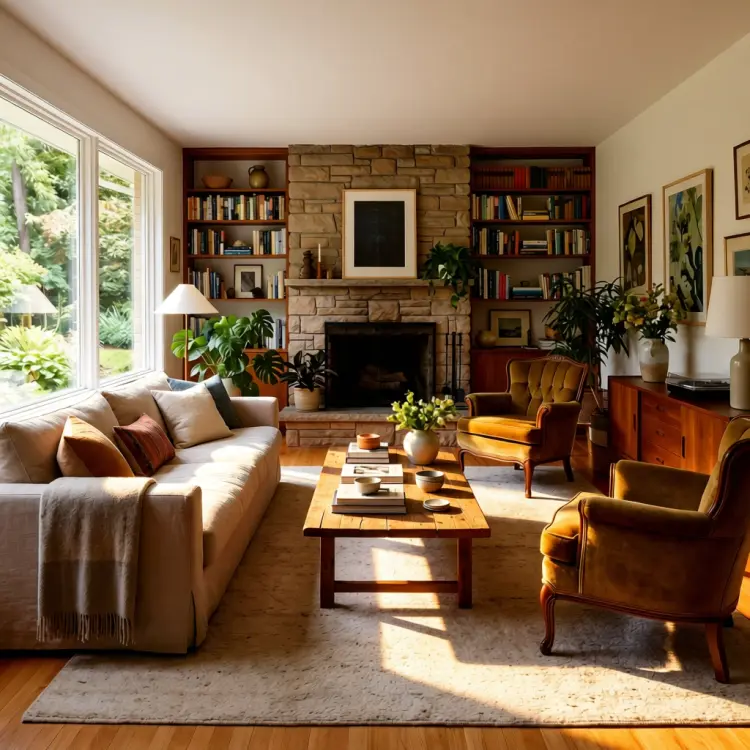
Replace the table top wood in Figure 1 with the light wood material from Figure 2
Entrada
Input 1
Input 2
Resultado
Replace the table top wood in Figure 1 with the light wood material from Figure 2
4.5s
Ver Exemplo
use soft lighting to relight the image.
Entrada
Input 1
Resultado
use soft lighting to relight the image.
2.8s
Ver Exemplo
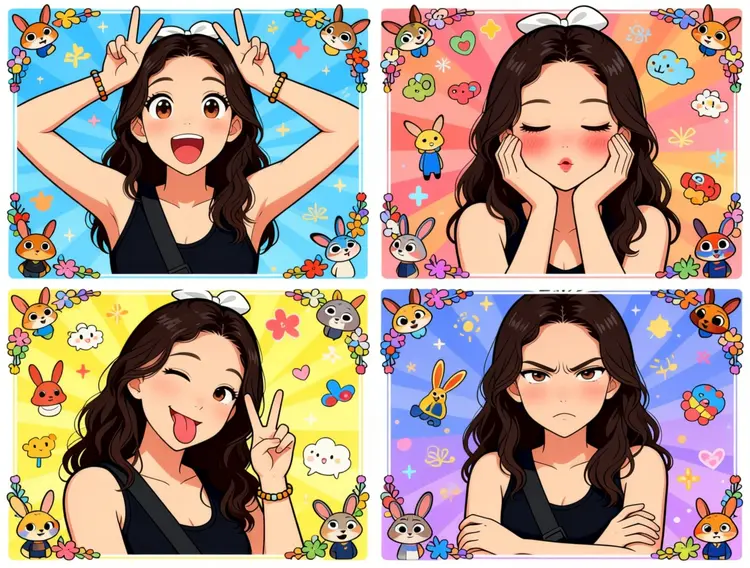
Generate a four-panel grid (2x2) image. The requirements are as follows:
Character & Panels
The character should remain consistent with the reference image, presented across four panels with different poses and expressions:
Top Left: Both hands raised above the head making double "V" (peace) signs. Eyes are wide open, mouth is open, showing a surprised and lively expression.
Top Right: Both hands cupping the cheeks. Eyes are slightly closed, mouth is pouting, and cheeks have a red blush, showing a cute and coquettish look.
Bottom Left: Head tilted slightly, one eye winking, tongue sticking out, and one hand making a "V" sign. A playful and mischievous look.
Bottom Right: Arms crossed over the chest. Brows are slightly furrowed, mouth is pouting, showing a slightly proud and "tsundere" (aloof but cute) expression.
Styling & Aesthetics
Clothing: Remains the same as in the reference image.
Background: A colorful background filled with cute cartoon elements like Zootopia.
Art Style: Overall 2D anime/manga style. Colors are vibrant, and the style is sweet and "healing" (comforting).
Details: Each small panel has an exquisite cartoon border decoration, filled with a sense of childhood wonder.
Entrada
Input 1
Resultado
Generate a four-panel grid (2x2) image. The requirements are as follows: Character & Panels The character should remain consistent with the reference image, presented across four panels with different poses and expressions: Top Left: Both hands raised above the head making double "V" (peace) signs. Eyes are wide open, mouth is open, showing a surprised and lively expression. Top Right: Both hands cupping the cheeks. Eyes are slightly closed, mouth is pouting, and cheeks have a red blush, showing a cute and coquettish look. Bottom Left: Head tilted slightly, one eye winking, tongue sticking out, and one hand making a "V" sign. A playful and mischievous look. Bottom Right: Arms crossed over the chest. Brows are slightly furrowed, mouth is pouting, showing a slightly proud and "tsundere" (aloof but cute) expression. Styling & Aesthetics Clothing: Remains the same as in the reference image. Background: A colorful background filled with cute cartoon elements like Zootopia. Art Style: Overall 2D anime/manga style. Colors are vibrant, and the style is sweet and "healing" (comforting). Details: Each small panel has an exquisite cartoon border decoration, filled with a sense of childhood wonder.
3.0s
Ver Exemplo
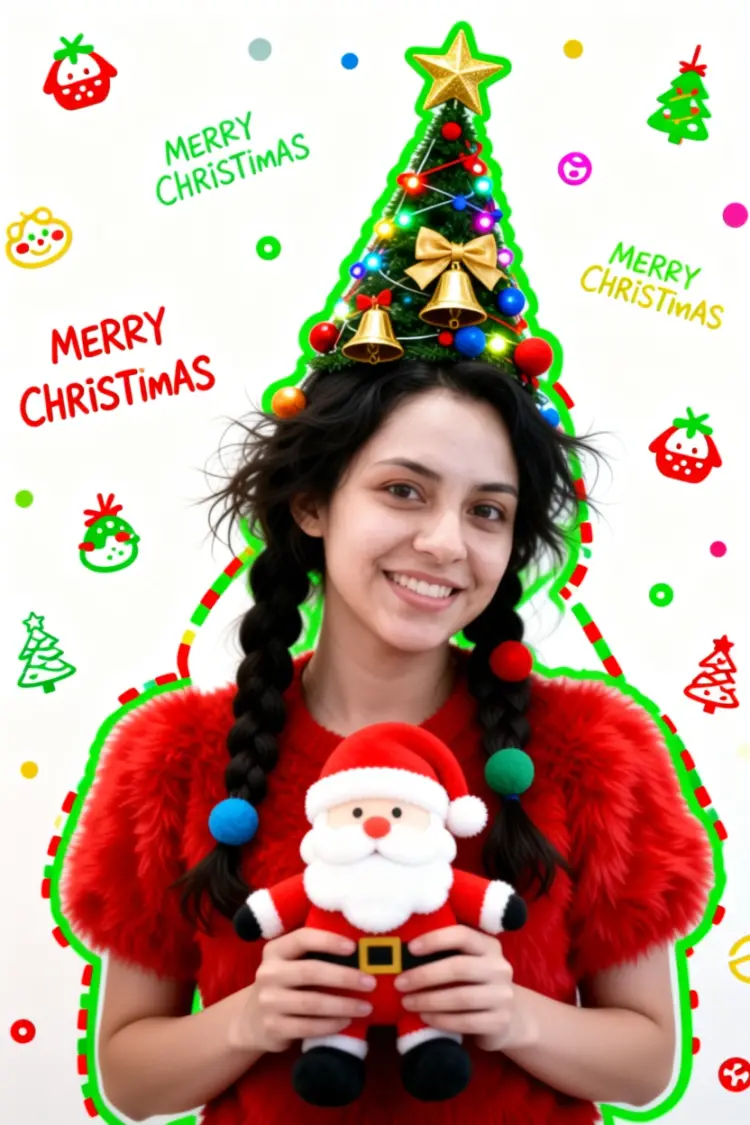
Generate a Christmas-themed image of a beautiful young girl with a "pure desire" (innocent yet alluring) aesthetic. Keep the face consistent with the reference.
Character Appearance & Styling
Hair: Loose, low double-braids decorated with colorful fabric balls. Messy, fluffy strands of hair blend naturally with the headpiece.
Headpiece: A small, neat, cone-shaped Christmas tree fixed to the top of her head. It features a gold star on top and is richly decorated with colorful lights, gold bells, bow knots, and small red, blue, and gold ornaments.
Face & Makeup: Fair "cold-white" skin, smooth as jade. Natural red-brown eyeshadow gradient. An innocent gaze with a dreamy "pure desire" filter.
Clothing: A soft, fluffy red plush top.
Pose & Atmosphere
Action: Holding a Santa Claus plush toy with both hands. She is tilting her head slightly in a playful, cute, and beautiful pose.
Expression: Full of festive celebration; a contrast of cuteness and sexiness.
Vibe: A warm, healing Christmas atmosphere.
Technical & Artistic Style
Photography: Studio soft lighting, 70mm film portrait style. Low contrast, low saturation, delicate film grain, and slight chromatic aberration/glow.
Composition: Medium shot, warm white background, unique but formal composition.
Artistic Elements: * The outline of the character is traced with green graffiti.
The surrounding white space is filled with cute hand-drawn Christmas doodles (collage style).
The silhouette is wrapped in fluorescent red, green, and gold dashed lines and polka dots.
The words "MERRY CHRISTMAS" are written everywhere in a cute font.
Entrada
Input 1
Resultado
Generate a Christmas-themed image of a beautiful young girl with a "pure desire" (innocent yet alluring) aesthetic. Keep the face consistent with the reference. Character Appearance & Styling Hair: Loose, low double-braids decorated with colorful fabric balls. Messy, fluffy strands of hair blend naturally with the headpiece. Headpiece: A small, neat, cone-shaped Christmas tree fixed to the top of her head. It features a gold star on top and is richly decorated with colorful lights, gold bells, bow knots, and small red, blue, and gold ornaments. Face & Makeup: Fair "cold-white" skin, smooth as jade. Natural red-brown eyeshadow gradient. An innocent gaze with a dreamy "pure desire" filter. Clothing: A soft, fluffy red plush top. Pose & Atmosphere Action: Holding a Santa Claus plush toy with both hands. She is tilting her head slightly in a playful, cute, and beautiful pose. Expression: Full of festive celebration; a contrast of cuteness and sexiness. Vibe: A warm, healing Christmas atmosphere. Technical & Artistic Style Photography: Studio soft lighting, 70mm film portrait style. Low contrast, low saturation, delicate film grain, and slight chromatic aberration/glow. Composition: Medium shot, warm white background, unique but formal composition. Artistic Elements: * The outline of the character is traced with green graffiti. The surrounding white space is filled with cute hand-drawn Christmas doodles (collage style). The silhouette is wrapped in fluorescent red, green, and gold dashed lines and polka dots. The words "MERRY CHRISTMAS" are written everywhere in a cute font.
2.9s
Ver Exemplo
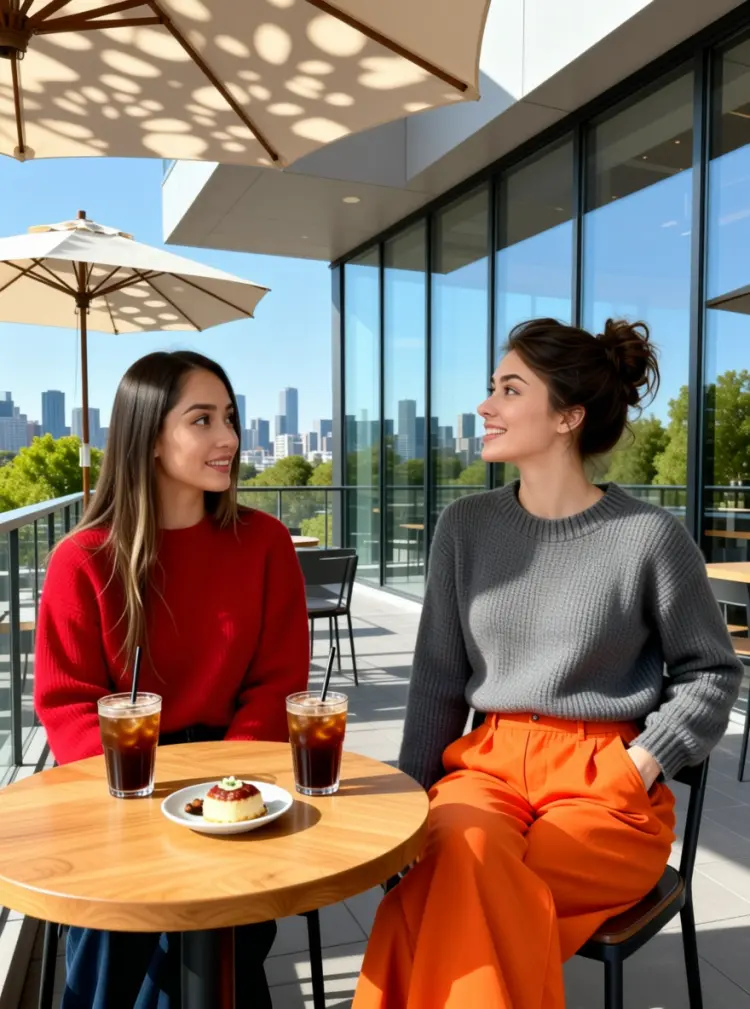
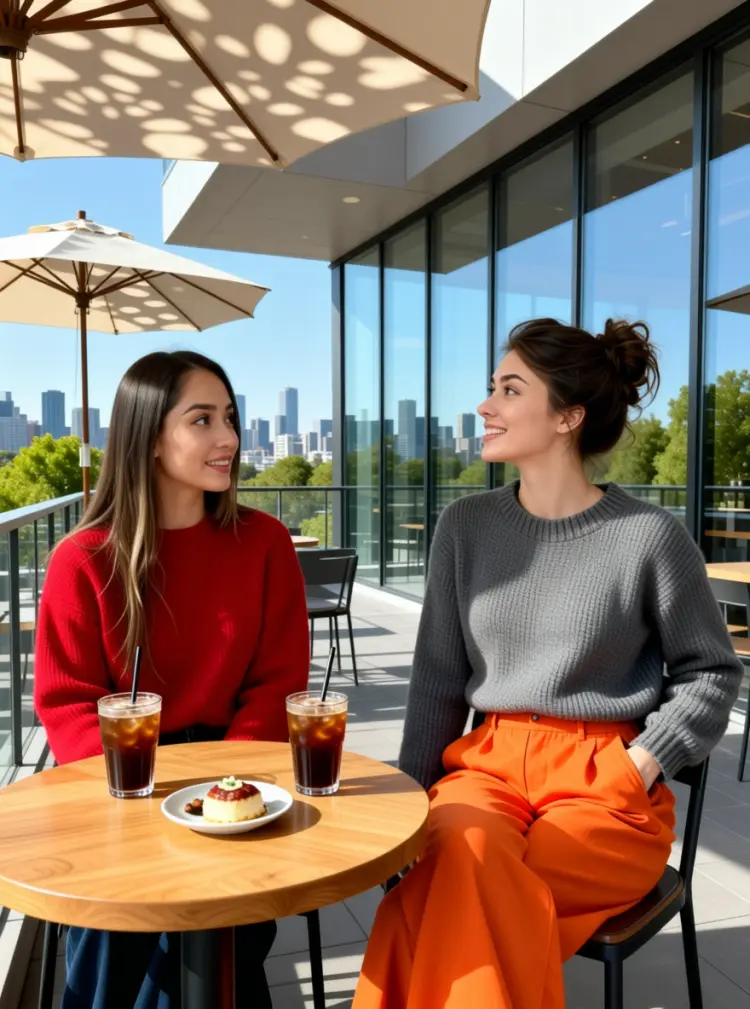
On the terrace of a modern art café, two young women are enjoying a leisurely afternoon. The woman on the left is wearing a red sweater. The woman on the right is wearing a gray neck knit sweater and a pair of eye-catching orange wide-leg pants; her left hand is casually tucked into her pocket, and she is tilting her head while talking to her companion.

They are sitting side-by-side at a small, natural wood-colored table topped with two iced coffees and a small plate of dessert. In the background, there is a city skyline visible through floor-to-ceiling windows and green trees in the distance, with sunlight casting dappled shadows through a parasol.
Entrada
Input 1
Input 2
Resultado
On the terrace of a modern art café, two young women are enjoying a leisurely afternoon. The woman on the left is wearing a red sweater. The woman on the right is wearing a gray neck knit sweater and a pair of eye-catching orange wide-leg pants; her left hand is casually tucked into her pocket, and she is tilting her head while talking to her companion. They are sitting side-by-side at a small, natural wood-colored table topped with two iced coffees and a small plate of dessert. In the background, there is a city skyline visible through floor-to-ceiling windows and green trees in the distance, with sunlight casting dappled shadows through a parasol.
4.6s
Ver Exemplo

Mudar Categoria

Efeitos

Texto para Imagem

Texto para Imagem

Texto para Vídeo

Modelos de Linguagem Extensos

Modelos de Linguagem Extensos

Texto para Fala

Texto para Fala

Super Resolução

Super Resolução

Sincronização Labial

Geração de Música com IA

Geração de Música com IA

Edição de Vídeo

Fala para Texto

Fala para Texto

Melhorar Vídeos com IA

Remover Fundos

Remover Fundos